Allegro X
Next-Gen Integrated PCB & System Engineering

Building the Boards of Next-Gen Hardware
Allegro X is a unified PCB design environment that integrates schematic, layout, and analysis into a single 64-bit, multi-threaded engine. It uses generative AI to handle the tedious parts of placement and routing, while built-in solvers for signal and power integrity (SI/PI) let you fix problems on the canvas before you ever order a prototype.
Engineering teams today are facing a complexity wall where faster signal speeds, denser boards, and shrinking windows for physical prototyping are the norm. Allegro X isn't just another layout tool; it's a unified system design platform that bridges the gap between raw logic and a manufacturable product.
By integrating physical design, multi-physics analysis, and data management into one ecosystem, Allegro X replaces fragmented workflows with a streamlined path to "First-Pass" success.
What is Allegro X?
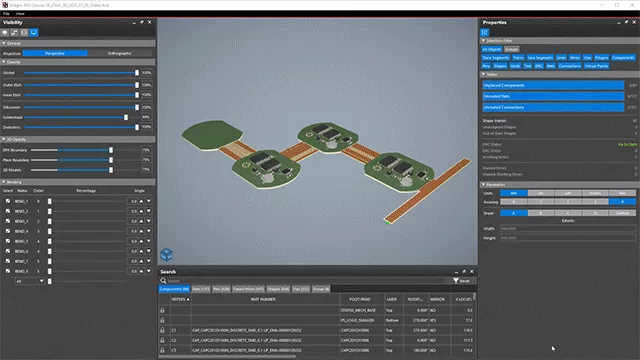
Unified Engineering Ecosystem
- Allegro X PCB Editor
- Allegro X System Capture
- Design for Reliability (DfR)
- Allegro X AI
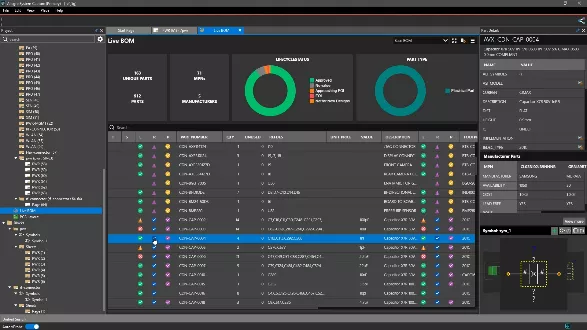
- LiveBOM
- EE Cockpit
- 3DX Canvas
- DesignTrue DFM
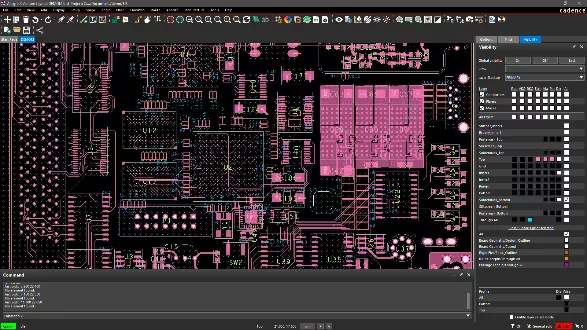
Core Layout Capabilities
- Advanced routing for 10Gbps+ timing and phase tuning.
- Logic-to-layout rules governing the entire flow.
- Rapidly replicate known-good circuit blocks and modules.
- Performance scaling for designs with 10M+ objects.
- Generative placement and routing driven by reinforcement learning with Allegro X AI.
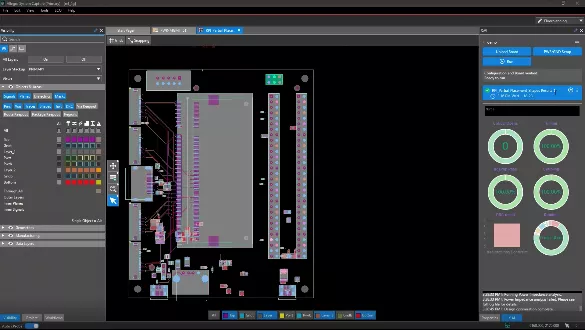
Allegro X AI: Generative Automation
- Generative AI reduces layout cycles by 60% through automated placement and routing.
- The physics-aware engine optimizes thousands of iterations for SI/PI and DFM.
- Native on-platform validation provides instant checking against all design constraints.
- Scalable cloud computing offloads complex routing tasks to high-performance resources.
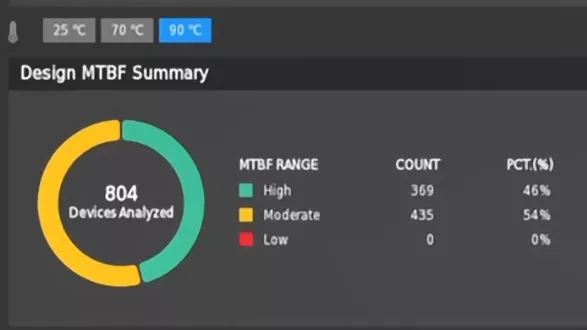
Design For Reliability (DfR)
- Integrated solvers analyze component reliability at the schematic level.
- Automated stress analysis utilizes manufacturer datasheet parameters.
- Advanced engines provide detailed electrical and thermal reports.
- Embedded MTBF (Mean Time Between Failure) analysis ensures mission-critical product longevity.
- Over 30 auditing checks identify potential layout failure points.
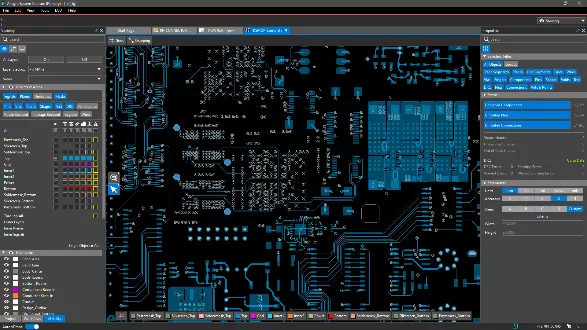
Electrical Engineering Cockpit
- Unified dashboard centralizes schematic, layout, and simulation workflows.
- Common interface enables seamless cross-probing between capture and layout.
- Pulse technology supports real-time concurrent design for distributed teams.
- Integrated 3D viewing allows for instant PCB visualization at any stage.
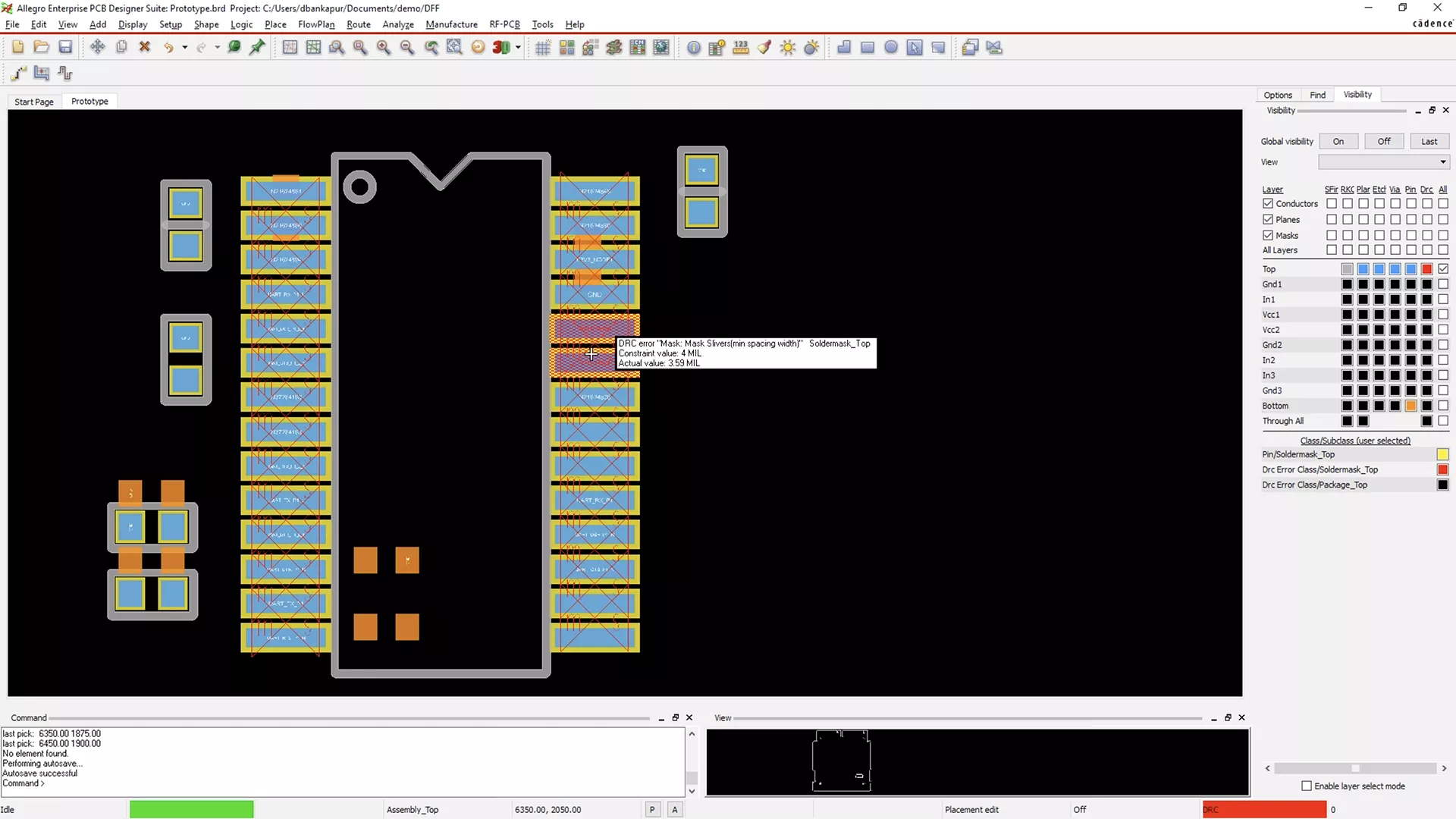
Design For Manufacturing
- DesignTrue DFM provides real-time, in-design manufacturability validation during layout.
- Automated rule checking minimizes re-spins and accelerates the path to production.
- Import manufacturer-certified DFM rules directly into Allegro X.
MCAD/ECAD Collaboration
- Mechanical-aware capture includes native constraints for enclosures and connectors.
- Multi-physics analysis identifies thermal and mechanical stress failures.
- 3DX Canvas supports seamless CAD export and photorealistic NVIDIA Omniverse rendering.
- Pulse provides a direct PDM bridge for synchronized data across engineering teams.
- MCAD X enables bi-directional, real-time logic synchronization for SOLIDWORKS.
- See the SOLIDWORKS connection in our MCADX demo >>
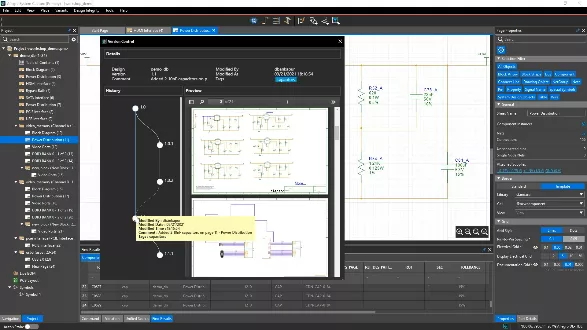
Concurrent Design with Pulse
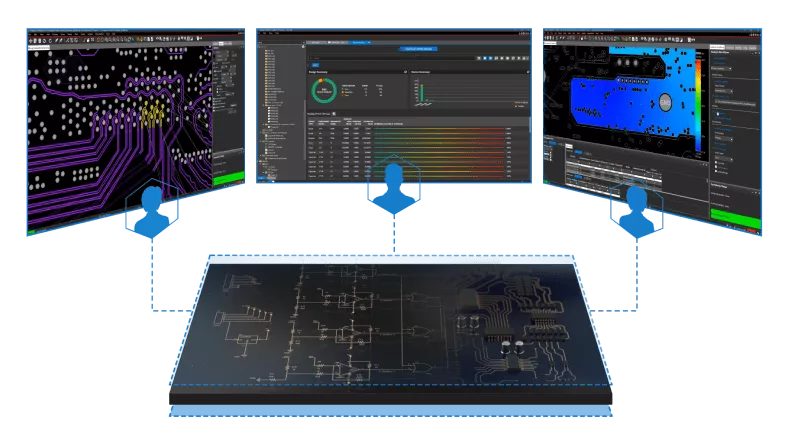
- Real-time concurrent design for distributed teams.
- Unified authoring ensures component consistency.
- JedAI provides actionable insights into design health.
- Native connectivity supports 3DEXPERIENCE and PLM integration.
- Dassault Systèmes MBSE integration.
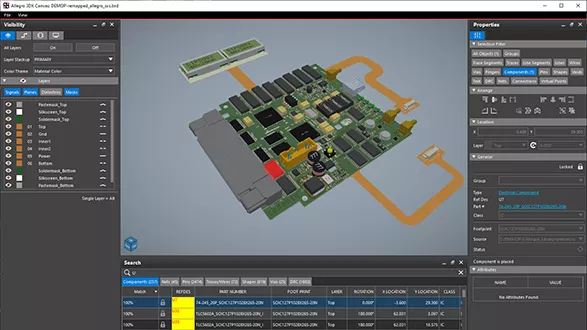
High-Performance Engine
- Enhanced GPU powers ultra-fast graphics and complex computations.
- Advanced 2D rendering up to 50x faster.
- Real-time 3D renderings up to 40x faster.
- High-capacity architecture supports 10M+ data objects.
Frequently Asked Questions


- Allegro X Artist includes Core Checks covering baseline fabricator clearances and standard design-for-assembly (DFA) spacing.
- Allegro X Venture expands this to Extended Sign-Off DFM, introducing over 1,000 advanced checks that govern ultra-dense High-Density Interconnect (HDI) micro-via stacking, complex flex/rigid-flex geometries, and precise multi-physics verification rules required by tier-one manufacturers.
Which Allegro X Package is Right for Me?

Mainstream Engineers & High-Performance Layout
- A unified, 64-bit multi-threaded environment leveraging powerful layout and routing engines for smooth, scalable PCB design.
- Real-time supply chain intelligence via LiveBOM, providing continuous component costing, availability, and lifecycle status during schematic capture.
- The advanced 3DX Canvas provides photorealistic NVIDIA Omniverse mapping, real-time rigid-flex visualization, and multi-physics clearance checks.
- Centralized data management using Pulse technology, ensuring rock-solid database security and a unified cloud workspace.
- Real-time DesignTrue DFM "Core Checks" to validate basic fabrication, spacing, and assembly limits natively on the canvas.

Professional Engineers & Multi-Discipline Teams
- Features advanced in-design electrical analysis (SI/PI) powered by Sigrity Aurora technology to detect impedance and crosstalk issues instantly.
- Design for Reliability (DfR) solvers that perform component-level stress audits and MTBF analysis using automated manufacturer data.
- Full access to high-speed timing constraints, differential pair routing, and automated delay/phase tuning parameters.
- Enhanced productivity features including automatic floor planning, DFA-based component placement, and advanced auditing design checks.
- Robust variant design flows and managed engineering IP reuse blocks anchored natively within the centralized Pulse network.

Advanced Teams & Multi-Board System Designers
- Thermal-aware floorplanning powered by bi-directional Celsius Thermal Solver integration to catch hot spots before routing begins.
- Author, logically connect, and concurrently manage multi-board system configurations natively in System Capture.
- Access native AWR Microwave Office (MWO) interfaces and integrated Power Topology Analyzers directly inside the unified EE Cockpit.
- Utilize interactive EE Cockpit floorplanner to run early-stage physical layout placement and analysis workflows concurrently.

Enterprise Organizations, High-Density System Designers & Ultra-Reliability Teams
- Real-time collaborative layout with Symphony Team Design, enabling distributed global teams to co-design the same complex board simultaneously.
- Scalable cloud automation through Allegro X AI, leveraging generative placement and routing to shrink layout cycles by up to 60%.
- System-Level Design Authoring to seamlessly manage multi-board system architectures and unlimited complex system objects within a single cockpit.
- Next-generation GPU Acceleration rendering graphics up to 50x faster in 2D and 40x faster in 3D for designs containing 10M+ objects.
- Advanced manufacturing sign-off checking with 1,000+ Design True (DFM) rules, plus native MCAD X bi-directional synchronization for SOLIDWORKS.
Compare Allegro X Packages
Flat & Hierarchical Design
Component Information System (CIS)
Unified Search
Team Design (Block, Sheet Level & Constraints)
Constraint Manager
Design Variants & Functional Variants
PSpice Basic (250-node / 250-device simulation)
PSpice System (unlimited, Advanced Analysis, Simulink)
Add-on
Add-on
Add-on
Add-on
Intelligent Design & IP Search
Table of Content Generator
Block Diagram Support
New 3D Engine
Topology Exploration & Extraction
Topology Simulation
Add-on
Add-on
Add-on
Add-on
Impedance & IR Drop (Visions)
Reliability Essentials (30 audit checks, EOS)
AWR Integration
Floor Planning
System-Level Design (unlimited boards)
Reliability Advanced (100 audit checks, MTBR, temp sweep)
Power Analysis (power tree)
Celsius Thermal Integration
Constrain Manager
New 3D Engine
Design Review & Markup
DesignTrue DFM Basic (80+ DFx rules)
MCAD Co-Design (SOLIDWORKS, CATIA, Creo, NX, Fusion)
Single-Shot Manufacturing Outputs
Rigid-Flex Design
Layer-Based Dynamic Shape Control
Impedance & Route Analysis (Visions)
Coupling Analysis (Visions)
Electrical & Region Rules
Diff Pairs, Physical, Spacing, Same-Net Rules
Dynamic Back-Drilling
Full Specctra Auto-Router
Dynamic Diff-Pair Phase Control
MicroVia / HDI
DFA-Based Placement
RAVEL Checker
PCB Interconnect Bundle (flow creation, editing & controls)
Auto-Interactive Tuning
Advanced Route (weave, tabbed, offset)
Allegro Constraint Complier (AOC)
Embedded Components
RAVEL Developer (PA3200)
GPU Acceleration (generic & NVIDIA)
DesignTrue DFM Advanced (1,800+ DFx rules)
PCB Design Planning (auto-interactive routing & completion)
Creepage & Clearance Checks
Auto Power & Ground Pour Generation
Version Control (shared workspace)
Requires Pulse
Requires Pulse
Requires Pulse
Requires Pulse
Part Request Workflow
Requires Pulse
Requires Pulse
Requires Pulse
Requires Pulse
Configurable/Custom Workflows
Requires Pulse
Requires Pulse
Requires Pulse
Requires Pulse
Web Dashboard & Project Creation
Requires Pulse
Requires Pulse
Requires Pulse
Requires Pulse
User, Role & Group Management (SSO support)
Requires Pulse
Requires Pulse
Requires Pulse
Requires Pulse
Managed PCB ECO
Managed Reuse
Task Management & Change Notifications
Publish to Manufacturing (3DEXPERIENCE/Windchill/Agile/TeamCenter)
Add-on
Add-on
Add-on
Add-on
Productivity Toolbox (ALX3150SC)
Add-on
Add-on
Add-on
Add-on
PCB Symphony Team Design (ALX3160SC)
Add-on
Add-on
Add-on
Add-on
Design Publisher - XL (ALX1220SC)
Add-on
Add-on
Add-on
Add-on
PCB Analog / RF Option (ALX3420SC)
Add-on
Add-on
Add-on
Add-on
Cadence Community Forums
Online Training
Cadence Online Support Documentation Resources
Premium Phone Support
Option
Option
Option
Option
Additional Resources
Take Advantage of GoEngineer’s Extensive Knowledge Base and Resources

Find a Solution
Our robust Knowledge Base contains over 12,000 resources to help answer your product design questions. From basic CAD questions to in-depth guides and tutorials, find your solution here. Find a Solution

PROFESSIONAL TRAINING
Improve your skills with professional training and certifications in SOLIDWORKS, CAM, 3D Printing, and 3D Scanning offered four ways: self-paced, online, on-site, or in-classroom. Certified Training Courses

BLOG
#1 Technical Resource Worldwide - Right at your fingertips. Search or browse through hundreds of SOLIDWORKS tips & tricks, additive manufacturing product developments, announcements, how-to guides, and tutorials. Blog

YouTube Channel
Our YouTube channel hosts hundreds of educational tutorials, product demonstrations, recorded webinars, and best practices for all of our products and services. GoEngineer's YouTube Channel
ONLINE STORE
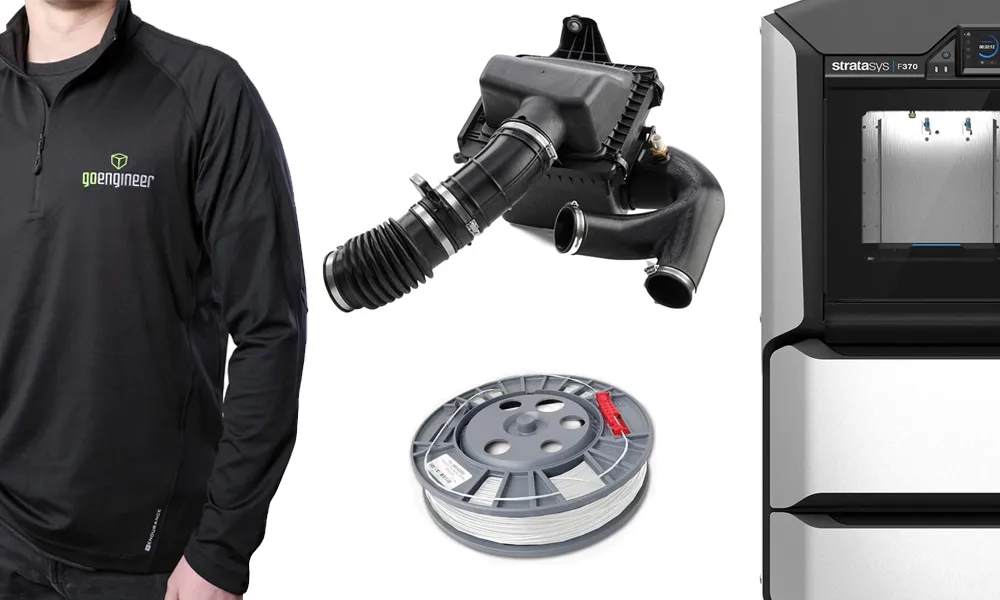
Order 3D printing materials and consumables, enroll in SOLIDWORKS training classes, and buy official GoEngineer gear directly from our online store. Online Store
WEBINARS
Our engineering webinars are hosted by some of the top experts in the industry. They are always recorded, always free, and always offer a live Q&A. WEBINARS
3D Printing Services
Need to 3D print a part? Our Additive Manufacturing experts will 3D print your part and deliver it to you using the latest technology on one of our professional FDM, PolyJet and SL 3D printers. 3D Printing Services