SOLIDWORKS Plastics 2026 - What's New

Table of Contents
Every year, SOLIDWORKS introduces new enhancements to improve ease of use and performance in the software. This includes the many add-ins. This article explores what's new in SOLIDWORKS Plastics 2026.
Key updates include improved performance in the fill, pack, and cool analysis, a new unfilled volume plot, assigning vent boundary conditions to edges, solver updates for thermoset materials, and continued material database updates.
Fill, Pack, and Cool Analysis Enhancements
New enhancements to the Fill, Pack, and Cool analysis will speed up the analysis process.
- Up to 15% faster solution for Fill simulations.
- Up to 30% faster solution for Pack simulations.
- Up to 25% faster solution for Cool simulations.
Unfilled Volume Plot
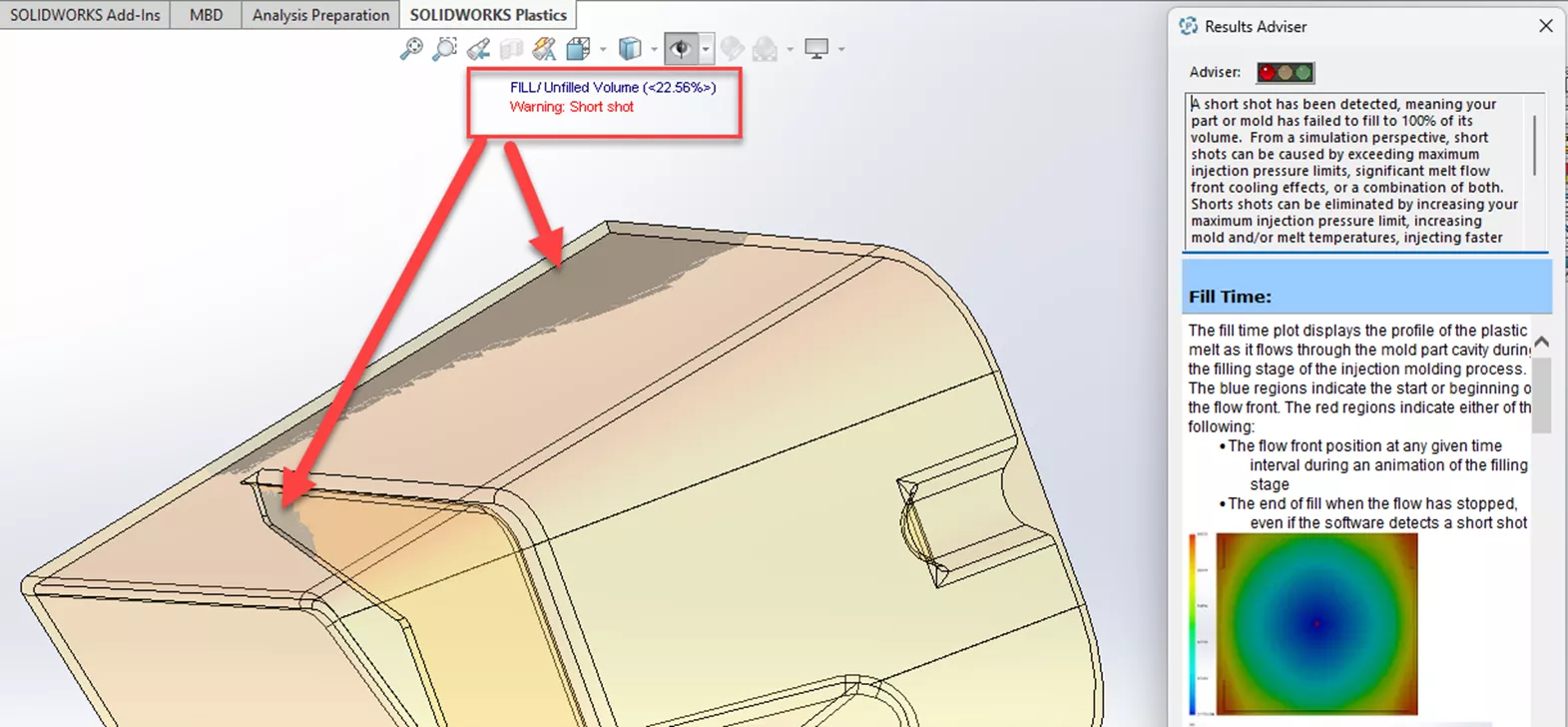
A new result plot, Unfilled Volume, has been added to the Fill simulations when a short shot occurs. This will help determine what the next steps should be to get a full shot. A small percentage may just require gate size or fill setting changes, where a larger percentage of unfill may require model design changes.
Venting Analysis
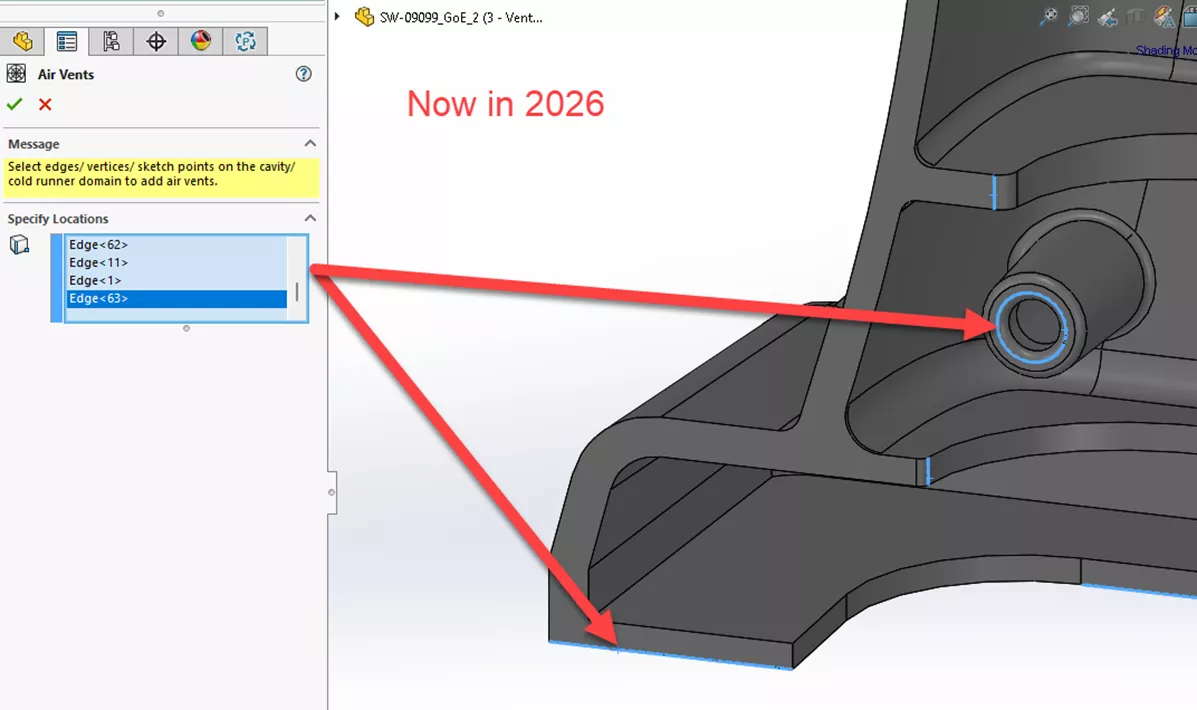
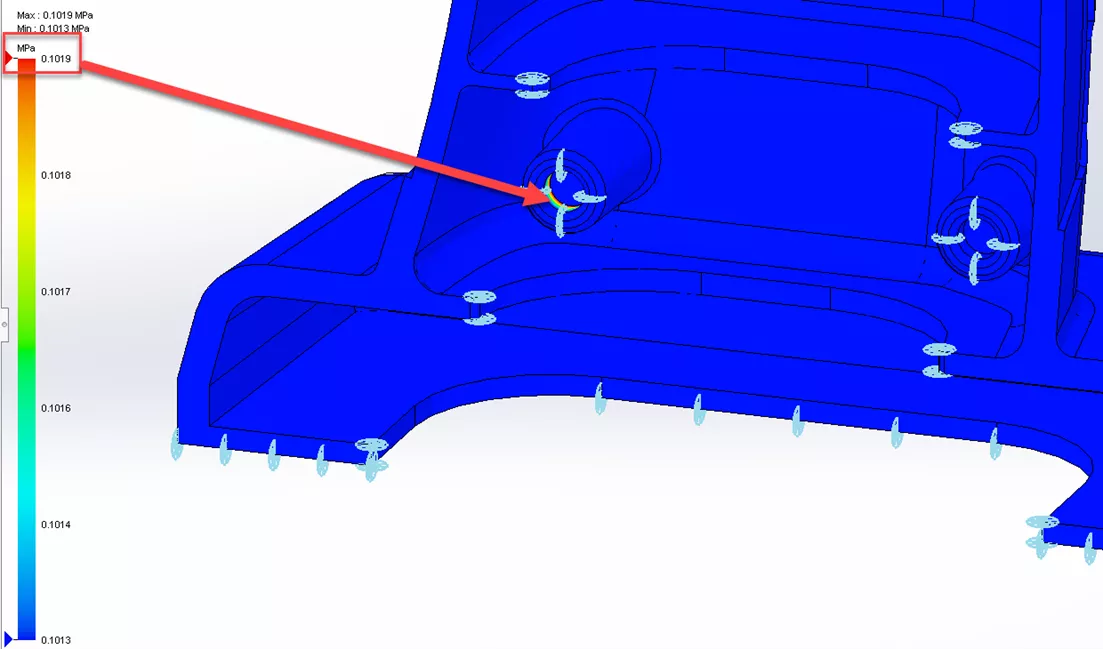
Air Vent Boundary Conditions can now be defined on model edges. Previously, they could only be applied to vertices. With the addition of edge-based air vents, the behavior of actual mold vents is captured more realistically. Air Vent boundaries can be applied to Cavity and Cold Runner system domains in the study.
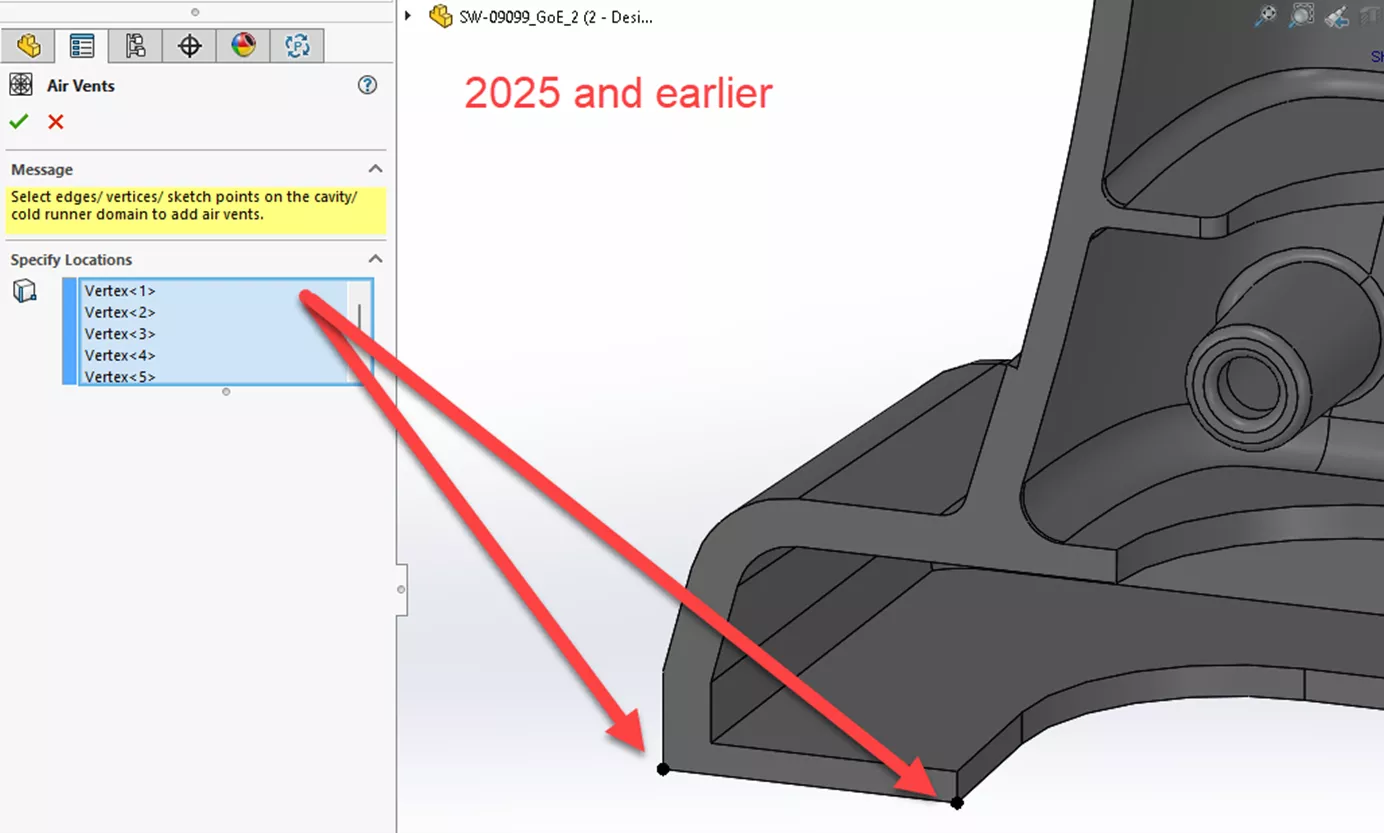
Vent pressure results with vertices defined:
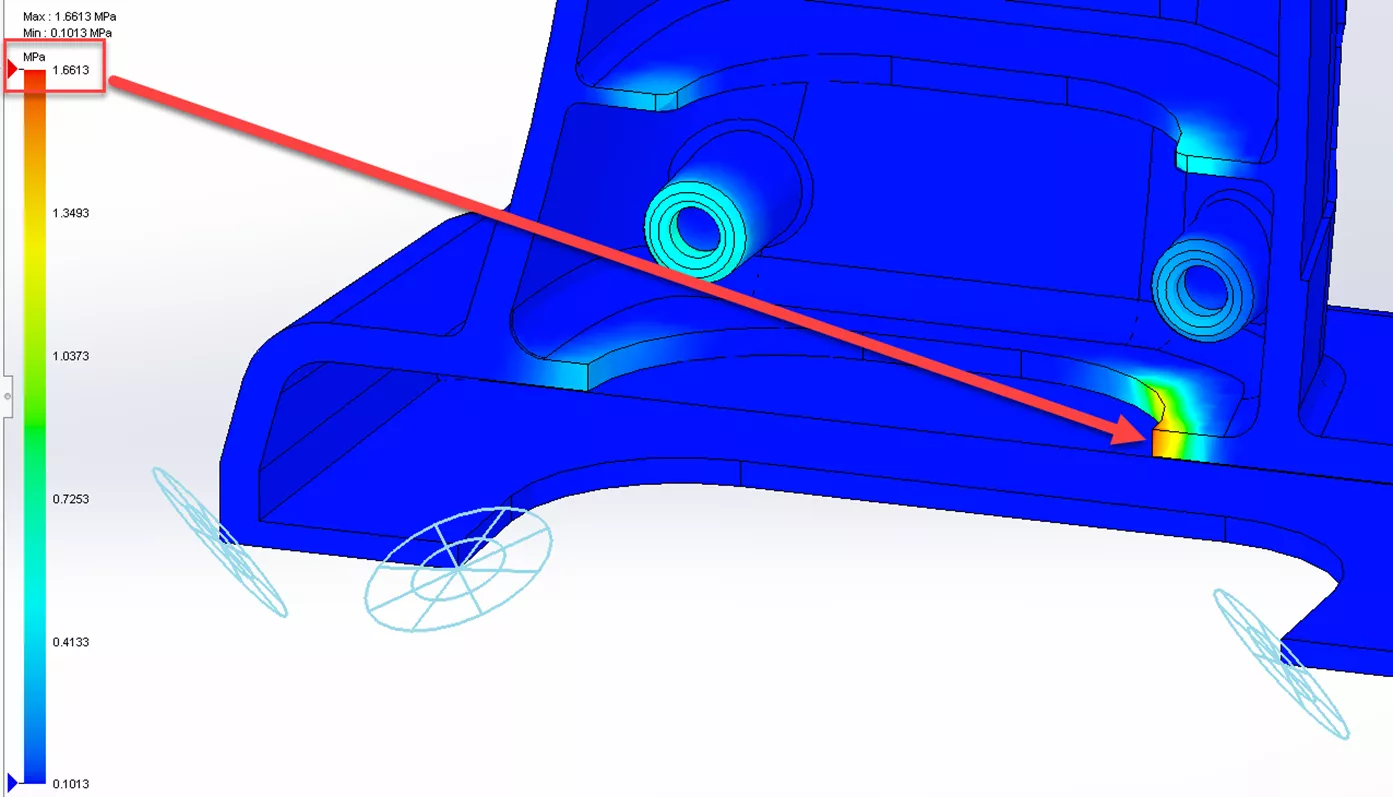
Vent Pressure Results with edges defined:
Thermoset Materials
The Fill/Pack parameters user interface has been updated for thermoset materials to improve usability, and solver updates improve the Fill, Pack, and Warp simulations.
Simulations now account for the orientation effects of fiber-filled thermoset materials to improve on the solution accuracy. Several interface parameters have been renamed, and a new parameter has been added.
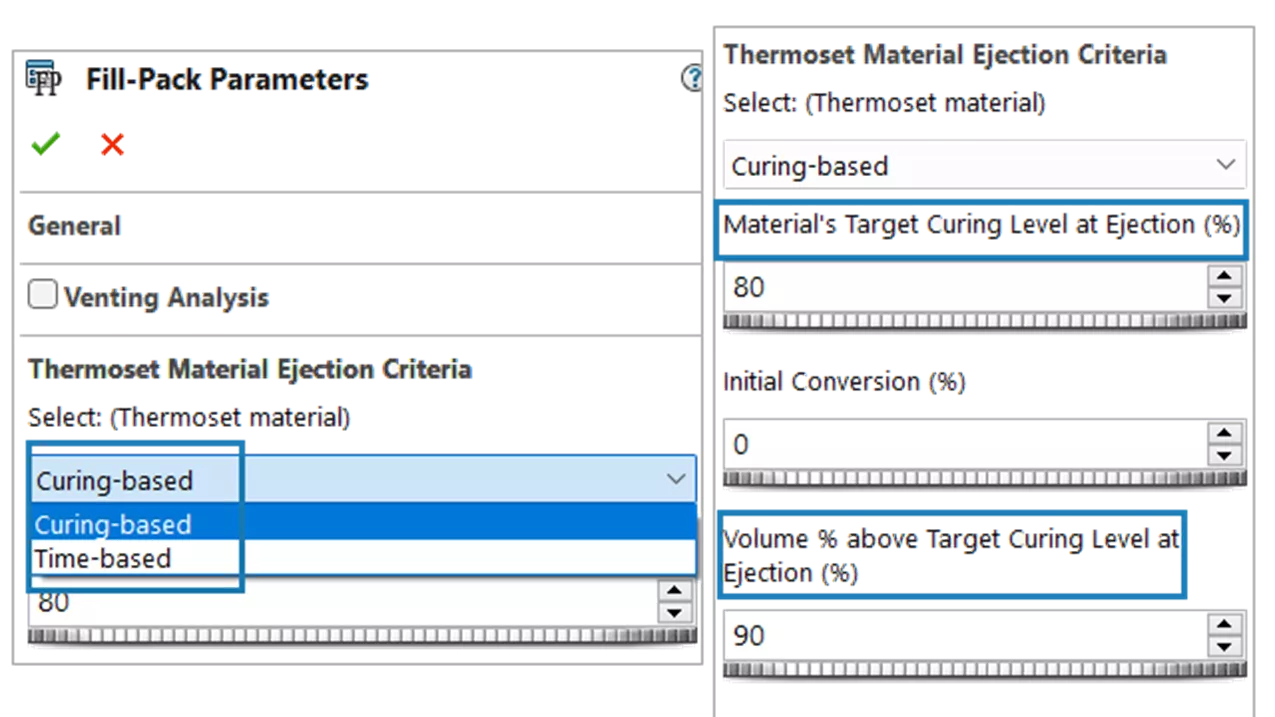
Thermoset Material Ejection Criteria
- Curing-based - The solver will continue the curing simulation until the material reaches the defined target curing level, eliminating the guesswork of determining the curing time.
- Time-based – A curing time is specified for the solver to complete the thermoset curing simulation. The results can be reviewed to determine the percentage of curing achieved, and the curing time can be adjusted to shorten or lengthen the processing time.
- Material’s Target Curing Level at Ejection - Sets the percentage of curing at which the thermoset material reaches its gelation point, where its viscosity becomes infinite, and it loses the ability to flow. Curing beyond this level is not beneficial and only adds to the manufacturing cycle time. This characteristic is an intrinsic property of the material determined through characterization, typically provided by the material manufacturer.
- Volume % Above Target Curing Level at Ejection - Sets a threshold volume percentage that determines the ejection point. The default setting is 90%, meaning the part is ejected once 90% of the plastic volume reaches the target curing level. This is a new parameter.
Results Related to Thermosets for SOLIDWORKS Plastics 2026
Fill Results:
- Time to Reach Curing Level – Shows the required curing time to achieve the thermoset material's target curing level.
- Material's Curing Level at End of Fill - Plots the degree of conversion (reaction) of the thermoset material at the end of fill.
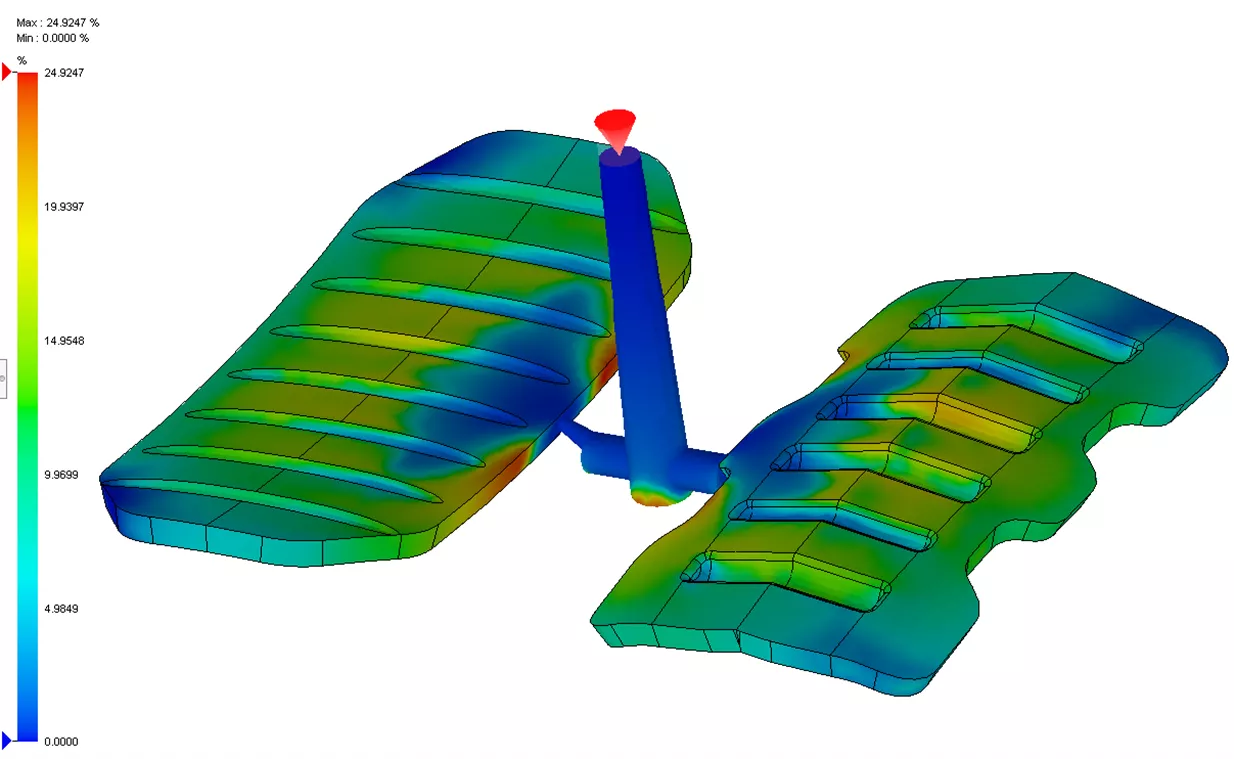
Pack Results:
- Time to Reach Curing Level - Indicates the time it takes for the thermoset material to reach the target curing level. The curing time depends on the curing kinetics of the material.
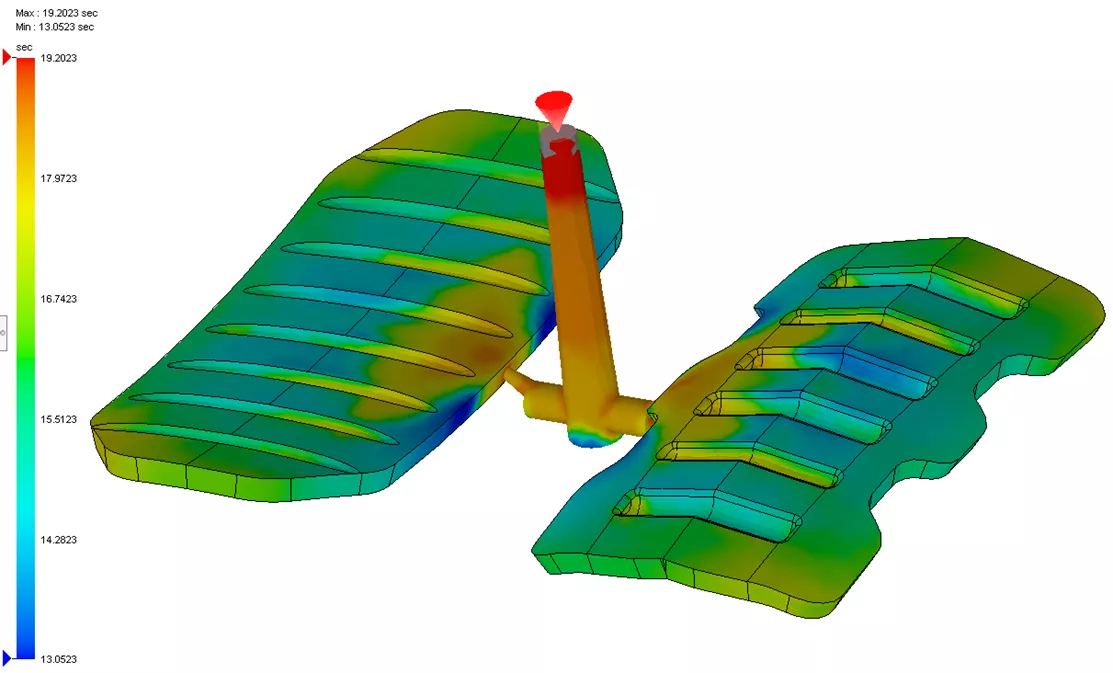
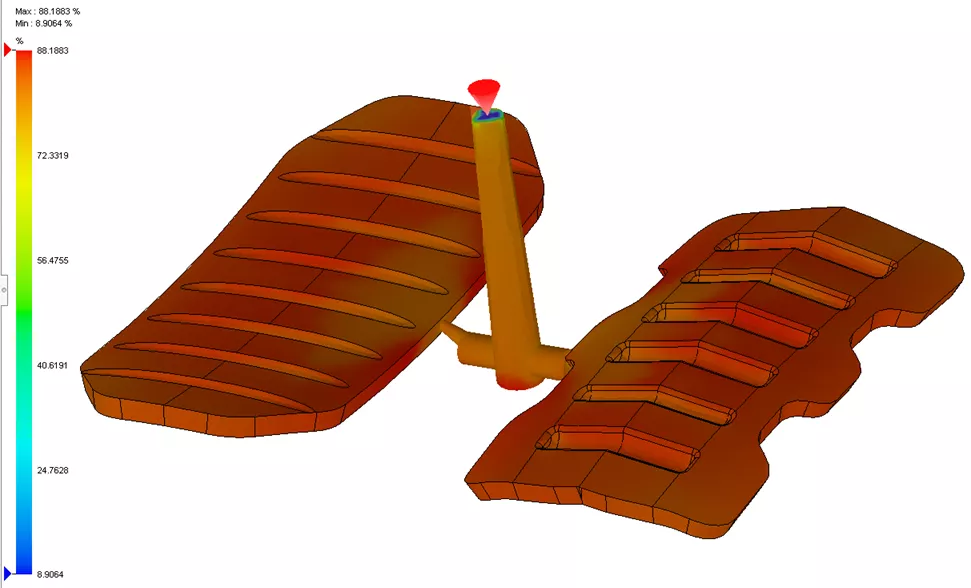
- Material's Curing Level at Ejection - Plots the degree of conversion (reaction) of the thermoset material just before the part ejection.
Material Database
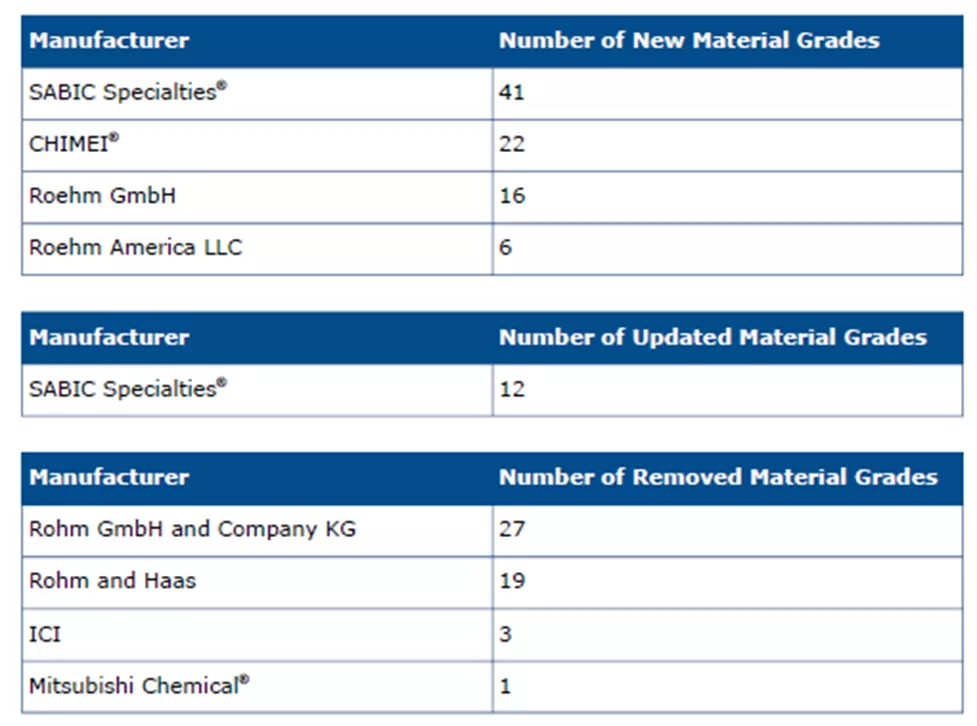
The development team continues to build the materials database. With 85 new material grades, updates to 12 materials, and the removal of 50 obsolete materials, SOLIDWORKS Plastics 2026 ensures you have access to the latest material properties.
In conclusion, SOLIDWORKS continues to advance the technology in plastic injection molding simulations. With new analysis solver improvements, enhanced results plots, and an expanded material database, you can validate and be confident in the manufacturability of your plastic part designs. Improve your plastic injection molded part designs and bring your processes online quicker with SOLIDWORKS Plastics 2026.
That's a wrap for what's new in SOLIDWORKS 2026 & 3DEXPERIENCE Collaboration. Check out the rest of our SOLIDWORKS 2026 What’s New series for more updates across the SOLIDWORKS platform.
The Next Evolution of SOLIDWORKS
Our What's New event celebrates 30 years of design innovation. Discover what’s new in the 2026 release, packed with hundreds of user-driven enhancements, performance boosts, and cutting-edge AI-powered features designed to accelerate your product development. We’ll also share an exclusive look at the future roadmap, where SOLIDWORKS is headed and how it will continue to support your innovation for decades to come.
More What's New
SOLIDWORKS 2026 & 3DEXPERIENCE Collaboration - What's New
SOLIDWORKS & Visualize 2026 - What's New
SOLIDWORKS 2026 UI/UX, Performance & Imports - What's New
SOLIDWORKS 2026 Drawings - What's New

About Jeff Lendermon
Jeff Lendermon is an Applications Engineer for GoEngineer supporting the SOLIDWORKS Plastics simulation software. Jess has over 30 years of experience in the Plastic Injection molding industry, he applies his experience and knowledge of the industry to help customers see the benefits of utilizing the tools within SOLIDWORKS Plastics.
Get our wide array of technical resources delivered right to your inbox.
Unsubscribe at any time.