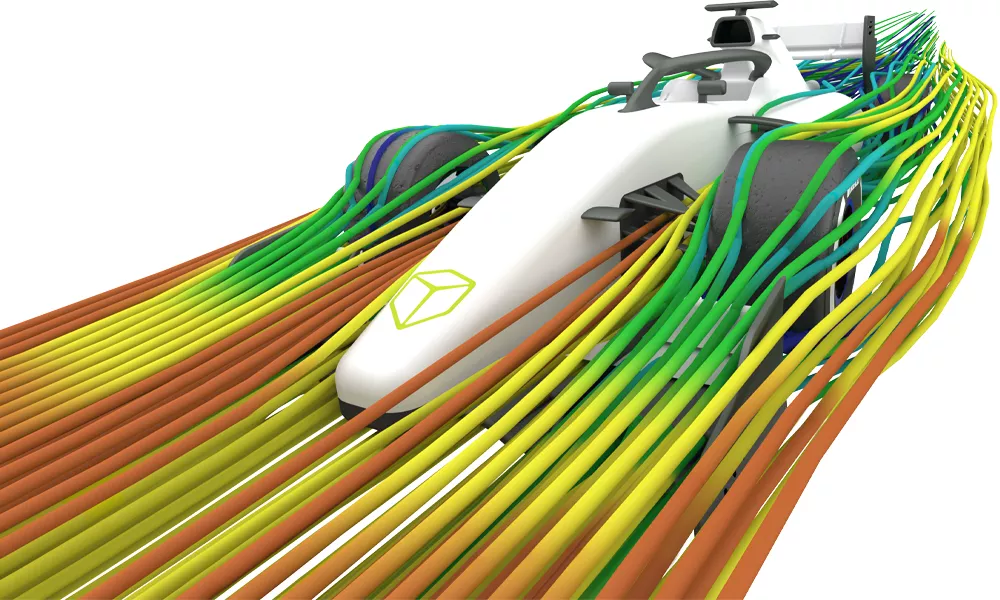
Isight & The Simulia Execution Engine
Automate Your Simulation Process - Explore Better Designs, Faster.

What Is SIMULIA Isight?
SIMULIA Isight is a process integration and design exploration tool. It automates complex workflows across multiple tools so you can do sophisticated engineering analyses at scale. You drag‑and‑drop the steps you already perform (e.g., update CAD → mesh → solve → parse results → log to Excel), wire the inputs/outputs, then tell Isight how to vary the inputs and what "good" looks like. It executes the flow, logs results, and helps you analyze them.
Use Isight when:
- You repeat the same cross-tool workflow and want fewer manual handoffs.
- You need systematic design exploration rather than a handful of “hero” runs.
- You want distributed execution and a clear audit trail of what ran and why.
Isight supports many popular CAD and FEA tools, internally developed programs, and supplementary tools like Excel. Techniques such as Design of Experiments, Optimization, Approximations, and Six Sigma allow users to thoroughly explore the design space. Interactive post processing tools enable results analysis from multiple perspectives.
Isight at a Glance
Automate the boring stuff
Build a visual "SimFlow" of your CAD/CAE steps and let Isight pass data, run solvers, and capture results consistently.
Explore the design space
Run DOE, optimization (including genetic and simulated‑annealing methods), Monte Carlo, and Six Sigma studies to find robust designs.

See What Matters
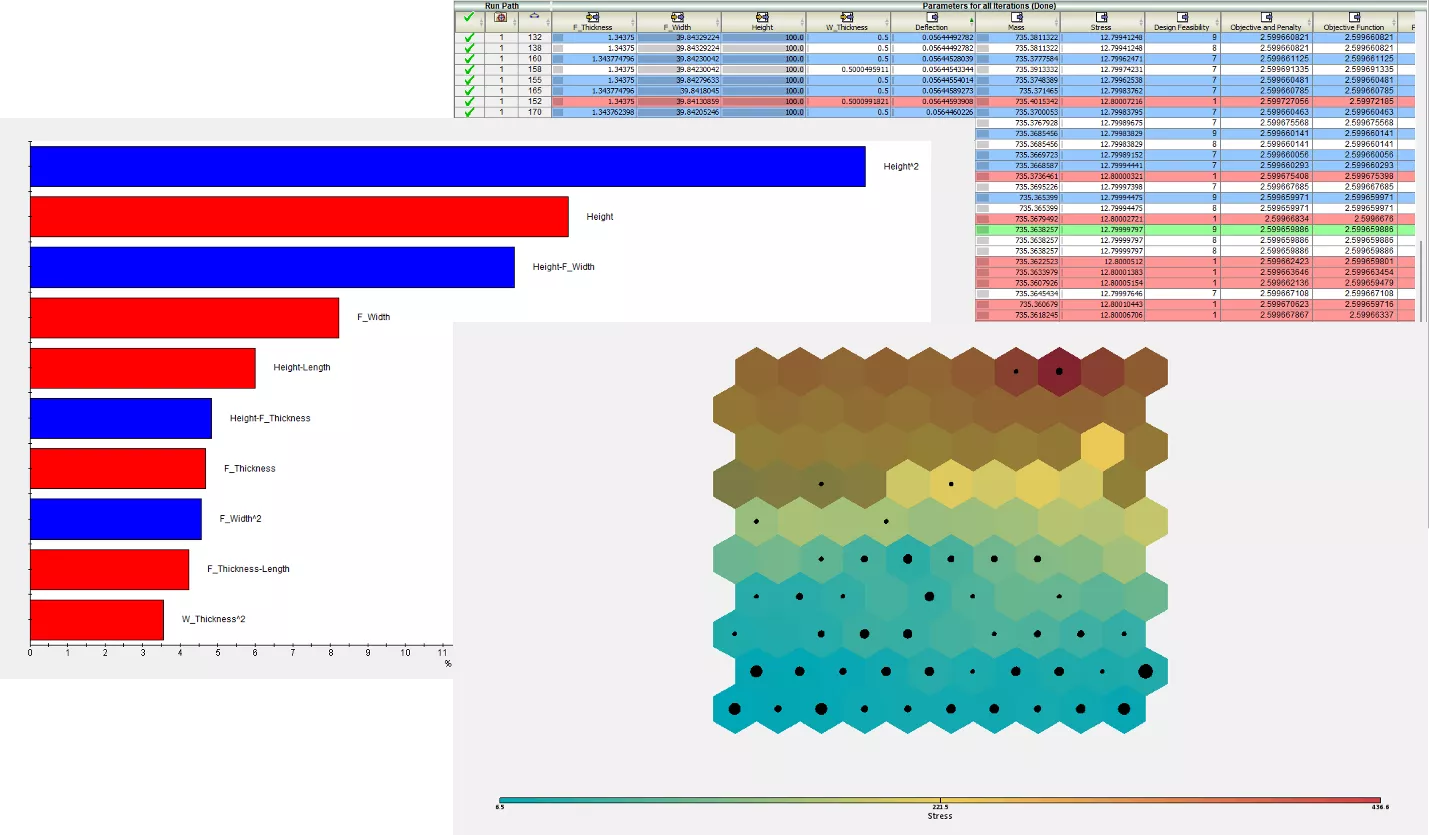
Use correlation maps, self‑organizing maps, 2D/3D scatter and contour plots to understand sensitivities and trade‑offs.
Scale When You Need Speed
Distribute runs across multiple machines with the SIMULIA Execution Engine (SEE) and your scheduler/DRM.
Abaqus User? You Already Own Isight!
If you have a current Abaqus license, you can use it to run Isight. Contact GoEngineer to learn how to download and install Isight and develop your own workflows.
Features
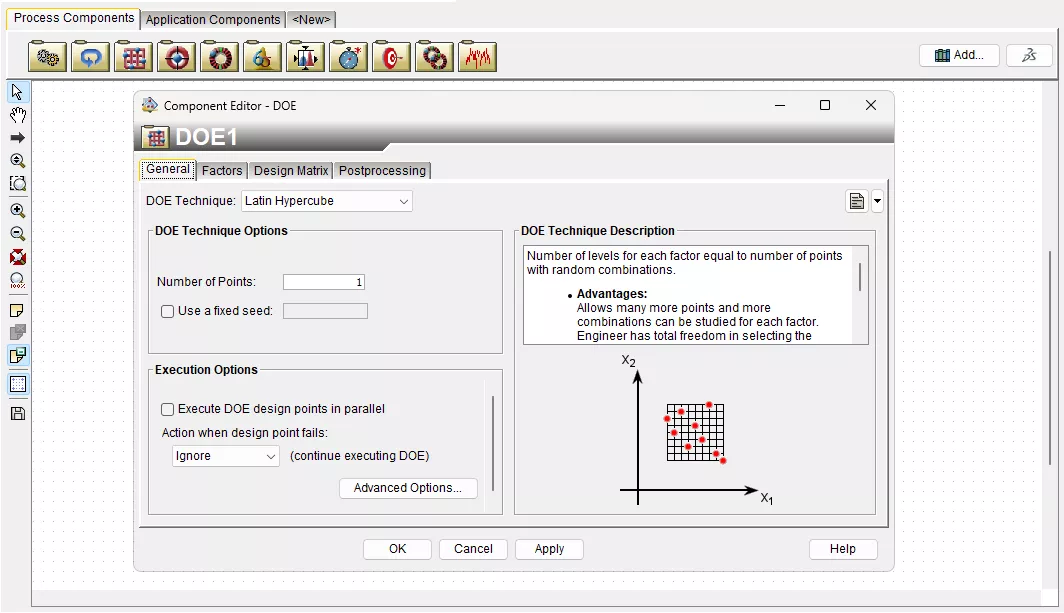
Process Components
Isight’s process components provide a modular approach to building and managing simulation workflows, allowing engineers to automate complex analyses, optimize designs, and assess variability. These components enable efficient process integration, ensuring simulations run smoothly across multiple disciplines while reducing computational effort and improving accuracy.
Key Components:
- Loop: Automates iterative processes by systematically varying input parameters and refining designs through repeated simulations.
- Design of Experiments: Generates structured test cases to explore design spaces, identify key parameters, and improve performance insights.
- Optimization: Uses gradient-based, direct search, exploratory, and hybrid algorithms to find the best design configurations while minimizing cost, weight, or other constraints.
- Monte Carlo: Assesses uncertainty by running randomized scenarios to predict failure probabilities and improve risk assessment.
- Six Sigma: Enhances quality control by identifying sources of variability, reducing defects, and improving process capability for robust designs.
Isight offers additional process components designed for advanced statistical analysis, sensitivity studies, and custom scripting. These tools provide flexibility in designing workflows that meet specific engineering challenges, enabling users to automate, refine, and accelerate their simulations.
See Isight's full Basic Component List and Pro Component List.
Application Components
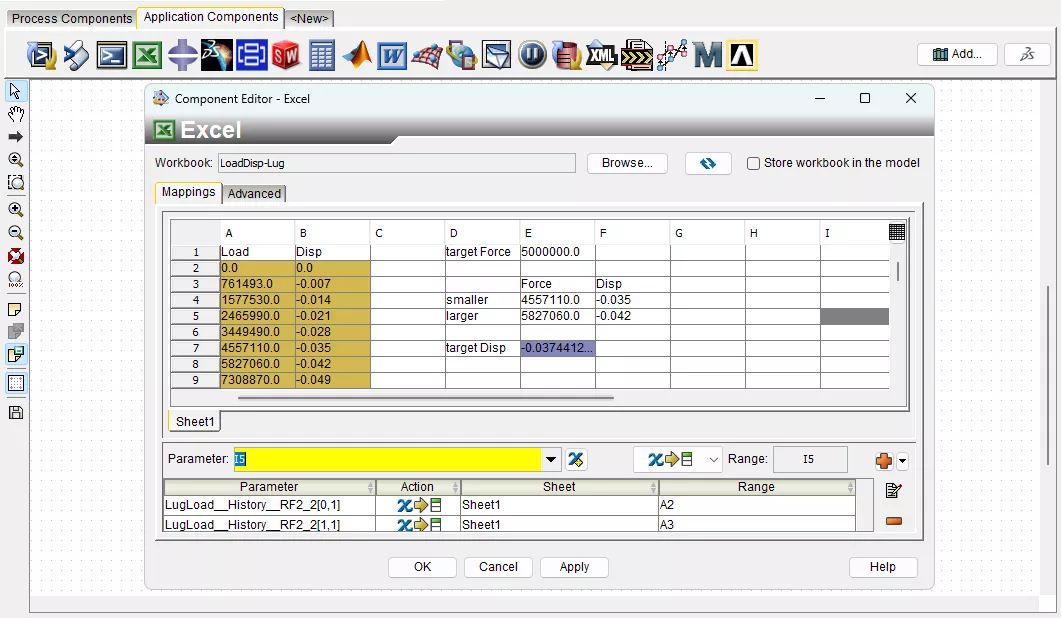
Isight’s application components enable seamless integration with industry-leading engineering tools, allowing engineers to automate workflows, exchange data effortlessly, and enhance multi-disciplinary simulations. These components ensure compatibility across various software environments, streamlining the simulation and optimization process.
Key Components:
- Excel Component: Enables parameterized data input, real-time calculations, and results extraction from Excel spreadsheets, making it easy to incorporate engineering formulas and tabular data.
- Abaqus Component: Directly integrates with Abaqus to automate structural, thermal, and multiphysics simulations, facilitating design exploration and optimization.
- Python Component: Allows for custom scripting, advanced data manipulation, and workflow customization, providing flexibility in process automation and simulation control.
- SOLIDWORKS Component: Links CAD models with simulation workflows, enabling parametric design changes and direct geometry updates for design optimization.
- Simcode Component: Facilitates the execution of custom in-house or third-party simulation codes, supporting batch processing and command-line execution for greater adaptability.
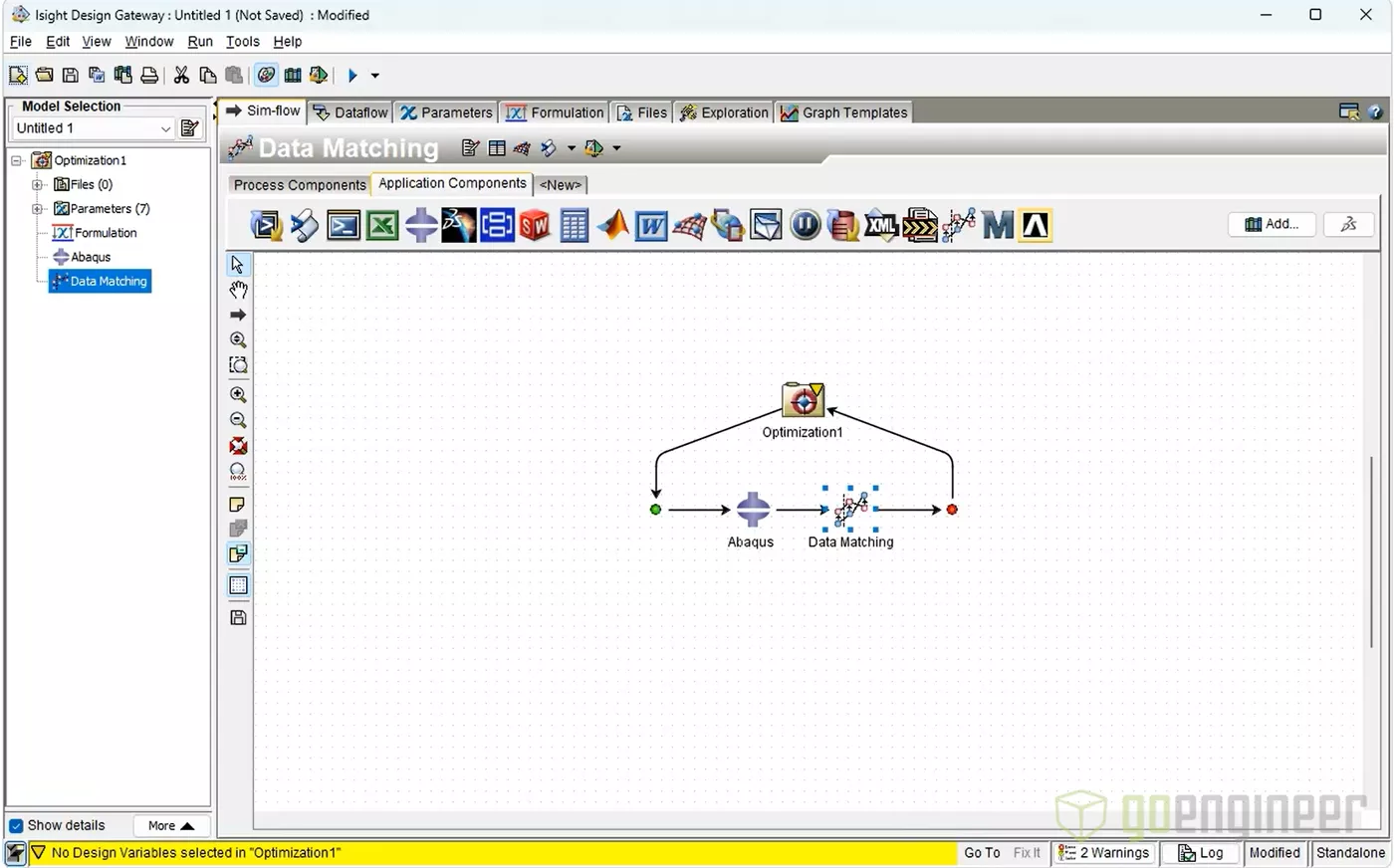
- Data Matching Component: Compares simulation results with experimental or historical data, ensuring model accuracy by calibrating parameters to match real-world observations.
Isight supports many other options, including MATLAB, CATIA, Nastran, and ANSYS, to create integrated workflows that connect CAD, FEA and data-processing tools. These components allow for comprehensive multi-disciplinary simulation.
See Isight's full Add-On Component List.
Approximation & Surrogate Modeling
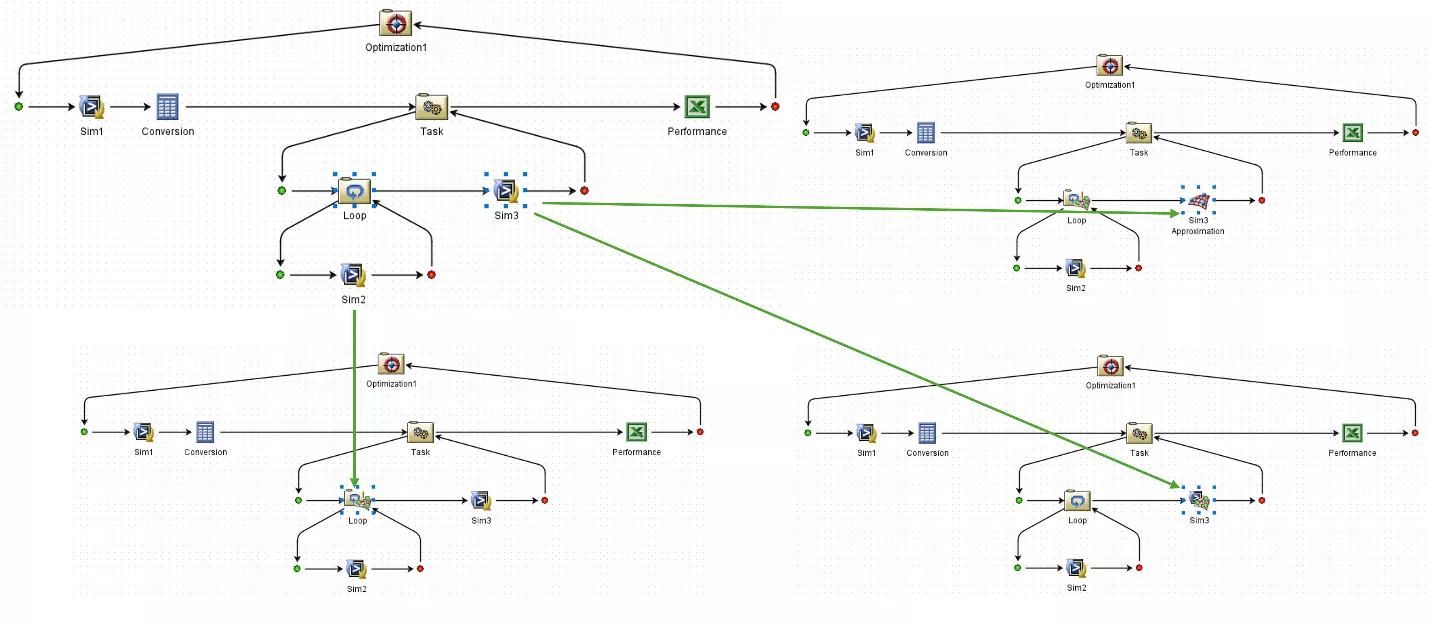
Isight’s offers access to approximation techniques through both an application component and as an overlay for a component within any SimFlow. These enable engineers to replace costly high-fidelity simulations with computationally efficient surrogate models, accelerating design exploration and optimization.
- Surrogate Model Generation: Uses Kriging, Radial Basis Functions, and Polynomial Response Surfaces to approximate complex simulations with high accuracy.
- Model Validation & Accuracy Metrics: Engineers can assess the accuracy of surrogate models using methods like cross-validation and error analysis.
- Component Replacement: Any component in a workflow can be replaced with an approximation that can be toggled on or off to accelerate execution.
- External Data Integration: Engineers can populate approximation components using experimental or external simulation data.
By leveraging approximations to replace resource-intensive computations and integrating external data for custom modeling, Isight accelerates innovation while maintaining high-fidelity predictions. This approach enables engineers to test more design alternatives while reducing computational costs.
Results Visualization
Isight’s results visualization tools help engineers uncover relationships between design variables and performance metrics. These capabilities enable informed decision-making by identifying influential parameters, highlighting trends, and presenting complex data in an intuitive format.
- Parameters: The inputs and outputs from each run can be interrogated individually.
- History: Tracks optimization progress dynamically, allowing engineers to adjust variables and refine designs on the fly.
- Data Analysis: Correlation plots, 2D & 3D Scatter plots, and other data visualizations help users identify dependencies between input variables and output responses and subsequent design sensitivities.
- Visual Design: Approximations can be created from history data to help understand the response to different parameters and interpolate within the initial dataset.
- Graphs: Standard graph types like, contour, frequency, scatter plots and others are available. For some Design drivers specialized graphs like interaction, main effects, Pareto plots and more can be accessed.
- Summary: A summary specifically tailored to the Process component will provide key information about the job.
- Logs: Message logs provide the user with detailed information about the job run and can be used for troubleshooting or debugging models.
Isight enables engineers to quickly interpret complex datasets, optimize designs based on statistical insights, and communicate findings effectively through graphical outputs.
Tools
DESIGN GATEWAY
Isight includes a Design Gateway featuring a highly visual and intuitive interface, wizards, and drag-and-drop capabilities. This allows users to work efficiently, setting up a SimFlow that integrates one or more applications and design drivers.
In the Design Gateway users can identify key parameters that will be varied through the analysis or monitored as output. The SimFlow is fully customizable and gives users control over what data and files are stored as results. Template graphs and figures can also be created for quick access after the analysis is run.
SIMULIA EXECUTION ENGINE
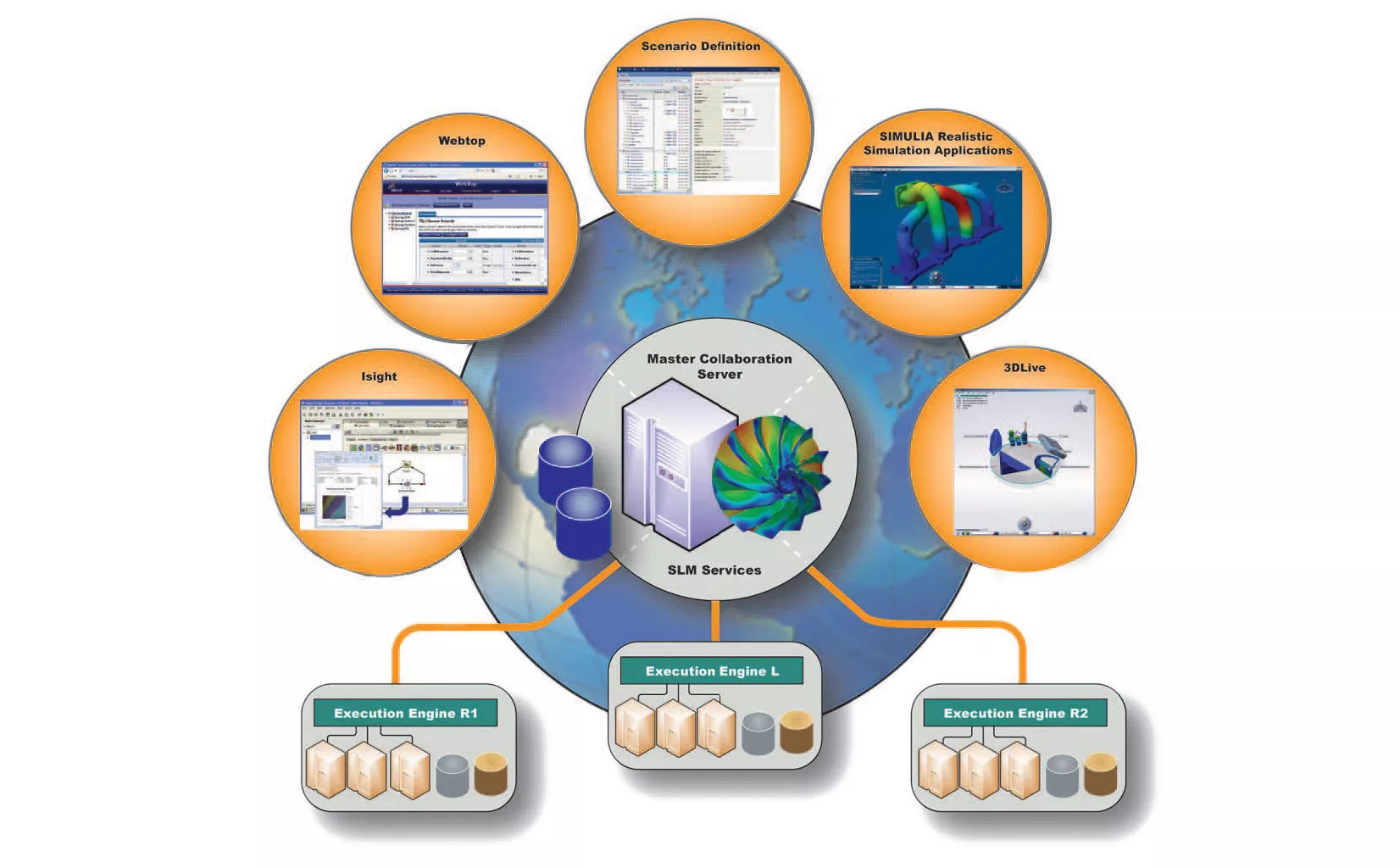
The SIMULIA Execution Engine (formerly Fiper) enables distributed execution of simulation workflows created in Isight. The SIMULIA Execution Engine allows engineers to execute complex simulation processes across multiple machines, utilizing high-performance computing resources to significantly reduce computational time.
It enables parallel execution of design evaluations, ensuring that large-scale optimizations and DOE studies run more efficiently. This capability enhances productivity by maximizing available computing resources.
RUNTIME GATEWAY
Isight’s Runtime Gateway provides powerful options for data mining and post processing results. The Runtime Gateway can be opened independently to view the results of a job, and it is opened automatically from the Design Gateway when a job is run allowing the progress and results to be tracked as they become available.
Visualization tools such as correlation matrices, self-organizing maps, and response surface plots help engineers interpret the results of complex analyses effectively. A history of the analysis results is available in the Runtime Gateway, giving the user access to all input and output parameter values, which can be sorted and color coded to rank the results and filter out infeasible options.
Frequently Asked Questions
Process Integration & Basics
Isight integrates various software applications, engineering models, and data sources into an automated workflow that eliminates the need for manual intervention. Its drag-and-drop interface lets users create simulation workflows, ensuring seamless data transfer, fewer errors, and higher efficiency.
Isight is a process integration and design exploration tool that allows you to automate any common workflow into a repeatable "SimFlow." Linking to your CAD, simulation, and other software, Isight can run any workflow through DOE/optimization processes to help you find better designs.
Isight solves the problem of automating, integrating, and optimizing complex engineering simulation workflows. It allows users to link multiple software tools and analyses into a single process, reducing manual effort and human error. By managing design exploration and optimization efficiently, Isight helps engineers find better-performing, cost-effective solutions faster.
No. Abaqus or other solvers handle any physics. Isight automates the workflow around those tools and drives design exploration.
A SimFlow is the visual representation of a workflow that can be built in Isight. Components are connected in Isight to pass parameters, execute tools, and collect and analyze results.
No coding is required for most SimFlows, but the capabilities of Isight can be extended with scripting if needed. Scripting can be used to include complex operations to the parameters of your model by adding a script component, extend the functionality of a component by adding prologue/epilogue scripts, or make advanced customizations to a model using the Isight SDK.
Typical users include design analysts, simulation engineers, and optimization specialists seeking to improve product performance and reduce development time. However, Isight is not limited to engineering tasks and can be used to optimize any repetitive workflow, including cost analysis, reporting, or data processing.
Isight automates design workflows, reducing manual effort and development time. Its optimization tools help identify high-performance designs across multiple objectives, while its integration capabilities connect diverse engineering software for a seamless simulation process.
Capabilities & Methods
Yes, Isight includes comprehensive Design of Experiments (DOE) capabilities. It provides a range of built-in DOE methods including full factorial, Latin hypercube, and optimal space-filling designs to systematically explore design spaces and understand variable influences. These DOE tools integrate seamlessly with simulation workflows, enabling efficient sensitivity studies and model calibration.
Isight offers a wide variety of optimization algorithms to suit different problem types. These include gradient-based methods for continuous, smooth problems; evolutionary and genetic algorithms for complex, non-linear, or discontinuous spaces; and specialized methods such as simulated annealing, particle swarm optimization, and response surface–based techniques. Users can also combine multiple optimizers in hybrid or multi-objective strategies to balance performance and robustness.
Yes, Isight supports multiobjective optimization and tradeoff studies. It can generate Pareto fronts that illustrate the balance between competing objectives, helping users identify optimal design compromises.
Yes, Isight includes tools for Monte Carlo simulation and Six Sigma analysis. Users can define statistical variations in input parameters to assess the robustness and reliability of a design under uncertainty.
Kriging, Radial Basis Function, Response Surface, and Orthogonal Polynomial models are available for when configuring an approximation.
Isight includes postprocessing tools for analyzing and visualizing, including statistical analysis, correlation mapping, response surface plots, and self-organizing maps. Users can create customized reports, generate sensitivity analyses, and compare multiple design scenarios using interactive charts. Real-time monitoring and visualization help identify trends and guide design decisions efficiently.
SOMs are used to visualize and cluster high-dimensional run data. It groups similar simulations results together on a 2D grid making it easier to identify patterns, infeasible regions, and design groupings.
Yes, Isight stores run histories so you can resume, mine results, and avoid rerunning.
Execution & Environments
Isight can run on both desktop and server environments. Individual users often run Isight locally for model development and testing, while larger teams deploy it on servers through the SIMULIA Execution Engine (SEE) to distribute and manage simulations across multiple machines. This flexibility allows organizations to scale from single-user workflows to enterprise-level optimization networks.
SEE extends Isight to support multi-user, distributed, server-side execution, providing centralized management of execution resources, libraries, a results database, and web access to jobs and results.
Yes. The SIMULIA Execution Engine (SEE) includes WebTop, a web-based interface that lets users access, execute, and monitor Isight simulation models from any browser, streamlining design study management without installing additional software.
Isight and the SIMULIA Execution Engine (SEE) run on 64-bit Windows and Linux platforms. For complete version and configuration details, refer to the official SIMULIA Supported Platform Policy.
Licensing & Data
Isight uses SIMULIA licensing. Available capabilities may be accessed via tokens or credits depending on configuration and version.
Token consumption depends on the components used and the number of parallel evaluations and cores you run. Usage can be adjusted to balance time, computing resources, and license availability.
Integrations & Extensibility
Yes, Isight is designed with an open architecture that supports integration with a variety of third-party applications, including commercial CAD, CAE, and PLM software. Commonly used applications such as Abaqus, CATIA, ANSYS, LS-DYNA, and STAR-CCM+ can be directly linked into Isight workflows.
Isight ships with a library of components for popular CAD/CAE and utilities; check the Application Components lists for current coverage.
Yes, there’s a SOLIDWORKS/SOLIDWORKS Simulation component for parameter updates, model execution, and results extraction. Additionally, Isight can automatically drive SOLIDWORKS to Abaqus through the SOLIDWORKS–Abaqus Associative Interface (SAI). Once the interface is properly configured and licensed, Isight can coordinate data transfer and model updates between the two applications without manual intervention.
Yes, you can connect in-house codes or tools to Isight using components such as Data Exchanger, OS Command, and Simcode. The Data Exchanger component enables flexible data transfer between files or databases, while the OS Command component can run any external executable or script directly from within a workflow. The Simcode component combines these capabilities. It is essentially an OS Command component wrapped with two Data Exchanger components to manage input and output automatically, providing a streamlined way to integrate custom solvers or in-house codes.
You can use the Script component to create automation scripts in Jython or DynamicJava. Jython is the recommended option for new scripts, while DynamicJava is included primarily for backward compatibility with older workflows. Components, like Abaqus, can also access pre- or post-processing Python scripts to be executed with the model.
Yes, you can map parameters to cells, read results back, and execute Excel macros directly.
Many common solvers are supported via components. See the Application component list for available simulation components.
Yes, Isight can parse text, CSV, and XML outputs. Text and CSV files can be read using the Data Exchanger or SIMCode components by defining the appropriate file format, while XML files are best handled with the XML Parser component, which uses XPath expressions to extract or write parameter values directly from XML structures.
Isight saves results to local files you can reopen and analyze. The SIMULIA Execution collaboration.
Isight supports parallel execution to accelerate runtime and obtain your results faster.
Yes, Isight includes its own internal database for storing simulation results, parameters, and workflow data, which can be queried and reused in subsequent runs. In addition to this internal database, Isight can integrate with external databases through custom components or APIs, and teams often export data to Excel or CSV for reporting. This allows both local workflow management and flexible enterprise-level data integration.
Isight vs. Alternatives
Isight is available on the 3DEXPERIENCE platform as 3DEXPERIENCE Process Composer, where it can integrate with the various CAD and simulation tools while also giving access to cloud compute options. Process Composer, together with Results Analytics, delivers capabilities comparable to Isight, including process automation, Design of Experiments (DOE), and optimization. It provides a unified, collaborative environment that integrates simulation workflows directly within the platform’s data and lifecycle management framework.
Choose Isight when you need to automate workflows involving desktop or third-party tools, or when you already have established Isight processes. If your organization is transitioning to the 3DEXPERIENCE platform, Process Composer offers an integrated, collaborative solution for similar capabilities.
Getting Started
Before your first Isight project, clearly define the design objectives and metrics you want to study. Ensure your simulation models and data sources are accessible and can be automated, and gather any input files or scripts needed for execution. Starting with a small, simple workflow helps validate the setup before scaling to more complex studies. If you are new to Isight, consider training or Mentoring with GoEngineer.
A good first Design of Experiments (DOE) is a space-filling approach, such as an Optimal Latin Hypercube. This type of DOE efficiently explores the design space, providing broad coverage of variables before moving on to optimization or more targeted studies.
Isight validates surrogate models by evaluating cross-validation or holdout error metrics to assess predictive accuracy. Additionally, results are compared against selected runs of the full solver to ensure reliability before using the surrogate for design exploration or optimization. This two-step validation helps maintain confidence in surrogate-based decisions.
Yes. Surrogate models created in Isight, such as Response Surface Models (RSM), Radial Basis Function (RBF), and Elliptical Basis Functions (EBF) approximations can be exported to Excel. This allows non-Isight users to perform quick "what-if" analyses and share results without requiring the full software environment.
Yes, GoEngineer can map your SimFlow setup, including relevant components and parallel execution based on available computing resources, and provide a token usage estimate. GoEngineer services
Yes, we can implement a production ready SimFlow, transfer the method, and help with SEE setup. GoEngineer Services
Additional Resources
Take Advantage of GoEngineer’s Extensive Knowledge Base and Resources

Find a Solution
Our robust Knowledge Base contains over 12,000 resources to help answer your product design questions. From basic CAD questions to in-depth guides and tutorials, find your solution here. Find a Solution
PROFESSIONAL TRAINING
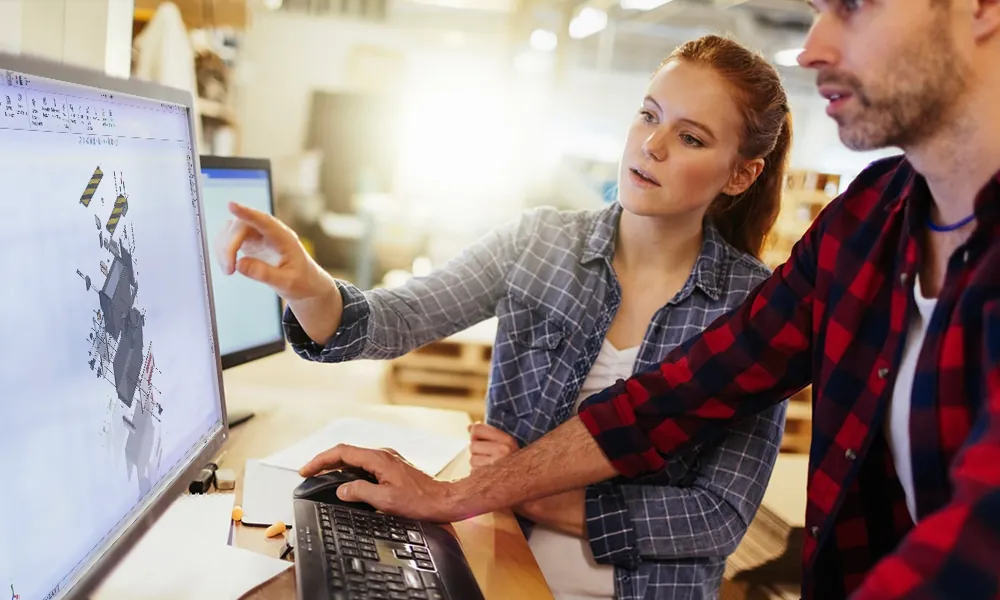
Improve your skills with professional training and certifications in SOLIDWORKS, CAM, 3D Printing, and 3D Scanning offered four ways: self-paced, online, on-site, or in-classroom. Certified Training Courses

BLOG
#1 Technical Resource Worldwide - Right at your fingertips. Search or browse through hundreds of SOLIDWORKS tips & tricks, additive manufacturing product developments, announcements, how-to guides, and tutorials. Blog

YouTube Channel
Our YouTube channel hosts hundreds of educational tutorials, product demonstrations, recorded webinars, and best practices for all of our products and services. GoEngineer's YouTube Channel
ONLINE STORE
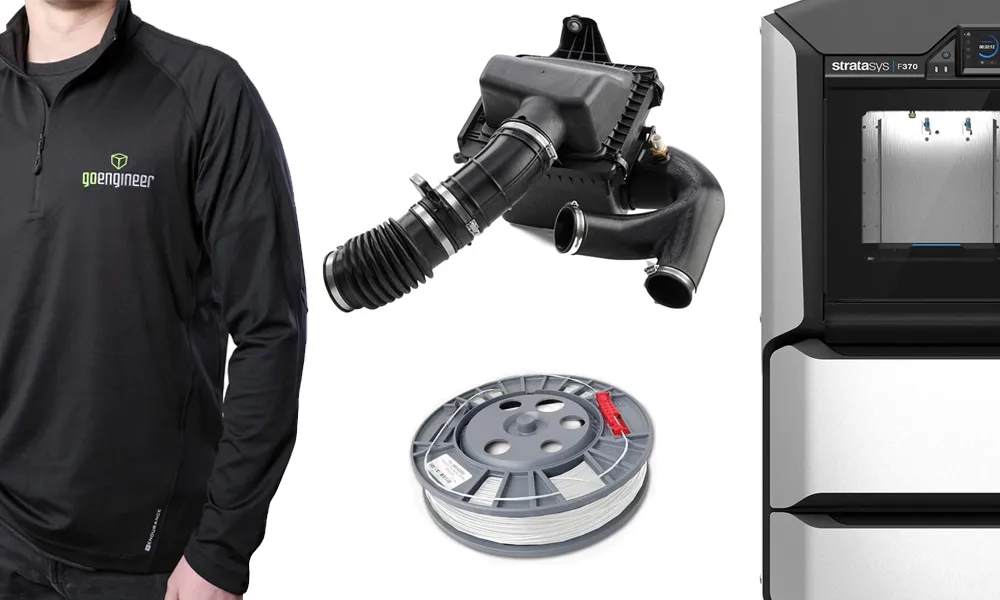
Order 3D printing materials and consumables, enroll in SOLIDWORKS training classes, and buy official GoEngineer gear directly from our online store. Online Store
WEBINARS
Our engineering webinars are hosted by some of the top experts in the industry. They are always recorded, always free, and always offer a live Q&A. WEBINARS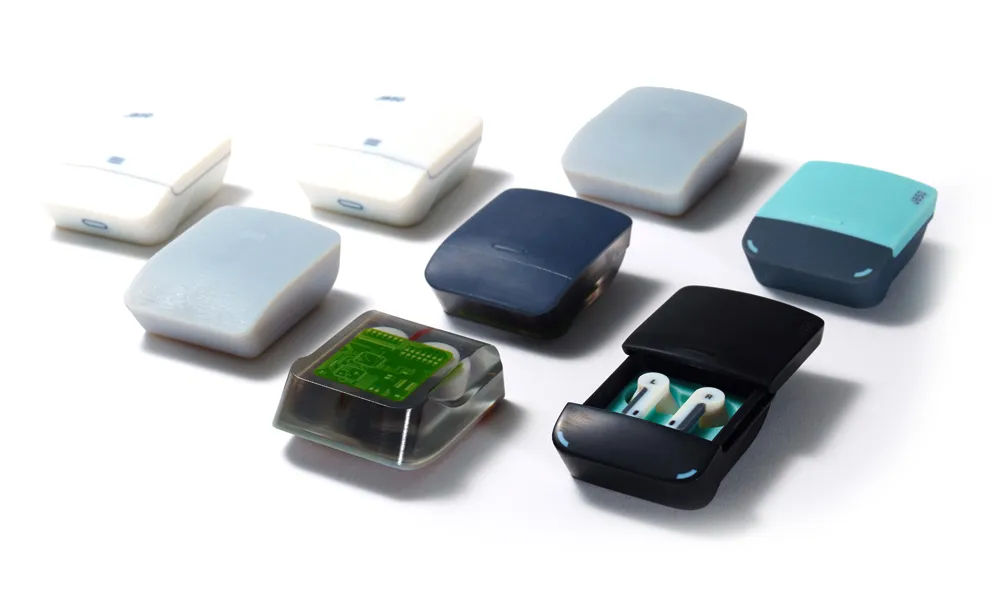
3D Printing Services
Need to 3D print a part? Our Additive Manufacturing experts will 3D print your part and deliver it to you using the latest technology on one of our professional FDM, PolyJet and SL 3D printers. 3D Printing Services