How to Request a License for the SOLIDWORKS Document Manager API

If you are unfamiliar, the Document Manager API’s will provide many useful functions for accessing SOLIDWORKS files without having to open them in SOLIDWORKS. This makes running your applications very fast. In addition, it will not use up a license of SOLIDWORKS. It is especially useful for manipulating custom properties, file relationships, or accessing 2D file previews.
License keys for the Document Manager are provided directly by SOLIDWORKS. To get one, you must log in to the SOLIDWORKS Customer Portal.
If you haven’t already, you will need to create an account and register your SOLIDWORKS serial number. The registered serial number must be on subscription to be granted a Document Manager API license key.
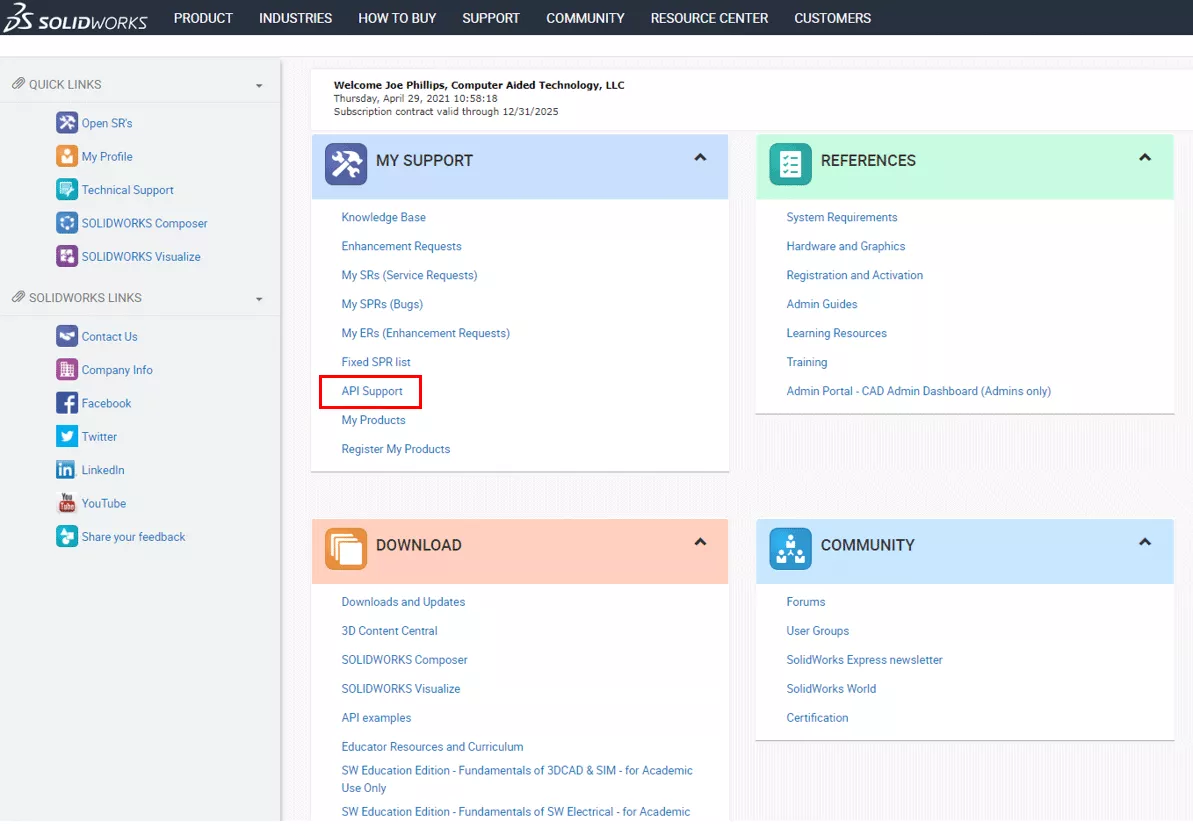
After logging in, click on API Support on the main page as shown below:
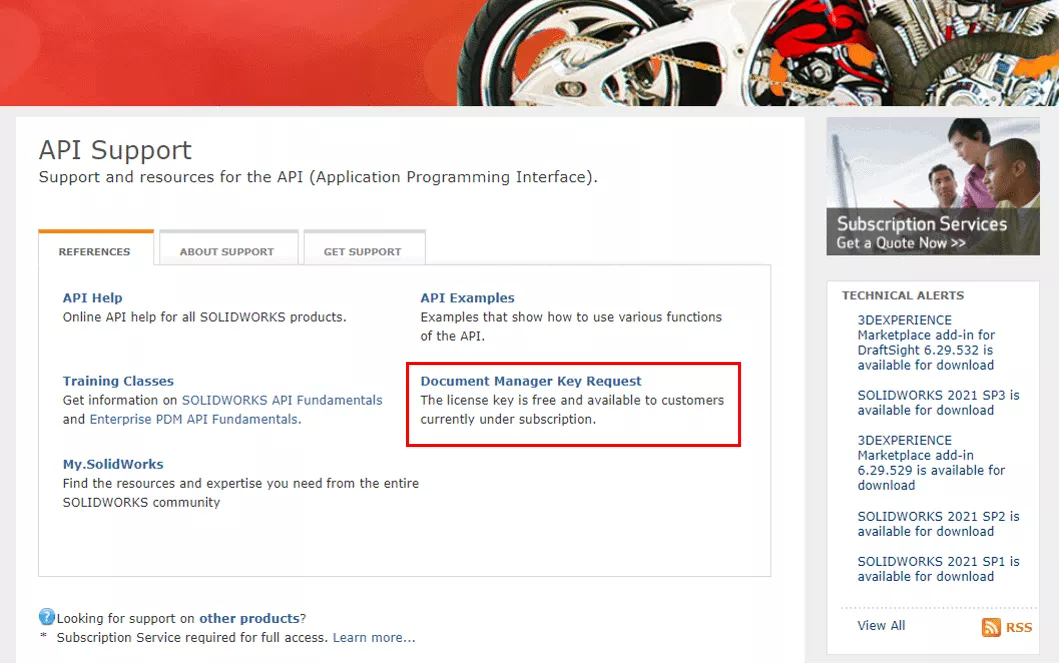
This will take you to the API Support page.
Click the Document Manager Key Request link.
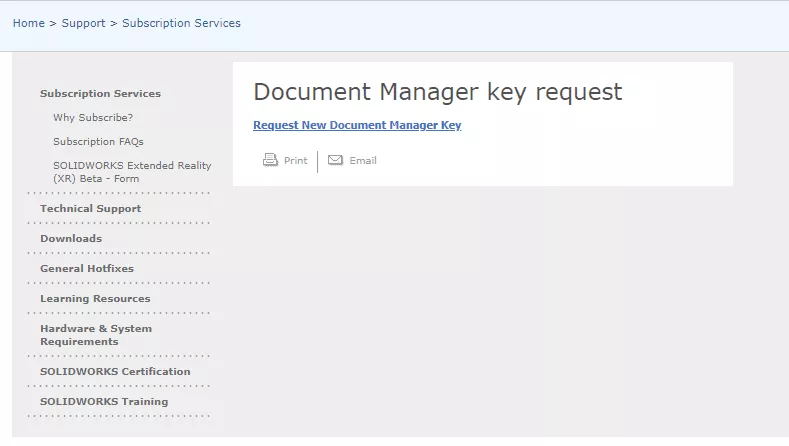
Then, click the link to request a new license.
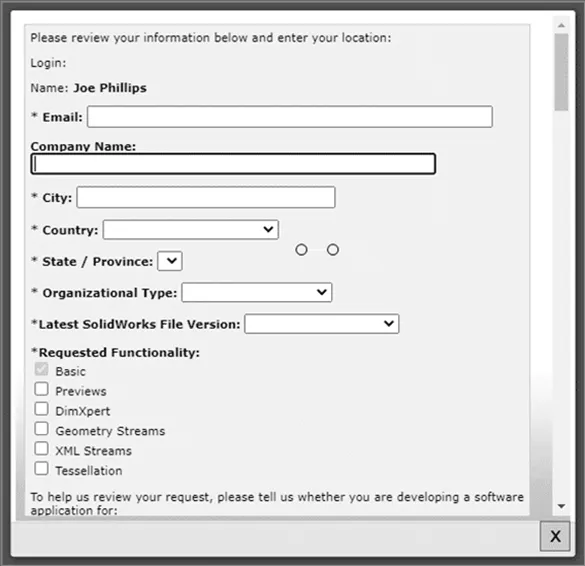
A window will pop up asking you several questions.
Fill out your personal information. Then, accept the license agreement and click Submit.
You’re done! Just wait for a license to get emailed to you. Note: it can take several days, so plan ahead!
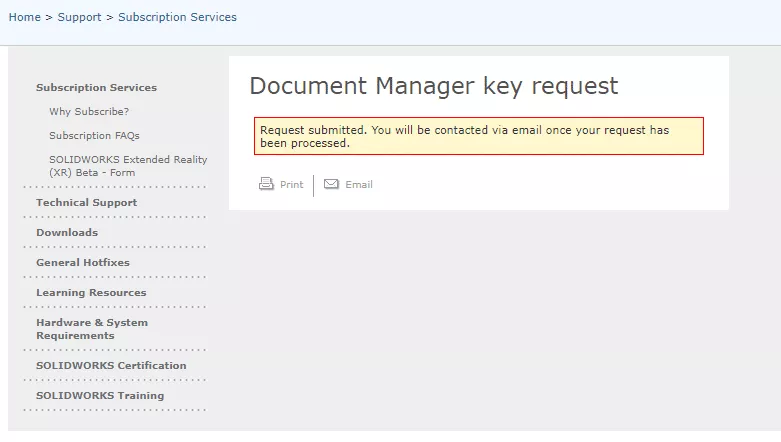
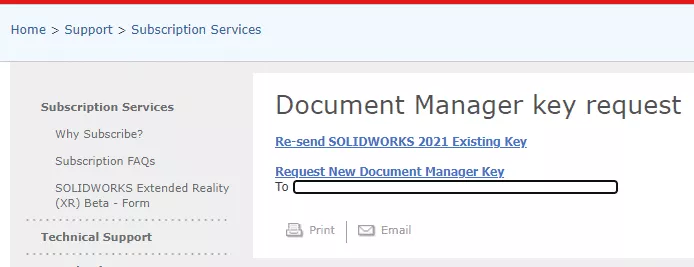
When you receive the license, it will need to be installed. Use this online help files link if you need guidance doing that. If you don’t receive your license, you can recheck the website, and if one has been generated, you can have it resent.
Related Articles
Setting Up SOLIDWORKS to Use High-Performance Graphics Cards
SOLIDWORKS 2026 UI/UX, Performance & Imports - What's New
SOLIDWORKS 2026 Drawings - What's New
SOLIDWORKS 2026 Parts and Features - What's New

About GoEngineer
GoEngineer delivers software, technology, and expertise that enable companies to unlock design innovation and deliver better products faster. With more than 40 years of experience and tens of thousands of customers in high tech, medical, machine design, energy and other industries, GoEngineer provides best-in-class design solutions from SOLIDWORKS CAD, Stratasys 3D printing, Creaform & Artec 3D scanning, CAMWorks, PLM, and more
Get our wide array of technical resources delivered right to your inbox.
Unsubscribe at any time.