Simulation-Driven Antenna Design Optimization with CST Studio Suite & Tosca

When designing electromagnetic components and systems, engineers are often constrained by the limitations of parametric CAD definition. While they can analyze almost any design with high-frequency EM simulation, they can only iterate on that design by manipulating its CAD parameters. The way to transcend these limitations is by adopting a non-parametric design optimization workflow using a toolset like CST Studio Suite + Tosca Optimization Suite. In this article, we’ll go through that workflow and easily produce an antenna design that is effective, manufacturable, and beyond the imagination of the parametric approach.
What is Non-Parametric Design Optimization?
Non-parametric design optimization enables engineers to use the entire volume of design space – not just the predefined CAD parameters – to solve engineering problems. They no longer need to define hundreds of individual design variables; instead, they define a design space and performance targets and set up a “simulation and sculpt” loop. A simulation software analyzes the design space, evaluates results against performance targets, and makes geometric adjustments. It repeats the loop until it reaches its objective (as best it can) and outputs a final design. This enables the engineer to automatically discover organic, high-performance shapes – often impossible to conceive manually – that are perfectly suited for modern additive manufacturing and advanced electromagnetic systems.
This process usually requires an integration of two softwares: an optimizer (in this case, Tosca Optimization Suite) and a physics solver (in this case, CST Studio Suite).
Two algorithms are used by non-parametric optimization with Tosca:
- Topology Optimization: This design method determines the optimal material distribution within a given design space for a set of loads, boundary conditions, and performance objectives. Instead of adjusting predefined parameters, it removes or redistributes material to achieve the best structural results (e.g., minimizing weight or maximizing stiffness) and improves electromagnetic performance.
- Shape Optimization: This process improves the performance of a structure or component by smoothly modifying its existing surfaces without changing its overall topology or connectivity. Unlike topology optimization, which can create holes or remove material entirely, shape optimization focuses on refining the geometry for better efficiency while keeping the basic structure intact.
Not all of CST Studio Suite’s solvers are supported for non-parametric optimization Tosca. The supported solvers include:
- Frequency Domain Solver (Fast ROM)
- Eigenmode Solver (General Lossy)
- MQS-TD Solver (2D)
Supported material types are Normal (Dielectric) and Ohmic Sheet (with a sheet resistance less than 1.15e-4).
Topology Optimization on an Antenna Using CST Studio Suite
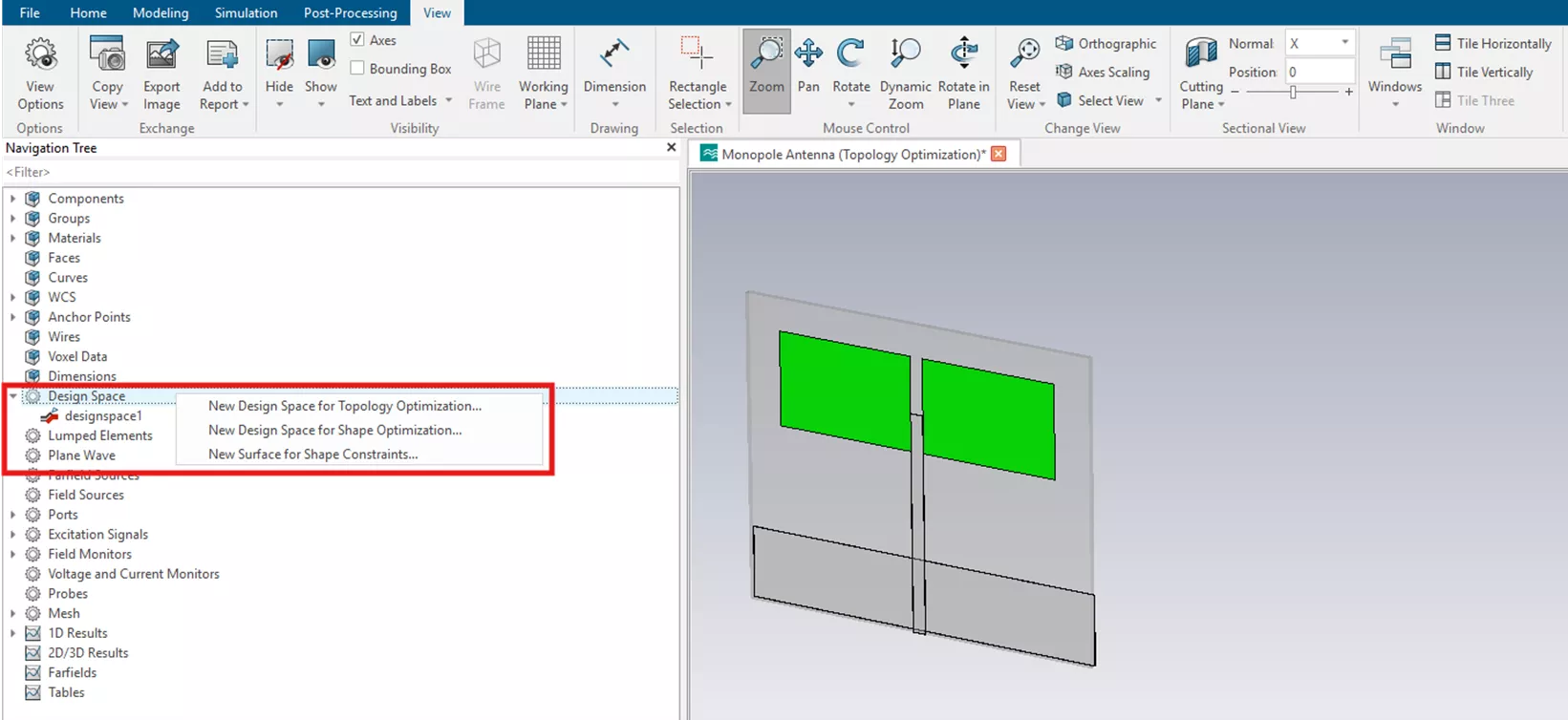
To access non-parametric optimization in CST Studio Suite, the first step is to define a Design Space, which is accessed through the navigation tree. The design space is a list of volumes or surfaces for topology or shape optimization, respectively. In the case of topology optimization, each tetrahedral of a finite element mesh of the design space corresponds to a design variable. The design variable interpolates the original and fill material.
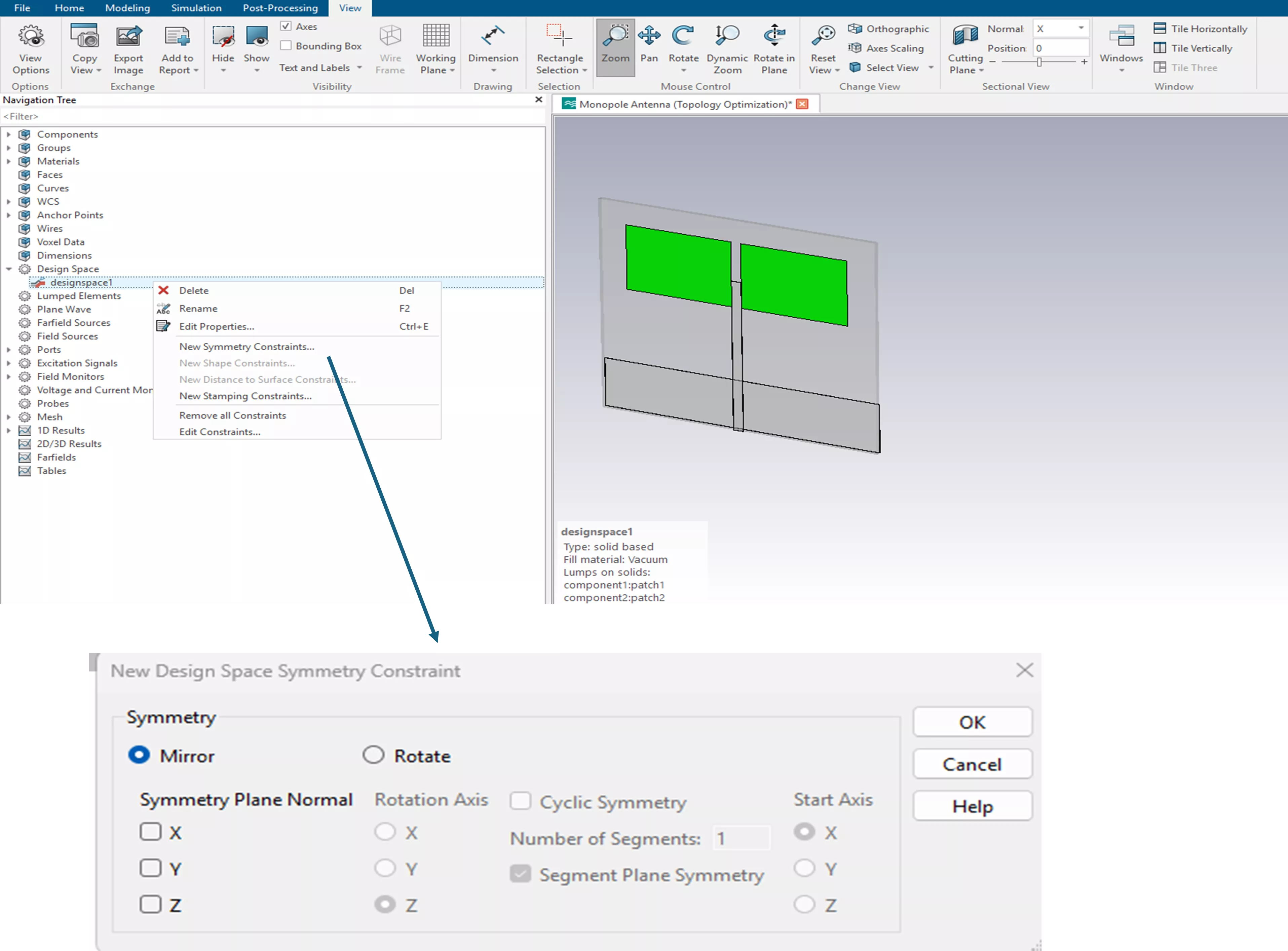
After defining the design space, we can configure several movement constraints, such as symmetry and shape. A movement constraint is a limit that restricts how much and in what manner a design variable or an entity can change or "move" during a single optimization step. For this scenario, we set a mirror symmetry constraint.
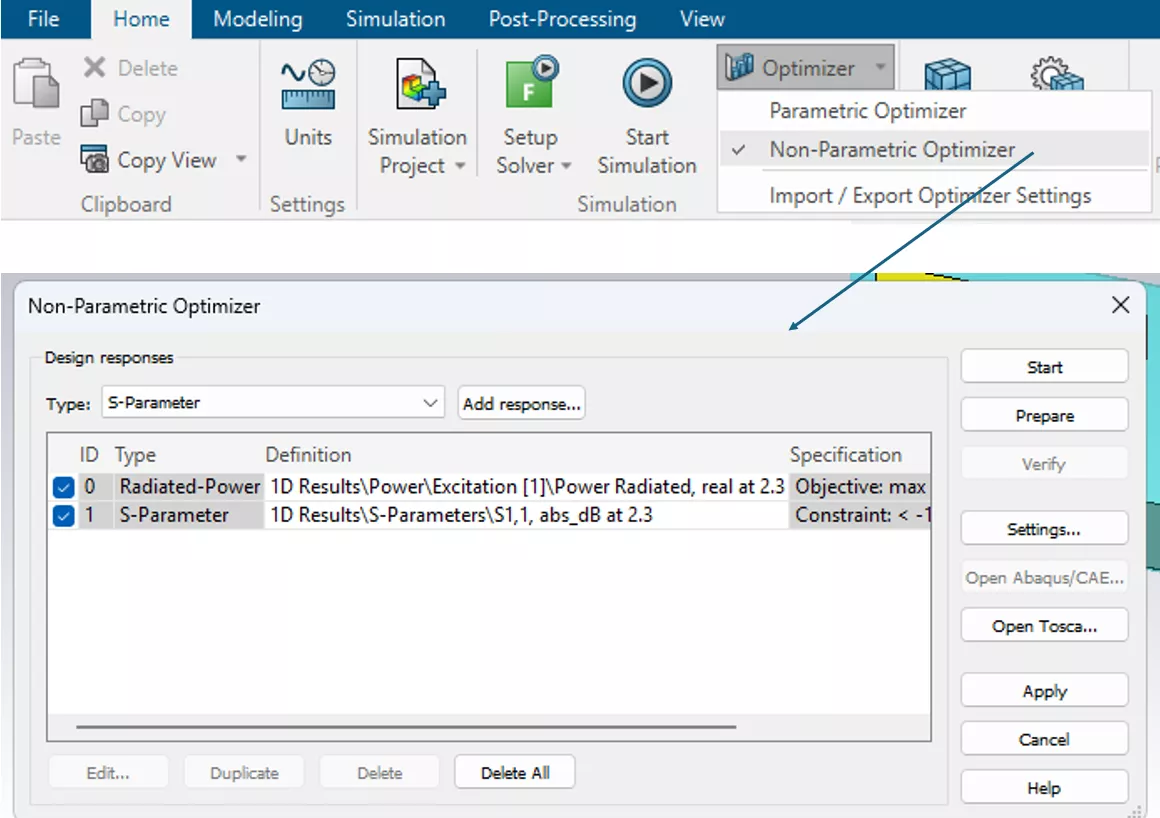
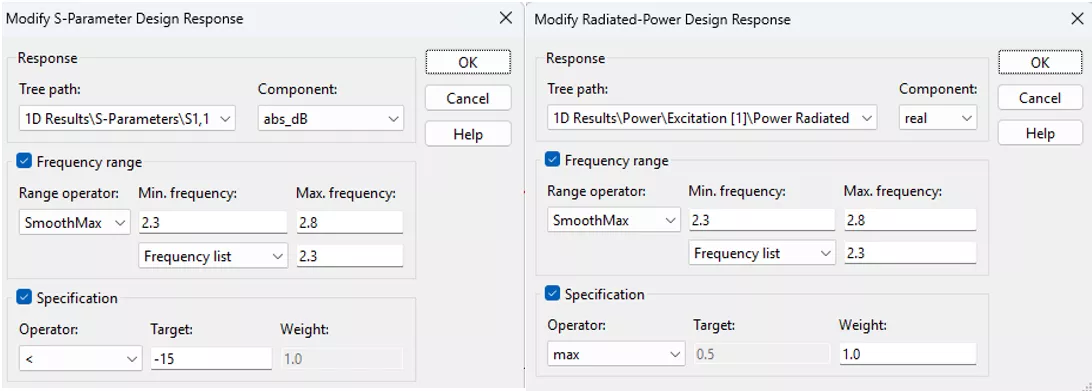
The next step is to define the Optimizer Goals. These are accessed through the Non-Parametric Optimizer feature in the Home tab of CST Studio Suite. In this example, the frequency range is 2.3-2.8 GHz, with return loss (S1,1) magnitude constrained to below -15 dB and radiated power set to maximize, targeting 0.5 W.
Radiated Power and S-parameter design responses are set as shown below.
Monitoring Results
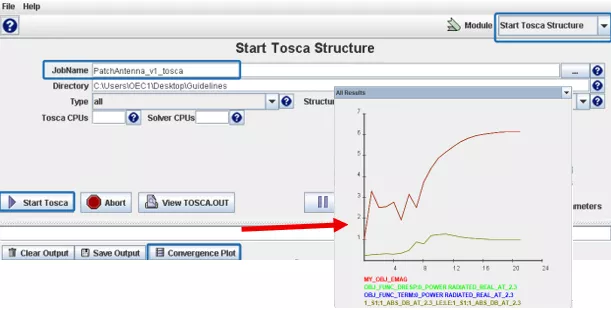
After starting the optimizer, all steps and design cycles will be visible in the CST message window. While the simulation is running, you can check the progress and obtain results using the Tosca GUI.
- Convergence Plot: Lets you check the results during the optimization process.
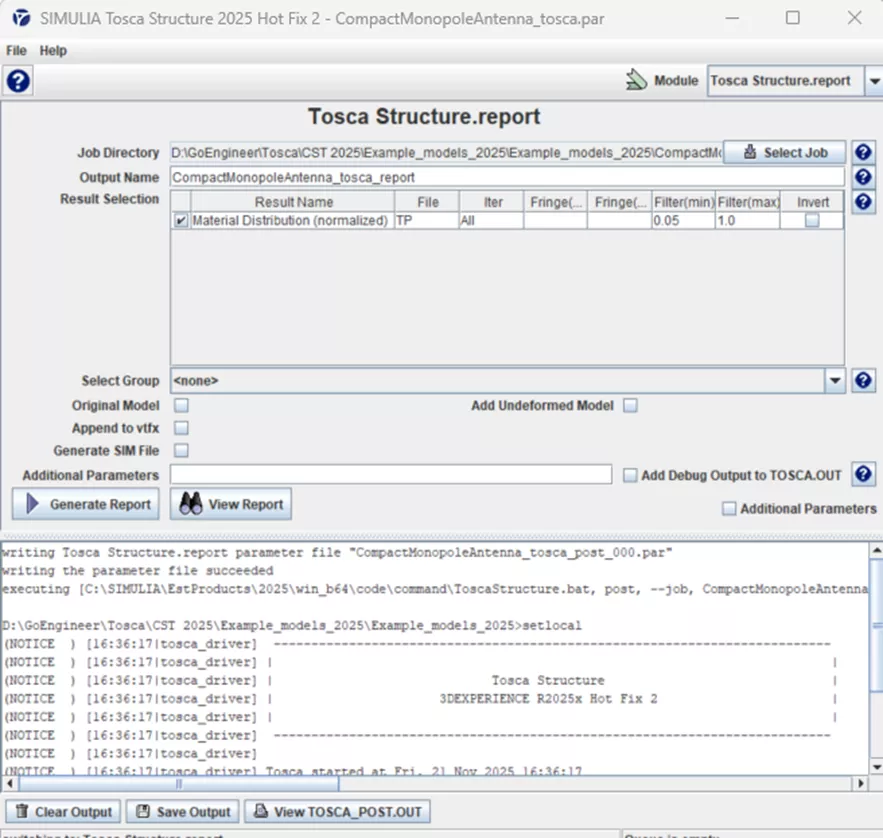
- Tosca Structure Report: This module is where we will view the final results.
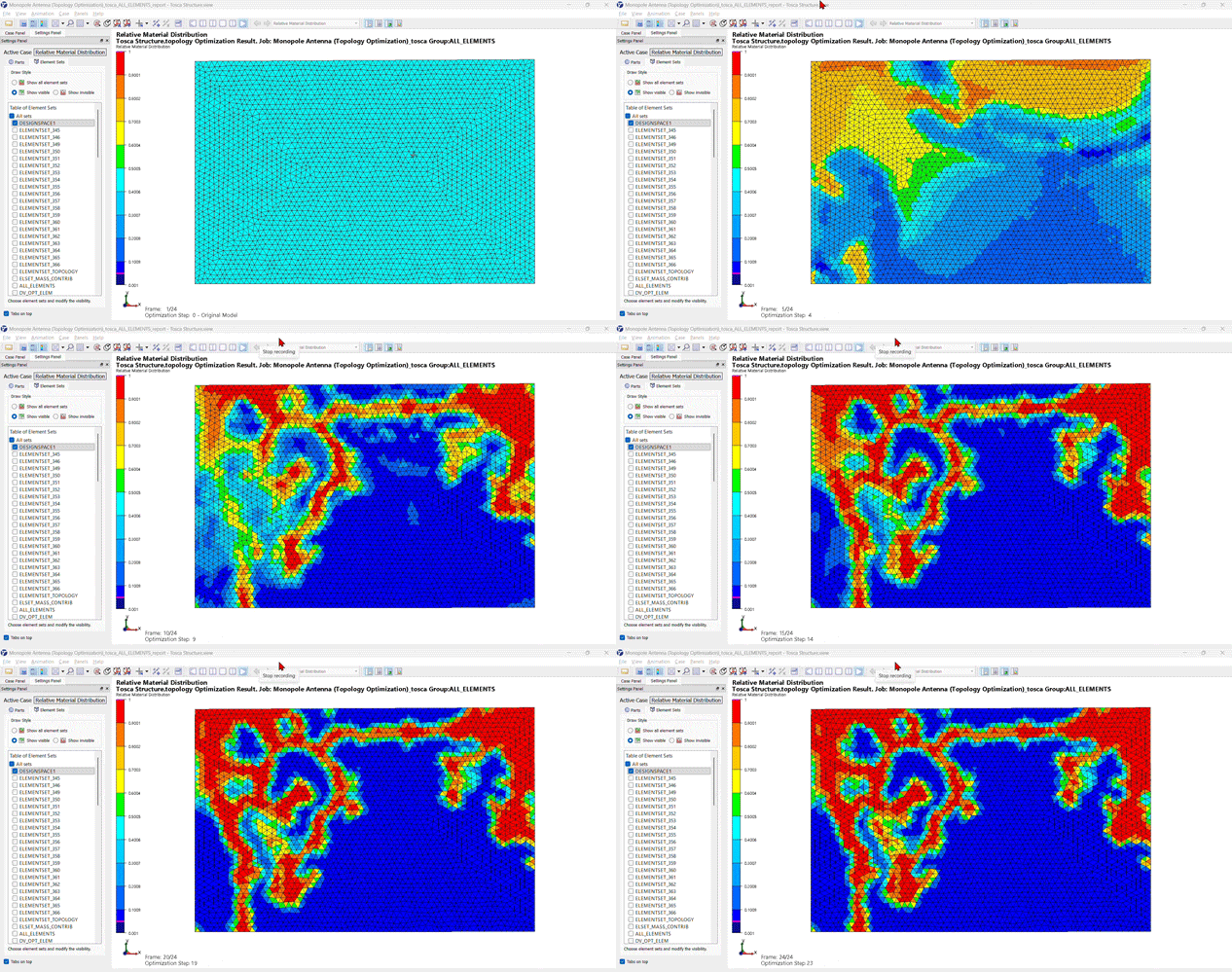
- Animation: Animate the topology optimization process through Tosca to visualize the material redistribution across iterations.
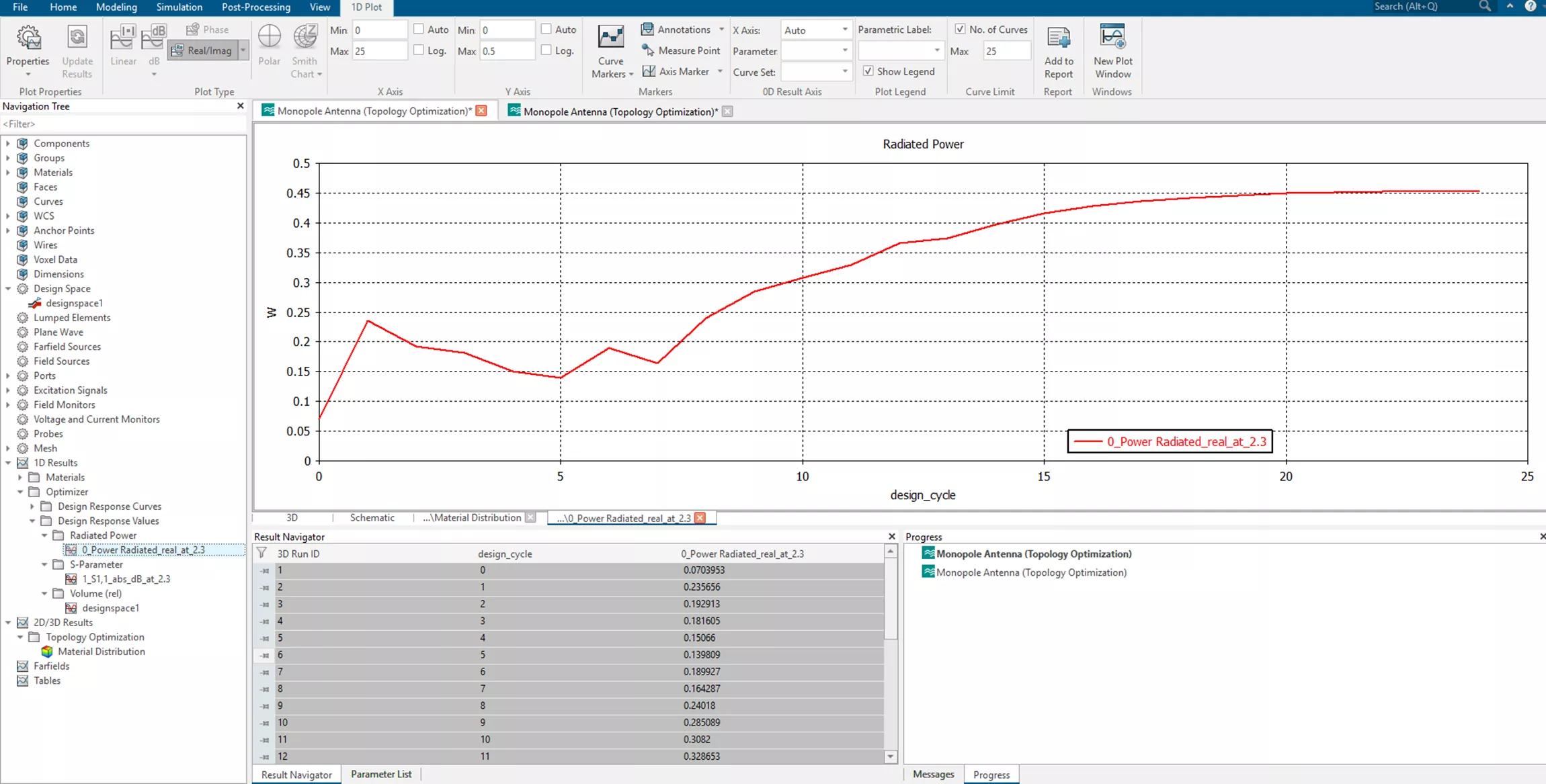
Back in the CST window, the working project optimization results will allow us to check radiated power and S-parameter values for each design cycle.
Power radiated:
S-parameter:
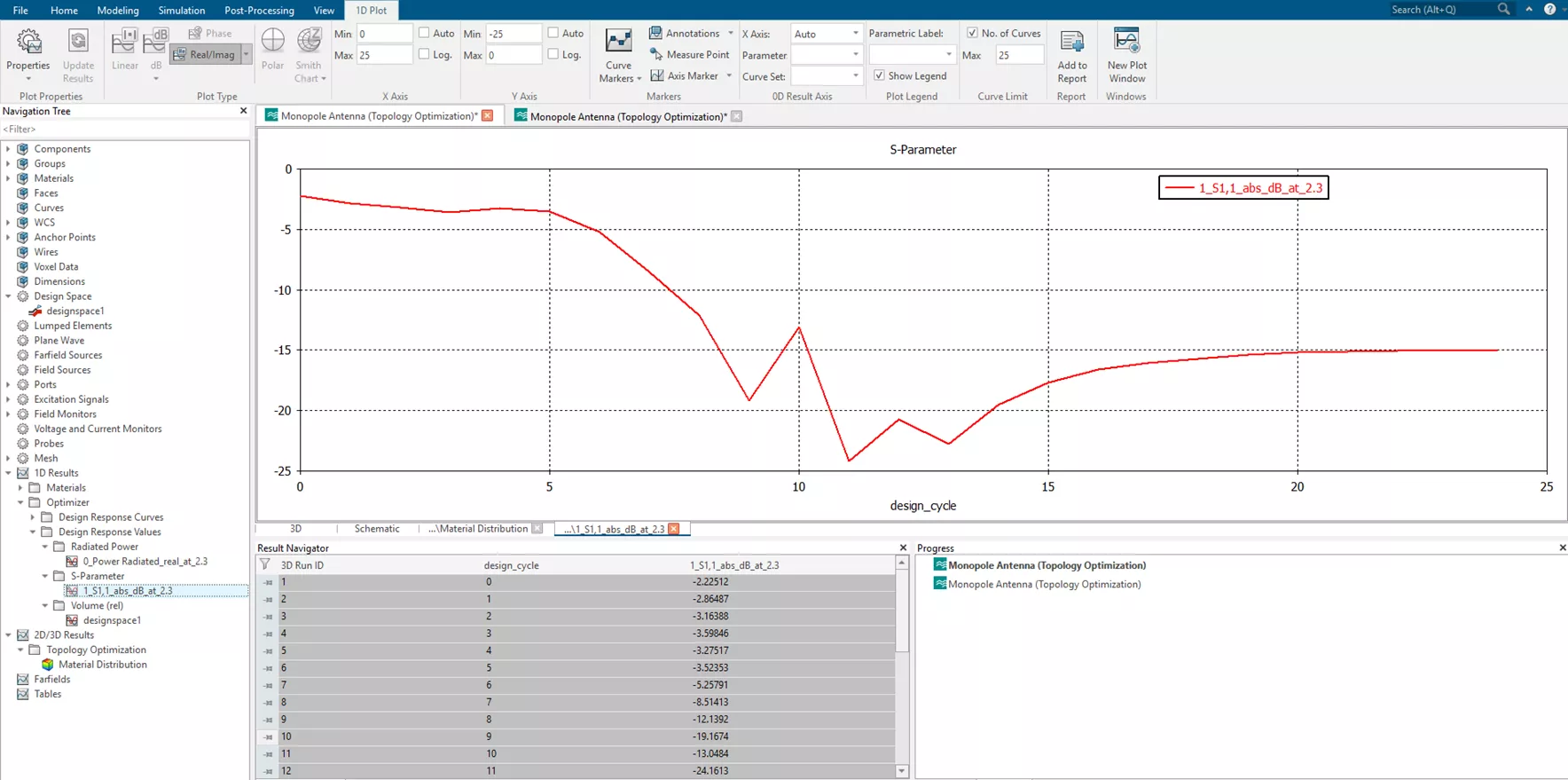
While the non-parametric optimization is running, CST creates a separate folder containing CST files for each iteration. By opening a CST file of an iteration, you can view the material distribution (i.e., the partially optimized design) by going to the Non-Parametric Optimizer Settings to select a value for the iso-cut threshold. Then, apply the changes and click the Verify button.
The material distribution is mapped on a 0 to 1 scale, as shown below. 1 (Red) refers to the conductivity value from the original material (ohmic sheet), and 0 (Blue) refers to the conductivity of the filled material (vacuum).
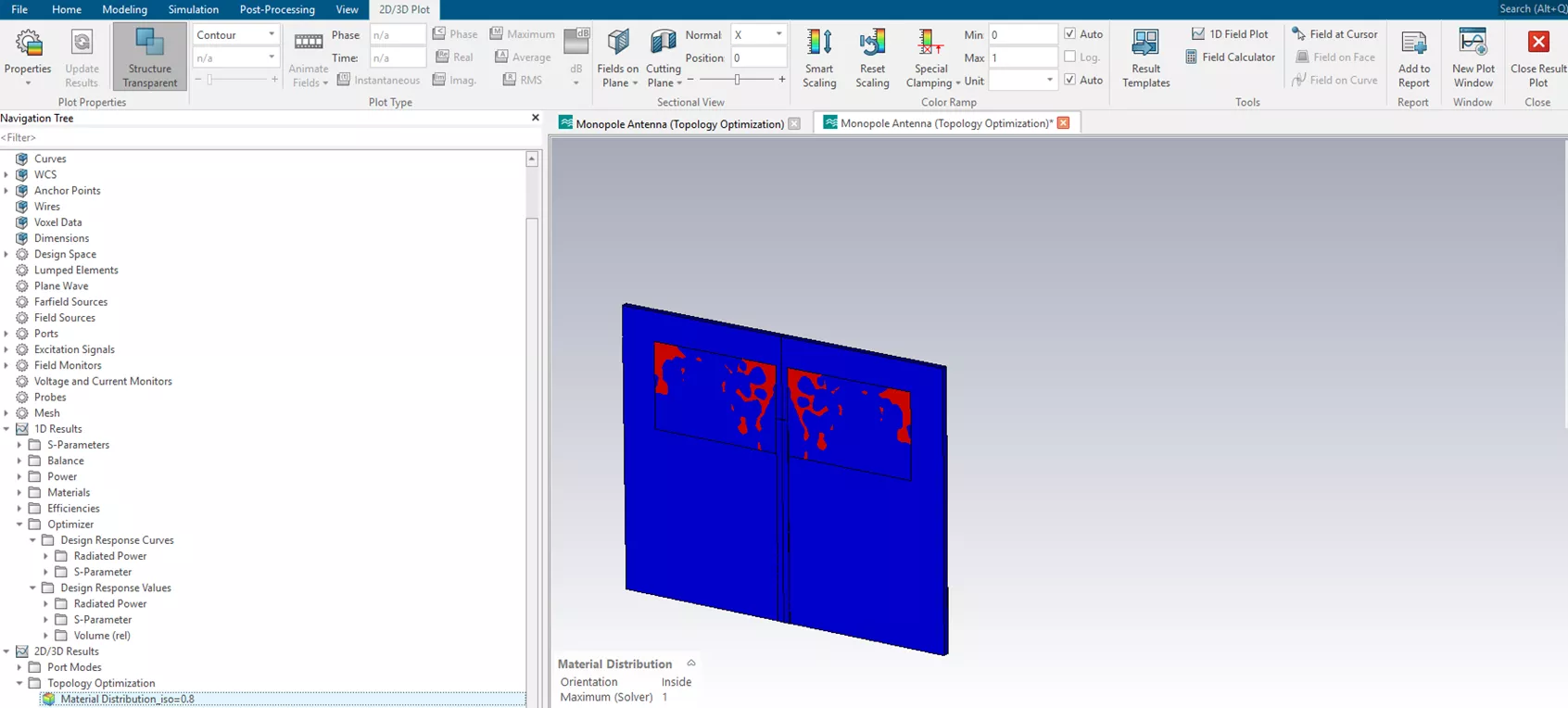
Different iso-cuts will result in different responses. This is simply due to the difference in topologies. If the topology has edges in the metal traces, it will have low conductivity, which will result in dissipation and will also load resonant modes. When an iso-cut is done, the topology’s contour requires smoothing of the mesh nodes. This routine differs between CST and Tosca, and we should expect differences in the EM results. After CST results verification, we can export the optimized design as a CAD file through Tosca.
Conclusion
Non-parametric optimization is highly effective in the design of antennas, filters, waveguides, and other electromagnetic components. By leveraging a true blank slate of design space, free of the prejudgments and assumptions inherent to geometric parameterization, this analysis-driven technique can find the best option within infinite possibilities.
It takes a toolset like CST Studio Suite + Tosca Optimization Suite to accomplish this. It is not a difficult process, but it is very powerful. When used correctly by a creative and attentive engineering mind, we can explore innovative geometries, leverage modern manufacturing techniques, and achieve superior performance compared to traditional parametric approaches.
Questions?
Our CST Studio Suite buying guide answers many frequently asked questions about the software, buying process, packaging, licensing, cloud capabilities, and more. If you'd like to speak to someone and ask questions directly, please contact us.
Related Articles
CST Studio Suite Hybrid Solver for System-Level Electromagnetic Analysis
CST Studio Suite: Antenna Design and Analysis
Introducing the Unified License Model for CST Studio Suite
SIMULIA CST Studio Suite Installation Guide with Managed DSLS License Server Option

Get our wide array of technical resources delivered right to your inbox.
Unsubscribe at any time.