Color Accuracy in SOLIDWORKS Simulation Result Plots

Did you know that the scene and lighting features used in a SOLIDWORKS model can significantly affect how colors are rendered in simulation result plots? This may lead to shadows, darker colors, and less noticeable color gradients, which can create challenges when interpreting the results of a study. If these issues are not examined closely, potential problems in the design's performance could be overlooked. This situation is also not ideal for documenting or reporting results during a design review. Such rendering issues can occur in Simulation, Flow Simulation, and Plastics analysis.
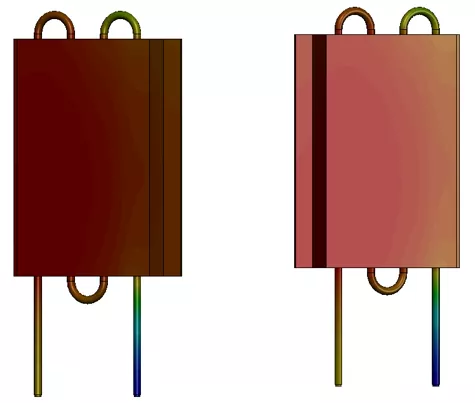
Below is an example of a SOLIDWORKS Flow project done on a heat exchanger. When examining the surface temperature plot, the results can be difficult to interpret due to the dark and muted colors, which may appear different depending on the orientation of the part. This is due to the choice of the scene and selected lighting features. In the image below, the view on the left the plate appears to be all red, but in the right view, you can see that see the color gradient more clearly.
The scene/lighting settings that can affect this are in the DisplayManager within the Scene, Lights, and Cameras section. The easiest way to resolve this issue is to increase the amount of ambient light. Right-click on Ambient and select Edit Light. Move the slider to the right or type in a value (up to 1) that will brighten the scene of the part. Depending on other lighting features, anything above 0.8 is usually a good value to sufficiently brighten up most scenes and therefore make result plots much easier to interpret.
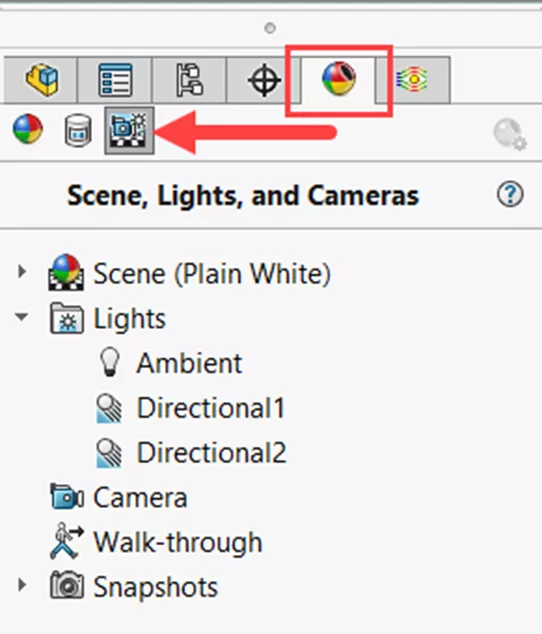
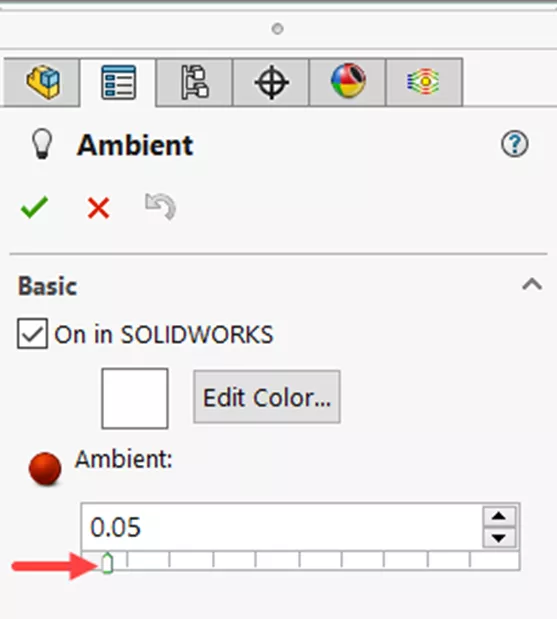
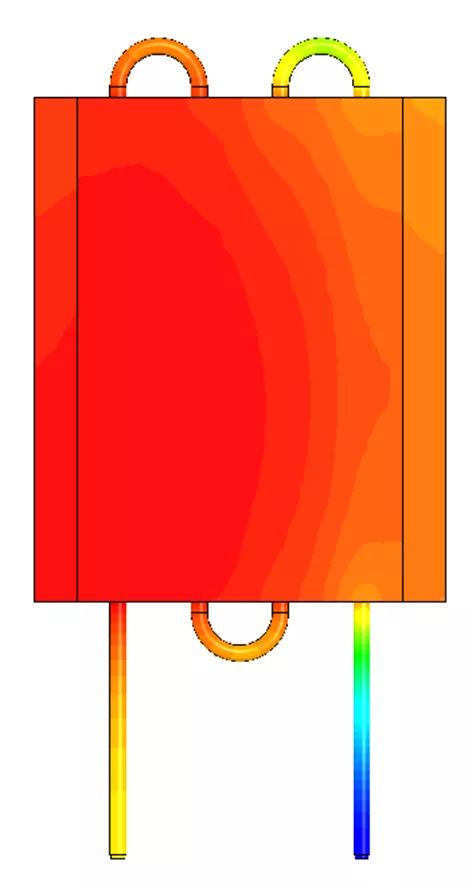
For this particular example, the ambient light was initially set to 0.05, which is fairly low. Once it was changed to 0.8, the gradient of the temperature surface plot is much more visible.
You can see more examples of these behaviors in the video below.
Related Articles
SOLIDWORKS Plastics 2026 - What's New
SOLIDWORKS Impact from Beginning to End
SOLIDWORKS Simulation 2026 - What's New
SOLIDWORKS Thermal Stress From Beginning to End

About Tashayla Openshaw
Tashayla Openshaw is a SOLIDWORKS Technical Support Engineer based out of our Headquarters in Salt Lake City, Utah. She earned her Bachelor’s degree in Mechanical Engineering from the University of Utah in 2018 and has been part of the GoEngineer family since February 2019.
Get our wide array of technical resources delivered right to your inbox.
Unsubscribe at any time.