What is CADchat? Seamless Browser-Based CAD Collaboration

If you have ever tried to run a serious design review through a general-purpose meeting app, you've already experienced the friction. One person drives the screen, and everyone else asks for another view, another screenshot, or another follow-up email. By the time the meeting ends, the real work has moved into disorganized chat threads, marked-up PDFs, and scattered notes that are no longer tied to the actual model. CADchat is different.
What is CADchat?
CADchat is a purpose-built CAD review platform and meeting space for product teams. It features live 3D collaboration, threaded feedback, document review, and whiteboarding – all in a single browser-based shared workspace.
CADchat makes the CAD model the center of the conversation. Like a live review of a physical object, each participant controls their own virtual view and cursor, and can add markups and notes directly to the model. Communication can be so much more efficient when everyone can see your point of view with just a click.
How Does CADchat Work?
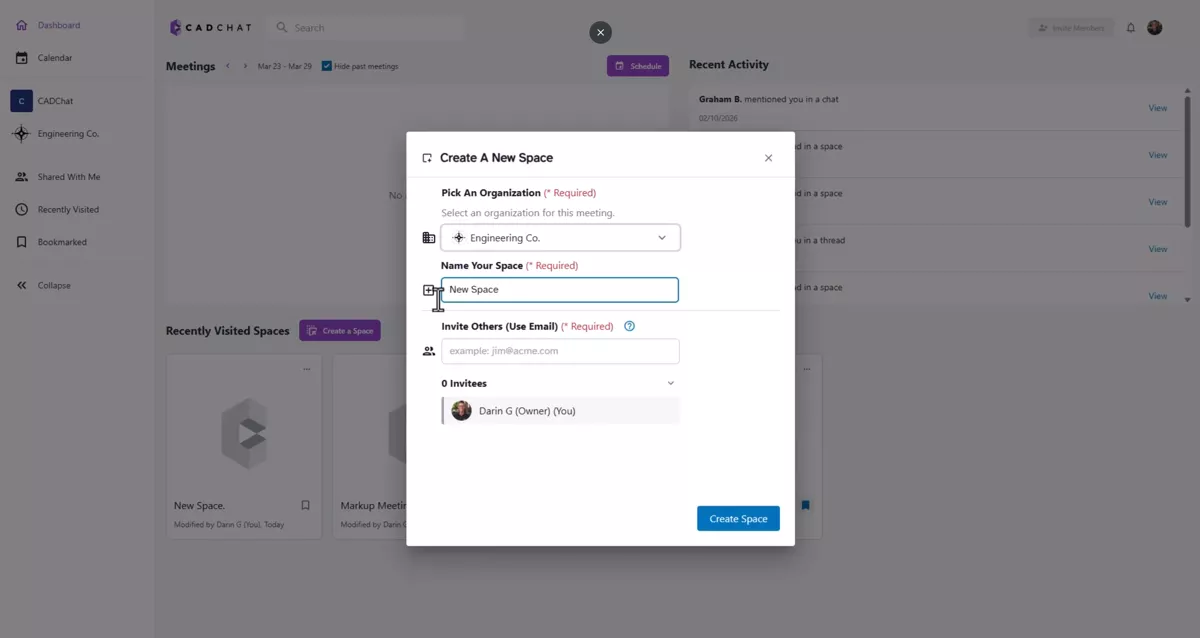
Every CADchat meeting starts with a space, created and named by the organizer (the only participant needing a license). The organizer can add 2D and 3D files to the space in advance or live, and anyone else can too. Like other platforms, collaborators inside or outside the organization can be invited to join immediately, as scheduled, or during the meeting; no software or browser extensions are required to join. The space and entire meeting (along with the files, markups, whiteboards, snapshots, and shared views) remain accessible, even after the call.
Working with 3D CAD Files
CADchat has broad and ever-growing compatibility, with support for SOLIDWORKS, CATIA, Inventor, Fusion, Sketch-Up, and more, plus neutral formats like STEP, STL, 3MF, IGES, and Parasolid. CADchat is a mixed-CAD environment, not a single vendor ecosystem, so files from any source can co-exist in the same space.
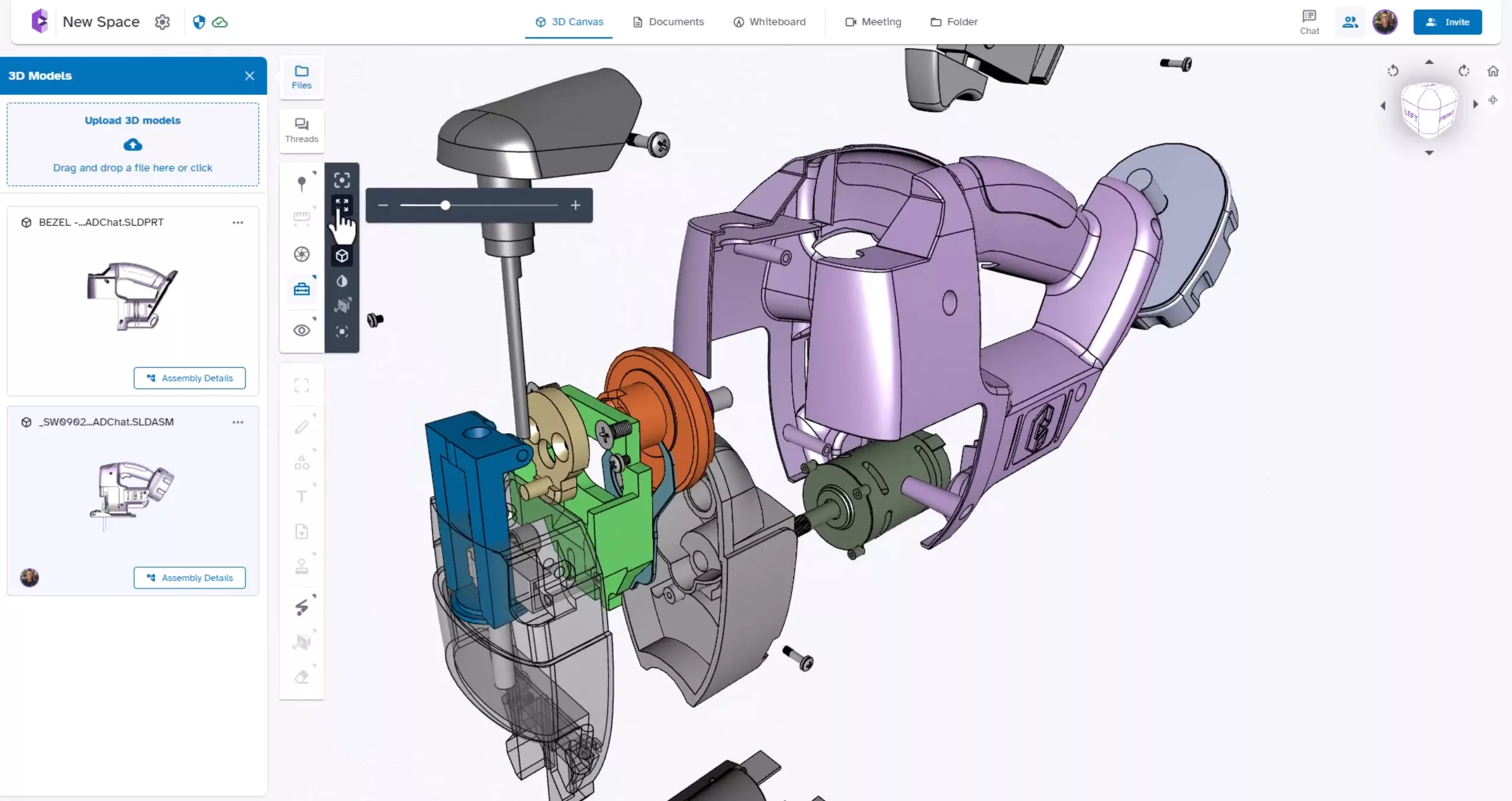
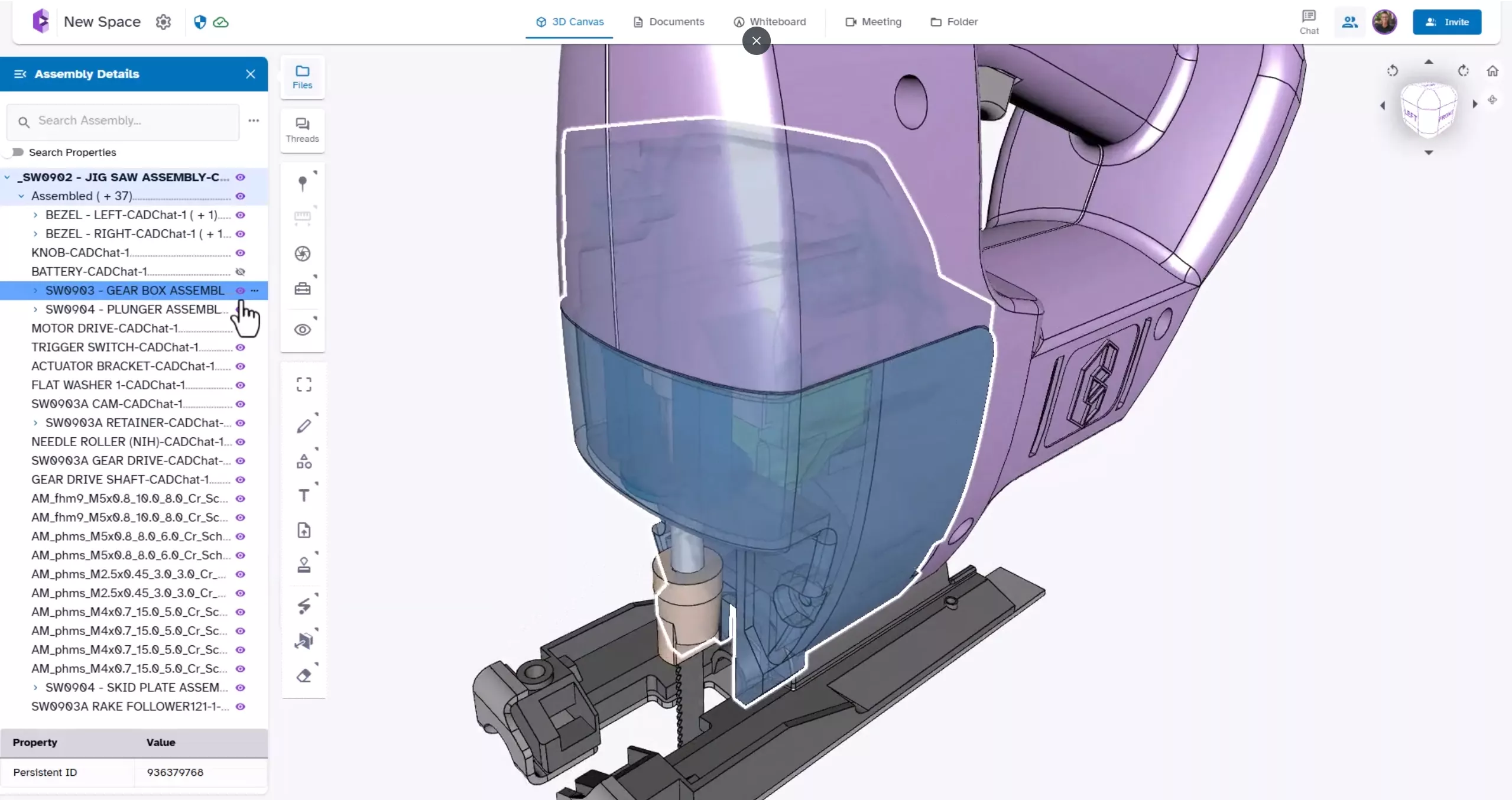
The basic 3D workflow is simple – browse to add files or drag and drop. Once loaded, they can be explored in the browser. Review exploded views and hide, show, and isolate parts from the tree. This type of fluid review process avoids stalling on the model and enables the host to isolate the right component quickly, to keep the conversation productive.
The Toolbox adds another layer of model interrogation. It includes fit-to-screen, explode, transparency, hidden-edge display, recolor, sectioning, and screen-area capture. These tools help teams inspect assemblies, describe fit and clearance issues, and communicate design intent more clearly during a meeting.
Real-Time Markup and Annotation Tools
On the 3D Canvas, the annotation toolset includes pins, measurements, screen captures, and markup visibility controls. Each annotation creates a discussion thread that can be managed in the threads folder.
The 3Draw toolbar expands into live visual communication, either directly on the model or on created surfaces aligned to X, Y, Z or the current screen view. The pen tool allows sketching, with familiar color and stroke controls. Text boxes, sticky notes, and images can be added to the workspace, drawings, images, or to the model itself. 3Draw content can be erased without affecting pins or dimensions.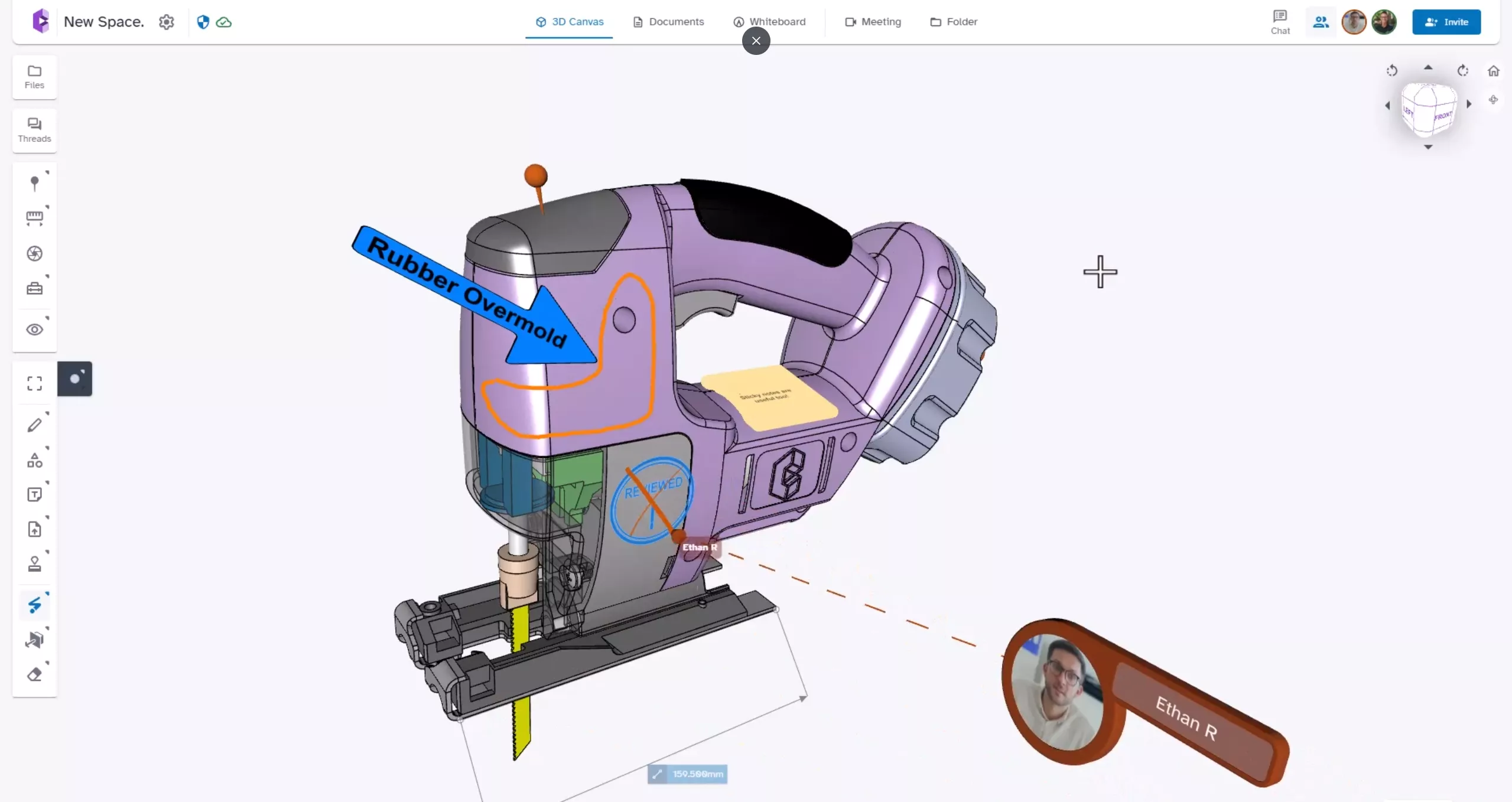
Collaborating with 2D Documents and Images
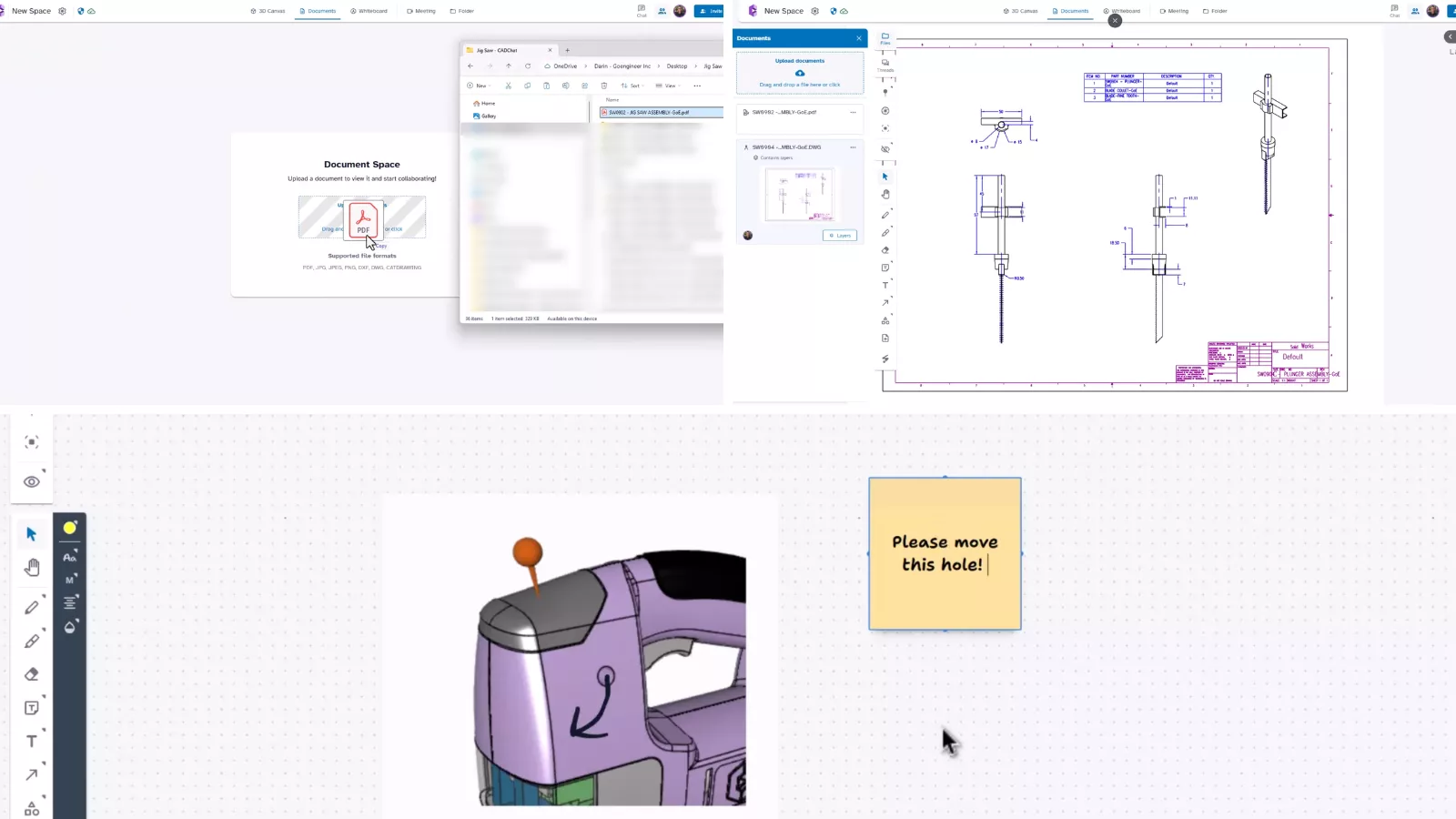
Engineering decisions do not happen in 3D alone, with teams routinely moving between models, PDF drawings, DWG files, photos, and supplier documentation.
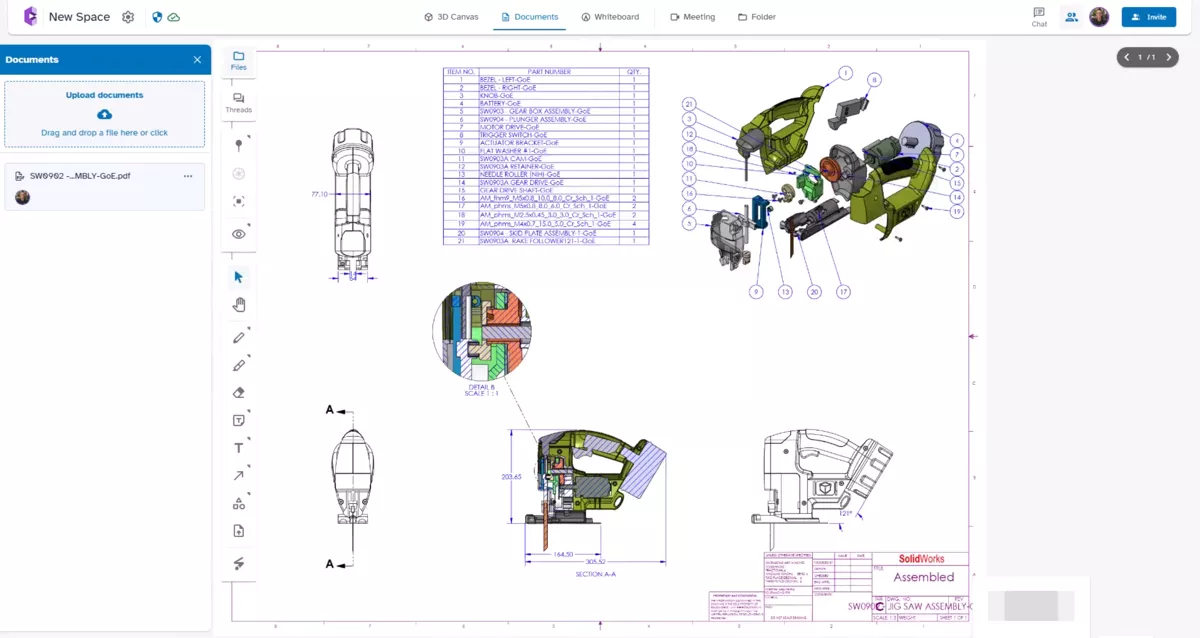
The documents area supports these formats and more, and the whiteboard provides a place to visually layout static images as needed, to discuss references, concepts, or review notes outside the model view.
Who Is CADchat Best For?
CADchat is for everyone who works with CAD and with other people. Design teams, product development groups, mechanical engineers, manufacturers and service providers, sourcing teams, project managers; even non-CAD-using stakeholders and salespeople benefit from this model-centric communication tool.
Ready to Get started?
Contact us to learn more about how you and your team can get started using CADchat today.

About Darin Grosser
Darin, an Elite AE, has been an Applications Engineer in the SOLIDWORKS Reseller community since graduating Western Michigan University in 1996. He has a wife of 29 years and 2 beautiful kids. Darin is an aspiring YouTuber and big into DIY and loves nothing more than to combine his love for creation and engineering with family and projects at home.
Get our wide array of technical resources delivered right to your inbox.
Unsubscribe at any time.