CMMC Compliance for Product Developers: What It Is & How to Achieve It with Your PLM Software

For product developers in the defense sector, the transition to structured cybersecurity requirements marks a significant shift in how projects are managed and secured. At the core of this shift is the Cybersecurity Maturity Model Certification (CMMC). Achieving compliance is not a simple self-attestation, but a tiered CMMC verification process that serves as a prerequisite for contract awards.
This article provides a roadmap for understanding CMMC levels and explains how to configure your PLM environment to protect your business.
What is CMMC?
The Department of War (DoW) established the Cybersecurity Maturity Model Certification (CMMC) Program to verify contractors have implemented the required security framework to safeguard Federal Contract Information (FCI) and Controlled Unclassified Information (CUI). The program was created to secure the Defense Industrial Base (DIB) sector against evolving cybersecurity threats and move from a “self-attestation” model to one of structured requirements.
The structure and requirements are designed to achieve the primary goals of the internal review:
- Safeguard sensitive information to enable and protect the warfighter
- Enforce DIB cybersecurity standards to meet evolving threats
- Ensure accountability while minimizing barriers to compliance with DoD requirements
- Perpetuate a collaborative culture of cybersecurity and cyber resilience
- Maintain public trust through high professional and ethical standards
CMMC Program key features:
- Tiered Model: CMMC requires companies entrusted with FCI and CUI to implement cybersecurity standards at progressively advanced levels, depending on the type and sensitivity of the information. The program also outlines the process for requiring the protection of information flowed down to subcontractors.
- Assessment Requirement: CMMC assessments allow the Department to verify the implementation of clear cybersecurity standards. Certain DoW contractors handling FCI and CUI will be required to achieve a particular CMMC level as a condition of contract award.
The CMMC program relies heavily on security requirements of National Institute of Standards and Technology (NIST) Special Publication (SP) 800-171, “Protecting Controlled Unclassified Information in Nonfederal Systems and Organizations” (referred to as NIST SP 800-171). More information can be found here.
CMMC Levels
Achieving CMMC Compliance can be complicated, depending on the level of compliance needed.
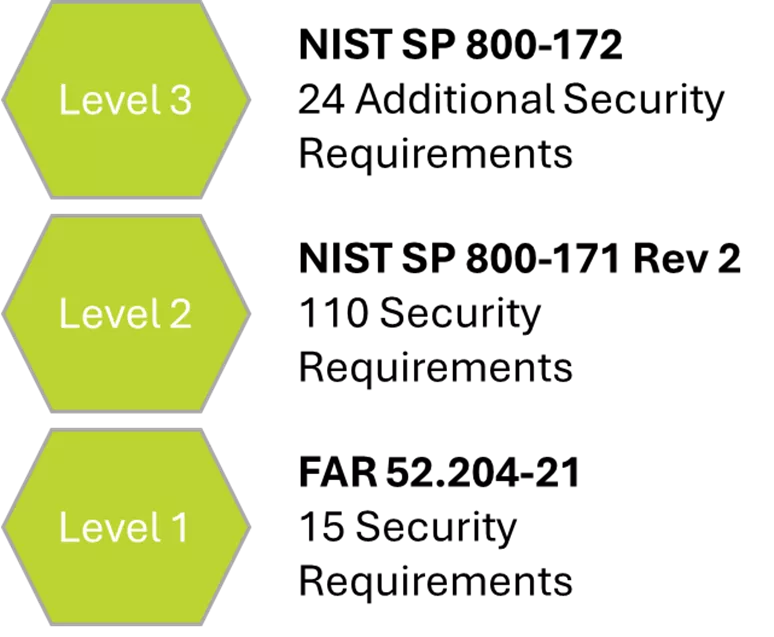
Level 3 – 134 requirements (110 from NIST SP 800-171 R2 plus 24 from NIST SP 800-172). DIBCAC Certification assessment every 3 years, plus annual affirmation.
Level 2 – 110 requirements aligned with NIST SP 800-171 R2. C3PAO certification assessment every 3 years or self-assessment every 3 years for select programs, and annual affirmation.
Level 1 – 15 requirements aligned with FAR 52.204-21. Annual Self-Assessment and Annual Affirmation are required.
How Do I Achieve CMMC Compliance?
Level 1 can be achieved by following the guidelines in FAR 52.20421 and can typically be done by a contractor’s IT and Information Security teams. The regulation speaks to basic safeguarding requirements and procedures to protect covered contractor information systems. There are 15 core requirements. Level 1 can be done via self-assessment by following this general guide.
Level 2 is much more complicated and typically involves contracting with a 3rd party firm to help with the contractor’s compliance efforts. This level is the minimum that must be achieved to act as a contractor for the DoW and is required to interact with FCI and CUI. In the publication NIST SP 800-171 R2, you will find 110 requirements that cover 14 families, including, but not limited to, Access Control, ID and Authentication, Physical Protection, Media Protection, Incident Response, Personnel Security, and Risk Assessment.
Level 2 self-assessment must be completed by the contractor, followed by a 3rd party certification by a Certified 3rd party Assessor Organization (C3PAO). The C3PAO will provide a plan of action and milestones (POA&M) with gaps to achieve compliance. There are many C3PAO’s in the marketplace.
Level 3 compliance requires Level 2 compliance, plus it incorporates NIST SP 800-172 and uses Organization-Defined Parameters (ODPs). Level 3 incorporates 24 additional requirements that cover 10 families including, but not limited to, Risk Assessment, System and Communications Protection, and System and Information Integrity.
CMMC Certifications and Partners
Individual Certifications
Registered Practitioners (RPs) - provide advice, consulting, and recommendations to prepare for audits, but cannot conduct official CMMC assessments.
CMMC Certified Professional (CCP) – foundational certification for those working on the CMMC implementation and/or assessment.
CMMC Certified Assessor (CCA) – credentialed professional who can lead CMMC Level 2 assessments. The CCA must be part of a CMMC 3rd Party Assessment Organization (C3PAO).
Lead CMMC Certified Assessor (LCCA) – is the highest credentialed professional authorized to lead Level 2 assessments.
Organizational Certifications
CMMC Registered Provider Organization (RPO) – organization that can provide pre-assessment consulting services and readiness preparation for CMMC Level 2 certification. The RPO cannot perform the final certification audit.
CMMC 3rd Party Assessment Organization (C3PAO) – organization authorized to conduct independent assessments for Level 2 assessments.
CMMC Approved Training Provider (ATP) – organization approved to train CMMC assessors.
CMMC Approved Publishing Provider (APP) – organization approved to publish training materials.
The Cyber AB is the official accreditation body of the CMMC ecosystem and the only authorized non-governmental partner of the DoW in implementing CMMC.
Partners can be found here. Contractors will likely need to hire an RPO for CMMC readiness and a C3PAO for assessment.
Does GoEngineer Offer CMMC-Compliant PLM Software?
Yes. GoEngineer supports product data management (PDM) and product lifecycle management (PLM) solutions for thousands of clients in many different industries, including defense. PDM is generally considered a component of PLM, so we will refer to both solution sets as part of PLM. GoEngineer implements and supports several PLM solutions; however, we will focus on SOLIDWORKS PDM and 3DEXPERIENCE solutions, both developed by Dassault Systèmes.
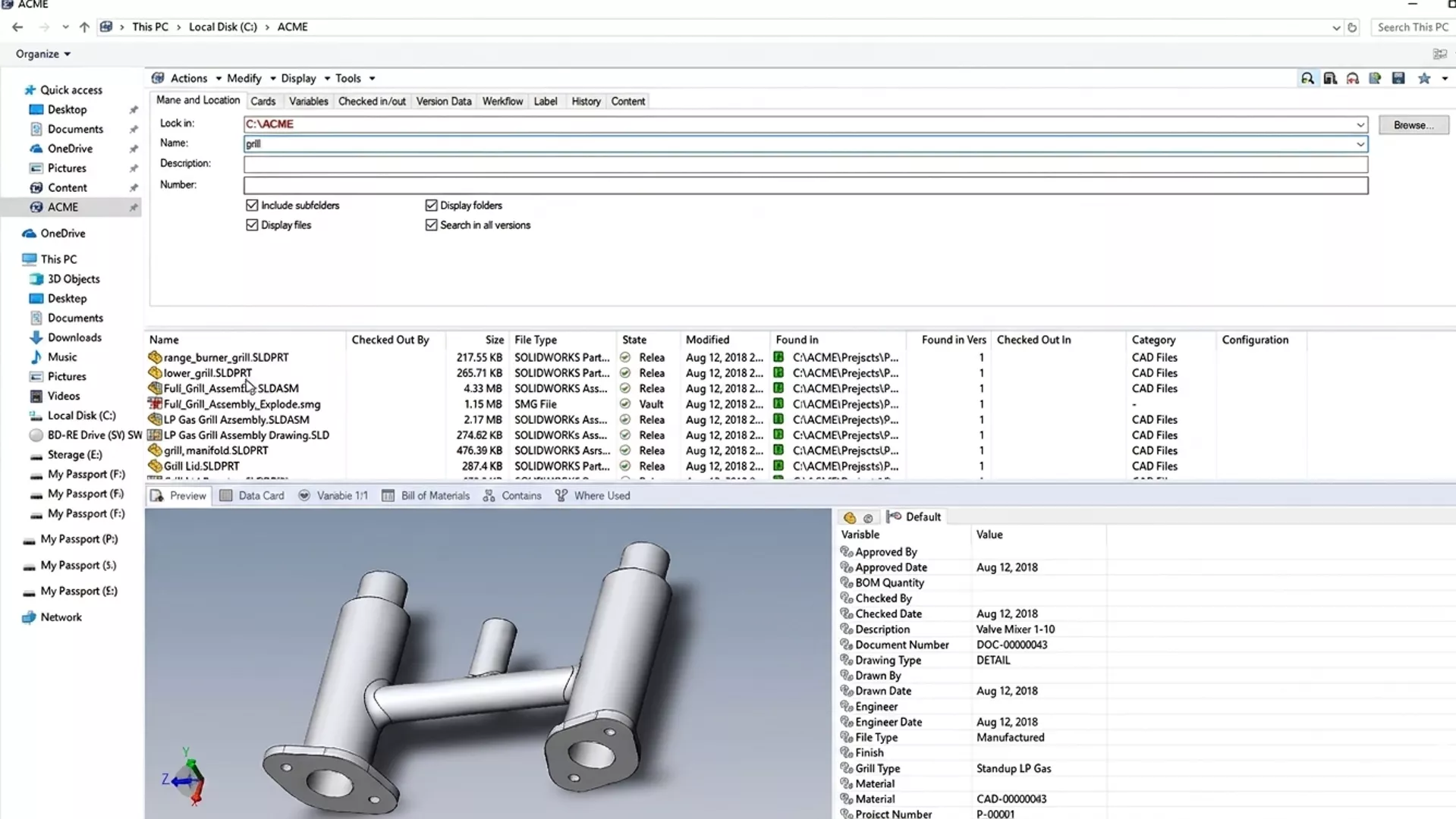
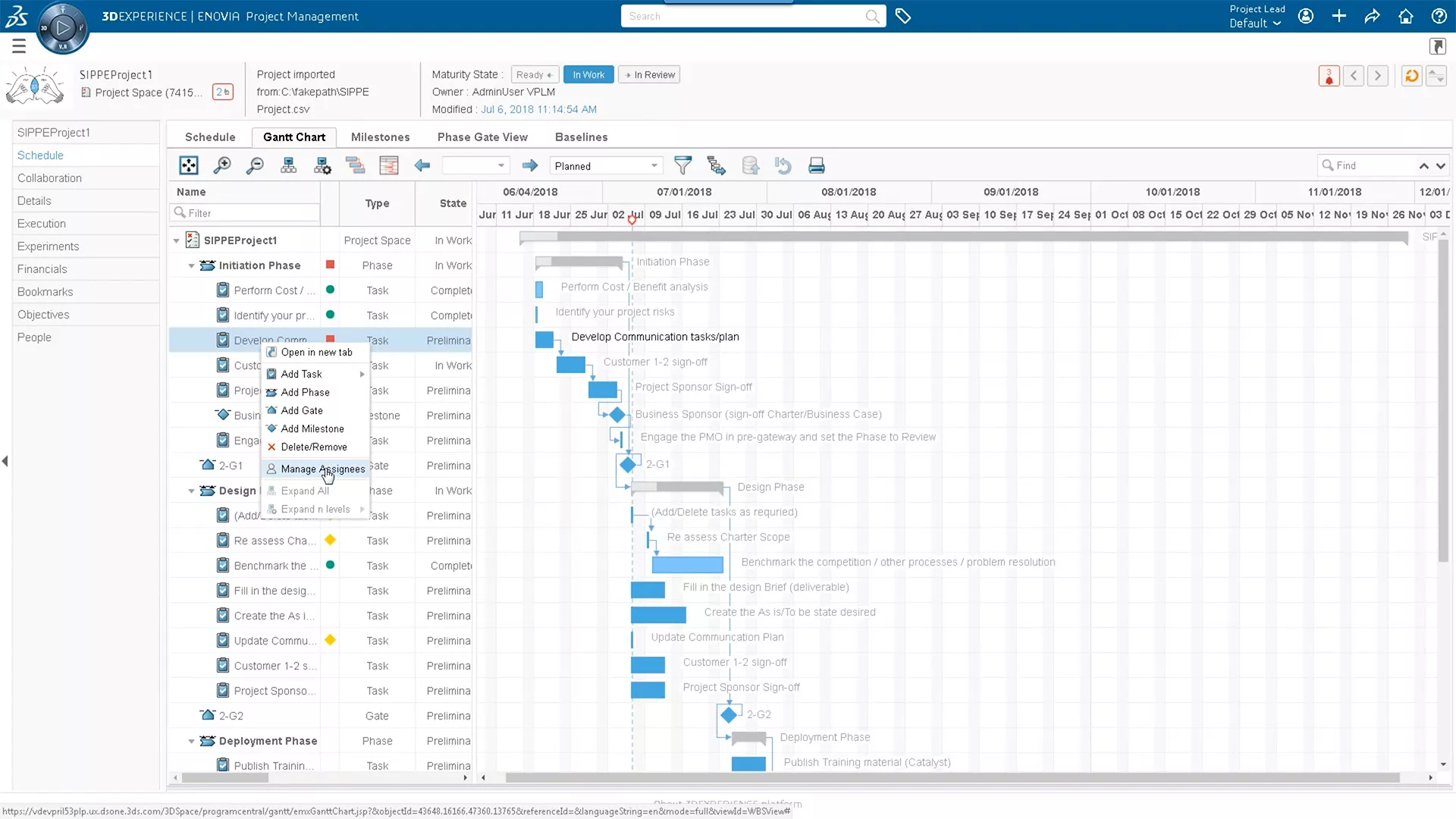
Both SOLIDWORKS PDM and 3DEXPERIENCE software are PLM tools that a DoW contractor can use to support product development or process workflows in a compliant way. The software itself is neither compliant nor noncompliant, but it can be implemented to support CMMC compliance initiatives, given the proper environment and processes.
CMMC Level 2 compliance governs FCI and CUI data, which would typically be stored in the PLM software application, making the application a critical item in the compliance project. The approach for compliance depends on whether the contractor is hosting the software application in their facilities or using the Dassault Systèmes public or private cloud.
In this section, we will review GoEngineer PLM solutions and things to consider when considering CMMC Level 2.
CMMC Compliance with 3DEXPERIENCE Public Cloud (SaaS)
Currently, the 3DEXPERIENCE public cloud does not support CMMC compliance Level 2, because it is not suitable for CUI storage due to FedRAMP status.
- 3DEXPERIENCE Cloud is suitable for ITAR/EAR data outside of the DoD/DoW, with shared responsibility with the contractor. Please contact GoEngineer for details related to ITAR/EAR compliance on the 3DEXPERIENCE Public Cloud.
- ITAR/EAR data for DoD/DoW is considered CUI and not suitable for storage on the 3DEXPERIENCE Public cloud.
CMMC Compliance with 3DEXPERIENCE On-Premises
In this scenario, the contractor has 100% responsibility for meeting the 110 requirements in CMMC Level 2.
- Infrastructure Hardening
You must secure the servers (SQL Database, 3DPassport, Foundation, File Collaboration) running the 3DEXPERIENCE system.
- FIPS 140-2 Validated Encryption: You cannot just use "encryption"; it must be FIPS-validated. This usually means enabling FIPS mode on the Windows Server OS and using BitLocker for data-at-rest encryption. 3DEXPERIENCE is not specifically tested with BitLocker but is generally supported.
- Client-Side Encryption: Files are transferred to the client from the 3DEXPERIENCE server and, therefore, must be encrypted on the local client as well as the server.
- Physical Security: The physical server must be secured with an access log (who entered and when). If you use a data center, that center must be FedRAMP or CMMC certified.
- Network Segregation: Your 3DEXPERIENCE server(s) should be in a protected enclave or VLAN, separated from the general corporate network if possible.
- Authentication & Access
CMMC requires robust identification. Standard username/password is insufficient.
- MFA (Multi-Factor Authentication): MFA can be enabled on 3DEXPERIENCE. You must enforce MFA for all with access to the 3DEXPERIENCE system.
- Controlled Access: Specific roles related to IP security can be enabled on the 3DEXPERIENCE platform. Access libraries with specific administrators can be established to ensure only those with permissions can access CUI or other restricted data. The data in the system can be assigned to classification libraries to enforce the security rules. Users have metadata so the system can manage access based on skill, nationality, citizenship, or location.
- General Access: You must configure 3DEXPERIENCE permissions so users only see data relevant to their specific role. "All Users" having "Read" access to the entire platform is a violation. 3DEXPERIENCE allows for separate vault segments, where data can be stored in a “special permissions” area of the system. The segments are called “collaborative spaces” and require configuration by a 3DEXPERIENCE administrator. 3DEXPERIENCE can also use an IP security layer that allows the CUI to be marked and classified in special access categories. CUI data modification and approvals are restricted to groups with specific rights.
- Software Configuration
- Audit Trails: 3DEXPERIENCE maintains an audit of system activity, including logins and changes, including comments and workflow approval history. History and audit trail cannot be scrubbed by administrators. Administration of the system can be performed by designated administrators.
- Sanitization: You need a process to remove CUI from local cache folders on client machines when a laptop leaves the secure environment or is decommissioned. The 3DEXPERIENCE platform does not automatically support this operation; instead, this should be the responsibility of IT staff.
CMMC Compliance with SOLIDWORKS PDM On-Premises
In this scenario, the contractor has 100% responsibility for meeting the 110 requirements in CMMC Level 2.
- Infrastructure Hardening
You must secure the servers (SQL Database, Archive Servers) running the SOLIDWORKS PDM system.
- FIPS 140-2 Validated Encryption: You cannot just use "encryption"; it must be FIPS-validated. This usually means enabling FIPS mode on the Windows Server OS and using BitLocker for data-at-rest encryption. SOLIDWORKS PDM is not specifically tested with BitLocker, but is generally supported.
- Note: SOLIDWORKS PDM 2025 is required due to the change in server-client encryption to AES-128.
- Physical Security: The physical server must be in a locked room/rack with an access log (who entered and when). If you use a data center, that data center must be FedRAMP or CMMC certified.
- Network Segregation: Your SOLIDWORKS PDM server should ideally sit in a protected enclave or VLAN, separated from the general corporate network if possible.
- Authentication & Access
CMMC requires robust identification. Standard username/password is insufficient.
- MFA (Multi-Factor Authentication): SOLIDWORKS PDM does not have native MFA. The contractor would be required to implement PDM login with Windows Active Directory and enforce MFA at the Windows Login level. The SOLIDWORKS PDM client must be installed on a Windows Client.
- Note: Only SOLIDWORKS PDM Professional supports active directory integration. SOLIDWORKS PDM Standard is not integrated and must be upgraded to Professional to support CMMC Compliance.
- General Access: You must configure SOLIDWORKS PDM permissions so users only see data relevant to their specific role. "All Users" having "Read" access to the whole vault is a violation. SOLIDWORKS PDM is configured into folders, much like a Windows folder structure, so CUI data can be stored in a “special permissions” folder structure. The folder permissions require configuration by a SOLIDWORKS PDM administrator. Typically, permissions in SOLIDWORKS PDM are not assigned at the document level, but instead at the folder level. Changes or approval processes on the CUI data can be controlled via permissions to prevent unauthorized modifications of data.
- Software Configuration
- Audit Trails: SOLIDWORKS PDM maintains an audit of changes, including comments and workflow approval history. History and audit trail cannot be scrubbed by administrators. Administration of the system can be performed by designated administrators.
- Sanitization: You need a process to remove CUI from local cache folders on client machines when a laptop leaves the secure environment or is decommissioned. SOLIDWORKS PDM does not automatically support this operation; instead, this should be the responsibility of IT staff.
How Can these PLM Applications Help with CMMC Level 2 Certification?
PLM applications can help with CUI data storage, access control, and documentation approval workflows. Even with a PLM system, most of the CMMC Level 2 certification requirements are related to your corporate infrastructure.
The following table provides a high-level breakdown of which requirements are supported by the SOLIDWORKS PDM and 3DEXPERIENCE on-premises PLM applications.
| CMMC Domain | Total Practices | SOLIDWORKS PDM | 3DEXPERIENCE | Coverage | Key Content |
| Access Control | 22 | 11 | 12 | ~50-55% | 3DX Edge: Offers better, more granular permissions and document categorization. Both rely on OS/IT for physical and device-level access limits. |
| Audit & Accountability | 9 | 8 | 8 | 89% | Core Strength: Both tools excel here via immutable audit trails, electronic signatures, and secure version history. |
| Configuration Management | 9 | 1 | 1 | 11% | Shared Responsibility: Primarily an IT network/hardware responsibility. Software only covers specific file-level baselines. |
| Identification & Auth | 11 | 10 | 10 | 91% | Core Strength: High coverage achieved through integration with Windows Active Directory, SSO, and IP Export Controls. |
| System & Comms Protection | 16 | 2 | 2 | ~12% | Shared Responsibility: Relies heavily on external firewalls, network encryption, and endpoint security outside the PLM/PDM scope. |
Next Steps
Your IT and Information Security teams will need to build a System Security Plan (SSP). You should work with a CMMC Registered Provider Organization (RPO) to support your efforts. You need FIPS-validated hardware, configured to NIST 800-171 standards, and a PLM system to meet your data access requirements.
Contact GoEngineer to get help with the implementation and configuration needs of your PLM system. Our team can work with your CMMC RPO to support your project.
Partners can be found here.
Learn more about CMMC here.
Related Articles
Stop Using Network Drives - Maximize SOLIDWORKS Performance with Cloud Services
3DEXPERIENCE: 3DDrive vs 3DSpace
SOLIDWORKS PDM vs 3DEXPERIENCE CLOUD PDM: Workflows, Licensing & More

About Justin Webster
Justin Webster is Vice President of Professional Services at GoEngineer, where he has spent over 22 years focused on product lifecycle management. Since joining CATI (later acquired by GoEngineer) he has worked as a consultant, project manager, and applications engineer before moving into leadership. He has led service and application engineering teams for the past 18 years. Justin holds a B.S. in Agricultural Engineering from the University of Illinois Urbana-Champaign and is certified in ENOVIA V6 Program Management.
Get our wide array of technical resources delivered right to your inbox.
Unsubscribe at any time.