Issues Accessing SOLIDWORKS Composer Getting Started or Help Topics

SOLIDWORKS Composer users may have issues accessing the Composer Help Topics or Getting Started content. If you’re noticing this, it likely means that you’re trying to access those links, but you’re seeing a blank window instead of a helpful document.
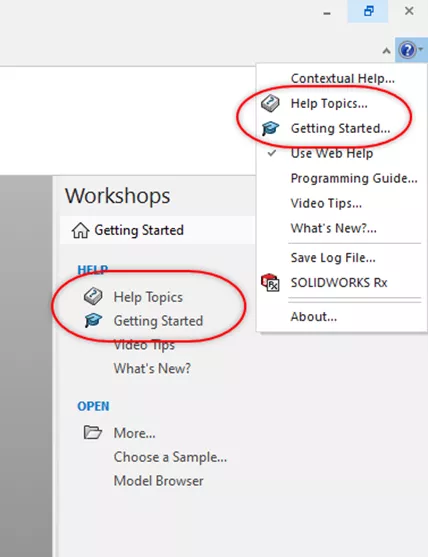
Figure 1: Accessing Help Topics, Getting Started Content
If this happens when you’re accessing Help Topics or Getting Started content, generally it’s because those links are HTML-based and something is blocking them.

Figure 2: Blank Web Browser
The file path listed in the link of the browser shows the path of the SOLIDWORKS Composer User Guide. By default, this location is: C:\Program Files\SOLIDWORKS Corp\SOLIDWORKS Composer\help\ENU\dsswxcomposerdoc.htm.
To prevent the blocked content and access the SOLIDWORKS Composer Help Topics/Getting Started, browse to the location of this “dsswxcomposerdoc.htm” file and right-click > Properties. Within the General tab of the Properties window, select the Change button and set it to Internet Explorer.
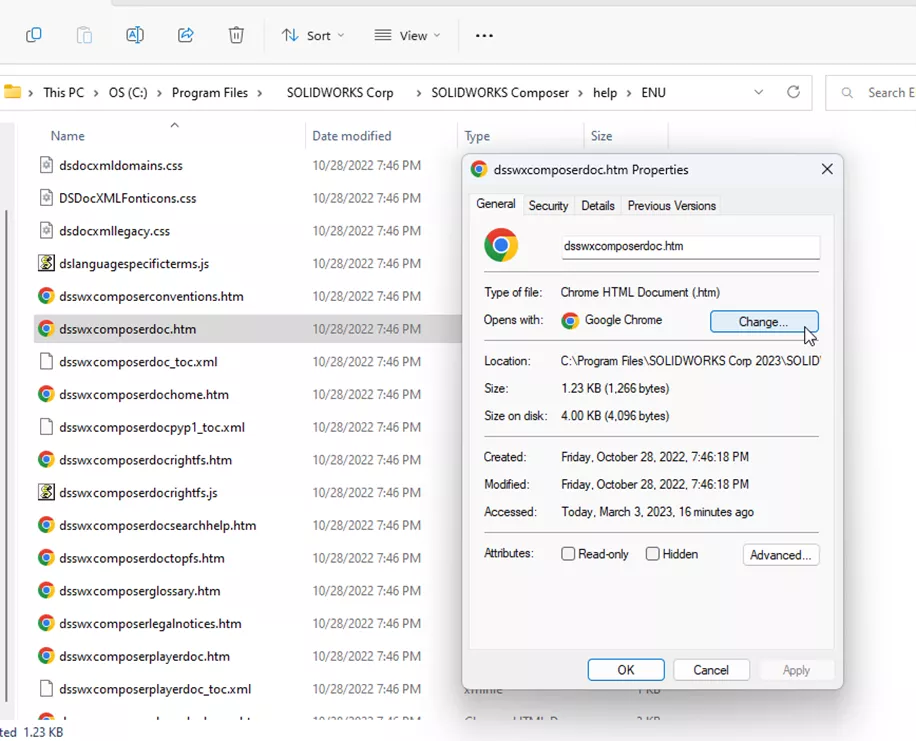
Figure 3: HTM File Properties
Click OK and then double-click on this “dsswxcomposerdoc.htm” to re-launch it in a web browser. This time, it should appear with a pop-up message with an option to Enable Blocked content. Once you enable this blocked content, the Help Topics and Getting Started content should appear when selected.
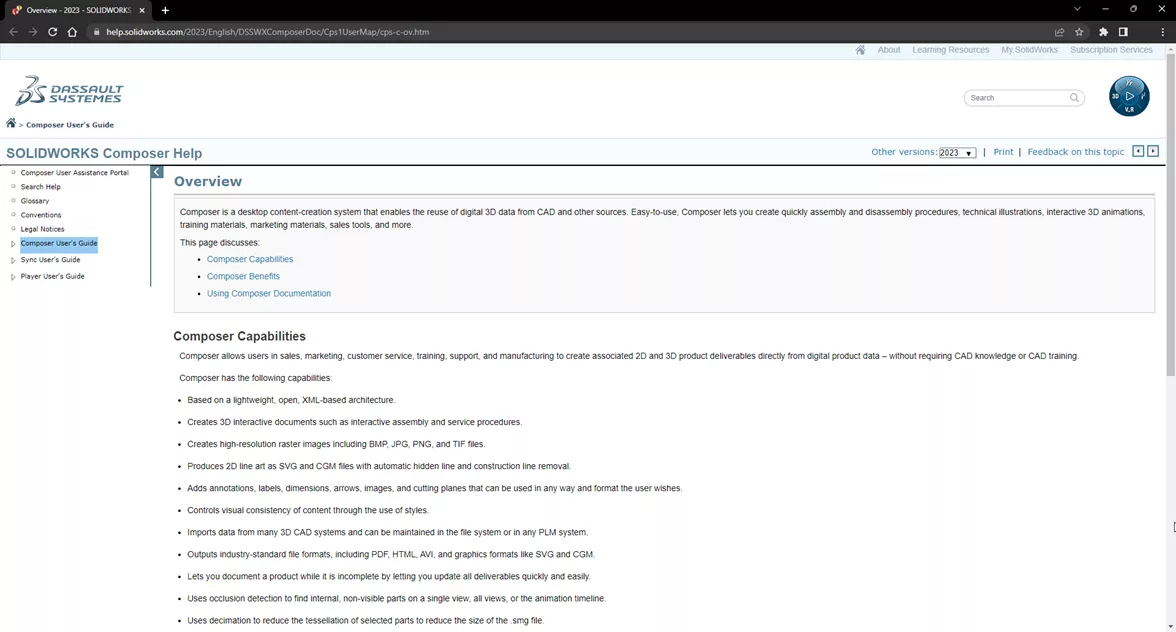
Figure 4: Composer Web Help No Longer Blank
I hope you found this helpful. For more information about SOLIDWORKS Composer, check out the articles listed below. We welcome you to join the GoEngineer Community, where you can create forum posts, enter design contests, and answer questions from other SOLIDWORKS users.
Related Articles
Standardizing SOLIDWORKS Composer Projects with Styles
SOLIDWORKS Composer Top-Level and Subassembly Update Tool Best Practices
How to Make Callouts Visible in SOLIDWORKS Composer Digger Tool
SOLIDWORKS Composer Deactivation Steps
SOLIDWORKS Composer – Editing Camera Views While Maintaining Their Orientation

About Nathan Marsh
Nathan Marsh is a Senior SOLIDWORKS Technical Support Engineer at GoEngineer.
Get our wide array of technical resources delivered right to your inbox.
Unsubscribe at any time.