AI in CAM: Why Practical Intelligence Beats Predictive Toolpaths

If you've attended any major trade show in the past year, you likely heard a lot of AI promises. From generative toolpaths to autonomous one-click programming, the marketing suggests that the software is finally ready to take over the driver's seat.
We are already seeing AI do great work in nesting, predictive maintenance, and quoting. But when it comes to the core of your business, the actual G-code that runs your $250,000 spindle, there is a massive difference between AI buzzwords and practical intelligence. If you’re responsible for a tight production schedule, you don’t need a tool that guesses. You need a tool that knows.
The AI Problem
Prediction vs. Precision
Before we look at the solution, we have to define the actual problem with AI in CAM. Generally, modern AI-driven CAM tools (such as those seen on recent cloud-based platforms) use Machine Learning (ML). These systems look at thousands of parts and predict what a human might do based on patterns.
This is incredibly impressive technology, and it can significantly save time when creating simple parts or for rapid prototyping. However, there is a drawback: Machine Learning operates on probabilities. It says, “There is an 85% chance this is how you want to cut this pocket”.
But in reality, this “85% sure” can lead to broken tools, scrapped parts, or inconsistent finishes.
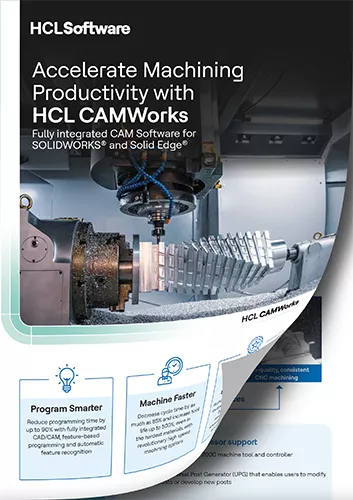
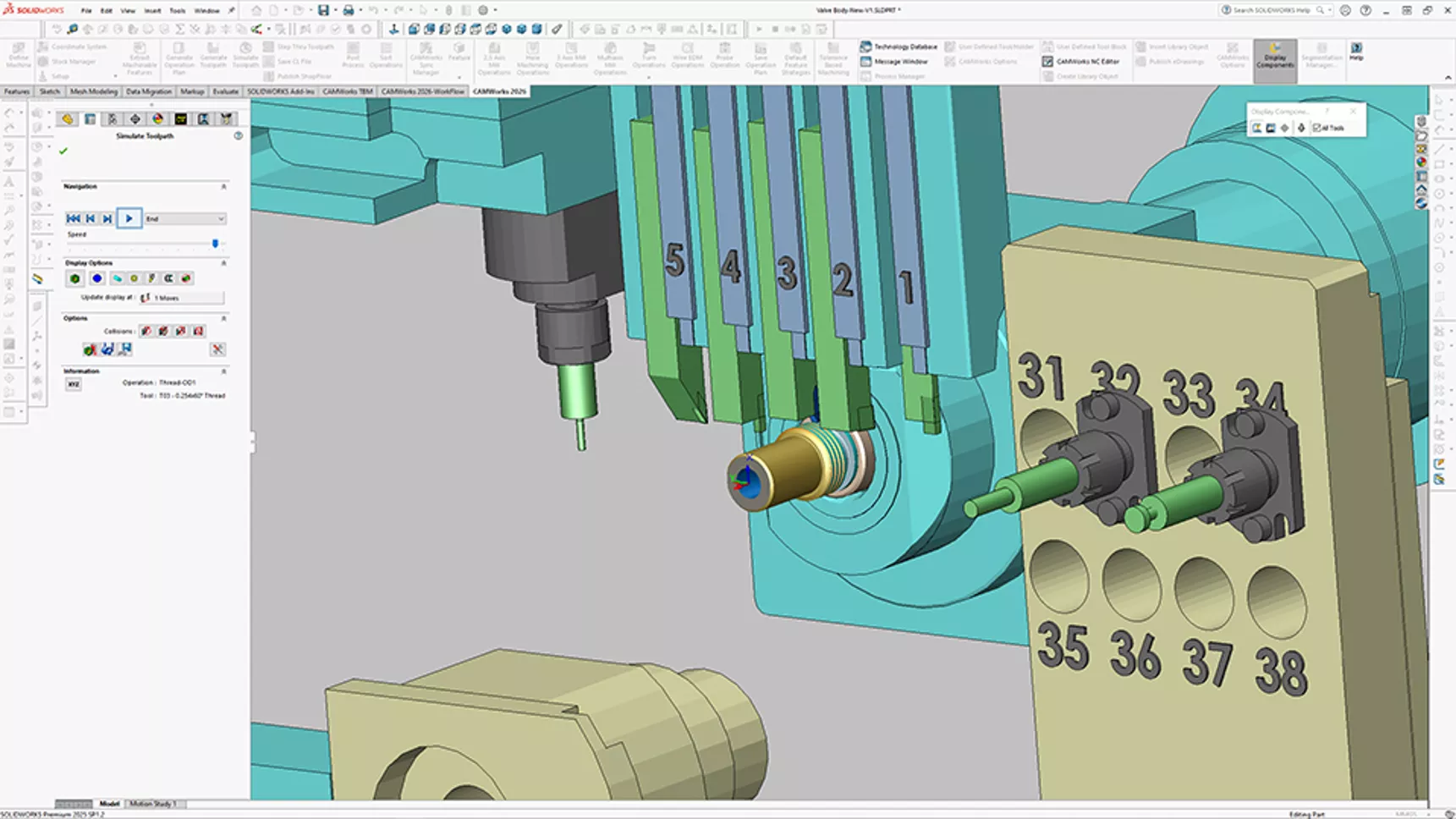
Accelerate Machining Productivity with HCL CAMWorks
CAMWorks provides SOLIDWORKS-integrated, feature-based CAM tools that help you:
- Program smarter
- Machine faster
- Improve quality and consistency
Learn more about the large CAMWorks portfolio and how it helps manufacturers in this informative brochure.
The Case for Practical Intelligence
CAMWorks takes a different approach called Knowledge-Based Machining (KBM), a patented technology that also powers SOLIDWORKS CAM and is fueled by Automatic Feature Recognition (AFR). Instead of relying on a probabilistic black box to guess what to do, CAMWorks uses Rules-Based Logic.
This is what we call Practical Intelligence. It doesn’t guess; it recognizes geometry and applies the specific, vetted strategies that you have defined for your shop.
Key Intelligent Machining Features in CAMWorks
To see how CAMWorks stacks up against the AI competition, we have to look at the three features that make its automation so reliable.
#1. Automatic Feature Recognition (AFR)
Most CAM software requires the user to manually select faces, edges, or chains to define where the tool goes. Even some modern AI tools require you to point the software in the right direction.
CAMWorks AFR analyzes the native 3D CAD model (usually in SOLIDWORKS) and automatically identifies prismatic features (e.g., pockets, bosses, holes, slots, and even complex multi-surface features). Because it’s associative to the CAD model, if the design changes, the features update automatically. There’s no re-guessing required.
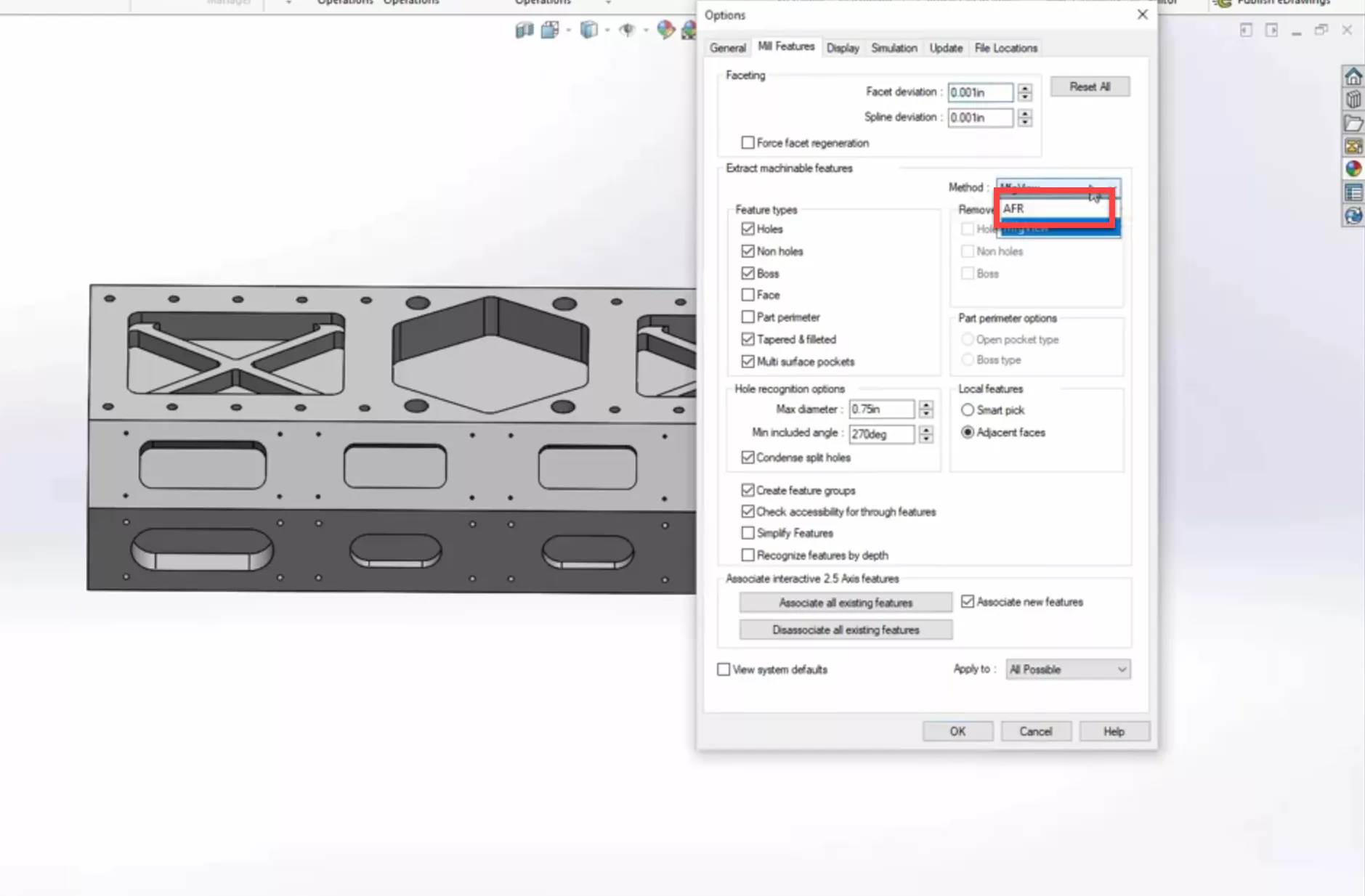
While no tool is truly one-click, CAMWorks AFR comes closer by analyzing native geometry rather than just guessing based on pixels. In fact, for many parts, CAMWorks can achieve true automation through its Solid-to-G-code functionality.
#2. The TechDB: Your Digital Brain
The true intelligence of CAMWorks lives in the Technology Database (TechDB). This is where your shop’s tribal knowledge is stored.
When an AI tool generates a toolpath, it’s often using a generalized dataset from the cloud. It doesn’t know that your Haas VF-2 prefers a specific entry move in 6061 aluminum, or that you always use a specific brand of high-feed mill for roughing.
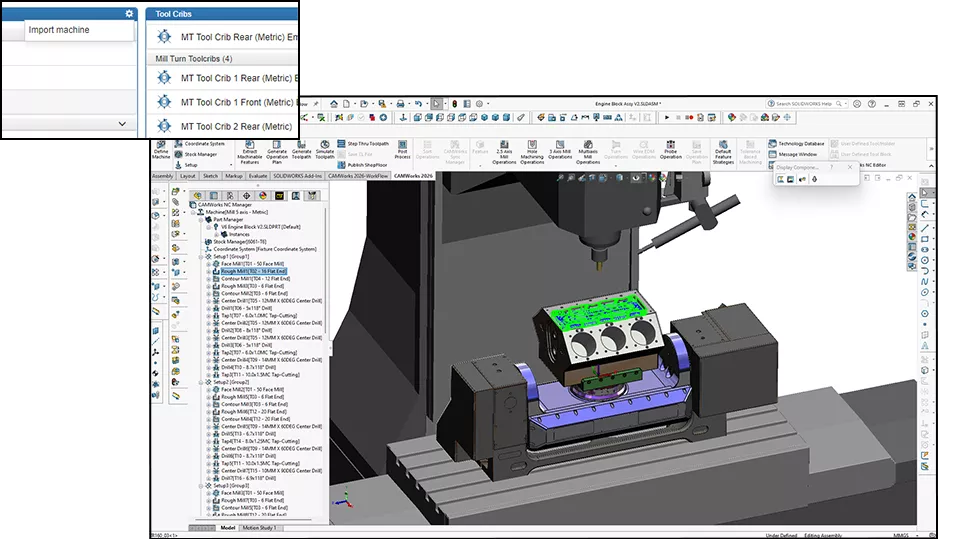
With CAMWorks, you teach the TechDB your preferences once. The next time AFR identifies a pocket, it pulls your specific tools, speeds, feeds, and preferred step-overs. You aren’t just using AI, you’re scaling your own expertise.
#3. Tolerance-Based Machining (TBM)
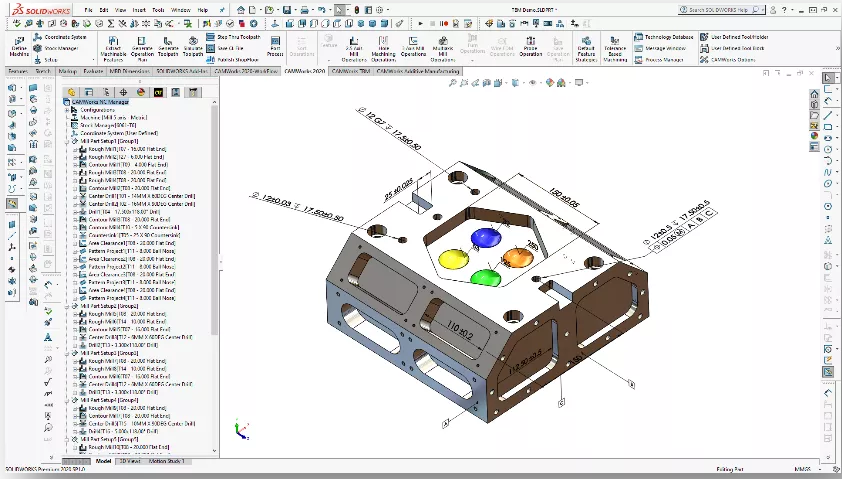
This is the killer app of practical intelligence that many AI startups haven’t mastered yet. In a precision shop, you don’t machine to the nominal CAD geometry. You machine to the tolerance, adjusted by your experience (i.e., pesky considerations like tool deflection).
CAMWorks can read Product Manufacturing Information (PMI) or GD&T data directly from the 3D model. If a hole has a tight tolerance, CAMWorks automatically switches from a simple drill cycle to a bore or ream cycle. A general AI model might see a hole and predict a drill, but practical intelligence sees a requirement and applies a solution.
A Direct Comparison
CAMWorks vs. The Field
| Feature | CAMWorks (Rules-Based) | Modern AI CAM (Predictive) | Traditional CAM (Manual) |
| Logic Basis | Deterministic/Shop-defined | Probabilistic/Pattern-based | Manual/Programmer-defined |
| Consistency | Deterministic. Same rules = same code | Variable. Results shift with data | Low. Varies by programmer |
| Setup Time | Minimal after TechDB is set | Very fast for simple parts | High. Every thing is manual |
| Integration | Fully embedded in SOLIDWORKS | Often standalone/cloud-based | Varies (plug-ins/standalone) |
| Knowledge Capture | Built into your TechDB | Relies on generalized cloud data | Stays in the programmer's head |
Why the Black Box Can Be Risky
The current trend in AI CAM is autonomous programming. The goal is to hit a button and get a G-code file. While we are moving closer to that reality, the “Black Box” nature of some AI tools means that when the software makes a mistake, it’s very difficult to fix the AI. You can’t go into the AI’s brain and tell it to stop using a specific tool for a specific feature.
In CAMWorks, the logic is transparent. If you don’t like how a feature was programmed, you simply update the rule in the TechDB. The intelligence is yours to control, edit, and perfect.
The Hallucination Effect
When a chatbot "hallucinates," it gives you a wrong answer or a fake quote. When a predictive CAM tool hallucinates, it misinterprets a feature and generates a toolpath that looks fine on the screen but fails on the floor.
In a probabilistic (AI-driven) system, the software is making a best guess based on a data set. But your shop isn't a data set; it’s a high-stakes production environment.
The Real Cost of a 'Best Guess' Crash
- The Tooling: A high-performance carbide endmill or indexable cutter can easily run into several hundred dollars, if not thousands. That’s gone in a millisecond.
- The Spindle: If the crash is severe enough to knock the spindle out of alignment, or worse, damage internal components, you are looking at repair costs in the thousands of dollars.
- The Downtime: While that machine sits idle for repairs, you aren't making parts. What is your cost per hour for machine downtime?
- The Reputation: A crashed machine on a Tuesday means a missed delivery on Friday.
Why Rules-Based Logic is Your Insurance Policy
CAMWorks doesn't guess how to cut a pocket because it saw something similar in a cloud database. It follows the TechDB rules that you vetted and approved. If the geometry doesn't match a rule, it doesn't just wing it; it flags it.
Practical intelligence ensures that the logic running your machines is transparent, repeatable, and, most importantly, predictable.
AI and Practical Intelligence Can Coexist
We're not anti-AI. In fact, CAMWorks and GoEngineer are actively looking at how Machine Learning can enhance the existing AFR/KBM framework. The next logical step isn’t replacing the programmer; it’s augmenting them. AI may suggest optimizations to your TechDB rules based on your actual cycle times, but your experience should drive implementation caveats. This is the future: AI as an assistant to practical intelligence, not a replacement for it.
By using CAMWorks, you are building the foundation for this future. You are organizing your data, standardizing your tooling, and capturing your processes. When the next wave of true, shop-ready AI arrives, CAMWorks users will be the best positioned to leverage it because their practical intelligence is already codified.
At the end of the day, software is only as good as the team supporting it. This is where the intelligence becomes truly practical.
When you implement CAMWorks through GoEngineer, you aren’t just getting a license; you’re getting access to a team of manufacturing veterans. We don’t just show you where the AI buttons are; we help you build your TechDB, refine your post-processors, and ensure that your automation logic actually works on your specific machines.
We believe that the best shop floor is one where the programmer is empowered by the software, not replaced by it. CAMWorks AFR and KBM provide the most robust, proven, and customizable automation platform on the market today. It’s not just hype; it’s how parts get made.
Stop Guessing. Start Recognizing.
Are you ready to see how practical intelligence can transform your production? Let’s turn your tribal knowledge into a competitive advantage.
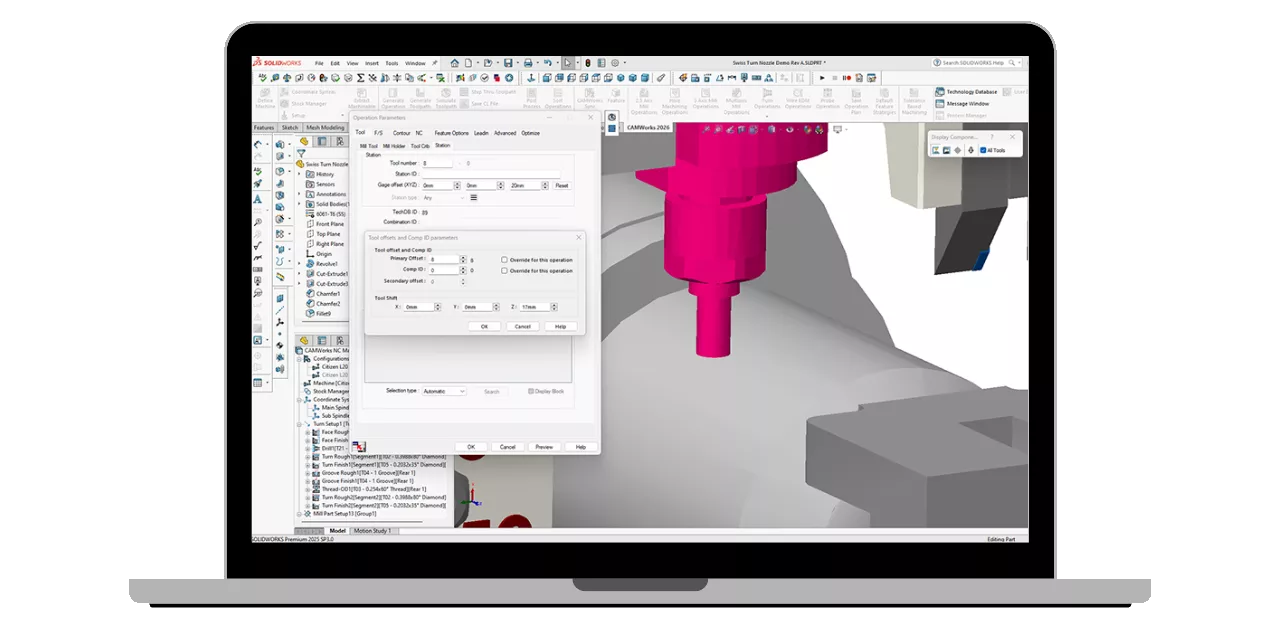
See It in Action
Schedule a CAMWorks demo with one of our technical experts.

Talk to an Expert
Have questions about how AFR compares to your current workflow? Contact the GoEngineer CAM team today.
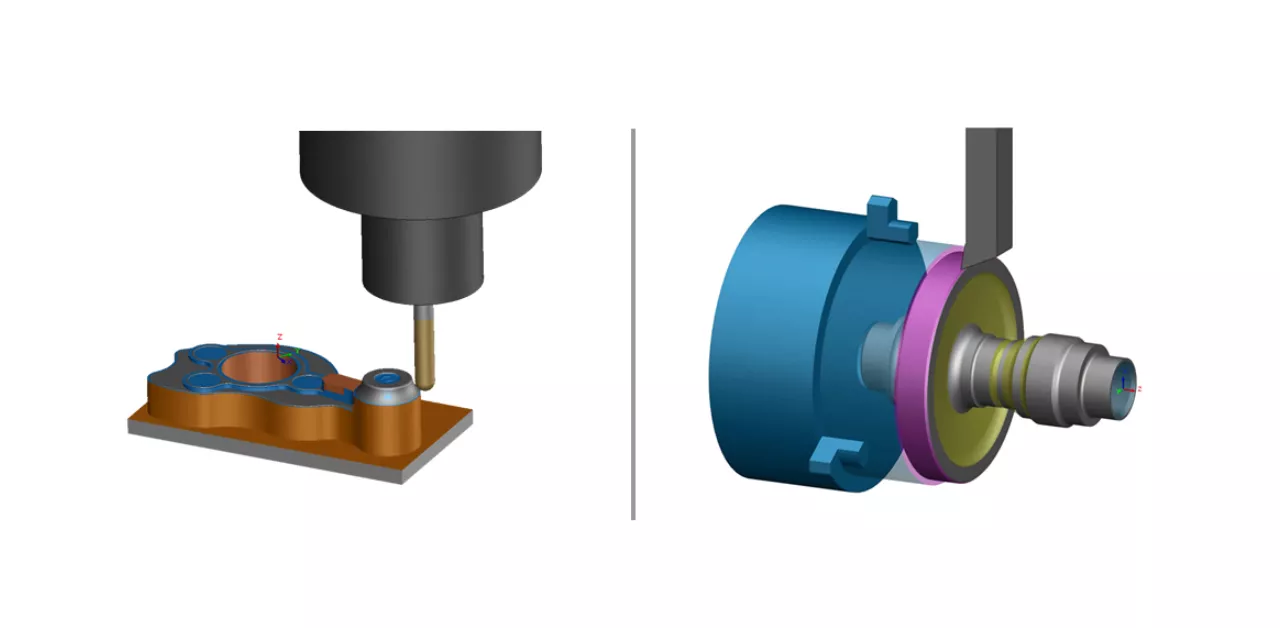
Deep Dive
Check out our CAMWorks Training Courses to learn how to master the TechDB and automate your shop floor.
Related Articles
What's New in CAM 2026: SOLIDWORKS, CAMWorks, & More
CAMWorks Broaching - Turn Setup & Mill Setup
What Is Feature-Based CAM and Why Is It Important?
CAMWorks Broaching - Turn Setup & Mill Setup
About GoEngineer
GoEngineer delivers software, technology, and expertise that enable companies to unlock design innovation and deliver better products faster. With more than 40 years of experience and tens of thousands of customers in high tech, medical, machine design, energy and other industries, GoEngineer provides best-in-class design solutions from SOLIDWORKS CAD, Stratasys 3D printing, Creaform & Artec 3D scanning, CAMWorks, PLM, and more
Get our wide array of technical resources delivered right to your inbox. Unsubscribe at any time.