
The DriveWorks Buyer's Guide
DriveWorks automates the design and quoting work behind same but different products. This guide walks through what each tier does, what a rollout involves, what it costs, and how to work out the payback for your shop.
Why manufacturers automate configuration
If most of your orders are variations on designs you have already engineered, your team is spending a lot of time repeating work.
A customer wants the 14-foot conveyor instead of the 12-foot one. A dealer needs the same enclosure with three extra knockouts and the door hinged the other way. A contractor specifies your standard mezzanine at 9'4" clearance. All three have been engineered before. All three still go to a CAD workstation, where somebody opens the start model, saves a copy, edits dimensions, fixes the drawing views, exports a DXF, and updates the BOM.
These are same but different products, and there are three places that repeated work costs you.
- Engineering time goes into quoting. Approval drawings and custom estimates get built for opportunities that never close, and that time comes out of new product development.
- Quote turnaround limits sales. When a configured quote takes several days, the competitor who answers first is often the one who wins the order.
- Re-keying specs creates errors. Specifications typed from a sales order into a CAD model produce wrong dimensions and missing hardware, and those errors usually surface on the shop floor rather than in review.
Hiring more engineers helps for a while, but it is an expensive way to keep up with order volume.
How DriveWorks handles it
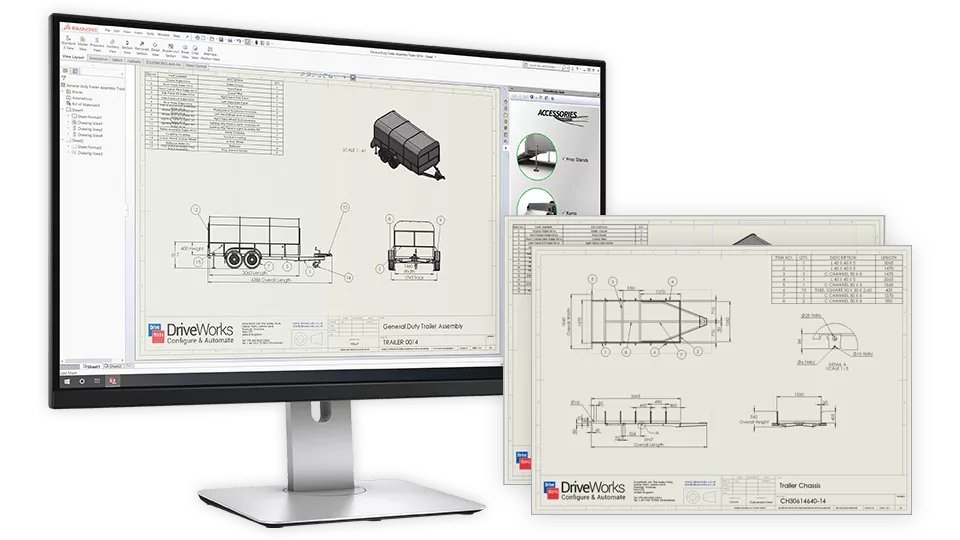
DriveWorks captures the rules behind your product so that the logic your engineers know by heart is written down in the software. Once the rules are built, anyone with access can configure a product, and DriveWorks produces the full output package: 3D models, 2D manufacturing drawings, bills of materials, cut lists, neutral CAD files, quote documents, and data for your other business systems.
Built for SOLIDWORKS
DriveWorks drives real assembly features, weldment profiles, sheet metal bend tables, and Hole Wizard parameters, so configured designs match what your shop already builds.
Rules your engineers can maintain
Rules use familiar Excel-like functions. Anyone who can write a nested IF in a spreadsheet can build and update them, so you are not dependent on a developer.
One rule set for sales and engineering
The same rules drive the 3D configurator your customers use and the CAD generation your shop floor works from, so the two stay in step.
Not sure your product line is a good fit for automation?
Book a call and we will talk through your product range and your start models, and give you an honest read on what would automate well.
Who DriveWorks works well for
Most of the manufacturers we work with describe their products as same but different. The engineering rules behind them stay consistent from one order to the next, even though no two orders come out quite the same.
Custom industrial equipment
Conveyors, packaging machinery, pumps and valves, material handling, and agricultural equipment. Common automation targets are frame sizing, drive and motor selection, stroke adjustments, mounting positions, and approval drawings.
Architectural and fenestration
Commercial doors and windows, storefront framing, curtain wall, access platforms, mezzanines, and solar racking. Sizing to site constraints, glass infill, hardware rules, cut lists, and production drawing sets.
Switchgear, enclosures, and HVAC
NEMA enclosures, switchgear cabinets, air handling units, and pressure vessels. Bend deductions, knockout positions driven by the components inside, thermal limits, and DXF flat patterns sent straight to the CNC.
Casework, fixtures, and furniture
Office systems, architectural casework, cabinetry, and retail fixtures. Dimensional scaling, finish selection, hardware placement, nesting cut lists, and BOMs.
Other good candidates include modular and prefab construction, custom trailers and vehicle upfitting, food processing equipment, laboratory casework, racking systems, and OEM machine guarding.
Comparing DriveWorksXpress, Solo, and Pro
Xpress and Solo both run on an engineer's desktop. Pro runs on a server, which is what lets people outside engineering configure products for themselves.
DriveWorksXpress
An add-in in the SOLIDWORKS Task Pane, with the rules stored inside the start model. It drives dimensions, features, and custom properties on one part or assembly at a time.
Best for: Basic design automation, using a SOLIDWORKS seat you already own.
DriveWorks Solo
Its own application alongside SOLIDWORKS, adding full drawing control, data tables, multi-page forms, and neutral CAD output such as STEP, DXF, and PDF.
Best for: Engineers who need shop-ready drawings and neutral CAD out of every configuration.
DriveWorks Pro
A modular, server-based system on SQL Server. Sales, dealers, and customers configure in a browser while servers generate the CAD and update PDM, ERP, and CRM.
Best for: Letting sales, dealers, or customers configure without a CAD seat.
There is no required starting point, and plenty of companies go straight to Solo or Pro. If you do begin with Xpress, those projects import into Solo and Solo projects import into Pro, so none of the rule-building gets thrown away. For most buyers the real decision is Solo versus Pro, since Pro is where people outside engineering can start configuring products for themselves.
Tier summary
| Dimension | DriveWorksXpress | DriveWorks Solo | DriveWorks Pro |
|---|---|---|---|
| SOLIDWORKS seat required | Every user | Every user | Servers and admin stations only |
| Architecture | Task Pane add-in | Standalone application | Administrator, Autopilot, Live, User, Pro Server |
| Data storage | Rules stored inside the start model | Local SQLite database | Microsoft SQL Server, shared across users |
| Design automation | Dimensions, features, custom properties | Adds sheet metal, Hole Wizard, weldments, component instances and replacement, colors and materials | Adds generative design, SOLIDWORKS macros, and 50+ vector, 3D, and PDM functions |
| 2D drawing control | One drawing per part or assembly | Multiple drawings, sheet and view control, annotations, dimension positions, layers | Adds automated drawing tasks such as auto-ballooning, arranging, and rescaling, plus drawing macros |
| CAD file outputs | Native SOLIDWORKS only | Adds STEP, STL, PDF, DXF, DWG, JPEG | Same as Solo |
| Quote and BOM documents | None | Built-in templates, XML output | Customizable Word, Excel, and XML documents, HTML email with attachments |
| Enterprise integration | None | Local document export only | SOLIDWORKS PDM Professional, REST API, ODBC and SQL |
| Web and remote access | — | — | Browser access through DriveWorks Live, including 3D configuration |
| Where it runs | Windows desktop | Windows desktop | Windows desktop and Windows Server, including Azure and AWS hosting |
| Security and access control | None | None | User and team security, single sign-on and Active Directory, granular permissions |
| Licensing | Free with an active seat | Standalone per seat, 30-day trial by request | Modular standalone or floating network |
Every row above reflects the published DriveWorks feature comparison. Where a capability is available in more than one tier, we have listed it at the tier where it first appears.
Want a more exhaustive comparison?
Our full comparison of DriveWorksXpress, Solo, and Pro goes feature by feature.
Knowing when to move up
Teams tend to outgrow a tier for the same few reasons. If two or three of these sound familiar, the next tier is probably worth a look.
Signs you have outgrown DriveWorksXpress
- You clean up drawing views after every run, or need more than one drawing per part
- You need DXF flat patterns, STEP models, or PDFs, not just native SOLIDWORKS files
- Your rules need to reach sheet metal, Hole Wizard, or weldment features
- A single automatically generated form no longer covers your inputs
- More than one person needs to work on the start model, where Xpress keeps its rules
What Solo adds: Full drawing control, data tables, multi-page forms, and neutral CAD output. Your Xpress projects import straight in.
Signs you have outgrown DriveWorks Solo
- Someone outside engineering, such as a sales rep, dealer, or customer, needs to configure a product
- Generation requests back up behind one workstation and you want jobs running unattended
- You need your own Word and Excel quotes, BOMs, and emails rather than built-in templates
- Files should check into SOLIDWORKS PDM Professional, or data should flow to your ERP or CRM
- Several people need to build and maintain rules, with permissions and sign-on managed centrally
What Pro adds: Browser configurators, unattended generation on servers, auto-ballooned drawings, and connections to PDM, ERP, and CRM. Your Solo projects import straight in.
Already running DriveWorks Solo?
Ask us about the upgrade credit toward a DriveWorks Pro system.
Choosing a tier
Answer three questions and we will point you at the tier that fits. It takes about a minute.
Which DriveWorks product fits you today?
The recommendation is based on who needs to configure products, where the software runs, and what you need it to produce.
Where will it run?
Who needs to configure products?
What do you need it to produce or connect to?
The most common mistake we see is trying to automate the whole catalog at once. Start with one product family, one output package, and one result you can measure. Projects that take on too much tend to stall part-way, leaving a half-finished system that nobody has been asked to own.
How DriveWorks drives your models
What DriveWorks controls inside SOLIDWORKS, and what it takes to keep that stable once generation runs unattended.
DriveWorks controls SOLIDWORKS parametrically without any API code or macros, driving dimensions, features, custom properties, mates, materials, and appearances. Solo and Pro add advanced feature rules covering the Hole Wizard, sheet metal, and weldments, so the parameters that decide whether a part can actually be made are driven by the same rules as everything else.
Drawing automation is usually where the hours come back. Solo scales and repositions views, controls annotations and dimension positions, updates title blocks, manages layers, and handles multiple drawings per model. Pro adds automated drawing tasks on top, including auto-ballooning, arranging, and rescaling as part of the generation run.
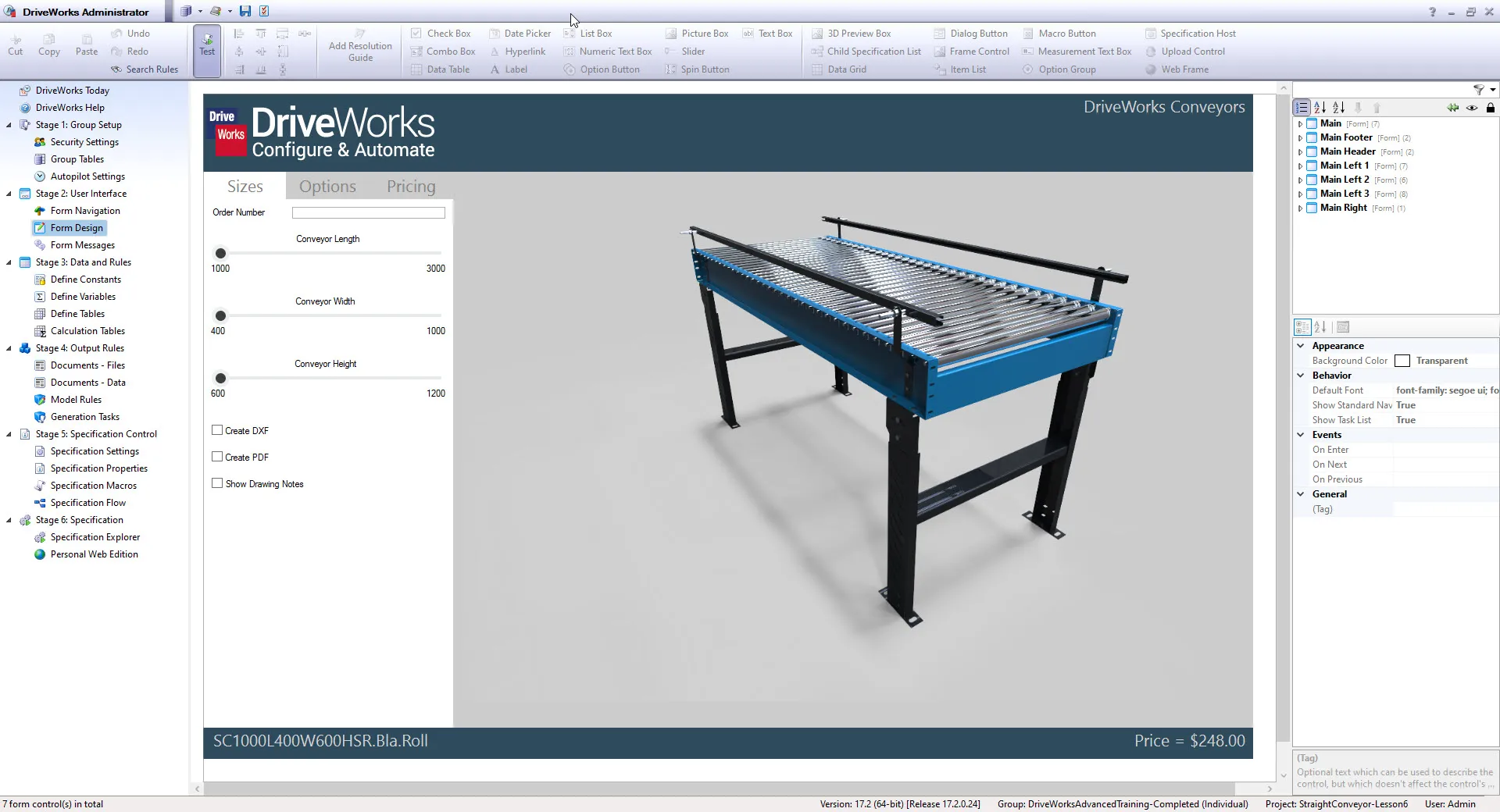
DriveWorks works best with bottom-up assemblies, because in-context relations that hold up fine in manual use cause slow rebuilds and unpredictable errors once you are generating hundreds of variants unattended. Cleaning that up is real work and belongs in the plan from the start, which is why we scope it in the first phase of every project.
Using DriveWorks as a CPQ system
CPQ is not a separate DriveWorks product or license. It is something you build with DriveWorks Pro, and because the same rules drive the quote and the CAD, the price and a manufacturable design come out of one submission.
Guided selling with live 3D
- Customers and reps rotate, zoom, and explode the model in a browser on a desktop, tablet, or phone, with no CAD license
- The configurator runs on the same rules as the CAD, so invalid combinations are blocked as they are selected, not caught at order review
- The 3D preview updates as options change, so buyers see exactly what they are specifying

What goes into a DriveWorks CPQ system
Live, rule-driven pricing
Pricing rules use the same Excel-like functions as your engineering rules, and can read current material costs, stock, and discount schedules from SQL Server or any ODBC database.
Branded quotes and proposals
One submission fills your own Word and Excel templates, producing proposals, order summaries, PDF cut lists, and HTML emails. Solo uses built-in templates instead.
Workflow and permissions
A customizable workflow with user and team permissions routes discounts and non-standard configurations for sign-off before a quote goes out.
Multi-line quotes
Specifications can nest inside specifications to any level, so one quote holds child items that each configure on their own.
Ready-to-run apps
Start from the included CPQ, dashboard, and scheduler apps rather than building every screen yourself.
KPIs and reporting
The dashboard surfaces KPIs, and specification success and failure reports show where submissions are getting stuck.
Who can configure
Inside sales
DriveWorks User desktop client, no SOLIDWORKS seat needed
Field sales
Any browser through DriveWorks Live, on any device
Dealers
A self-serve portal instead of emailing your engineers
Customers
A configurator on your own website via the Web API theme
Session management tracks license usage across all of these users, even on a public configurator.
See a configurator running on your product
We can walk your sales and engineering leads through a working 3D configurator end to end.
Connecting DriveWorks to PDM, ERP, and CRM
DriveWorks Pro sits between the systems your sales team uses and the systems your engineering and production teams use.
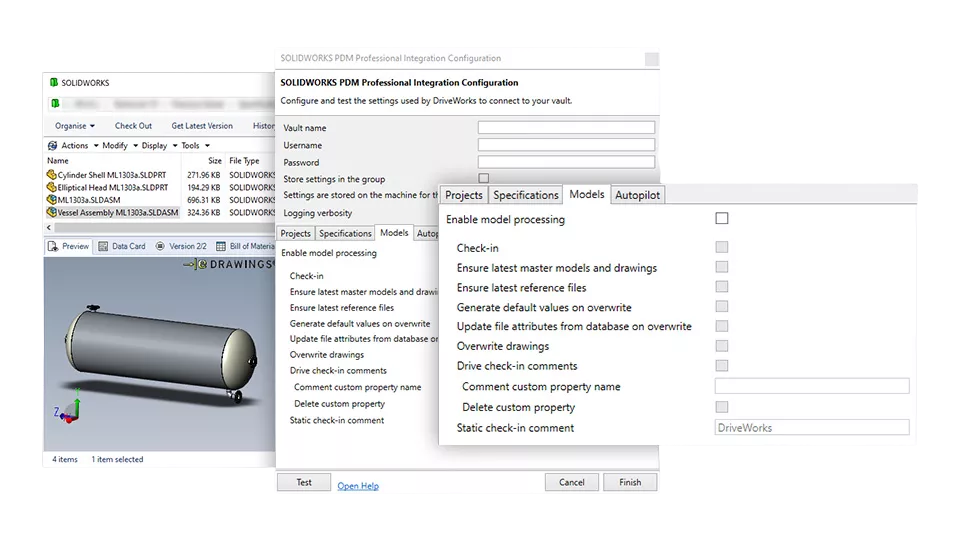
SOLIDWORKS PDM Professional
DriveWorks connects to PDM Professional directly, with no middleware. During every generation run it will:
- Check the vault for an existing part number before creating anything new
- Check out the start model, generate the variation, and assign a serial number
- Check parts, assemblies, and drawings back in with their data cards filled in
- Update revisions and move files through your workflow states
The result: Every automated file lands in the vault with the right metadata and revision, so generated output stays as auditable as anything your engineers check in by hand.
Four ways to connect ERP, CRM, and everything else
SQL Server is the database behind DriveWorks Pro, so live pricing, stock, and order data are built in. Everything else connects one of four ways, and which one your systems need mostly decides how much work the integration is.
Folder Watcher
Picks up files another system drops in a folder, and writes its own files back the same way.
Best for: Older ERP platforms with no API that can export or import files on a schedule
Database Connector
Reads and writes SQL Server natively, and any other database through ODBC, while a configuration runs.
Best for: Live pricing, stock levels, discounts, and writing finished orders back
Web Services
Sends and receives data over web services while a configuration is running.
Best for: Most current CRM and ERP platforms that expose a web API
API and SDK
The DriveWorks API in VB.NET or C#, including the Web API integration theme.
Best for: Custom integrations and configurators embedded in your own branded site
Systems we see most often
| System | How it connects | Typical use |
|---|---|---|
| SOLIDWORKS PDM Professional | Direct DriveWorks integration | Check-in and check-out, data cards, revisions, workflow states |
| Microsoft SQL Server | Database Connector, in both directions | Live pricing, stock levels, discounts, order write-back |
| Any database with an ODBC driver | Database Connector | Legacy and in-house systems |
| Salesforce | PowerPack | Opportunity to configuration handoff, quote sync |
| SYSPRO ERP | PowerPack | Order and cost data into your ERP |
| QuickBooks | Direct DriveWorks integration | Quotes and invoicing |
| ERP systems that exchange files rather than calls | Folder Watcher | Order, BOM, and cost files in and out on a schedule |
| Other CRM and ERP platforms | Web Services, or the API and SDK | Built for your system rather than picked off a list |
| Your own website or store | API and SDK, using the Web API integration theme | A configurator embedded in your own site, in your own branding |
PowerPacks set several of these up with no custom code. Anything outside the list connects through one of the four methods above, which is a scoping question more than a feasibility one.
One submission from the browser sends costing and the BOM to your ERP, the generation job to Autopilot, and the finished models and drawings into PDM. Production gets a complete package and nobody re-typed anything on the way.
Planning a PDM or ERP integration?
Tell us what you run. If it is PDM Professional, Salesforce, SYSPRO, or QuickBooks there is a short path. If it is not, we can talk through which of the four methods applies.
The DriveWorks Pro modules
Pro is made up of modules that are licensed separately, so which ones you need determines what your quote looks like.
Administrator
Builds the projects: Forms, rules, variables, database connections, permissions, and generation tasks.
Who needs it: Your rule authors, usually one to three people
Autopilot
Works through the generation queue unattended, driving SOLIDWORKS to produce models, drawings, and documents.
Who needs it: Every Pro system. Add machines to spread the load
Live
Publishes configurators to a browser, on the web or your intranet, including 3D.
Who needs it: Most Pro deployments. It serves sales, dealers, distributors, and customers, and it covers internal staff just as well
User
Desktop client for configuring and submitting without a SOLIDWORKS seat, inside your network only.
Who needs it: A narrower case. Worth considering only where a browser will not work for an internal team
Pro Server
Handles shared database access, file locking, and licensing across the other modules.
Who needs it: Included in the plumbing of every Pro system
Integration and DriveApps
PDM, SQL and ODBC, and REST APIs, plus pre-built templates for quoting, catalogs, and approvals.
Who needs it: Anyone connecting to other business systems
DriveWorks Live deploys either as the Web Theme, which works out of the box and needs very little web development, or the Web API integration theme, which lets your developers build the configurator into your own site using the DriveWorks API. Your rules carry over if you switch later, but the front-end work does not, so it is cheaper to pick the right one at the start.
Not sure which modules you need?
Tell us roughly what you are automating and who needs access, and we can put a module list and a number against it.
What DriveWorks costs
What you pay depends on which modules and how many seats you need, so we quote each system rather than publishing a list price. Here is what goes into that number, so you can put a budget together before you talk to us.
Most DriveWorks projects land somewhere between $12,000 and $60,000 USD, depending on the size, scope, and complexity of the implementation.
That range covers more than the license. It takes in the implementation work, the training, and the support that go with a working system, which is why we scope a project before we quote it rather than working from a list price.
What you actually buy
DriveWorksXpress is free with every active SOLIDWORKS license. Solo is a single license per user. Pro is priced by module, and these are the lines that appear on a quote.
Pro Administrator
Building and maintaining projects, rules, and forms
How many: One to three, matching your rule authors
Pro Autopilot
Unattended generation on a server
How many: One to start. Add more for load balancing as volume grows
Pro Live
Publishing configurators to a browser, internally and externally
How many: One per deployment. This is where most systems put their users
Pro Floating (User)
Desktop client for internal staff, where a browser will not do
How many: Concurrent seats, so fewer than your headcount. Most deployments need few or none
What else belongs in the budget
The license is rarely the largest line on the project. Before you take a number to finance, include:
- A SOLIDWORKS seat for the Autopilot server. Autopilot drives a real SOLIDWORKS session, so it needs its own license. This is the item people most often leave out.
- Server hardware, or cloud hosting. One machine for Autopilot, plus IIS for DriveWorks Live. Pro runs on Windows Server and can be hosted in Azure or AWS.
- Microsoft SQL Server. Standard edition covers most deployments.
- Implementation services. Scoping, model preparation, rule building, and integration work.
- Training. At minimum, administrator training for whoever will own the rules.
- Your own team's hours. Model cleanup and rule authoring take internal time, so include it in the business case.
- Annual maintenance or subscription. Covers upgrades and support.
Perpetual or subscription
We offer perpetual licenses with annual maintenance as well as term subscriptions across the US and Canada. Perpetual costs more up front and less over time. Subscription spreads the cost out, which is often easier to justify for a first project.
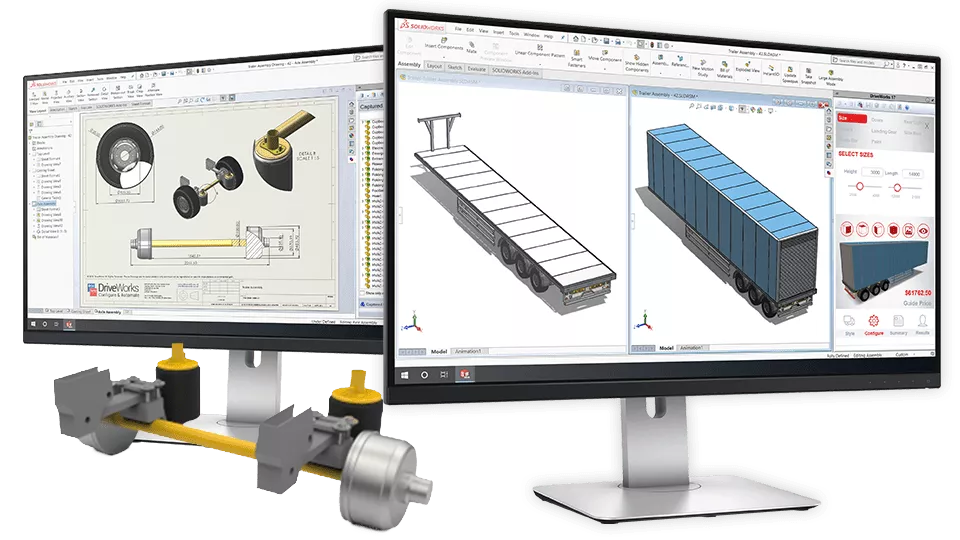
Want a number for your setup?
Tell us which modules and how many seats you have in mind and we can put together a real quote, including the infrastructure and services around the license.
Working out the payback
Your own numbers will tell you more than anyone else's results. Four figures are enough for a first estimate.
What configuration work costs you today
This is straightforward arithmetic, not a model: orders per year, multiplied by hours per order, multiplied by your hourly rate, gives you what the work costs now. The automation factor is your own estimate of how much of that time rules could absorb.
All four figures are yours, and the arithmetic is not tied to any particular DriveWorks tier. What comes out is a measure of what configuration work costs you today, not a saving we are claiming on behalf of a product. Compare it against the full cost of ownership below before you take it to finance.
The values the worksheet opens with are examples, not averages, and are there only to show the arithmetic. Set the result against the full cost of ownership, which includes licenses, the Autopilot server and its SOLIDWORKS seat, SQL Server, implementation, training, and the internal hours your team will spend on model prep and rule building.
What our customers have reported
These come from GoEngineer DriveWorks implementations rather than industry averages. What you see will depend on how complex your products are and how much of your catalog you automate.
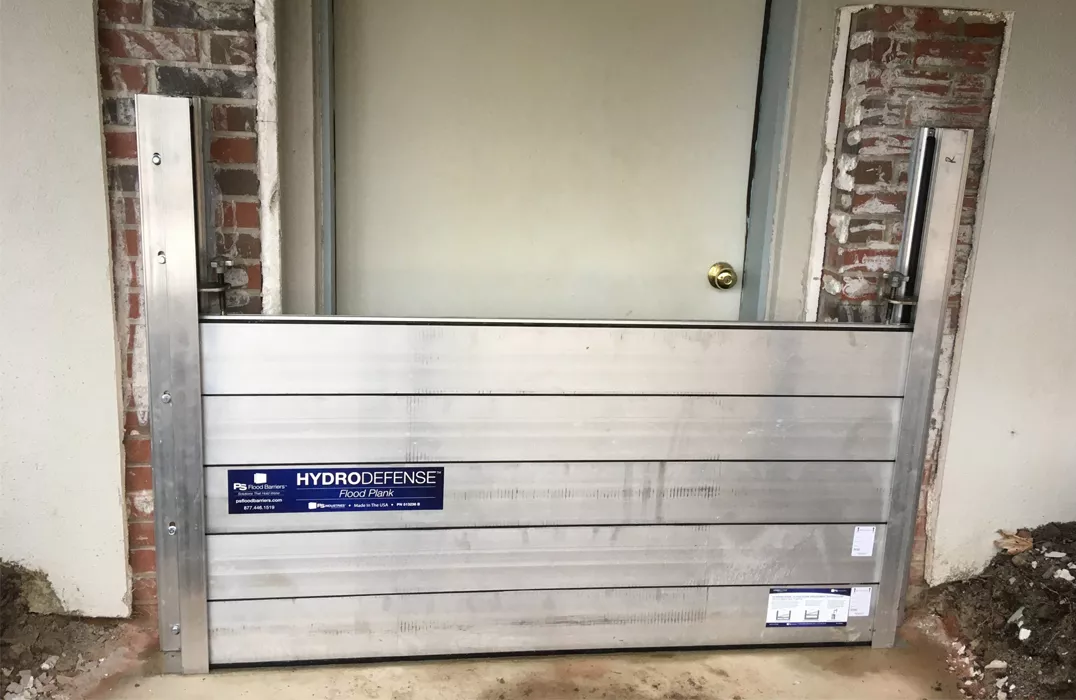
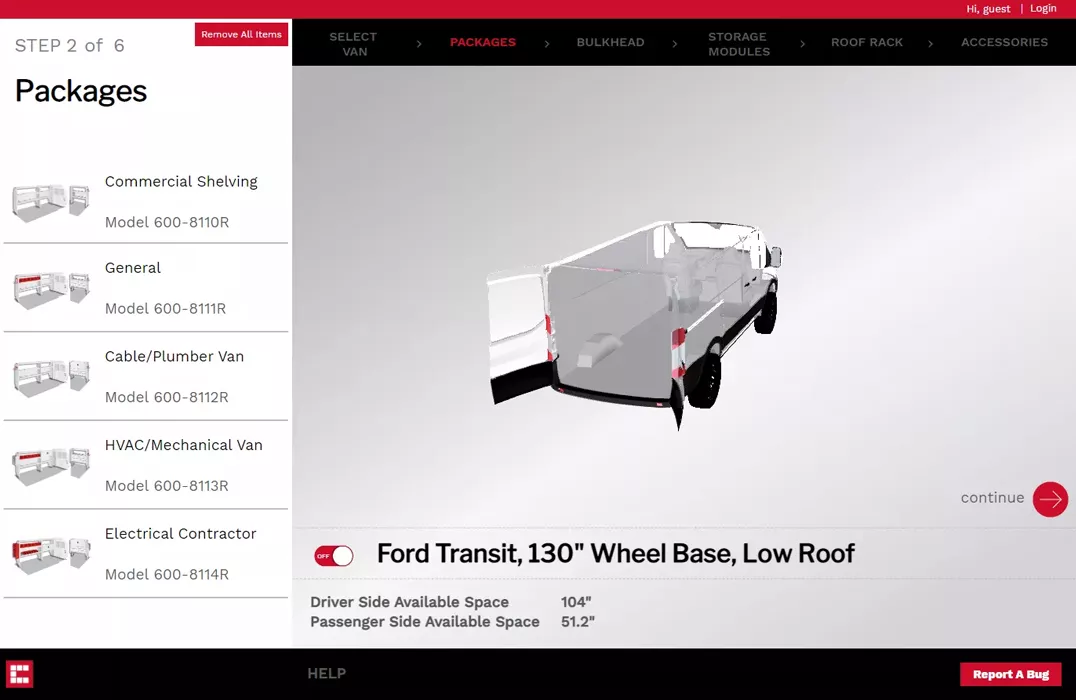 Weather Guard
3 days off the lead cycle
And an expected 5% annual sales increase.
Want to work through the numbers together?
Bring your order volumes and engineering hours to a call and we can sanity-check the arithmetic against what a system for your business would actually cost.
Implementation and rollout
What it takes to get a DriveWorks Pro system running, and what your team will be doing at each stage.
What you will need in place
| Component | Requirement | Notes |
|---|---|---|
| Autopilot server | A dedicated machine with its own SOLIDWORKS license | Most commonly missed budget item. Size it to your generation volume, and add machines if you need load balancing |
| Database | Microsoft SQL Server for the shared project groups | Standard edition covers most deployments |
| Web hosting | Microsoft IIS for Live and the web API, on your own server or hosted in Azure or AWS | A public configurator needs a security review with your IT team |
| Networking | TCP port 27000 for licensing, HTTP and HTTPS for Live | Start the firewall conversation early, it holds up more projects than anything else |
| CAD models | Bottom-up assemblies with clean parametric naming | The most important prerequisite and the one most often underestimated |
| PDM | PDM Professional for the native vault integration | PDM Standard does not offer the same integration |
| Identity | Active Directory or single sign-on, if you want centralized access control | Pro only. Worth involving IT security early if your configurator will face the public |
If you already have a configurator
Most manufacturers already have something in place: A quoting spreadsheet that has grown for a decade, SOLIDWORKS macros someone left behind, or a web configurator that prices but produces no CAD. None of it gets thrown away on day one.
Rebuild, run in parallel, retire
- Your existing spreadsheet becomes the written record of your product rules
- We rebuild that logic as DriveWorks rules, one product family at a time
- Your old system keeps running until the new one produces better output, then retires family by family
Two things to plan for
- Spreadsheet logic often proves inconsistent once written down, so your team will need to settle those contradictions
- If your current tool feeds a website or ERP, that integration gets rebuilt rather than repointed, so scope it from the start
How a rollout runs
The six phases overlap: Infrastructure gets built while CAD cleanup is underway, and testing starts on the first product family before rules are finished for the rest. The timeline depends mostly on your start models and integrations, which is why we scope before we quote.
Scoping and discovery
We pick a pilot product family, document the rules that live in people's heads, and agree your outputs and integrations. Pick a pilot with enough volume to prove value, simple enough to finish.
Your team: Product experts and a project sponsorCAD preparation
Start models get cleaned up: In-context relations removed, assemblies restructured bottom-up, and variables renamed. The widest-ranging phase, since it depends on how your models were built.
Your team: Your CAD team, working alongside our engineersInfrastructure
The Autopilot server and its SOLIDWORKS seat, SQL Server, IIS for Live, firewall rules, and the license manager. Runs alongside CAD prep, unless firewall approvals stall.
Your team: IT, especially for firewall and security approvalsRules and forms
Forms, rules, database connections, documents, and generation tasks, built with your administrator so your team can maintain it. Each later product family goes faster.
Your team: Your designated rules administratorTesting and validation
Generation queues load-tested, PDM check-ins validated, drawings checked sheet by sheet, and ERP and CRM data verified against real records.
Your team: Engineering leads and sales managers sign offTraining and go-live
Administrator and end-user training, then a controlled go-live with a small group. Adoption sticks when the new tool is faster on the deal in front of them.
Your team: Sales, estimating, and a named owner for the rulesThe projects that slip are usually the ones where nobody's calendar was cleared.
Run a development area where administrators write rules, a test area where engineering and sales check the outputs, and the live system running your Live portals, User clients, and Autopilot processing. Editing rules against a live quoting system is how outages happen.
Living with it: upgrades and ownership
A configurator is something your team owns and keeps running, so it is worth knowing what that looks like a few years in.
What happens when SOLIDWORKS is upgraded
DriveWorks rules are not code compiled against the SOLIDWORKS API. They are statements about your product held outside the model, so a SOLIDWORKS upgrade does not break the logic the way it can break a macro. You still test, in this order:
- Check the compatibility matrix, since each DriveWorks release supports a defined range of SOLIDWORKS versions
- Upgrade your development environment first
- Regenerate a few known-good configurations and compare the output to what you had before
- Move through test, then into production, never straight into a live quoting system
Working with GoEngineer
A DriveWorks deployment touches CAD standards, databases, integration work, and the way your business quotes. Most manufacturers do not have all of that in-house, which is where we come in.

Implementation support
Our certified application engineers work alongside your team on model preparation, assembly restructuring, database connections, and PDM integration, so your people learn the system as it gets built.
Official training
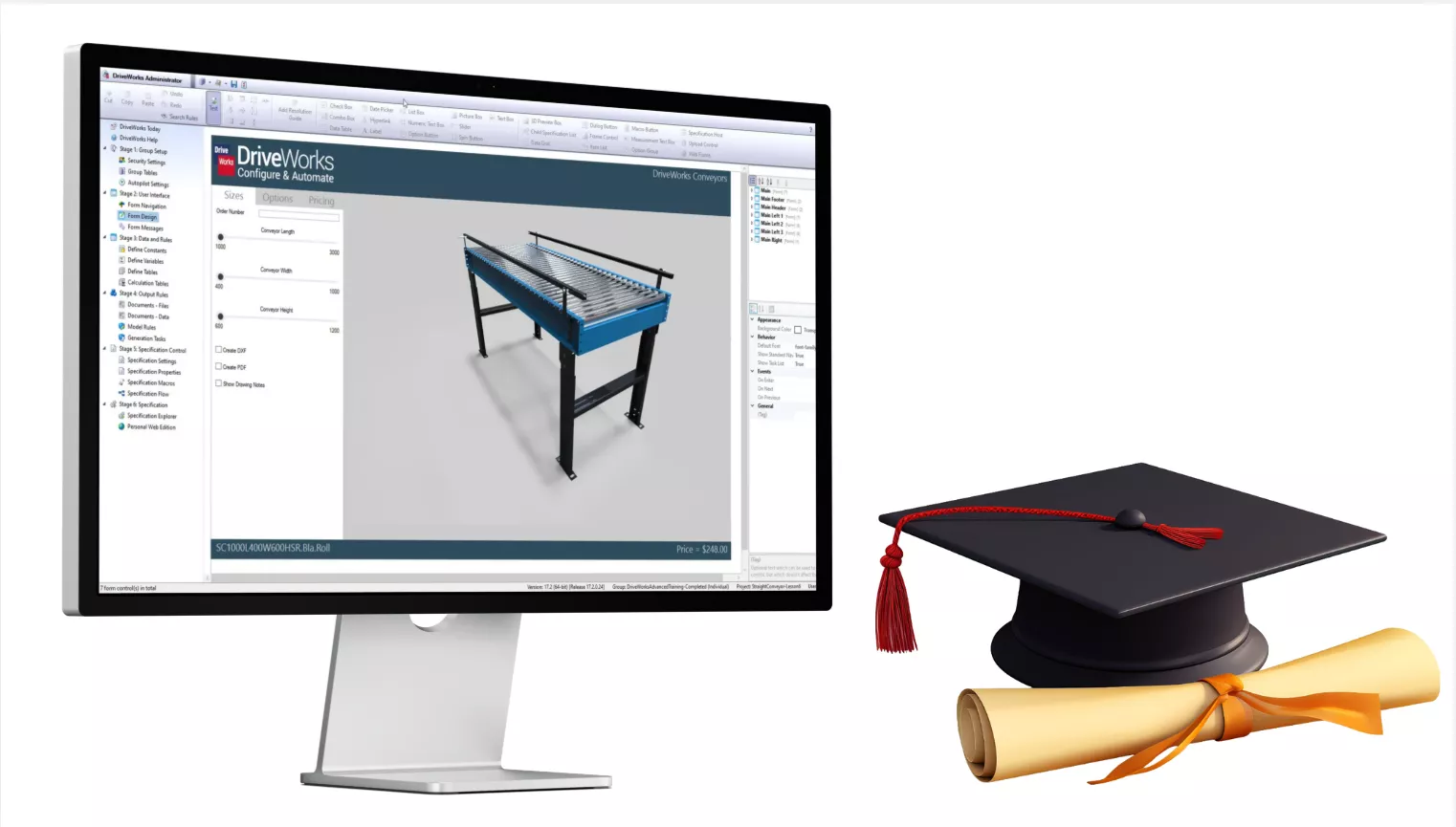
DriveWorks Professional Administration training covering form design, rule construction, generation tasks, tables, drawing control, and specification flow.

Custom integration
Where your stack is not one DriveWorks names directly, we build against the DriveWorks API to connect it, including in-house portals and e-commerce platforms.
Support across North America
Phone, email, and portal support for licensing, upgrades, and rule troubleshooting, from the same team that supports your SOLIDWORKS and PDM.
Common questions about DriveWorks
What is the difference between DriveWorks Solo and DriveWorks Pro?
Solo is desktop design automation for engineers who have SOLIDWORKS. One user, one workstation, a local SQLite database. Pro is a server-based system on SQL Server that lets people without CAD configure products in a browser or a desktop client, generates models unattended on dedicated servers, and connects to PDM, ERP, and CRM. Pro also adds branded Word and Excel documents, automated drawing tasks such as ballooning, and centralized security. If anyone outside your CAD team needs to configure products, you need Pro.
Is DriveWorksXpress really free?
Yes. Xpress is included with every active SOLIDWORKS license at no extra cost. It handles dimension driving, feature suppression, custom properties, and a single input form, with the rules stored in the start model. It is worth trying on one part family to see how cleanly your models automate before you spend anything.
How much does DriveWorks cost?
Solo is licensed per seat. Pro is licensed by module: Administrator for the people building projects, Autopilot for unattended generation, Live for web configurators, and floating User seats for internal staff. We do not publish list prices because the total depends on your module mix and seat count. Beyond the license, budget for the Autopilot server and its SOLIDWORKS seat, SQL Server, implementation, training, and your own team’s hours. See what DriveWorks costs for the full breakdown, or contact us for a quote.
Do I need a SOLIDWORKS license for every DriveWorks user?
Not with Pro. DriveWorks User and DriveWorks Live users do not need a SOLIDWORKS seat. Seats are only required on the Autopilot servers and administrator workstations. With Xpress and Solo, every user needs their own seat.
How long does implementation take?
A focused Pro project on one product family typically runs 4 to 12 weeks from scoping to go-live, depending on model complexity, how much CAD cleanup is needed, and what you are integrating with. Solo is considerably quicker. How much cleanup your start models need is usually what decides the timeline.
Does DriveWorks require programming?
No. Rules use familiar Excel-like functions, and engineers write and maintain them without code. Programming only comes into it if you use the DriveWorks API, written in VB.NET or C#, to build a custom integration or embed a configurator in your own site. That is optional.
Does DriveWorks integrate with SOLIDWORKS PDM?
Yes, with PDM Professional. DriveWorks checks models out, generates the variation, assigns serial numbers, checks files back in, fills in data card variables, updates revisions, and moves files through workflow states automatically.
Can DriveWorks connect to our ERP or CRM?
Yes, through one of four methods: Folder Watcher, the Database Connector, web services, or the API and SDK. Salesforce and SYSPRO set up with a PowerPack rather than custom code, and QuickBooks and SOLIDWORKS PDM Professional have direct integrations. DriveWorks reads and writes Microsoft SQL Server natively and any ODBC database in both directions while a configuration is running.
Is DriveWorks CPQ a separate product?
No. There is no separate CPQ license. DriveWorks describes CPQ as the tools to build a complete configure, price, quote solution, and those tools are DriveWorks Pro: Live for the browser configurator, User for internal staff, Autopilot for generation, and the rules engine underneath all of it. Pro includes ready-to-run apps you can start from, but a working CPQ system still has to be configured around your products, your pricing, and your approval process. See using DriveWorks as a CPQ system.
Can customers configure our products on our website?
Yes, through DriveWorks Live. The Web Theme gets you running quickly out of the box. The Web API integration theme lets your developers build a fully branded configurator into your existing site or store. Either way DriveWorks 3D shows the interactive 3D model in the browser, and your customers do not need a CAD license to use it.
Why not just use SOLIDWORKS configurations or a macro?
Configurations work well until the number of variants grows and the files get unwieldy. Macros and custom C# applications work until a CAD upgrade breaks them or the person who wrote them moves on. Neither gives you a web interface, a maintainable rules editor, PDM automation, or ERP integration.
How does DriveWorks compare to Tacton or Salesforce CPQ?
In our experience those platforms are strong on pricing rules, approval workflows, and contract management, and weaker on CAD, which they usually reach through geometry exports or middleware. DriveWorks is built on SOLIDWORKS and drives real assembly features, weldments, and sheet metal, so what gets configured is what your shop will build. If your bottleneck is engineering throughput, DriveWorks is normally the better fit. Some companies run both.
What does subscription support include?
Each DriveWorks module is covered by its own subscription support contract. An active contract gives you software releases and service packs with new features, technical support through us as your reseller backed by the DriveWorks technical team, the DriveWorks Pro SDK, DriveWorks Labs plugins, training manuals and the webinar library, the community forum, and access to DriveWorks World, the annual technical training event. Budget for renewal from the start, because letting a contract lapse cuts off upgrades and support.
Will a SOLIDWORKS upgrade break our DriveWorks rules?
No, not the way a macro breaks. DriveWorks rules are declarative statements held outside the model rather than code compiled against the SOLIDWORKS API, so an upgrade does not invalidate your logic. You still test: Check the compatibility matrix, upgrade your development environment first, regenerate a few known-good configurations and compare the output, then move through test to production. See upgrades and ownership for the full routine.
How do we get started?
Most people start with a demonstration, ideally on something close to your own product rather than a generic sample. After that our application engineers look at your start models and your product logic and tell you what can be automated and what would need to change first. That readiness review is free, and it is what makes the quote that follows realistic. If you already know DriveWorks is the right direction, say so and we will skip straight to looking at your models.
Do you support DriveWorks in Canada?
Yes. We support DriveWorks customers across the United States and Canada, including implementation, administrator training, custom integration, and ongoing technical support.
Talk to a GoEngineer DriveWorks expert
Tell us about your product line, your CAD setup, and where quoting is slowing you down. Our application engineers will look at what automation could do for you and what it would take to get there.
Related resources
DriveWorks Training
Professional Administration training, in person or online.
View coursesCustomer Stories
How Span Tech, PS Doors, and Weather Guard use DriveWorks.
Read the case studiesSOLIDWORKS PDM
The vault layer that keeps automated output auditable.
Explore PDMBlog and Tutorials
Technical walkthroughs on rules, drawing control, and PDM workflows.
Read the blogUpdated November 2026