3D Printed Dual Monitor Riser Designed in SOLIDWORKS

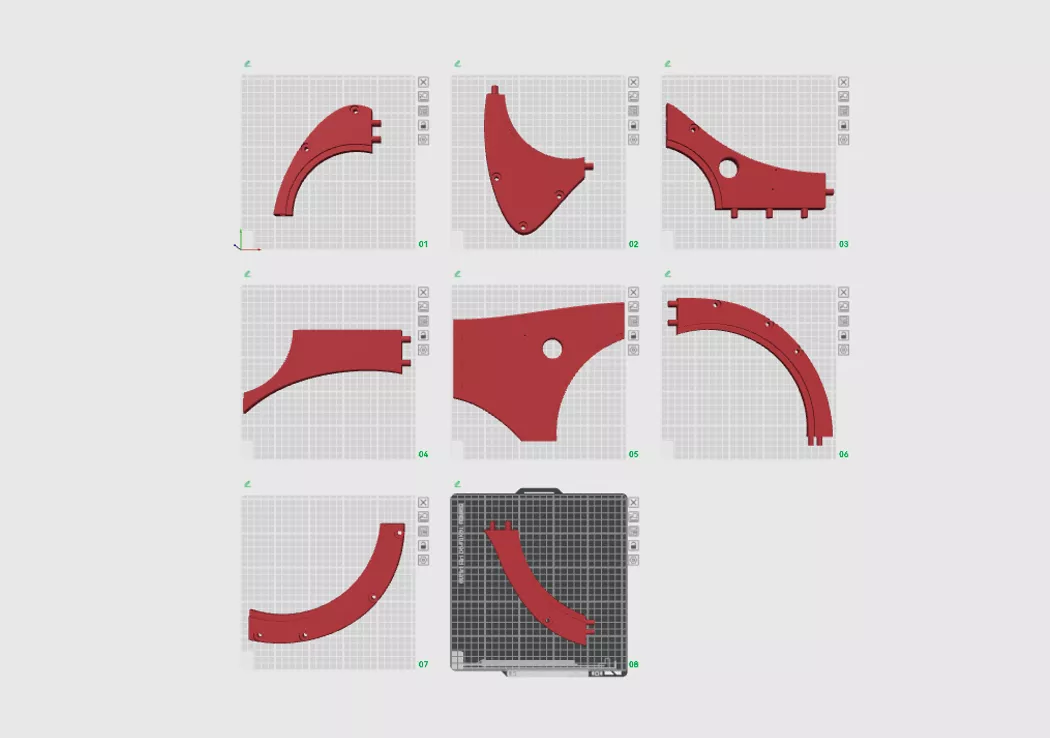
I recently designed this Han's Halo Dual Monitor Riser to complement my home workstation setup. But the problem is...how am I ever going to print this on my small 3D printer? In this blog, I'll detail the process I used to split a large model into 8 smaller pieces.
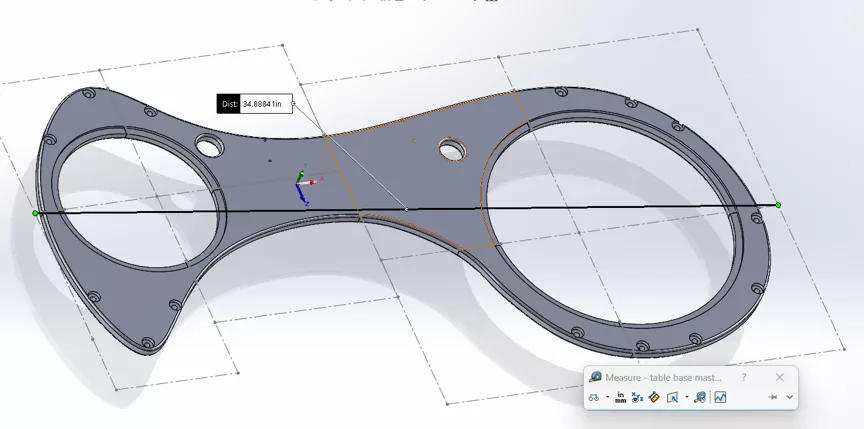
This design is over 30 in in length, which certainly can't be printed inside my printer's usable volume of ~ 10" x 10" x 10". But with a little bit of planning, I'm sure I can get there.
I started by creating a sketch in SOLIDWORKS on the top plane. I added rectangular sketch shapes corresponding to the size of my printer's build plate.
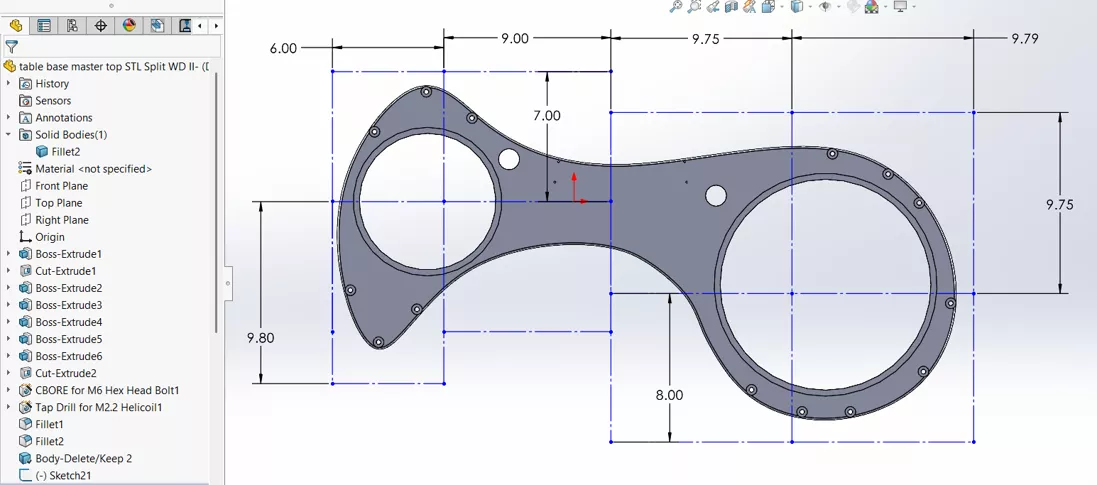
In this case, I'm using dimensions no larger than 9.8" to allow for any connector features I'll need to add later.
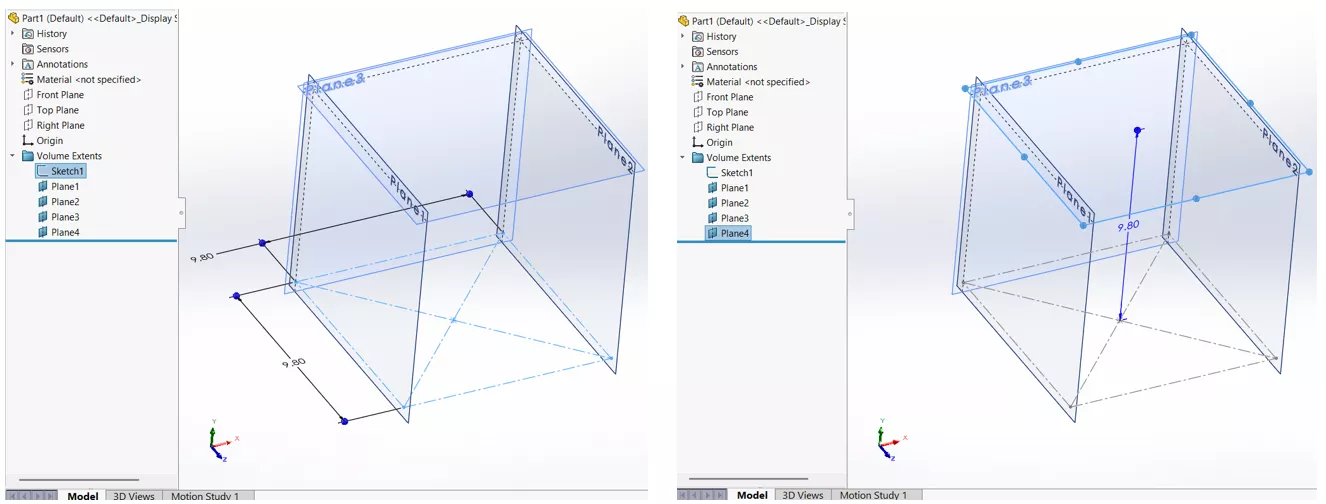
This layout sketch is meant to plan the splits and is intentionally left under-defined, so that I can easily move things around.
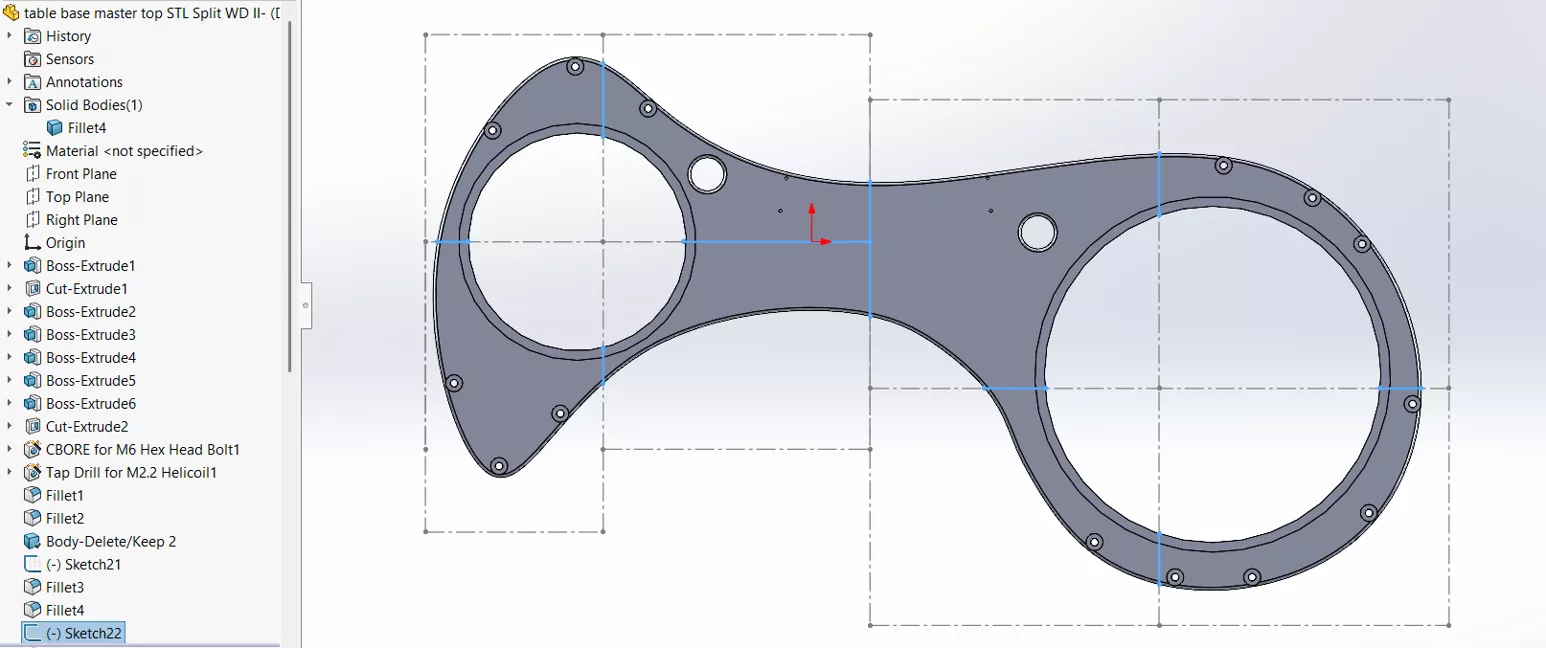
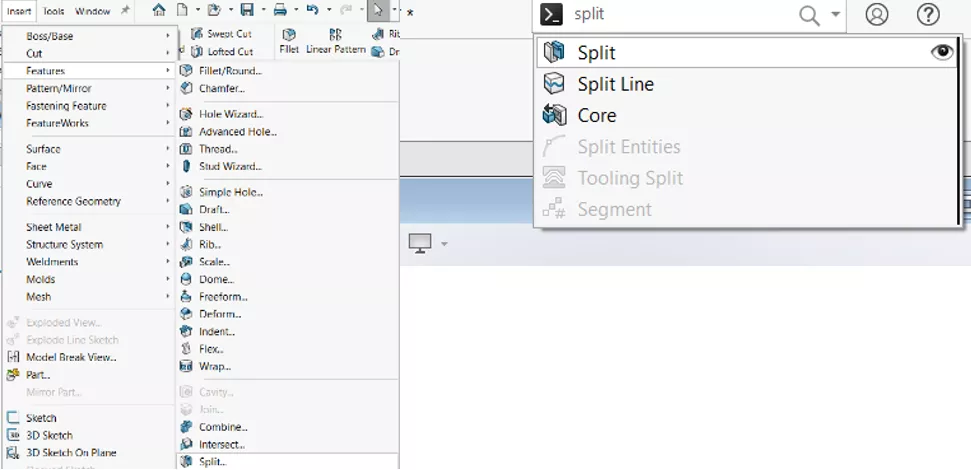
Once everything is positioned, it's time to split the model into 8 pieces. I've used the Split feature to do this. Split is found in Insert > Features > Split, but you can always locate hard-to-find commands by using the Command Search (press the 'S' key and start typing).
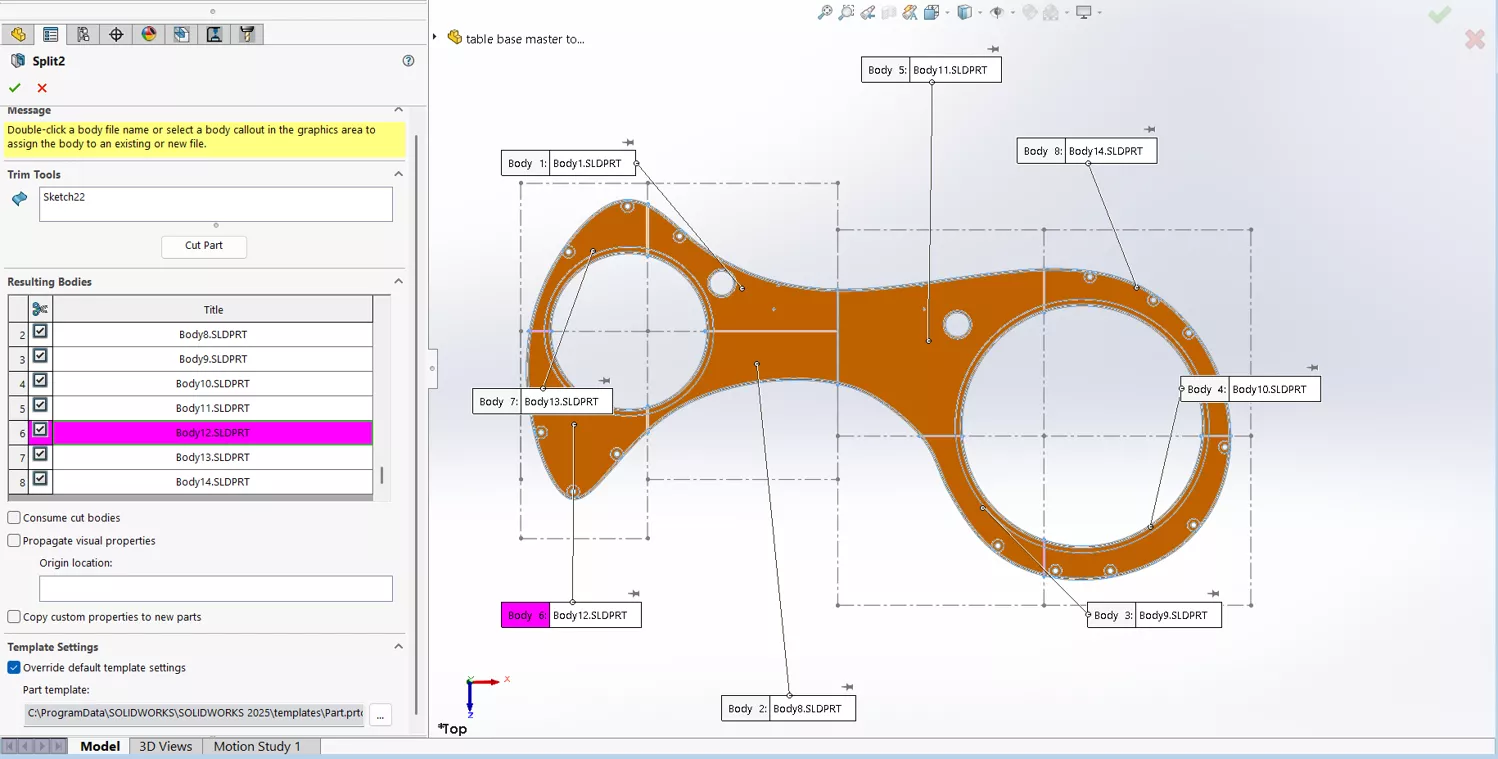
Split is a powerful tool, but I'm going to use its most basic function to turn this model into a multi-body part file. I've selected the layout sketch as the Trim Tool and clicked the Cut Part button. Notice the 8 Resulting Bodies listed in the screenshot below.
- Suggested article >> SOLIDWORKS Split Command Understanding Resulting Bodies
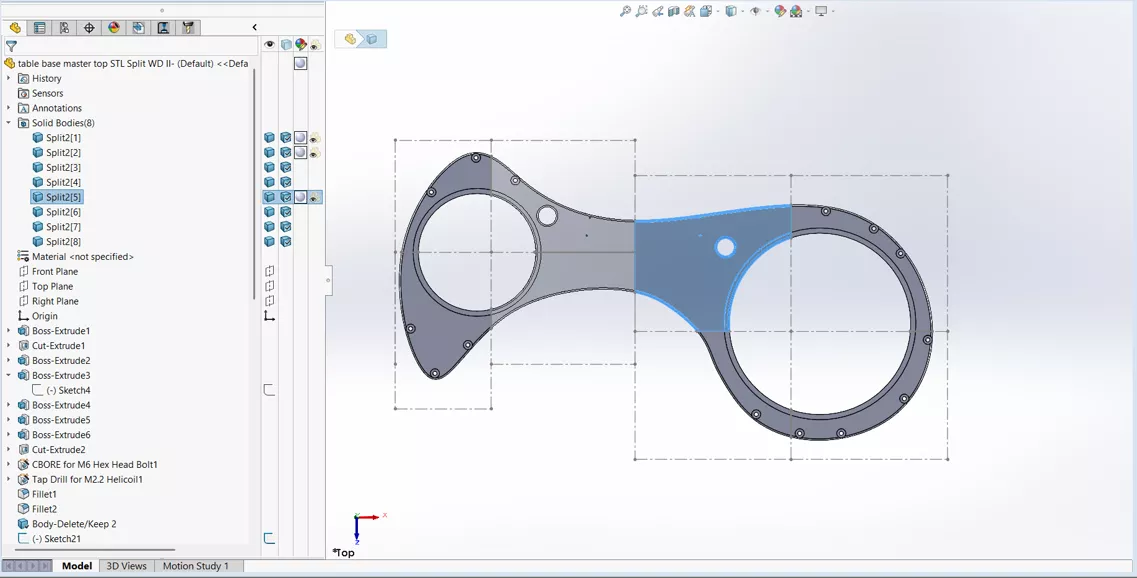
This resulted in 8 bodies in the Solid Bodies folder, each of which can be modified independently.
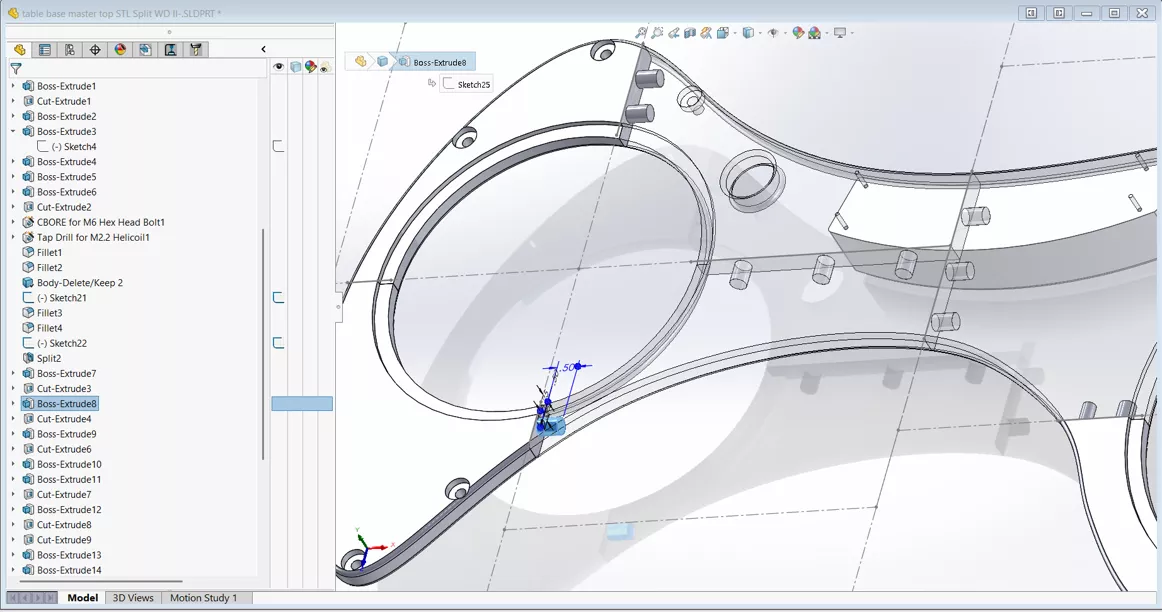
In order to assemble these printed parts, they'll need something to hold them together. I'm going to use simple 0.5" long by 0.375" round prongs. For a snug fit, the acceptance holes are .005" oversized.
The printed parts went together nicely, and I added some acrylic discs to fill the holes.
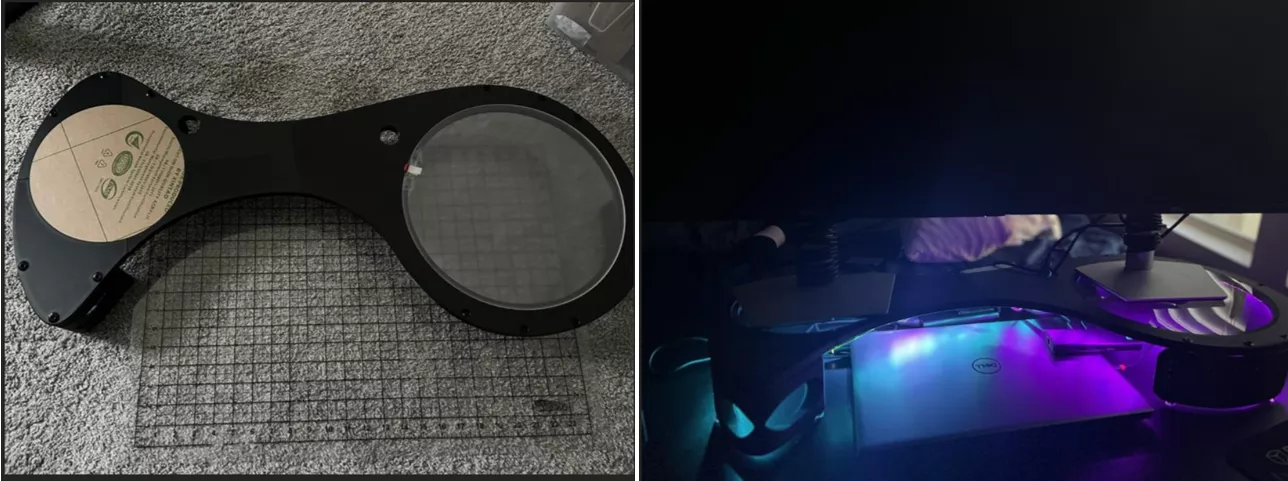
If you like the look of this, feel free to download it and print one of your own.
More DIY Projects
Creating HAL 9000 Model Parts in SOLIDWORKS
SOLIDWORKS at Home: DIY CAD Projects
SOLIDWORKS Backyard Design Project
Wonder Woman Costume Comes to Life with 3D Printing, 3D Scanning, and 3D Design

About Brandon Lenoir
Brandon is a SOLIDWORKS Technical Support Engineer at GoEngineer.
Get our wide array of technical resources delivered right to your inbox.
Unsubscribe at any time.