
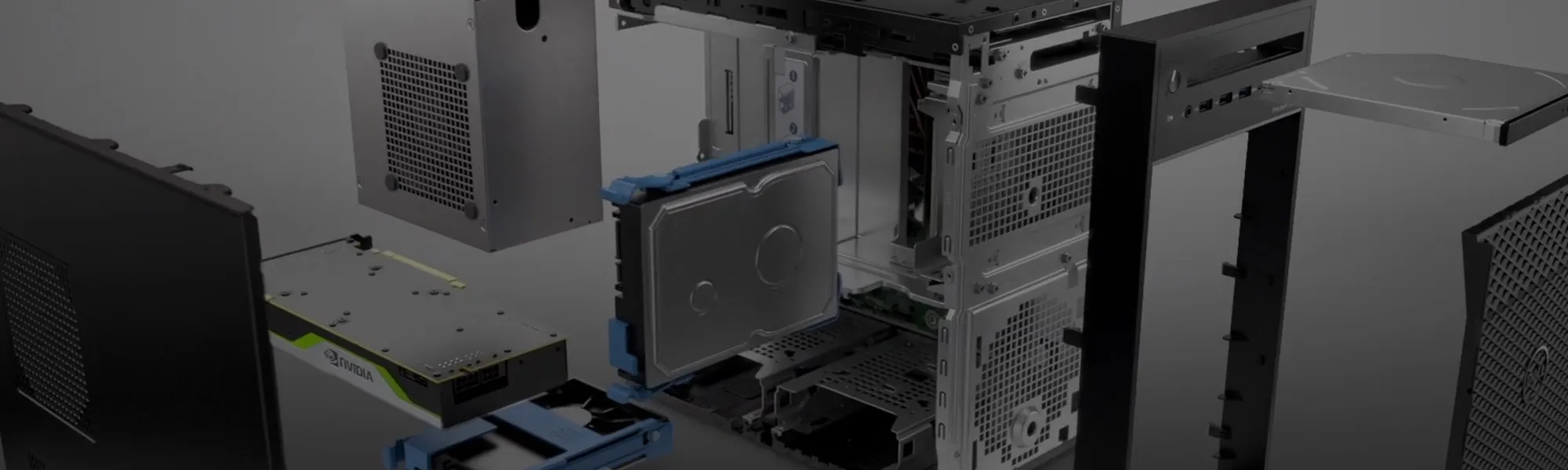
SOLIDWORKS System Requirements
This document covers SOLIDWORKS system requirements and current recommendations for hardware to run SOLIDWORKS products.

|
125+Certified Technical Specialists
98%Exceptional Customer Service Rating
#1Reseller of SOLIDWORKS in the world
|
Need new Hardware?
Get customized hardware solutions configured by engineers for engineers. GoEngineer has teamed up with Dell Technologies to provide fine-tuned workstations you can trust to meet the demands of your SOLIDWORKS designs. Receive competitive pricing plus up to 5% off at checkout with membership code.
- Best pricing on engineering workstations
- Expert advice on the latest hardware offerings
- Training and educational content
- Personalized support to help you select the best technology for your workflows, ensuring you maximize your hardware budget.
- Exclusive discounts unavailable through standard online purchasing channels.
- Assistance with shipping availability and timing to prevent delays and business disruptions.
Contact Laura Ball (Laura.Ball@dell.com) to get the best possible pricing and guidance on your workstation selection.
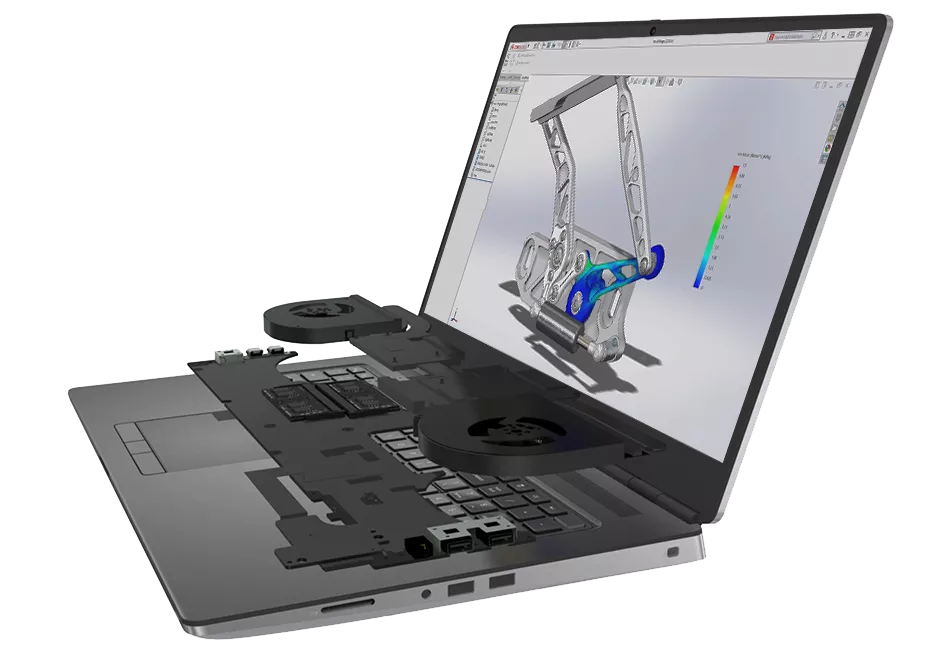
Pre-configured solutions selected by experts from SOLIDWORKS, Dell, and GoEngineer
Spending more money on a workstation doesn't guarantee you'll get the most out of your investment. With hundreds of options and endless configurations available, how do you know what's best for your specific needs? Get rid of the guesswork with these pre-configured solutions selected from experts from SOLIDWORKS, Dell, and GoEngineer.
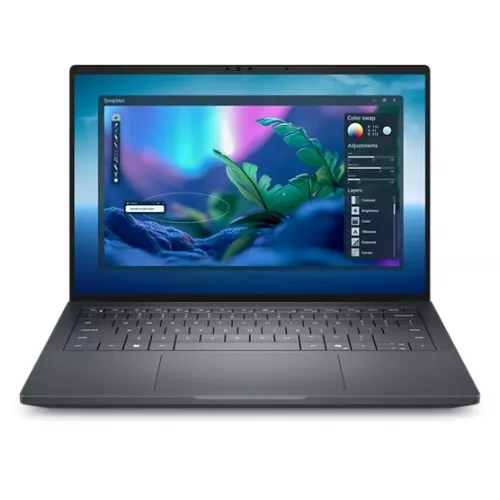
Dell Pro Max 14 Premium
For the professional using SOLIDWORKS Professional who works on light to moderately complex part design and light to medium sized assemblies, creates detailed drawings, schematic diagrams, BOMs and occasional visualization desiring maximum mobility.
- CPU: Intel Core Ultra 7 255H (Recommended)
- Memory: 32 GB LPDDR5x (Minimum)
- Graphics: NVIDIA RTX PRO 1000 Blackwell, 8 GB (Recommended Minimum)
- Storage: 1 TB SSD (Recommended)
- OS: Windows 11 Pro, English, Brazilian Portuguese, French, Spanish (Recommended)
- Support: 3 Years ProSupport with Next Business Day Onsite Service (Recommended)
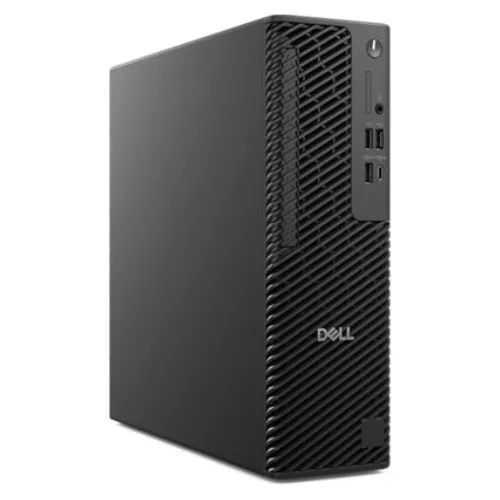
Dell Pro Max Slim
For the professional who works on light to moderately complex part design and light to medium sized assemblies, creates detailed drawings, schematic diagrams, and BOMs.
- CPU: Intel Core Ultra 7 265K (Recommended)
- Memory: 32 GB: 2x16 GB (Minimum)
- Graphics: NVIDIA RTX A1000, 8 GB (Recommended Minimum)
- Storage: 512 GB SSD (Recommended)
- OS: Windows 11 Pro or Windows 11 Pro for Workstations (Recommended)
- Support: 3 Years ProSupport with Next Business Day Onsite Service (Recommended)
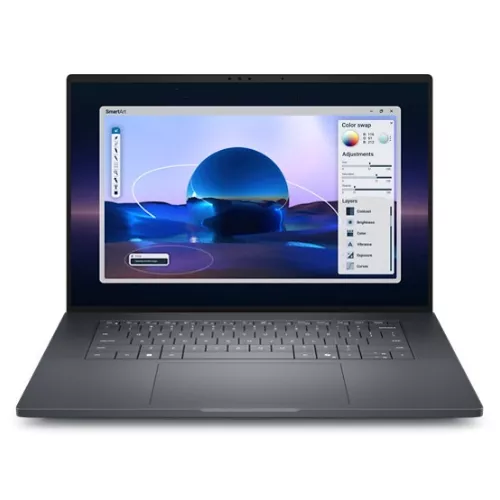
Dell Pro Max 16 Premium
For professionals using SOLIDWORKS Premium for complex part design, assemblies, detailed drawings, simulations, and a balance of mobility and performance.
- CPU: Intel Core Ultra 7 265H (Recommended)
- Memory: 64GB (Minimum)
- Graphics: NVIDIA RTX PRO 3000, 12 GB (Recommended Minimum)
- Storage: 1 TB SSD (Recommended)
- OS: Windows 11 Pro or Windows 11 Pro for Workstations (Recommended)
- Support: 3 Years ProSupport with Next Business Day Onsite Service (Recommended)
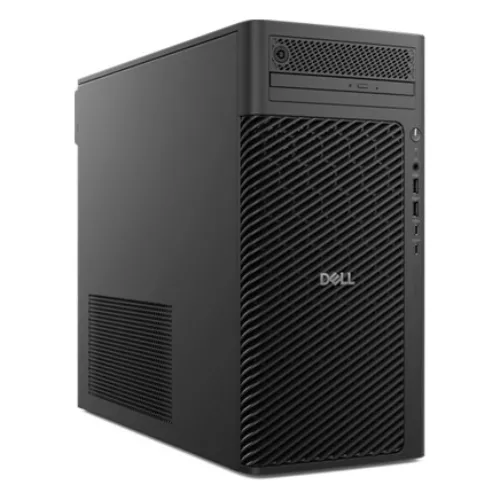
Dell Pro Max Tower T2
For the professional who works on moderately complex part design and medium sized assemblies, creates detailed drawings, schematic diagrams, and BOMs, and runs complex Finite Element and Kinematic Analyses.
- CPU: Intel Core Ultra 7 265K (Recommended)
- Memory: 32 GB: 2x16 GB (Minimum)
- Graphics: NVIDIA RTX 2000 Ada, 16 GB (Recommended Minimum)
- Storage: 1 TB SSD (Recommended)
- OS: Windows 11 Pro or Windows 11 Pro for Workstations (Recommended)
- Support: 3 Years ProSupport with Next Business Day Onsite Service (Recommended)
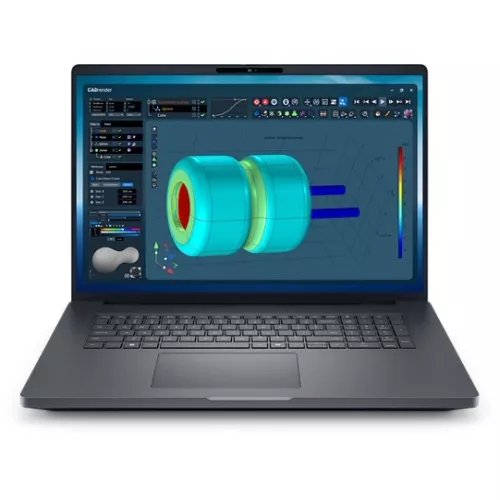
Dell Pro Max 18 Plus
For the professional, using SolidWorks Premium who works on complex part design and large assemblies, creates detailed drawings, schematic diagrams, BOMs complex simulation and visualization using SolidWorks Visualize including VR.
- CPU: Intel Core Ultra 9 285HX (Recommended)
- Memory: 64 GB: 2x32 GB (Minimum)
- Graphics: NVIDIA RTX PRO 5000 Blackwell, 24 GB (Recommended Minimum)
- Storage: 1 TB SSD (Recommended)
- OS: Windows 11 Pro or Windows 11 Pro for Workstations (Recommended)
- Support: 3 Years ProSupport with Next Business Day Onsite Service (Recommended)
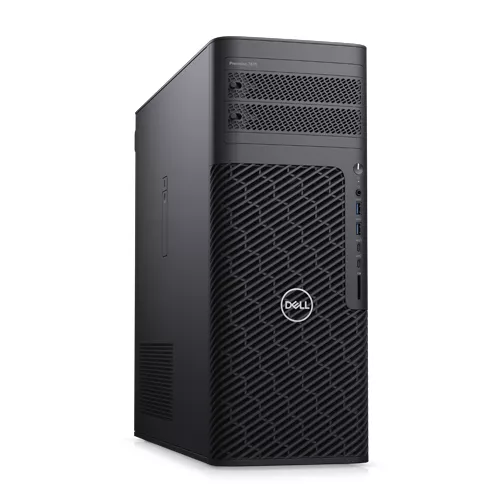
Precision 7875 Tower
For the professional who works on complex part design and light to large size assemblies, creates detailed drawings, schematic diagrams, and BOMs, and runs complex Finite Element and Kinematic Analyses.
- CPU: AMD Ryzen Threadripper PRO 7955WX (Recommended)
- Memory: 128 GB: 8 x 16 GB (Minimum)
- Graphics: NVIDIA® RTX™ 6000 Ada, 48 GB (Recommended Minimum)
- Storage: 1 TB SSD (Recommended)
- OS: Windows 11 Pro or Windows 11 Pro for Workstations (Recommended)
- Support: 3 Years ProSupport with Next Business Day Onsite Service (Recommended)
*GoEngineer’s recommendations are based on our internal tech support team and are not affiliated with Dell. The link provided won’t have these customizations pre-selected, so be sure to manually configure your system to meet our specifications.
SOLIDWORKS System Requirements
Basic System
- Processor: 3.3 GHz or faster, Intel® Core i5, i7 or equivalent AMD®
- Operating System: Windows® 11
- Memory: 16GB or more is required
- Hard Drive: Standard or Solid State Drive (SSD) > 250GB, keeping 10% drive capacity free space
- Graphics Cards: NVIDIA® RTX PRO 3000
- System for simple parts, small assemblies (200 or fewer components), and drawings.
- This system will support part and assembly simulations including linear statics, thermal, frequency, fatigue, and optimization. Gap and contact simulations will run on small assemblies that contain simple components.
- This system will also support simple flow simulations.
Intermediate System
- Processor: 3.3 GHz or faster, Intel® Core i7, Xeon or equivalent AMD®
- Operating System: Windows® 11
- Memory: 32GB or more as required
- Hard Drive: Solid State Drive (SSD) > 250GB, keeping 10% drive capacity free space
- Graphics Cards: NVIDIA® RTX PRO 4000
- System for complex parts with advanced shapes, large patterns, shells, 200+ features.
- This system is also for assemblies containing 200-1000 components and drawings.
- This system will support part and assembly simulations including non-linear, dynamics, random vibrations along with moderate gaps and contacts.
- This system will also support moderate flow simulations.
Advanced System
- Processor: 3.3GHz or faster, Intel® Core i7, Xeon or equivalent AMD®
- Operating System: Windows® 11
- Memory: 64GB or more as required
- Hard Drive: Solid State Drive (SSD) > 250GB, keeping 10% drive capacity free space
- Graphics Cards: NVIDIA® RTX PRO 5000, RTX PRO 6000
- System for very complex parts with advanced surfacing features or hybrid modeling.
- This system is also for assemblies containing 1000 – 200,000 components.
- This system will support large complex analysis and large flow simulations.
Basic System
- Processor: 3.3 GHz or faster, Intel® Core i5, i7 or equivalent AMD®
- Operating System: Windows® 11 and 10
- Memory: 16GB or more is required
- Hard Drive: Standard or Solid State Drive (SSD) > 250GB, keeping 10% drive capacity free space
- Graphics Cards: NVIDIA® RTX 2000 Ada Generation
- System for simple parts, small assemblies (200 or fewer components), and drawings.
- This system will support part and assembly simulations including linear statics, thermal, frequency, fatigue, and optimization. Gap and contact simulations will run on small assemblies that contain simple components.
- This system will also support simple flow simulations.
Intermediate System
- Processor: 3.3 GHz or faster, Intel® Core i7, Xeon or equivalent AMD®
- Operating System: Windows® 11 and 10
- Memory: 32GB or more as required
- Hard Drive: Solid State Drive (SSD) > 250GB, keeping 10% drive capacity free space
- Graphics Cards: NVIDIA® RTX 4000 Ada Generation
- System for complex parts with advanced shapes, large patterns, shells, 200+ features.
- This system is also for assemblies containing 200-1000 components and drawings.
- This system will support part and assembly simulations including non-linear, dynamics, random vibrations along with moderate gaps and contacts.
- This system will also support moderate flow simulations.
Advanced System
- Processor: 3.3 GHz or faster, Intel® Core i7, Xeon or equivalent AMD®
- Operating System: Windows® 11 and 10
- Memory: 64GB or more as required
- Hard Drive: Solid State Drive (SSD) > 250GB, keeping 10% drive capacity free space
- Graphics Cards: NVIDIA® RTX 5000 Ada Generation, RTX 6000 Ada Generation
- System for very complex parts with advanced surfacing features or hybrid modeling.
- This system is also for assemblies containing 1000 – 200,000 components.
- This system will support large complex analysis and large flow simulations.
Basic System
- Processor: 3.3 GHz or faster, Intel® Core i5, i7 or equivalent AMD®
- Operating System: Windows® 11 and 10
- Memory: 16GB or more is required
- Hard Drive: Standard or Solid State Drive (SSD) > 250GB, keeping 10% drive capacity free space
- Graphics Cards: NVIDIA® RTX A2000
- System for simple parts, small assemblies (200 or fewer components), and drawings.
- This system will support part and assembly simulations including linear statics, thermal, frequency, fatigue, and optimization. Gap and contact simulations will run on small assemblies that contain simple components.
- This system will also support simple flow simulations.
Intermediate System
- Processor: 3.3 GHz or faster, Intel® Core i7, Xeon or equivalent AMD®
- Operating System: Windows® 11 and 10
- Memory: 32GB or more as required
- Hard Drive: Solid State Drive (SSD) > 250GB, keeping 10% drive capacity free space
- Graphics Cards: NVIDIA® RTX A4000
- System for complex parts with advanced shapes, large patterns, shells, 200+ features.
- This system is also for assemblies containing 200-1000 components and drawings.
- This system will support part and assembly simulations including non-linear, dynamics, random vibrations along with moderate gaps and contacts.
- This system will also support moderate flow simulations.
Advanced System
- Processor: 3.3 GHz or faster, Intel® Core i7, Xeon or equivalent AMD®
- Operating System: Windows® 11 and 10
- Memory: 64GB or more as required
- Hard Drive: Solid State Drive (SSD) > 250GB, keeping 10% drive capacity free space
- Graphics Cards: NVIDIA® RTX A5000, RTX A6000, RTX 8000
- System for very complex parts with advanced surfacing features or hybrid modeling.
- This system is also for assemblies containing 1000 – 200,000 components.
- This system will support large complex analysis and large flow simulations.
Basic System
- Processor: 3.3 GHz or faster, Intel® Core i5, i7 or equivalent AMD®
- Operating System: Windows® 11 and 10
- Memory: 16GB or more is required
- Hard Drive: Standard or Solid State Drive (SSD) > 250GB, keeping 10% drive capacity free space
- Graphics Cards: NVIDIA® RTX A2000
- System for simple parts, small assemblies (200 or fewer components), and drawings.
- This system will support part and assembly simulations including linear statics, thermal, frequency, fatigue, and optimization. Gap and contact simulations will run on small assemblies that contain simple components.
- This system will also support simple flow simulations.
Intermediate System
- Processor: 3.3 GHz or faster, Intel® Core i7, Xeon or equivalent AMD®
- Operating System: Windows® 11 and 10
- Memory: 32GB or more as required
- Hard Drive: Solid State Drive (SSD) > 250GB, keeping 10% drive capacity free space
- Graphics Cards: NVIDIA® RTX A4000
- System for complex parts with advanced shapes, large patterns, shells, 200+ features.
- This system is also for assemblies containing 200-1000 components and drawings.
- This system will support part and assembly simulations including non-linear, dynamics, random vibrations along with moderate gaps and contacts.
- This system will also support moderate flow simulations.
Advanced System
- Processor: 3.3 GHz or faster, Intel® Core i7, Xeon or equivalent AMD®
- Operating System: Windows® 11 and 10
- Memory: 64GB or more as required
- Hard Drive: Solid State Drive (SSD) > 250GB, keeping 10% drive capacity free space
- Graphics Cards: NVIDIA® RTX A5000, RTX A6000, RTX 8000
- System for very complex parts with advanced surfacing features or hybrid modeling.
- This system is also for assemblies containing 1000 – 200,000 components.
- This system will support large complex analysis and large flow simulations.
Basic System
- Processor: 3.3 GHz or faster, Intel® Core i5, i7 or equivalent AMD®
- Operating System: Windows® 11 and 10
- Memory: 16GB or more is required
- Hard Drive: Standard or Solid State Drive (SSD) > 250GB, keeping 10% drive capacity free space
- Graphics Cards: NVIDIA® RTX A2000
- System for simple parts, small assemblies (200 or fewer components), and drawings.
- This system will support part and assembly simulations including linear statics, thermal, frequency, fatigue, and optimization. Gap and contact simulations will run on small assemblies that contain simple components.
- This system will also support simple flow simulations.
Intermediate System
- Processor: 3.3 GHz or faster, Intel® Core i7, Xeon or equivalent AMD®
- Operating System: Windows® 11 and 10
- Memory: 32GB or more as required
- Hard Drive: Solid State Drive (SSD) > 250GB, keeping 10% drive capacity free space
- Graphics Cards: NVIDIA® RTX A4000
- System for complex parts with advanced shapes, large patterns, shells, 200+ features.
- This system is also for assemblies containing 200-1000 components and drawings.
- This system will support part and assembly simulations including non-linear, dynamics, random vibrations along with moderate gaps and contacts.
- This system will also support moderate flow simulations.
Advanced System
- Processor: 3.3 GHz or faster, Intel® Core i7, Xeon or equivalent AMD®
- Operating System: Windows® 11 and 10
- Memory: 64GB or more as required
- Hard Drive: Solid State Drive (SSD) > 250GB, keeping 10% drive capacity free space
- Graphics Cards: NVIDIA® RTX A5000, RTX A6000, RTX 8000
- System for very complex parts with advanced surfacing features or hybrid modeling.
- This system is also for assemblies containing 1000 – 200,000 components.
- This system will support large complex analysis and large flow simulations.
Basic System
- Processor: 3.3 GHz or faster, Intel® Core i5, i7 or equivalent AMD®
- Operating System: Windows® 10
- Memory: 8GB or more is required
- Hard Drive: Standard or Solid State Drive (SSD) > 250GB, keeping 10% drive capacity free space
- Graphics Cards: NVIDIA® Quadro® P2200
- System for simple parts, small assemblies (200 or fewer components), and drawings.
- This system will support part and assembly simulations including linear statics, thermal, frequency, fatigue, and optimization. Gap and contact simulations will run on small assemblies that contain simple components.
- This system will also support simple flow simulations.
Intermediate System
- Processor: 3.3 GHz or faster, Intel® Core i7, Xeon or equivalent AMD®
- Operating System: Windows® 10
- Memory: 16GB or more as required
- Hard Drive: Solid State Drive (SSD) > 250GB, keeping 10% drive capacity free space
- Graphics Cards: NVIDIA® Quadro® RTX 4000
- System for complex parts with advanced shapes, large patterns, shells, 200+ features.
- This system is also for assemblies containing 200-1000 components and drawings.
- This system will support part and assembly simulations including non-linear, dynamics, random vibrations along with moderate gaps and contacts.
- This system will also support moderate flow simulations.
Advanced System
- Processor: 3.3 GHz or faster, Intel® Core i7, Xeon or equivalent AMD®
- Operating System: Windows® 10
- Memory: 32GB or more as required
- Hard Drive: Solid State Drive (SSD) > 250GB, keeping 10% drive capacity free space
- Graphics Cards: NVIDIA® Quadro® RTX 5000, RTX 6000, RTX 8000
- System for very complex parts with advanced surfacing features or hybrid modeling.
- This system is also for assemblies containing 1000 – 200,000 components.
- This system will support large complex analysis and large flow simulations.
Minimum hardware requirements for SOLIDWORKS 2021:
A recommended OpenGL workstation graphics card and driver.
For a listing of recommended graphics cards and driver combinations visit the SOLIDWORKS System/Graphics Card Requirements Website.
https://www.solidworks.com/
Intel® or AMD® with SSE2 support. A 64-bit operating system required.
SOLIDWORKS can be made to run on Apple Mac® based machines running under Parallels or BootCamp. It is not a recommended hardware configuration.
http://www.solidworks.com/
NOTE: Non-server products are only supported in the Parallels environment.
eDrawings® is supported on Apple Macintosh®-based machines.
Mouse or another pointing device.
DVD drive or broadband internet connection
Microsoft Excel 2016, or 2019
Internet Explorer version 11 or Microsoft Edge
Anti-Virus (http://www.solidworks.com/
SOLIDWORKS is tested only with Microsoft’s Windows Networking and Active Directory network environments.
Novell networks and non-Windows based network storage devices are not supported.
Window 10® (SOLIDWORKS 2015 SP5+) Note: Windows Home, Small Business, and To Go editions are not supported.
Windows 10®
Windows Server 2016®, 2019®
Virtual servers are supported for SNL only for the ones listed here (http://www.solidworks.com/
The system requirements for PDM can be found here, https://www.solidworks.com/
http://www.solidworks.com/
Basic System
- Processor: 3.3 GHz or faster, Intel® Core i5, i7 or equivalent AMD®
- Operating System: Windows® 10 and 7 (2020 was the last year for Windows 7 support)
- Memory: 8GB or more is required
- Hard Drive: Standard or Solid State Drive (SSD) > 250GB, keeping 10% drive capacity free space
- Graphics Cards: NVIDIA® Quadro® P2200
- System for simple parts, small assemblies (200 or fewer components), and drawings.
- This system will support part and assembly simulations including linear statics, thermal, frequency, fatigue, and optimization. Gap and contact simulations will run on small assemblies that contain simple components.
- This system will also support simple flow simulations.
Intermediate System
- Processor: 3.3 GHz or faster, Intel® Core i7, Xeon or equivalent AMD®
- Operating System: Windows® 10 and 7 (2020 was the last year for Windows 7 support)
- Memory: 16GB or more as required
- Hard Drive: Solid State Drive (SSD) > 250GB, keeping 10% drive capacity free space
- Graphics Cards: NVIDIA® Quadro® RTX 4000
- System for complex parts with advanced shapes, large patterns, shells, 200+ features.
- This system is also for assemblies containing 200-1000 components and drawings.
- This system will support part and assembly simulations including non-linear, dynamics, random vibrations along with moderate gaps and contacts.
- This system will also support moderate flow simulations.
Advanced System
- Processor: 3.3 GHz or faster, Intel® Core i7, Xeon or equivalent AMD®
- Operating System: Windows® 10 and 7 (2020 was the last year for Windows 7 support)
- Memory: 32GB or more as required
- Hard Drive: Solid State Drive (SSD) > 250GB, keeping 10% drive capacity free space
- Graphics Cards: NVIDIA® Quadro® RTX 5000, RTX 6000, RTX 8000
- System for very complex parts with advanced surfacing features or hybrid modeling.
- This system is also for assemblies containing 1000 – 200,000 components.
- This system will support large complex analysis and large flow simulations.
Minimum hardware requirements for SOLIDWORKS 2020:
A recommended OpenGL workstation graphics card and driver.
For a listing of recommended graphics cards and driver combinations visit the SOLIDWORKS System/Graphics Card Requirements Website.
https://www.solidworks.com/
Intel® or AMD® with SSE2 support. A 64-bit operating system required.
SOLIDWORKS can be made to run on Apple Mac® based machines running under Parallels or BootCamp. It is not a recommended hardware configuration.
http://www.solidworks.com/
NOTE: Non-server products are only supported in the Parallels environment.
eDrawings® is supported on Apple Macintosh®-based machines.
Mouse or another pointing device.
DVD drive or broadband internet connection
Microsoft Excel 2013, 2016, or 2019
Internet Explorer version 11 or Microsoft Edge
Anti-Virus (http://www.solidworks.com/
SOLIDWORKS is tested only with Microsoft’s Windows Networking and Active Directory network environments.
Novell networks and non-Windows based network storage devices are not supported.
Window 10® (SOLIDWORKS 2015 SP5+) Note: Windows Home, Small Business, and To Go editions are not supported.
Windows 7® 64-bit professional or greater editions only (2020 is the last year for Windows 7 support)
Windows 7®, 10®
Windows Server 2016®, 2019®
Virtual servers are supported for SNL only for the ones listed here (http://www.solidworks.com/
The system requirements for PDM can be found here, https://www.solidworks.com/
http://www.solidworks.com/
Minimum System Requirements
- Processor: 3.3GHz or faster, Intel® Core i5, i7 or equivalent AMD®
- Operating System: Windows® 10 or 7 x64
- Memory: 8GB or more recommended
- Hard Drive: Standard or Solid State Drive (SSD) > 250GB, keeping 10% drive capacity free space
- Graphics Cards: NVIDIA® Quadro® P600, P1000 series
- System for simple parts, small assemblies (200 or fewer components), and drawings.
- This system will support part and assembly simulations including linear statics, thermal, frequency, fatigue, and optimization. Gap and contact simulations will run on small assemblies that contain simple components.
- This system will also support simple flow simulations.
- Approximate Costs: Laptop – $1600 | Desktop – $1400
Basic System
- Processor: 3.3GHz or faster, Intel® Core i7, Xeon or equivalent AMD®
- Operating System: Windows® 10 or 7 x64
- Memory: 8-16GB or more as required
- Hard Drive: Solid State Drive (SSD) > 250GB, keeping 10% drive capacity free space
- Graphics Cards: NVIDIA® Quadro® P2000 series
- System for complex parts with advanced shapes, large patterns, shells, 200+ features.
- This system is also for assemblies containing 200-1000 components and drawings.
- This system will support part and assembly simulations including non-linear, dynamics, random vibrations along with moderate gaps and contacts.
- This system will also support moderate flow simulations.
- Approximate Costs: Laptop – $2100 | Desktop – $1800
Advanced System
- Processor: 3.3GHz or faster, Intel® Core i7, Xeon or equivalent AMD®
- Operating System: Windows® 10 or 7 x64
- Memory: 16-32GB or more as required
- Hard Drive: Solid State Drive (SSD) > 250GB, keeping 10% drive capacity free space
- Graphics Cards: NVIDIA® Quadro® P3000 P4000 series
- System for very complex parts with advanced surfacing features or hybrid modeling.
- This system is also for assemblies containing 1000 – 200,000 components.
- This system will support large complex analysis and large flow simulations.
- Approximate Costs: Laptop – $3000 | Desktop – $2500
Minimum hardware requirements for SOLIDWORKS 2019:
A certified OpenGL workstation graphics card and driver.
For a listing of tested and certified graphics cards and driver, combinations visit the SOLIDWORKS System/Graphics Card Requirements Website.
http://www.solidworks.com/
Intel® or AMD® with SSE2 support. A 64-bit operating system required.
SOLIDWORKS is supported on Apple Mac® based machines running under Parallels.
http://www.solidworks.com/
NOTE: Non-server products are only supported in the Parallels environment.
eDrawings® is supported on Apple Macintosh®-based machines.
Mouse or another pointing device.
DVD drive or broadband internet connection
Microsoft Excel 2010, 2013, or 2016
Internet Explorer version 8 or higher
Anti-Virus (http://www.solidworks.com/
SOLIDWORKS is tested only with Microsoft’s Windows Networking and Active Directory network environments.
Novell networks and non-Windows based network storage devices are not supported.
Window 10® (SOLIDWORKS 2015 SP5+) Note: Windows Home, Small Business, and To Go editions are not supported.
Windows 7® 64-bit professional or greater editions only
Windows 7®, 10®
Windows Server 2012® R2, 2016®
Virtual servers are supported for SNL only for the ones listed here (http://www.solidworks.com/
The system requirements for PDM can be found here, http://www.solidworks.com/
http://www.solidworks.com/
Minimum System from Dell®
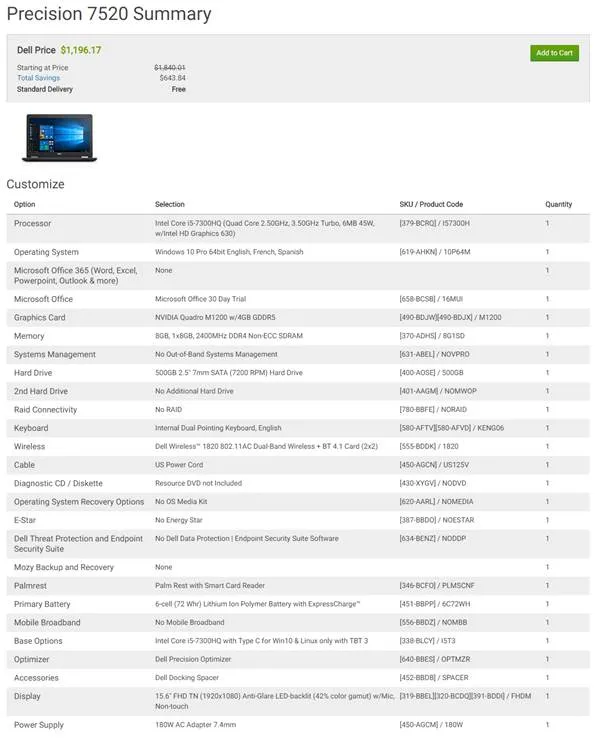
Figure 1 – Minimum System Sample from Dell®
Basic System from Dell®
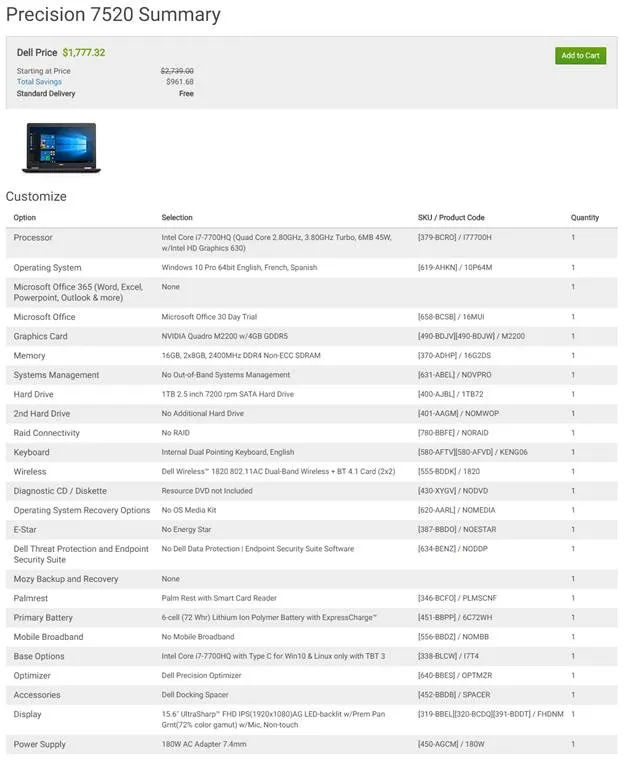
Figure 2 – Basic System Sample from Dell®
Advanced System from Dell®
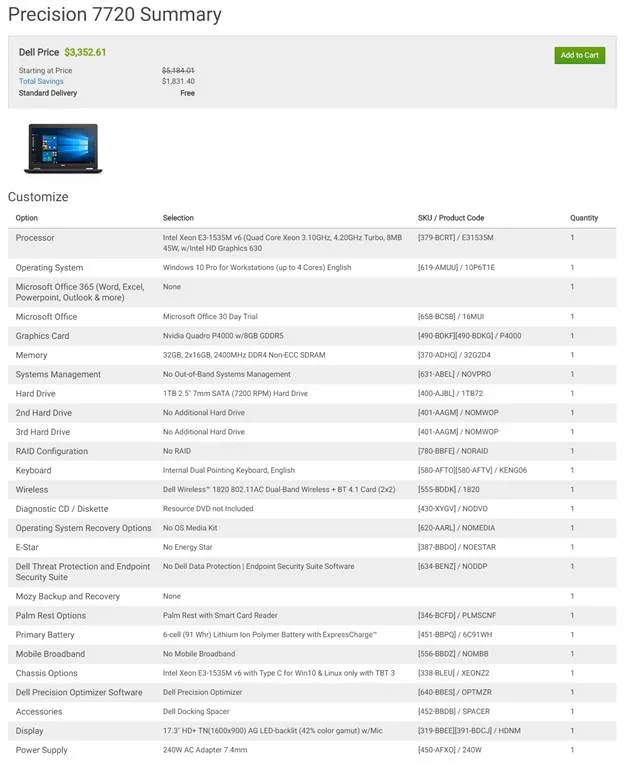
Figure 3 – Advanced System Sample from Dell®
SOLIDWORKS PDM System Requirements
SOLIDWORKS PDM 2025
SOLIDWORKS PDM Professional will utilize up to 3 primary components: A Microsoft SQL Server (SQL) database server, an Archive Server for files, and an optional Web Server.
- For PDM systems with under 20 concurrent users, the components can typically be combined on one machine. For PDM systems with 20 or more concurrent users, the system load may require those components to be separated onto individual machines.
- Customers are required to secure proper Microsoft SQL Server Standard licenses for their system. Contact your Microsoft reseller for specific details.
- For a geographically distributed, multi-facility environment, it is often desirable to have replicated Archive (file) Server machines at each replicated site.
- For optional replicated SQL database servers (must be read-only secondary) Microsoft SQL Server Enterprise licenses are required; limited support is available from SOLIDWORKS/GoEngineer for these types of configurations, and each must be installed on standalone server machines.
- Specifications also apply for SOLIDWORKS Manage, which utilizes similar resources to PDM Professional.
- For PDM systems with over 100 concurrent users, environment-specific resource utilization information should be considered.
- The installation of SOLIDWORKS PDM on a Windows domain controller is NOT supported by SOLIDWORKS and GoEngineer. Microsoft recommends against installing SQL Server on a domain controller for security reasons.
Standalone database server
CPU and RAM are important considerations
| Category | Recommended Configuration | Comments |
|---|---|---|
| Operating System | Windows Server 2019 or 2022 (64-bit only) | Windows Server 2025 is supported for PDM 2025 SP3.0 or newer. |
| Processor | Intel or AMD At least four processor cores (minimum two)*** At least 2.0 GHz base clock speed | The fastest possible clock speed should be provisioned. |
| Memory | Baseline: 16 GB If (file count > 100,000) or (user count > 20): 16-32 GB | SQL should have enough RAM to load the entire database into RAM. |
| Disk for Database | High-speed PCIe SSD for physical servers 100 GB of storage space | SATA drives are also supported, but a 100 GB partition on an M.2 PCIe NVMe drive may be the fastest option. |
| SQL Server Platform | SQL Standard Edition 2022 or SQL 2019 with Cumulative Update 4 or greater |
Standalone web server
CPU, RAM, and Network Speeds are important considerations
| Category | Recommended Configuration | Comments |
|---|---|---|
| Operating System | Windows Server 2019 and 2022 (64-bit only) | Windows Server 2025 is supported for PDM 2025 SP3.0 or newer. |
| Processor | Intel or AMD At least 2.0 GHz base clock speed | Multiple cores allow the server to handle multiple Web 2 requests simultaneously |
| Memory | 32 GB |
Standalone archive server
Input/output speed and storage are important considerations
| Category | Recommended Configuration | Comments |
|---|---|---|
| Operating System | Windows Server 2019 and 2022 (64-bit only) | Windows Server 2025 is supported for PDM 2025 SP3.0 or newer. |
| Processor | Intel or AMD | |
| Memory | 8-16 GB | |
| Disk for File Storage** | For a new system: 500 GB (200 GB minimum) |
* Each PDM Professional implementation is unique, please consult a GoEngineer PDM Strategist for additional details.
** Disk space estimates are provided to cover 3 years of storage growth. Storage requirements typically grow faster in a vault system than over a normal network. If installing in a replicated environment, each additional archive server will be sized based on the total % of the vault archived to that server. For example, if Site A is configured to replicate 50% of the files to site B, then Site B may need 50% of the disk space.
*** The two most common Microsoft SQL licensing models are Core and Server+Client Access License (CAL).
- The SQL Core license model allows unlimited client device access to the database and is sold in 2-core packs. To fully utilize a quadcore processor, two SQL 2-core pack licenses are needed.
- The Server+CAL model allows unlimited cores. To fully utilize a quad-core processor, one Server license is needed, but additional CAL licenses must be purchased for each user or device utilizing the SQL database. For example, PDM licenses are floating and may be shared among many users, however, CALs are not shared, so additional (i.e., more than the total number of PDM licenses) may need to be purchased for each machine/user to be compliant with Microsoft’s Licensing Model. Please contact a GoEngineer PDM Strategist for SQL licensing requirements and recommendations.”
Utilize GoEngineer’s Award-Winning Support & Training for SOLIDWORKS

Award-Winning Technical Support
GoEngineer's extensive SOLIDWORKS technical knowledge and world class support can help you succeed with SOLIDWORKS. Our award-winning team is ready to help you with any task you may have. Using state-of-art remote assistant technology software allows our team to solve most issues within one session. Reach out and see why GoEngineer is the #1 reseller of SOLIDWORKS and Stratasys systems in the world!
- 125+ Certified Technical Specialists
- Email, Phone and Chat Support Available
- 98% Exceptional Customer Service Rating
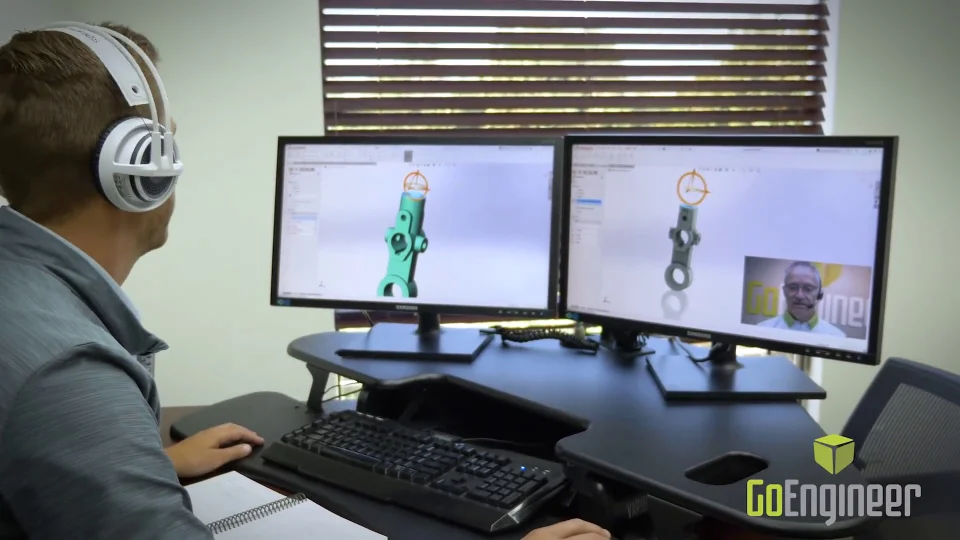
Professional SOLIDWORKS Training
GoEngineer offers online and classroom professional SOLIDWORKS training for organizations and individuals. All our instructors are SOLIDWORKS certified and teach thousands of students each year world wide. The curriculum is very diverse with numerous certified SOLIDWORKS courses to choose from. Each student will receive a Course Completion Certificate and preparation materials for SOLIDWORKS certification.
- Increase Your Earning Potential
- Led by Certified SOLIDWORKS Instructors
- Smaller Classes with Focused Attention
One partner, every stage.
One partner across the entire product lifecycle — software, hardware, services, and support. Eight stages, one accountable team.


Design & Engineering
CAD, EDA, systems engineering
Take products from first concept to detailed design with SOLIDWORKS, CATIA, Cadence, and CATIA Magic MBSE, backed by certified application engineers.


Simulation
Analysis, validation, optimization
Predict structural, thermal, and flow behavior before physical testing with SIMULIA, SOLIDWORKS Simulation, and SimScale, cutting prototype cycles and building certification evidence early.


Data & Lifecycle Management
PDM, PLM, SLM, single source of truth
Keep every revision, BOM, and change order in one controlled environment, scaling from SOLIDWORKS PDM to enterprise ENOVIA with ITAR/CMMC-ready configuration.


Manufacturing Operations
MRP, MES, planning, scheduling
Connect the shop floor to the controlled design baseline with DELMIA Apriso and DELMIAWorks, from quoting and scheduling through execution and quality.


Digital Manufacturing
Additive, CAM, robotics, factory planning
Validate manufacturing processes digitally before committing hardware, spanning additive production, CAM programming, robotics simulation, and factory planning.

AI & Digital Transformation
Workflow intelligence, automation
Put AI to work across engineering workflows, from AI-assisted simulation to rules-based design automation and connected data across the enterprise.


Technical Services
Implementation, training, consulting
Get running and stay productive with implementation, training, data migration, custom development, and embedded mentoring from certified specialists.

Customer Success
Adoption, support, realized value
Realize the value after the sale with local support, a 30,000-member community, an 85,000-user knowledge portal, and specialists on call.
Not sure which workstation you need?
Tell us how you use SOLIDWORKS and we'll scope the right configuration, then get you the best available pricing through our Dell partner program.