SOLIDWORKS MBD
Define, Organize, and Publish 3D Product Manufacturing Information (PMI)

What is SOLIDWORKS MBD?
SOLIDWORKS MBD (Model Based Definition) is an integrated drawingless manufacturing solution for SOLIDWORKS that helps define, organize, and publish 3D Product Manufacturing Information (PMI) including 3D model data in industry-standard file formats.
SOLIDWORKS MBD guides the manufacturing process directly in 3D instead of using traditional 2D drawings, which helps streamline production, cut cycle time, reduce errors, and support industry standards.
SOLIDWORKS MBD PDF Examples:
(To view 3D content pdf's, be sure your firewall and pop-blocker is disabled. Recommend Adobe Acrobat for best viewing experience.)

Tools
SOLIDWORKS MBD
Advanced tools to help expedite first article and in-process inspection reports.
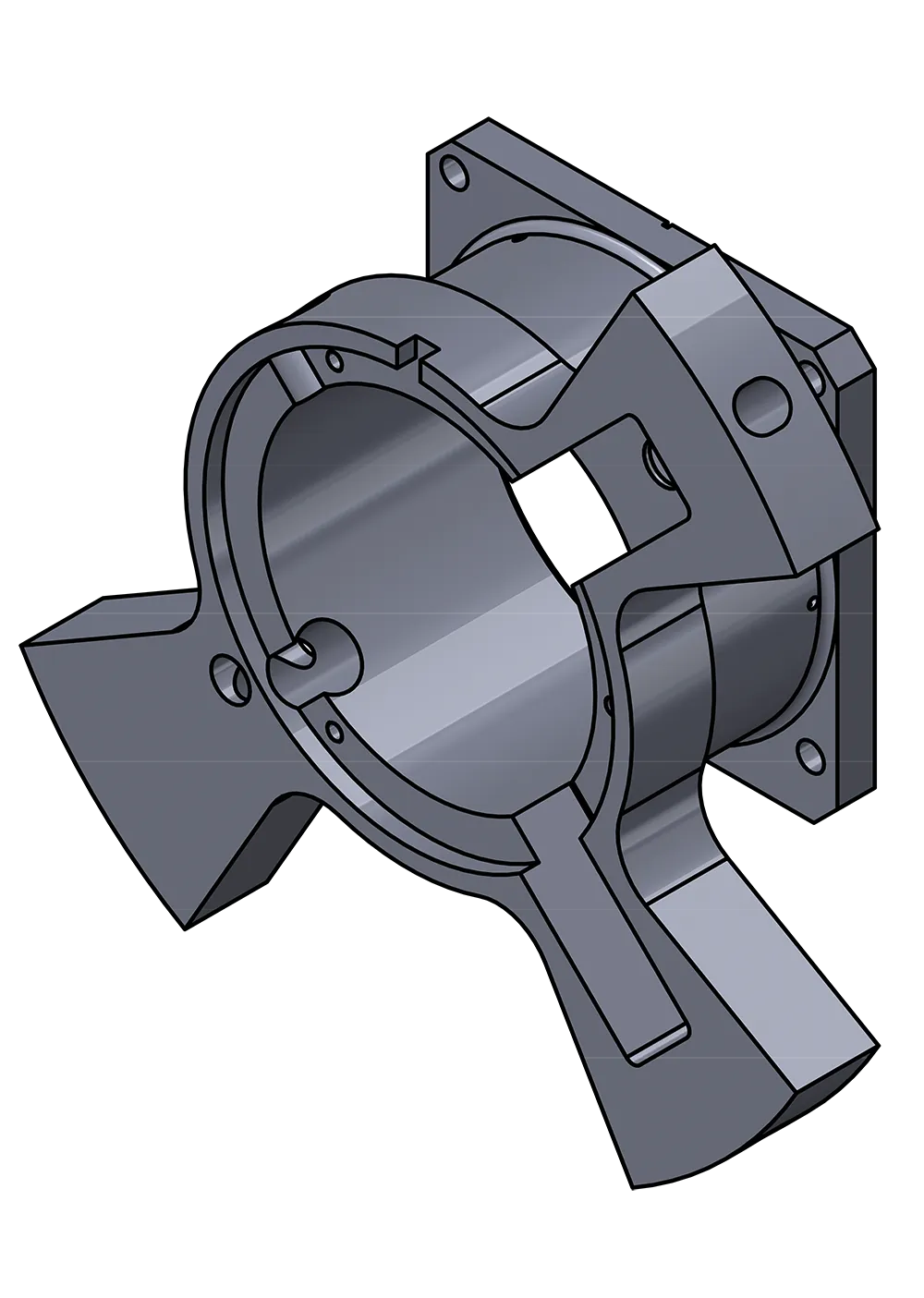
Define 3d PMI
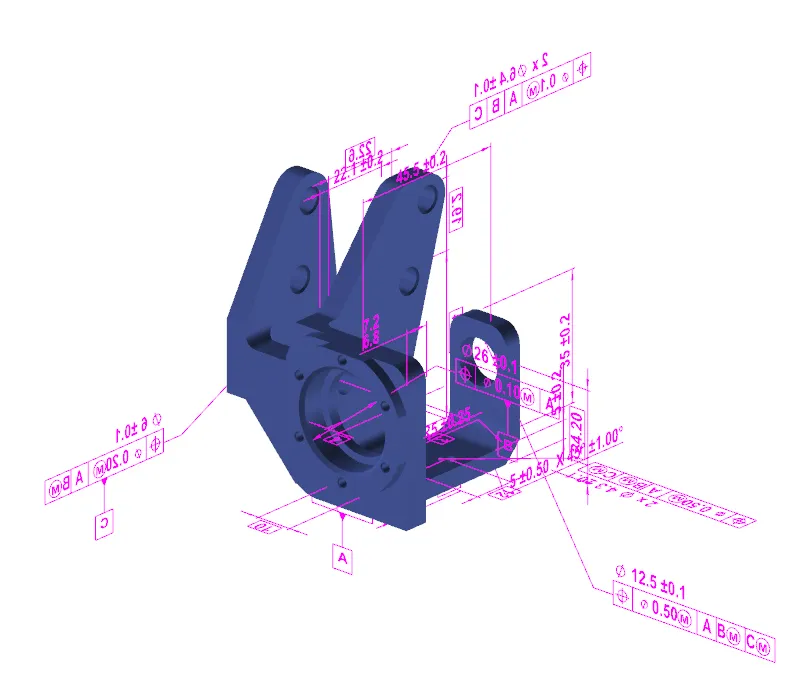
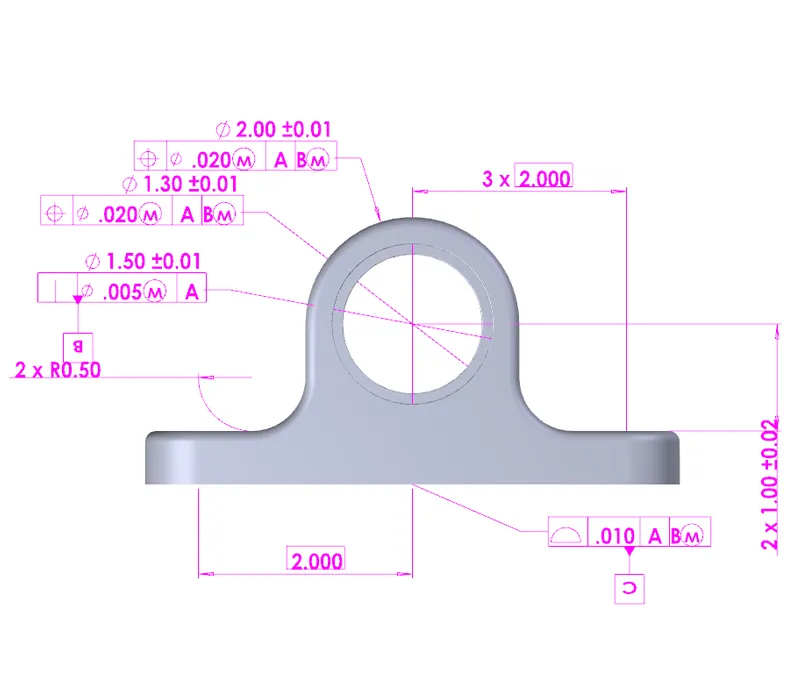
Define 3D Product Manufacturing Information (PMI) such as dimensions, tolerances, model data, surface finish, weld symbols, Bill of Materials (BOM), tables, notes, and other annotations.
PUBLISH 3d PDF DRAWINGS
Publish 3D data and PMI in industry-standard file formats, such as 3D PDF and eDrawings.
Organize 3d PMI
Organize 3D PMI along with the 3D models in a clean, structured, and easy-to-search fashion.
SUPPORTED INDUSTRY STANDARDS
Support industry standards, such as Military-Standard-31000A, ASME Y14.41, ISO 16792, and DIN ISO 16792.
CustomizeD Output Templates
Customize 3D output templates for multiple deliverables [such as engineering drawings and request for quote (RFQ)], and departments [such as Operations, Manufacturing, QA, and Procurement].
SHARED 3D DATA
Share and archive 3D data to minimize time spent re-modeling or manipulating 2D drawings.
SOLIDWORKS MBD Features
CREATE 3D PMI SEAMLESSLY
See how SOLIDWORKS MBD can be used to quickly create accurate 3D Product Manufacturing Information that can replace or supplement typical 2D Manufacturing Drawings.
SHARE YOUR FILES
Learn how to use SOLIDWORKS MBD to add 3D PMI to standard file formats (eDrawings, 3D PDF, Step), to easily share Product Manufacturing Information throughout your organization and supply network.
COMPARE SOLIDWORKS MBD
|
|
SOLIDWORKS MBD | TRADITIONAL SOLIDWORKS |
3D PRODUCT MANUFACTURING INFORMATION (PMI) DEFINITION |
||
| Intelligent Dimensioning, Tolerancing, and Annotation (DimXpert) Freestyle Dimensioning, Tolerancing, and Annotation (Reference Dimensions) Comprehensive Bill of Materials (BOM) |
|
|
3D PMI ORGANIZATION |
|
|
| 3D Annotation Views |
|
|
| Automatic Show and Hide Annotations as a Model Rotates |
|
|
| 3D Views capturing Annotation Views, Configurations, Display States, Section View, and other View Settings |
|
|
| 3D Model Break Views |
|
|
| 3D Radial Explode Views |
|
3D OUTPUT |
|
|
| Publish to eDrawings |
|
|
| 3D Output Template Customization |
|
|
| Rich Predefined 3D Output Templates |
|
|
| 3D PDF with 3D PMI, Views, and Meta Properties |
|
|
Frequently Asked Questions
No. While 3D PDF is a popular output, SOLIDWORKS MBD is a semantic definition tool. It adds 3D product manufacturing infromation, 3D PMI, directly to the Model. Allowing the user to organize Dimensions, Tolerances, Notes, Datums, and other annotations clearly in a SOLIDWORKS Part or Assembly Model. This 3D PMI is readable downstream for other applications like SOLIDWORKS CAM, Inspection, and TolAnalyst.
No. Most companies "phase in" 3D PMI usage with SOLIDWORKS MBD. Some companies prioritize switching complex models where 3D visualization reduces scrap. Others adopt 3D PMI as projects are created or updated. SOLIDWORKS MBD allows you to transition at your own pace, rather than forcing a company-wide "hard change".
No. SOLIDWORKS MBD is a separate Add-In that must be purchased independently. However, 3D PDF and eDrawings files generated from SOLIDWORKS MBD can be opened with the free version of Adobe Acrobat Reader or eDrawings respectively. Meaning suppliers do not need to purchase software to review the files created by MBD.
No. The 3D PMI created using SOLIDWORKS MBD can be imported into SOLIDWORKS Drawings. If a client or supplier requires a 2D print, the 3D Views created can be dragged and dropped onto a drawing sheet with the corresponding DimXpert Dimensions. Saving you from doing double work.
Generally, MBD Data is robust. Testing with the latest versions of SOLIDWORKS Design have shown great retention of 3D PMI when saving to previous versions. However, it is possible in specific situations that some 3D PMI may be lost as part of this process. It is recommended that all collaborators stay on the same major release of SOLIDWORKS Design or publish STEP AP242 files which preserves the 3D PMI regardless of CAD version.
Yes. SOLIDWORKS MBD works with both Assemblies and Parts. Allowing companies to add assembly level dimensions, weld symbols, bills of material, and other annotations. These can be published to 3D PDF or eDrawings format and provide assembly technicians the exact information needed without searching through multiple drawing sheets.
Yes. However, it depends on the file format and how "old" is the software. If using SOLIDWORKS Models, the CAM system would have to be compatible with that version of files. SOLIDWORKS MBD can export STEP AP242 files, the industry standard for interoperabilty using 3D PMI. Most modern CAM systems can import STEP AP242 and still recognize the needed model information for holes, pockets, and tolerances.
Viewing of 3D PDF files require the free Adobe Acrobat Reader App, not a browser based viewer. If the hardware is restricted, we recommend using the eDrawings desktop or mobile app or the Web2 Viewer if SOLIDWORKS PDM is implemented at the organization. These offer faster performance and better controls for machinists than PDF readers.
Manual ballooning is not needed. SOLIDWORKS MBD integrates with SOLIDWORKS Inspection Professional and can read the 3D PMI directly. Allowing the user to automatically create balloons along with capturing the needed manufacturing crtiteria. Once captured the information can be exported to multiple formats including 3D PDF for balloons, Excel for inspection lists, or other formats like Net-Inspect. Significantly reducing the time needed to create QA documentation.
Yes. However, this is not tied directly to SOLIDWORKS MBD. There are ISO and ASME standards that apply to digital product definitions and MBD is built to comply with these standards. Since more and more standards are requiring 3D PMI for a "single source of truth", a variety of digital signature methods are available for approving designs.
Minimal impact. DimXpert Annotations are lightweight data. The file size increase is small compared to the model geometry itself. Published outputs, 3D PDF and STEP AP242, however will be larger than any 2D formats like DXF, DWG, or 2D PDF files.
We recommend using STEP AP242 for long-term digital file retention. This file type is recommended in the LOTAR (Long Term Archiving and Retrieval) initiative. SOLIDWORKS MBD supports STEP AP242. Since it is a neutral file format, the geometry and manufacturing data will remain readable even if SOLIDWORKS Design changes significantly in 10 years.
Yes. When 3D Interconnect is enabled, 3D PMI from a variety of CAD formats will import into SOLIDWORKS Design as semantic 3D PMI. See the list below for the specific native CAD Formats.
PTC Pro/Engineer or Creo (.prt, .asm, .prt.*, .asm.*)
Unigraphics/NX Files (.prt)
CATIA V5 (.CATpart and .CATProduct) Requires SOLDIWORKS Design Premium.
All three published Editions. The most recent versions of SOLIDWORKS MBD allows the import and export of STEP AP242 Edition 1, 2, and 3. Allowing you and your collaborators to work with the correct 3D format.
SOLIDWORKS Services:
Utilize GoEngineer’s Award Winning Support & Training for SOLIDWORKS
Award Winning Technical Support
GoEngineer's extensive SOLIDWORKS technical knowledge and world class support can help you succeed with SOLIDWORKS. Our award-winning team is ready to help you with any task you may have. Using state-of-art remote assistant technology software allows our team to solve most issues within one session. Reach out and see why GoEngineer is the #1 reseller of SOLIDWORKS and Stratasys systems in the world!
- 125+Certified Technical Specialists
- Email, Phone and Chat Support Available
- 98% Exceptional Customer Service Rating
PROFESSIONAL SOLIDWORKS TRAINING
GoEngineer offers online and classroom professional SOLIDWORKS training for organizations and individuals. All our instructors are SOLIDWORKS certified and teach thousands of students each year world wide. The curriculum is very diverse with numerous certified SOLIDWORKS courses to choose from. Each student will receive a Course Completion Certificate and preparation materials for SOLIDWORKS certification.
- Increase Your Earning Potential
- Led by Certified SOLIDWORKS Instructors
- Smaller Classes with Focused Attention
Additional Resources
Take Advantage of GoEngineer’s Extensive Knowledge Base and Resources

Find a Solution
Our robust Knowledge Base contains over 12,000 resources to help answer your product design questions. From basic CAD questions to in-depth guides and tutorials, find your solution here. Find a Solution

PROFESSIONAL TRAINING
Improve your skills with professional training and certifications in SOLIDWORKS, CAM, 3D Printing, and 3D Scanning offered four ways: self-paced, online, on-site, or in-classroom. Certified Training Courses

BLOG
#1 Technical Resource Worldwide - Right at your fingertips. Search or browse through hundreds of SOLIDWORKS tips & tricks, additive manufacturing product developments, announcements, how-to guides, and tutorials. Blog

YouTube Channel
Our YouTube channel hosts hundreds of educational tutorials, product demonstrations, recorded webinars, and best practices for all of our products and services. GoEngineer's YouTube Channel

ONLINE STORE
Order 3D printing materials and consumables, enroll in SOLIDWORKS training classes, and buy official GoEngineer gear directly from our online store. Online Store
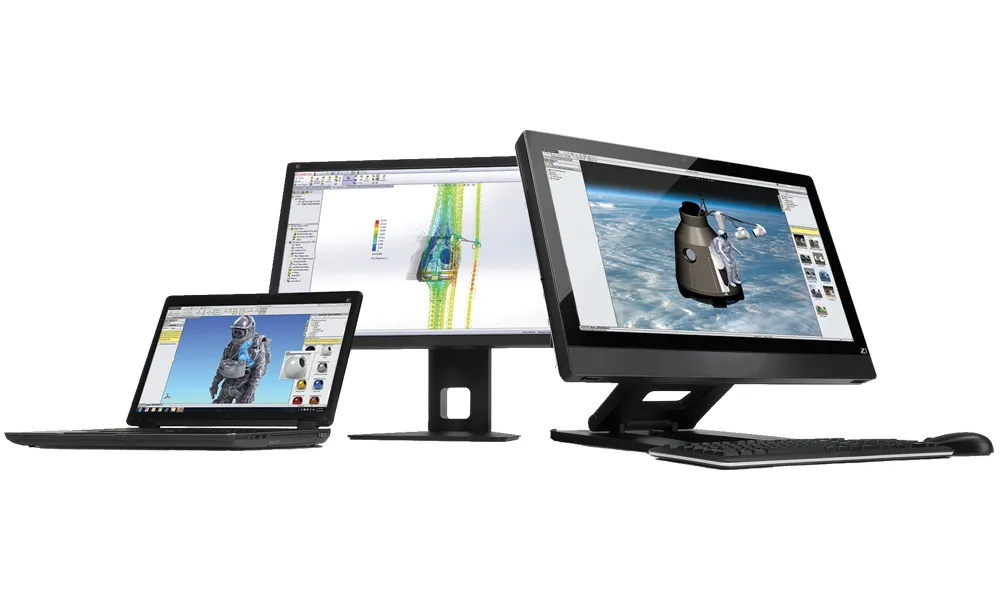
WEBINARS
Our engineering webinars are hosted by some of the top experts in the industry. They are always recorded, always free, and always offer a live Q&A. WEBINARS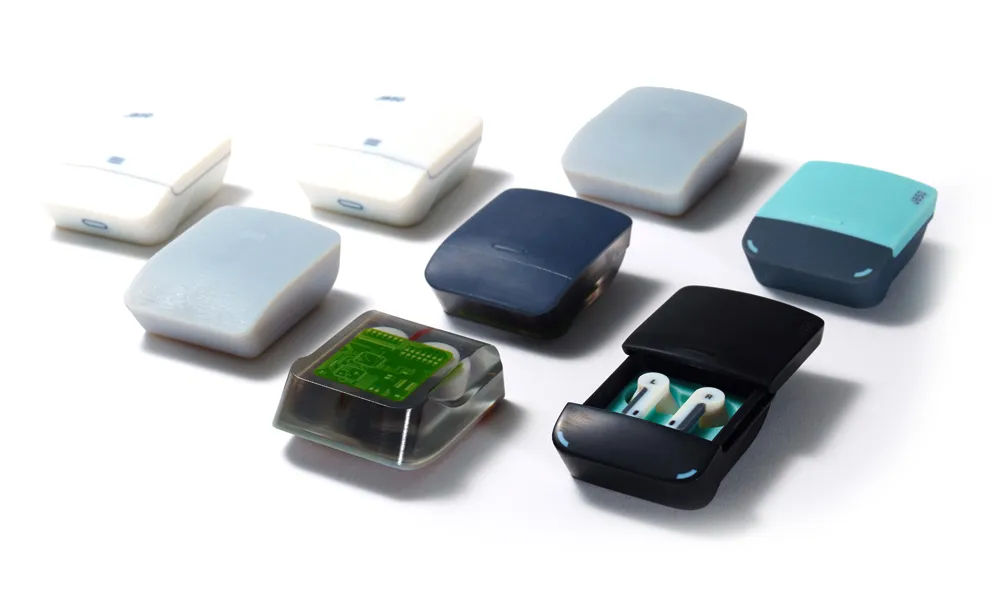
3D Printing Services
Need to 3D print a part? Our Additive Manufacturing experts will 3D print your part and deliver it to you using the latest technology on one of our professional FDM, PolyJet and SL 3D printers. 3D Printing Services