
From First Sketch to Finished Product
Get 25% off SOLIDWORKS for Makers from GoEngineer. $36 instead of $48.

25% off with code GOE25 automatically applied at checkout
Pick the Makers Software That's Right for You
The SOLIDWORKS hobbyist license for home and personal projects. Get 25% off at checkout.
Answer three questions and we'll recommend one.
Takes about fifteen seconds. Nothing is submitted and no email is required.
1. What device will you design on?
Select all that apply.
2. Is working offline important to you?
Select all that apply.
3. How are you making your designs?
Select all that apply.
SOLIDWORKS Design for Makers
SOLIDWORKS Design is the industry standard mechanical design software worldwide. The integrated CAM and nesting applications will help you build your material at home or maximize a sheet of material from an external vendor. The supplemental browser-based applications will let you start modeling wherever inspiration strikes and exposes advanced surfacing tools for organic finished products.
SOLIDWORKS X Design for Makers
SOLIDWORKS X Design is for designers and engineers on the move. No matter where you are or what device you're on, create mechanical products and stunning organic shapes wherever inspiration strikes.
SOLIDWORKS Design for Makers
SOLIDWORKS Design is a Windows desktop product with supplemental browser-based design tools. If you plan on mostly designing on your PC with a backup plan for when inspiration strikes, you can't go wrong.
SOLIDWORKS X Design for Makers
SOLIDWORKS X Design will serve you best if most of your design will be happening on non-Windows devices like tablets.
If you still can't choose, you can always try both and only renew the one you use.
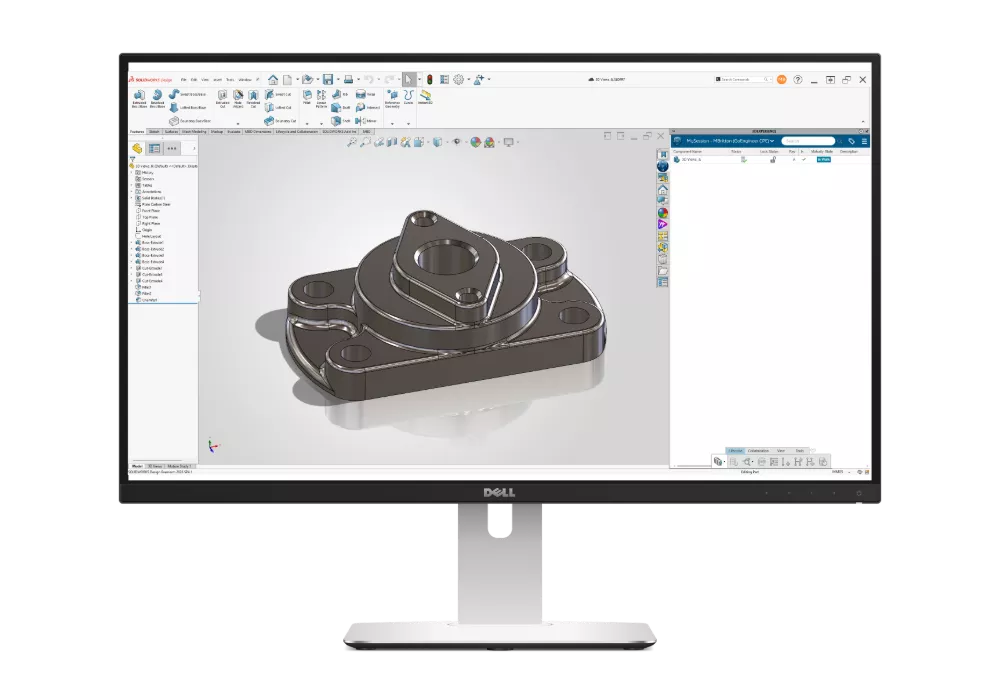
SOLIDWORKS Design for Makers
Proven & powerful SOLIDWORKS 3D CAD
Features Include
- 3D CAD: Locally Installed
- Local & Cloud Storage
- Photorealistic Rendering
- 3-Axis Simultaneous & 2-Axis Indexing CAM
- Access to Learning Content & Maker Communities
Devices Supported
- Windows PC
- Installation required
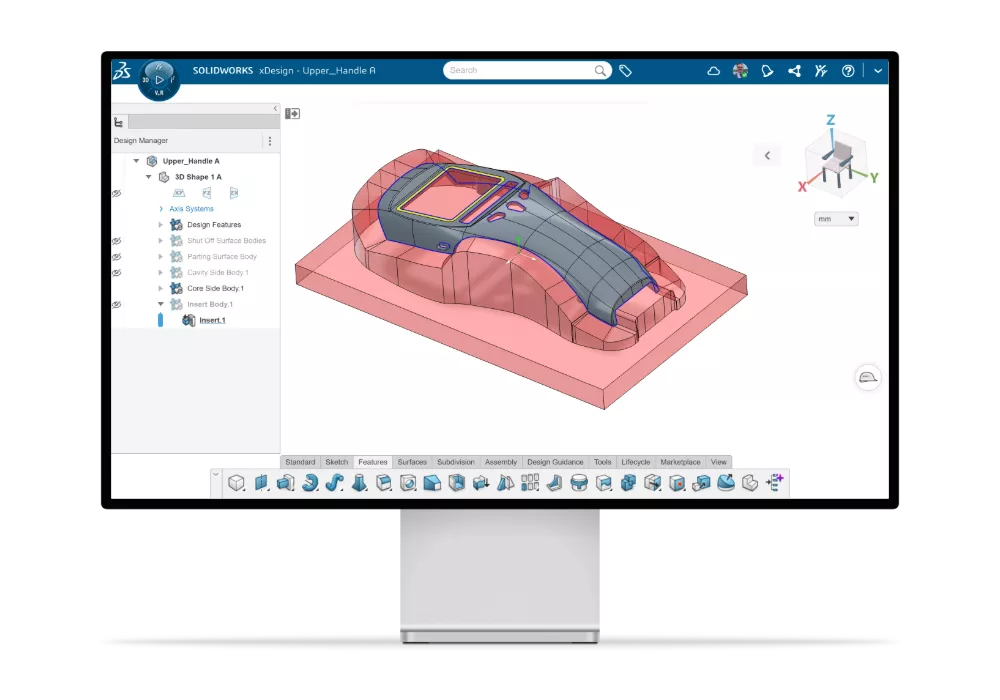
SOLIDWORKS xDesign for Makers
Next generation of browser-based 3D CAD
Features Include
- Cloud 3D CAD Apps: Browser-based
- Cloud Storage
- AI-powered Design Guidance and Design Assistant
- Cloud Rendering & Interactive 3D Presentations
- Simulation: Motion Studies
- Access to Learning Content & Maker Communities
Devices Supported
- Chromebooks, Macs, Tablets, Windows PC
- No installation required
Fundamentals of SOLIDWORKS Design for Makers
A free, self-paced course built for SOLIDWORKS Design for Makers license holders. Go from opening the interface for the first time to modeling, assembling, and documenting your own parts.

What You'll Learn
- Getting comfortable in the SOLIDWORKS interface
- Sketching fundamentals
- Basic part modeling
- Building assemblies
- Creating drawings
- Setting up your cloud workspace for storage and sharing
Course Details
See the Full Lesson Plan
Eight lessons, from the interface to the 3DEXPERIENCE platform
SOLIDWORKS Basics
- What is SOLIDWORKS?
- Design intent
- File references and opening files
- The user interface and CommandManager
Introduction to Sketching
- 2D sketching and sketch entities
- Rules that govern sketches
- Sketch relations and dimensions
- Extrude and sketching guidelines
Features
- Basic modeling and terminology
- Choosing profiles and sketch planes
- Boss, cut, Hole Wizard, fillets
- Detailing and drawing views
Patterns
- Why use patterns?
- Linear and circular patterns
- Reference geometry and planes
- Mirror and sketch-driven patterns
Revolved & Swept Features
- Revolved features
- Building a rim and spoke
- Edit material
- Mass and file properties
Using Drawings
- Model, section, broken, detail views
- Drawing sheets and sheet formats
- Annotations
Bottom-Up Assembly Modeling
- Creating a new assembly
- Adding and mating components
- Configurations and sub-assemblies
- Smart Mates and Pack and Go
3DEXPERIENCE Platform
- Introduction to 3DEXPERIENCE
- Saving files to cloud storage
- Lifecycle
What GoEngineer Does for Makers
The license is just the starting point. GoEngineer is with you every step after that, answering questions, building real skills, and helping when your hobby is ready to become something more.
Ready to Commercialize?
Commercial licensing and the startup program

Makers licenses are for personal use. When you're ready to go commercial, GoEngineer moves you into a full SOLIDWORKS seat and a startup program built for that jump.
Expand Your Shop
WAZER and Formlabs machines that fit a Maker's budget
WAZER waterjets and Formlabs printers land inside many Makers' budgets and dramatically expand what you can build at home, in your garage, or in a shared shop.

Formlabs Form 4
High-resolution resin printing for functional prototypes and finished parts, straight off your SOLIDWORKS for Makers models.
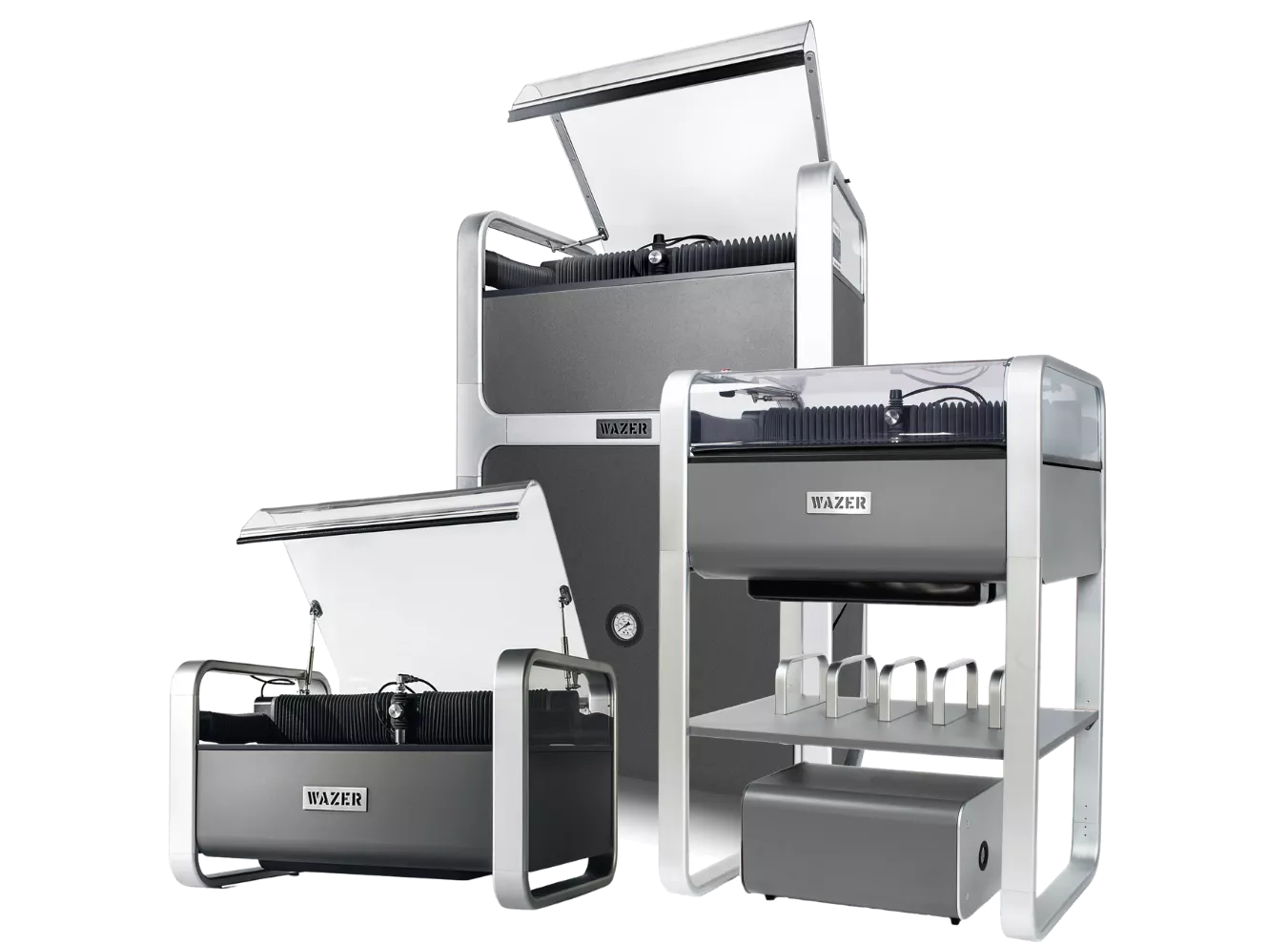
WAZER Desktop Waterjet
Industrial waterjet cutting in a desktop footprint: steel, titanium, aluminum, glass, tile, composites, and more, with no thermal distortion.
Simulation Services
Validation without buying the software


Don't own simulation software? No problem. Let the GoEngineer team validate your designs for you, run the study, and walk you through what the results mean. Talk to an expert below or call 800-688-3234.
Aerospace Certified 3D Printing
Parts printed to the highest spec possible

Not sure overseas manufacturing will hold the quality or consistency you need? GoEngineer's in-house facility is AS9100 and ISO 9001:2015 certified and ITAR registered, with 100+ industrial printers across FDM, PolyJet, SLA, SAF, and P3, plus material certifications and inspection reports on request. Upload a CAD file for a quote and lead time.
Have questions before you buy?
Call us at 800-688-3234 or
Live Webinars, Every Quarter
Every Makers to Founders session is recorded, chaptered, and posted below. No login required.
On-Demand Sessions
Watch on YouTube →

Want more? Every session is also announced in the Makers to Founders community as soon as it's scheduled.
Frequently Asked Questions
Do I need a special GPU or computer to run SOLIDWORKS for Makers?
Both SOLIDWORKS Design (desktop) and SOLIDWORKS xDesign (browser) use your computer’s resources to generate geometry, so the more powerful your computer, the better. Certified GPUs and workstations are recommended for troubleshooting software bugs, but not required.
- SOLIDWORKS Design requires a Windows PC.
- SOLIDWORKS xDesign works on any device and officially supports Chromium-based browsers like Google Chrome, Microsoft Edge, Brave, Opera, and Vivaldi.
Why is SOLIDWORKS for Makers cloud connected?
Two main benefits: data management and licensing.
- Data management: Whichever version you choose, you get built-in, git-style revision control and online file sharing. If you used GrabCAD Workbench to version and share your SOLIDWORKS files before it was retired, or have been piecing together tools like Wikifactory since, this is that workflow built right into SOLIDWORKS: no extra accounts, no syncing.
- Licensing: Install and use SOLIDWORKS Design on multiple computers (say, your laptop and your workshop PC) without deactivating a license. Only one session can run at a time.
Can I sell things I make with SOLIDWORKS for Makers?
Yes! You can earn up to $2,000 USD in revenue per year with the software. If you want to expand or your product takes off, contact the GoEngineer Startup team using the “Request More Information” form at the bottom of the page.
I need CAD for my Mac, will this work for me?
Yes, choose SOLIDWORKS xDesign for cutting-edge cloud CAD on your macOS or iPad.
Can I work with a friend on a project?
Inviting friends and collaborators to your platform is quick and easy. Set up a collaborative space to save your project data into, and you’re ready to go. Watch how to invite friends to your platform.
How can I get help?
- Design and how-to questions: Ask in the GoEngineer Community or the MAKERS | Made in 3D community.
- Account, order, and software issues: Visit the MAKERS | Support community for help from the SOLIDWORKS team.
- Commercialization and bringing a product to market: Talk to the GoEngineer Startup team using the “Request More Information” form at the bottom of the page.
Get 25% Off SOLIDWORKS for Makers
$36 instead of $48 from GoEngineer. GOE25 Discount automatically applied at checkout.