How To Request a SOLIDWORKS Document Manager API Key

SOLIDWORKS can use API (Application Programming Interface), which is a COM programming interface for SOLIDWORKS software. API is used to access SOLIDWORKS files without opening them, automate redundant and time-consuming tasks, and create engineering applications that can run in and outside of SOLIDWORKS. To use this tool, you must have a Document Manager API Key.
Requirements to request a Document Manager API Key:
- An active subscription for SOLIDWORKS support.
- An active serial number.
- Credentials for SOLIDWORKS or 3DEXPERIENCE.
A new key must be requested each time a new major release of SOLIDWORKS or SOLIDWORKS Document Manager API is installed.
Getting Your Key
- Go to the Key Request webpage and log in with your SOLIDWORKS or 3DEXPERIENCE credentials.
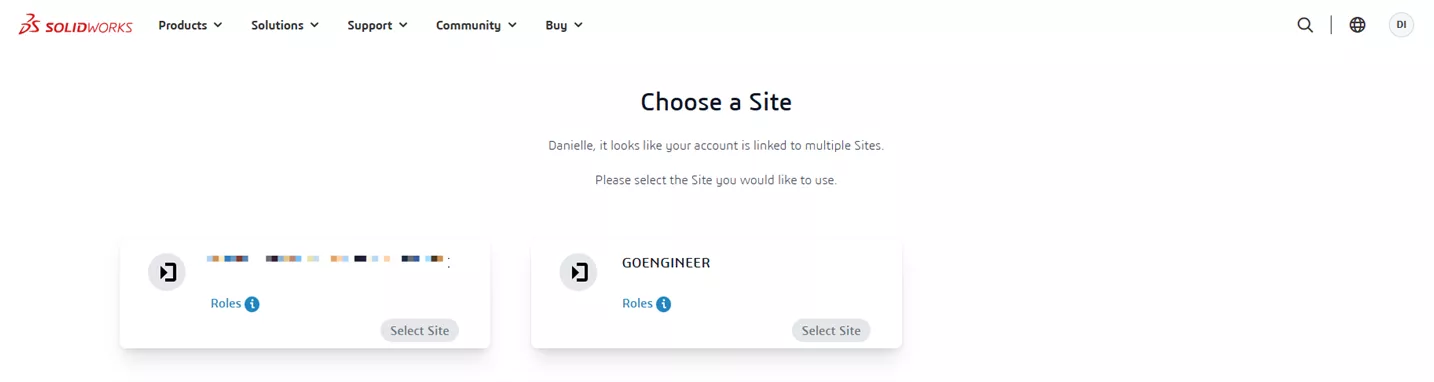
- If a site option is given, choose your company and role:
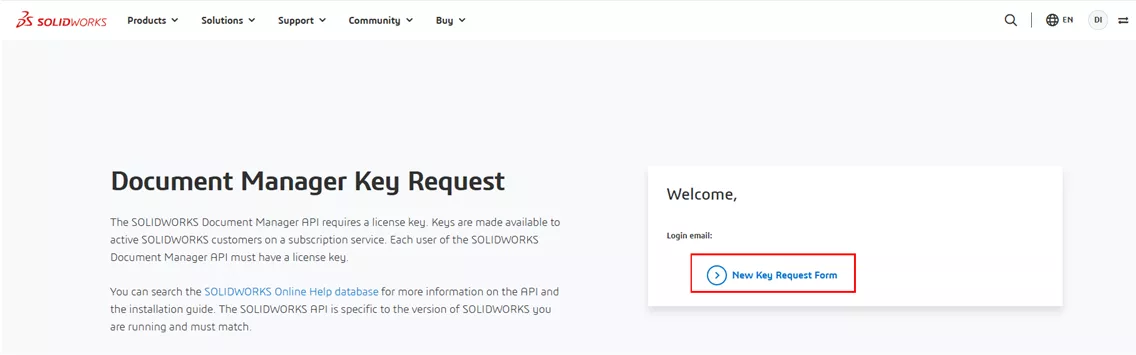
- Click New Key Request Form and fill out the fields.
On the API Key request form, there are several checkboxes showing categories of SOLIDWORKS Document Manager API license key functions. Multiple categories can be selected.
- Basic: Any interface, method, or property, with the exception of the following.
- Tessellation: Display List DLL. This is not a component of the SOLIDWORKS Document Manager API, but its key controls access to the Display List DLL.
- DIMXpert: DIMXpert methods properties on all ISwDMConfiguration and DIMXpert related interfaces.
- Geometry Streams: Stream, imported body, and preview methods and properties on ISwDMConfiguration interfaces.
- Previews: Preview and stream methods. Properties on all ISwDMConfiguration, ISwDMDocument, and ISwDMSheet interfaces XML Streams: XML stream methods for all ISwDMDocument interfaces.
Accept the agreement by clicking the checkbox, and then click Submit.
When your request is approved, an email will be sent to you within the next few days. This email will contain the key you requested. Learn more information from SOLIDWORKS Help pages.
Editor's Note: This article was originally published in June 2021 and has been updated for accuracy and comprehensiveness.
Related Articles
Setting Up SOLIDWORKS to Use High-Performance Graphics Cards
SOLIDWORKS 2026 UI/UX, Performance & Imports - What's New
SOLIDWORKS 2026 Drawings - What's New
SOLIDWORKS 2026 Parts and Features - What's New

About Danielle Irish
Danielle Irish is a SOLIDWORKS PDM Support Engineer based out of metro Detroit. She has a degree from OCC in CAD Design and Engineering. Danielle has extensive experience in customer service as well as a 10 year adventure in Automotive Engineering. Danielle enjoys challenges and puzzles, and is an avid gamer and fiber artist.
Get our wide array of technical resources delivered right to your inbox.
Unsubscribe at any time.