SOLIDWORKS Visualize Monitor File Live Model Updating

CAD files and geometry are often revised and updated over time. But what happens to those changes if the CAD model has already been imported into SOLIDWORKS Visualize? A helpful option called Monitor File watches for these geometry changes and automatically updates the Visualize project.
Enabling/Disabling Live CAD Updates
There are two ways to enable (or disable) the option to allow CAD model updates to be applied to the Visualize project:
Initial Import Settings
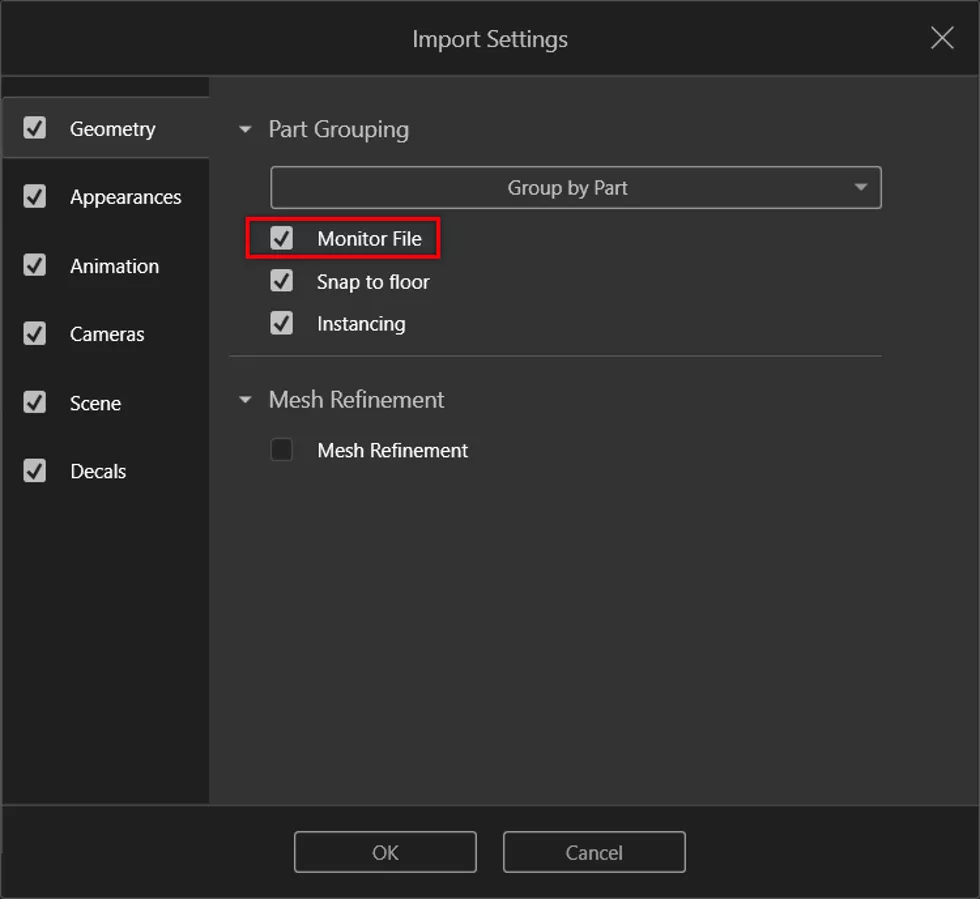
When you first import the CAD model into Visualize, the Import Settings dialog appears, offering various options related to grouping, appearances, etc. In the Geometry section, there is a Monitor File checkbox option to allow for the live update from the original CAD source files.
Existing Visualize Project
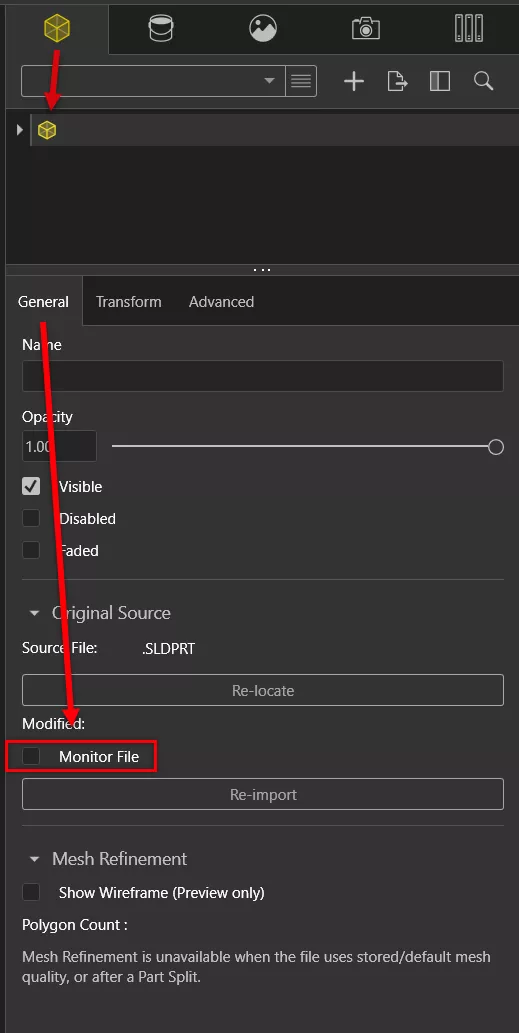
If a Visualize project has already been created and you want to allow (or disable) live updates of the geometry from the original files, it is possible to change the same Monitor File option. To access this option with your Visualize project open, browse to the Palette, go to the Models tab, select your model, and near the bottom in the Original Source section, find the option to enable (or disable) the Monitor File setting.
Triggering an Update when the Original Files are Modified
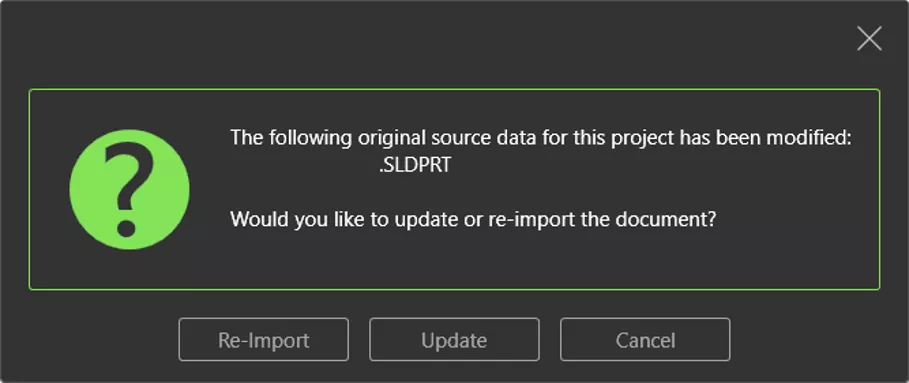
When the Monitor File option is checked ON, Visualize will actively check the original CAD file, and if modifications have been made, a prompt will appear indicating that the original CAD file has been modified and asking if the Visualize Project file geometry should be re-imported or updated.
Re-Import vs. Update
The Re-Import option will re-import the CAD model entirely from scratch. To prevent overwriting the original Visualize project, Save As with a new name.
The Update option will update the current Visualize project with any new CAD changes (new parts, updated subassemblies, appearance changes, etc.). Any existing edits in the Visualize projects (including appearances, cameras, scenes, etc.) will not be updated from the updated source data.
Want to learn more about SOLIDWORKS Visualize? Check out more tips and tricks from our team below. Additionally, join the GoEngineer Community to create forum posts and answer questions from other SOLIDWORKS users.
Related Articles
Using Ground Planes in SOLIDWORKS Visualize for More Realism & Control
SOLIDWORKS Visualize Appearances: DSPBR Base Parameter Group Explained
SOLIDWORKS Visualize Viewport Size and Resolution Settings
Create Engraved Lettering in SOLIDWORKS Visualize
How to Create a Sunlight Environment in SOLIDWORKS Visualize

About Nathan Marsh
Nathan Marsh is a Senior SOLIDWORKS Technical Support Engineer at GoEngineer.
Get our wide array of technical resources delivered right to your inbox.
Unsubscribe at any time.