SOLIDWORKS 2026 in the Classroom: How AI-Driven Design Frees Up Your Office Hours

For decades, the first few weeks of any engineering design course followed a predictable, if slightly exhausting, rhythm. Professors and TAs would spend the bulk of their office hours not discussing stress concentrations or material selection, but answering the same technical “how-to” questions: “Where is the button for hole callouts?” “How do I get my drawing views to stop overlapping?” “Why won’t this bolt mate correctly?”
While learning the “picks and clicks” of CAD is a necessary rite of passage, it has often come at the expense of actual engineering education. Every minute spent troubleshooting a broken mate is a minute lost to discussing design intent, manufacturability, or optimization.
With the release of SOLIDWORKS 2026, that paradigm is shifting. By integrating meaningful, practical AI tools directly into the interface, the software is moving from a passive drawing tool to an active design partner. For educators across North America, this means a fundamental shift in the classroom: moving the focus from where to click to how to engineer.
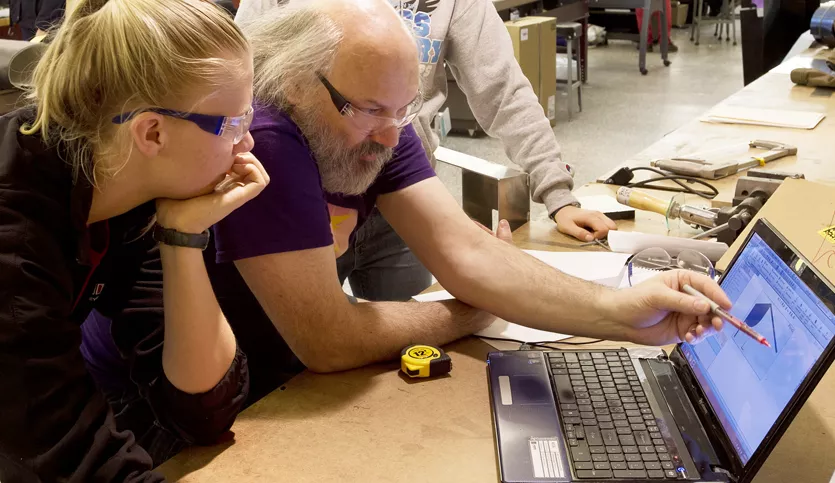
Design Intent Over Mouse Dexterity
In the past, “AI” in software often felt like a marketing buzzword. In SOLIDWORKS 2026, it’s a productivity engine. The goal isn’t to replace the engineer, but to automate the “clerical work” of CAD.
In a university lab or technical college setting, this is transformative. When the software handles the tedious, repetitive tasks, students can spend more time in the “Critical Thinking” zone. Here’s how the latest AI-driven enhancements are redefining the student experience and, by extension, the educator’s workload.
1. Drawing Creation (Beta)
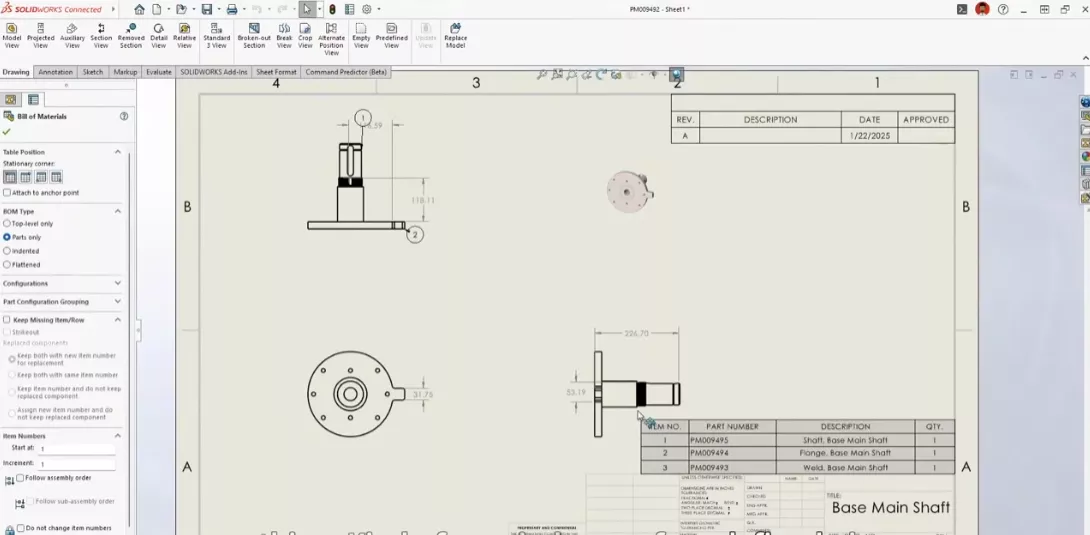
Drawing Creation (Beta) uses AI-assistant LEO to automate the initial setup of your designs. While it handles the templates, specifications, and standards, the final output is intended as a starting point that requires professional review.
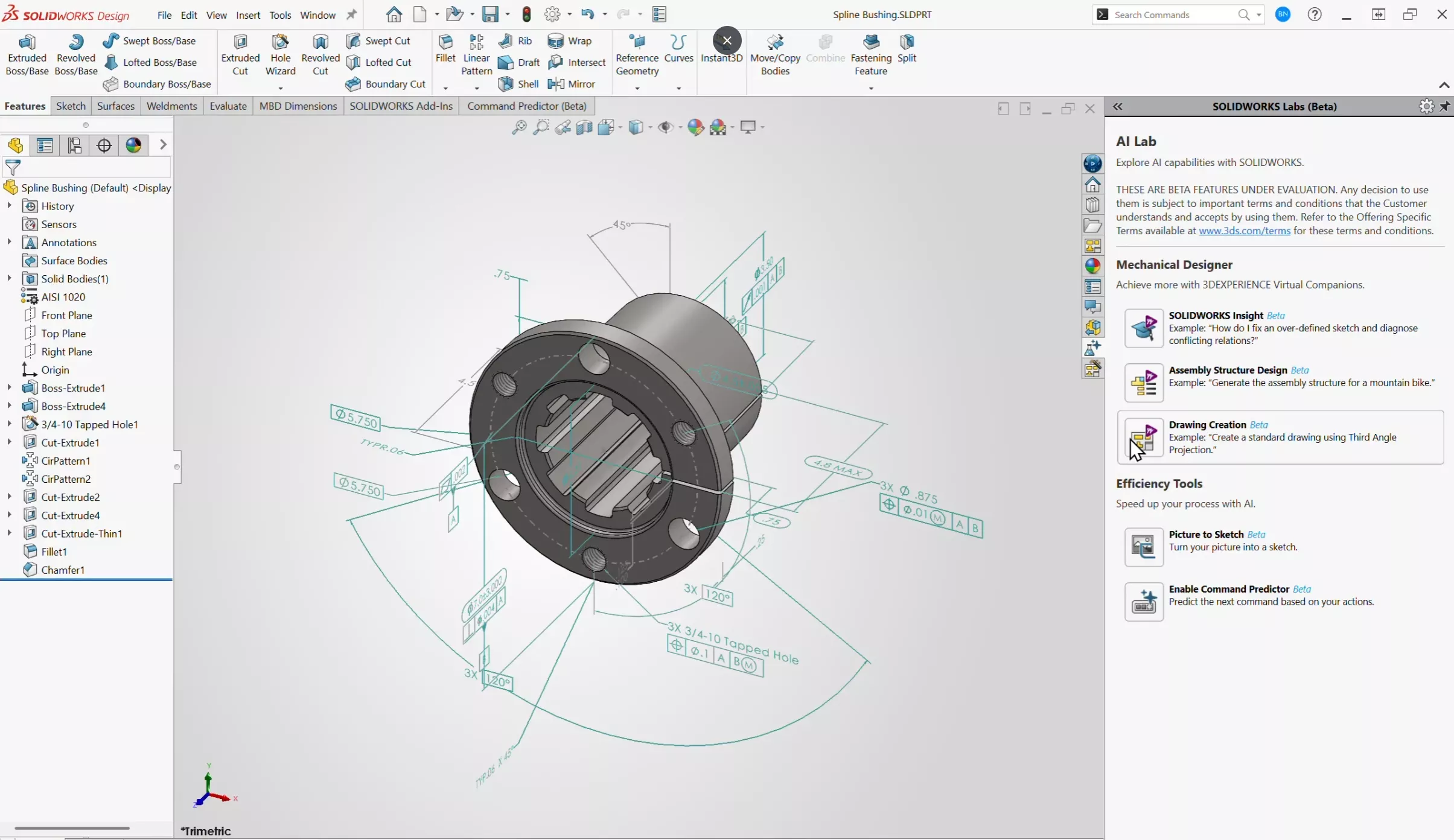
Instead of students coming to office hours to ask why their views look “messy,” they come to ask if their tolerances are appropriate for a CNC mill. This AI feature provides a first draft, allowing the student to act as an editor rather than a drafter. They learn to evaluate what makes a drawing functional rather than just learning how to place a view.
2. Smart Fastener Recognition and Assembly
Assembly modeling is where students typically get bogged down in mate errors. The repetitive task of adding dozens of nuts, bolts, and washers often leads to click fatigue. The new AI Fastener Assembly tool recognizes components that look like fasteners, even if they weren’t created using the standard Toolbox. The AI identifies the hole, the fastener, and the required orientation, then assembles them automatically.
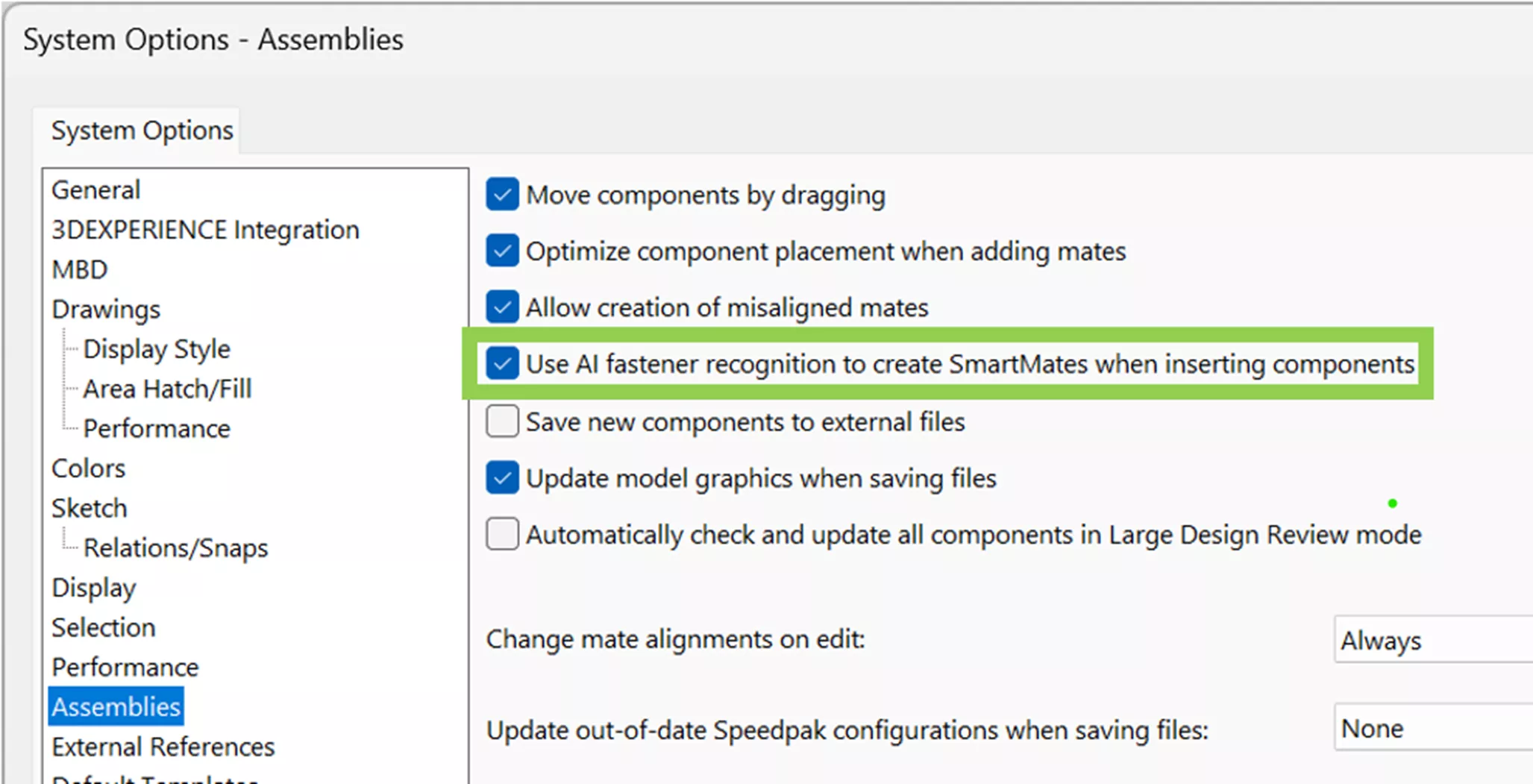
At GoEngineer, we're seeing educators assign more complex assemblies because they no longer worry that students will spend three hours just mating hardware. It shifts the conversation toward assembly hierarchy and interference detection.
3. AURA: The Built-in AI Virtual Companion
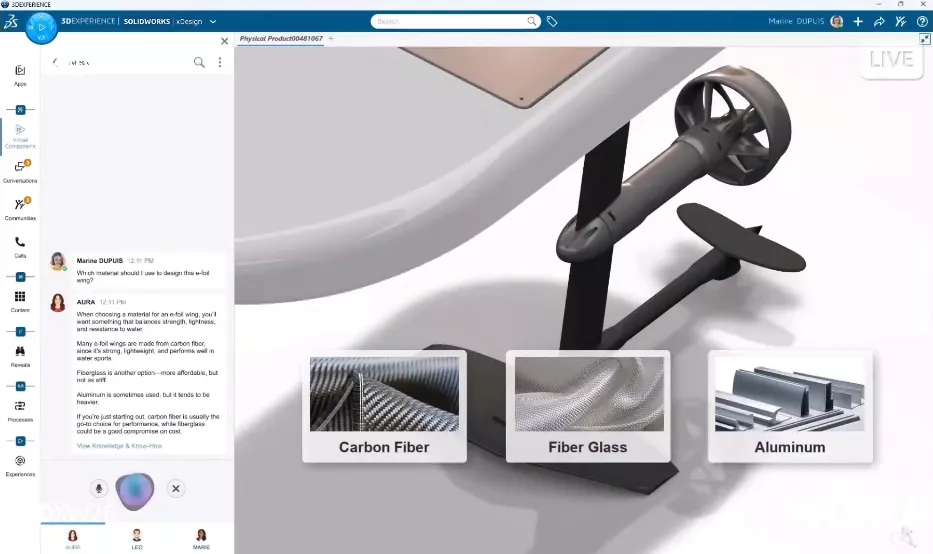
Even with an intuitive interface, students will always have questions at 11:00 PM on a Tuesday. AURA is an AI-powered virtual companion integrated into the 3DEXPERIENCE platform and SOLIDWORKS interface. Unlike a general-purpose chatbot, AURA is trained on official SOLIDWORKS documentation and verified knowledge bases. It can summarize forum posts, troubleshoot specific workflow errors, and provide step-by-step guidance on complex commands.
AURA acts as a 24/7 Teaching Assistant. It can answer questions like, “How do I create a bidirectional linear patter?” or “Why is my sketch under-defined?” This significantly reduces the volume of basic technical questions in an instructor’s inbox, leaving room for deeper discussions about design philosophy.
Shifting the Pedagogy: From Drafter to Engineer
When we remove the friction of the software, the curriculum can finally evolve. Here is how SOLIDWORKS 2026 allows educators to raise the bar:
With tools like Command Predictor (which uses machine learning to suggest the next tool a student likely needs based on their workflow), the learning curve for the UI is flattened. Instructors can move past “Intro to Sketching” faster and dive into Generative Design and Simulation. Students can spend more time running FEA (Finite Element Analysis) to see why a part failed, rather than struggling to model the part in the first place.
Real-World Collaboration
The 2026 release doubles down on 3DEXPERIENCE integration. AI-driven data management tools now help students manage revisions and “maturity states”, simulating a real-world engineering firm. AI helps track who changed what, ensuring that the collaboration isn’t just about sharing a file, but about managing a project’s lifecycle.
Enhancing “Design for Manufacturing” (DFM)
Since AI can now automatically generate cut lists and BOMs, students see the immediate consequences of their design choices. This reinforces the Digital Thread - the idea that a design is a living document that must be accurate for the shop floor.
Bridging the Gap: AI Meets Industry Standards
It’s natural for educators to worry: “If the AI does the drawing for them, will they ever actually learn how to draw?” At GoEngineer, we view this the same way we viewed the transition from drafting tables to CAD. Using a calculator doesn’t mean you don’t understand math; it means you can do more complex math faster. The AI in SOLIDWORKS 2026 doesn’t “cheat” for the student. It provides a baseline.
More importantly, the industry demands it. Modern employers aren’t just looking for CAD operators; they’re looking for innovators who can use industry-standard tools to solve daunting global challenges. By teaching with SOLIDWORKS 2026, you’re providing your students with:
- The Universal Language of Design: SOLIDWORKS is used by millions of professionals worldwide.
- Employability: Students enter the job market with the exact same tools and AI workflows used by the world’s leading engineering firms.
- Professional Certification: The path to a CSWA and CSWP certification ensures they aren’t just using AI, but mastering the core engineering principles behind it.
Reclaiming Your Office Hours
The goal of any engineering program is to graduate students who are ready for the industry. Today’s industry isn’t looking for people who are just good at SOLIDWORKS. They are looking for engineers who can use SOLIDWORKS to solve problems.
By leveraging these AI tools, you’re giving your students a head start. You are allowing them to fail faster, iterate more often, and think more deeply. And for you? It means office hours can finally be about “why” instead of the “where.”
Ready to bring the power of AI-driven design to your classroom?
As a leading SOLIDWORKS Education reseller across the United States and Canada (excluding Quebec), GoEngineer is committed to supporting the next generation of engineers. Whether you’re managing a high school robotics lab or an advanced mechanical engineering department, we provide the licensing and technical expertise to keep your curriculum on the cutting edge.
Contact our education team to learn more about SOLIDWORKS 2026 academic licensing and how we can help you integrate these new AI tools into your curriculum.
Related Articles
Teach Engineering Effortlessly with 3DEXPERIENCE Education Platform Tools
Van Buren Tech Shapes Young Engineers with SOLIDWORKS
Obtaining and Using SOLIDWORKS Certification Exam Vouchers
7 Important Tips for New SOLIDWORKS Users
Mastering Basic Part Modeling in SOLIDWORKS: A Step-by-Step Guide

About GoEngineer
GoEngineer delivers software, technology, and expertise that enable companies to unlock design innovation and deliver better products faster. With more than 40 years of experience and tens of thousands of customers in high tech, medical, machine design, energy and other industries, GoEngineer provides best-in-class design solutions from SOLIDWORKS CAD, Stratasys 3D printing, Creaform & Artec 3D scanning, CAMWorks, PLM, and more
Get our wide array of technical resources delivered right to your inbox.
Unsubscribe at any time.