Show Only the Latest Revision in 3DEXPERIENCE Searches

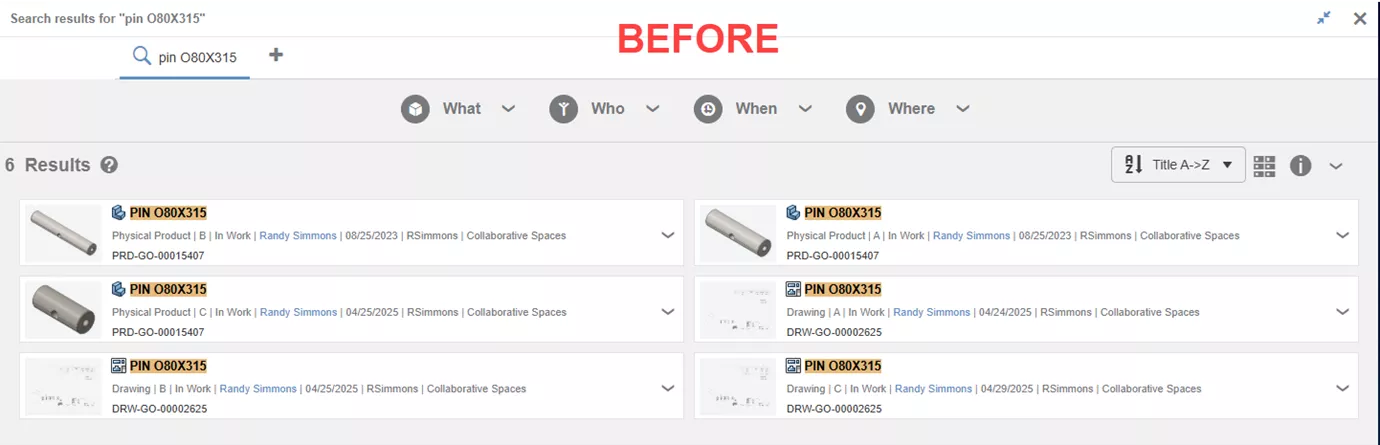
Revision control is a key reason companies adopt data management systems like PDM/PLM. The 3DEXPERIENCE platform makes it easy (sometimes too easy) to access older file revisions. A common question is, "How can I view only the latest revision without the clutter?" In this blog, we’ll explore three ways to filter search results and focus on the most current version.
#1. Global Setting
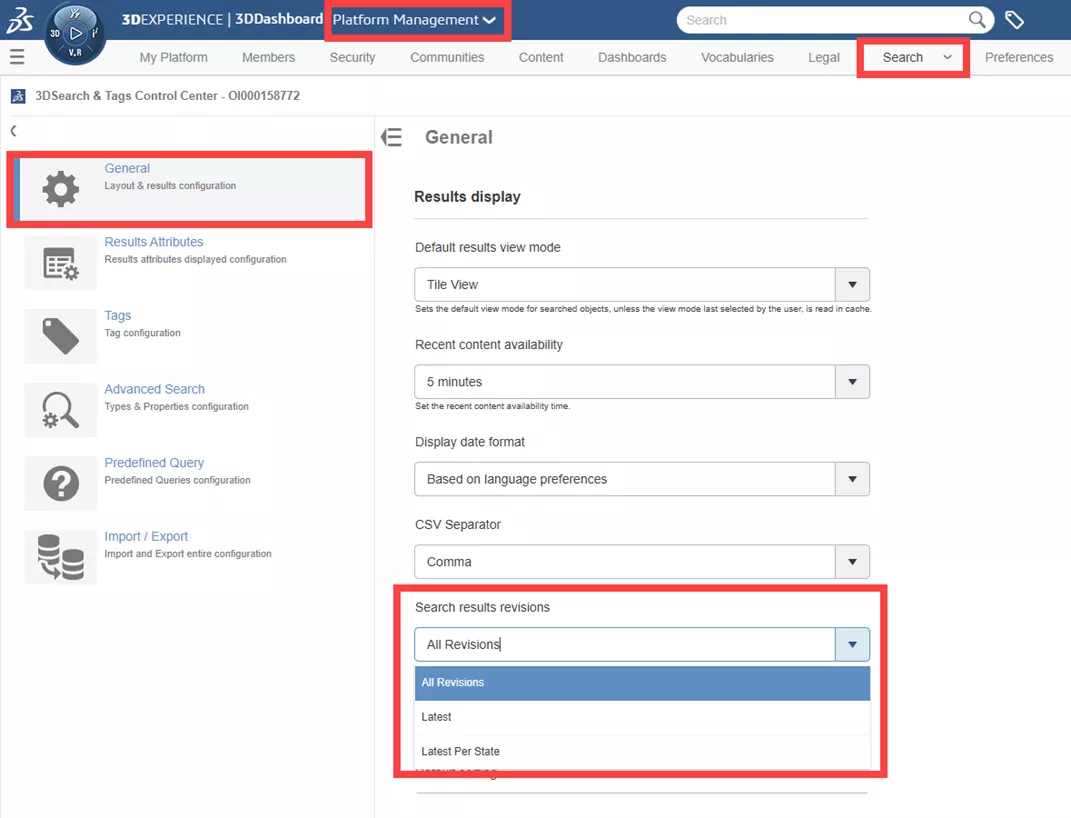
Platform administrators can configure a global setting that ensures all users see only the latest revision in their search results.
Platform Management > Search > 3DSearch & Tags Control Center > General > Search Results Revisions.
#2. User Setting
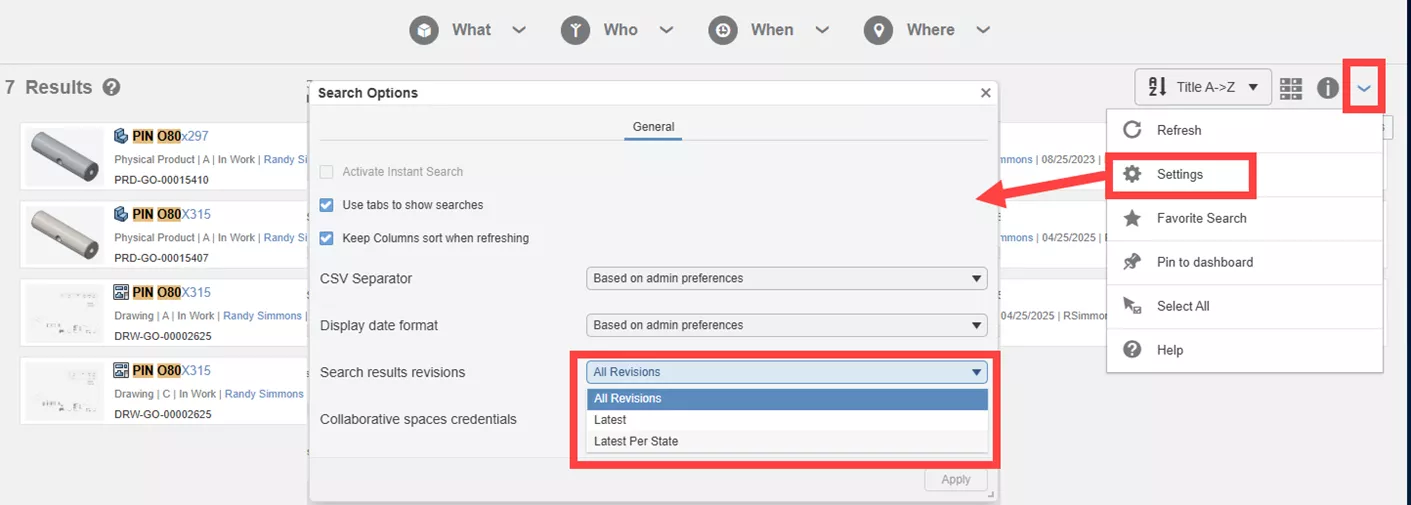
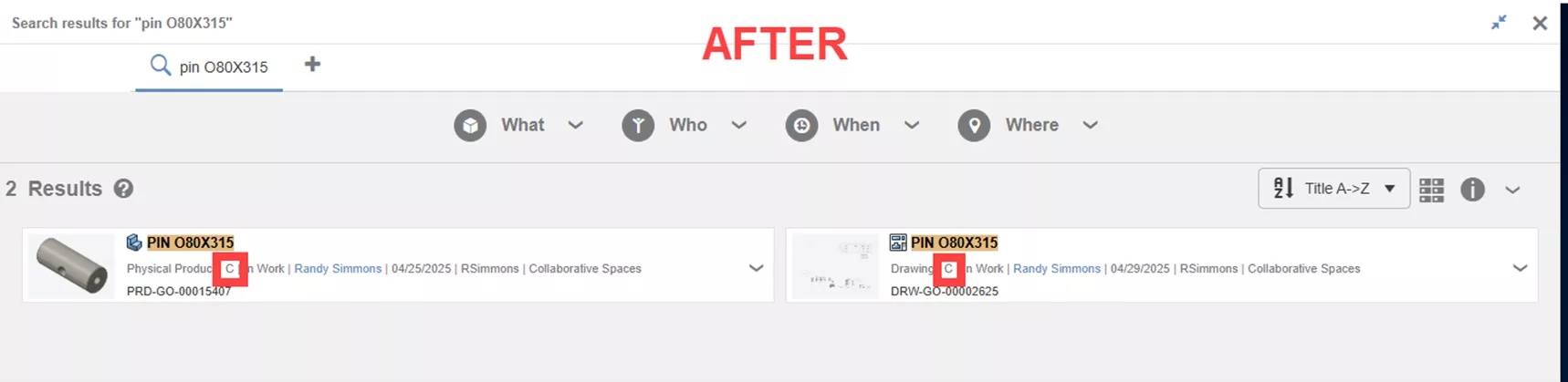
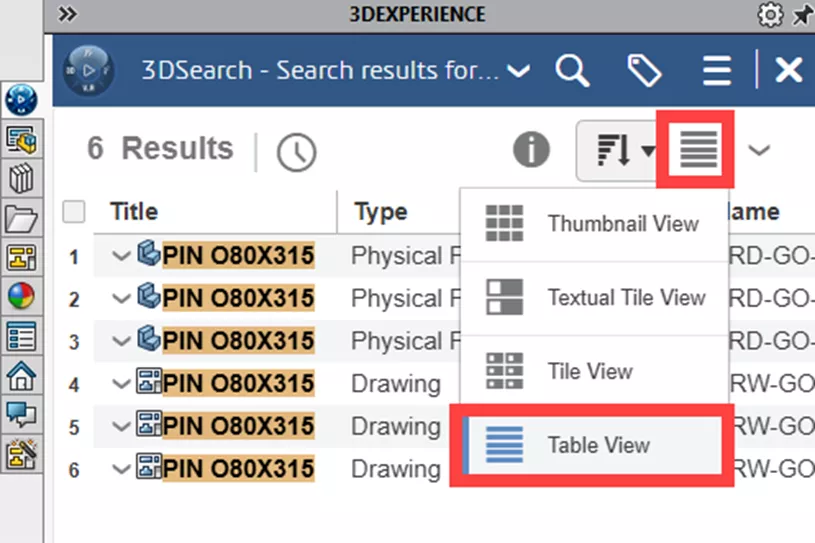
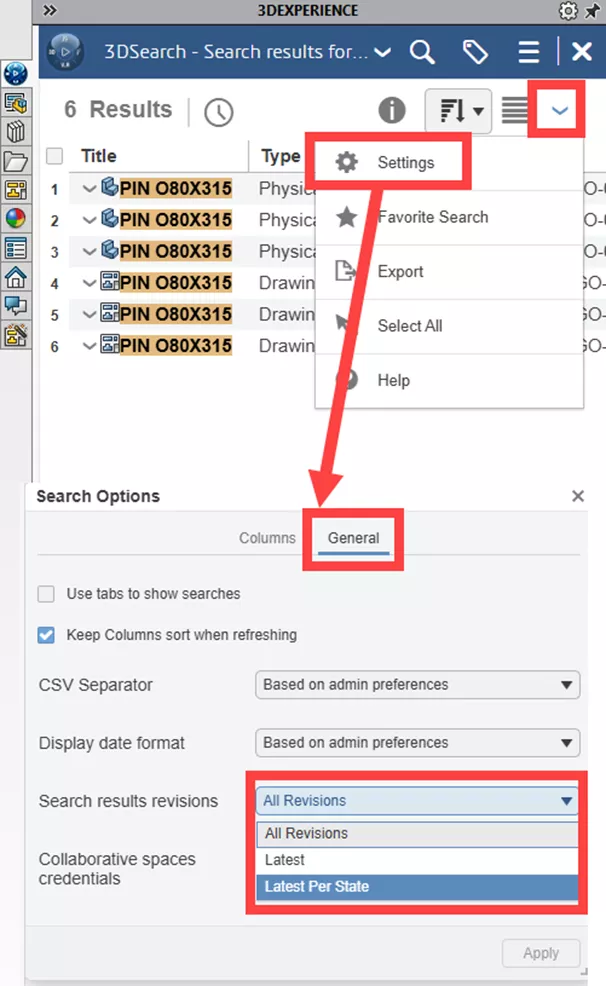
If method 1 is not implemented by the platform administrator, each user still has the ability to control this individually. This can be done in both the 3DEXPERIENCE web interface and in the SOLIDWORKS task pane interface.
Gear Icon (Settings) > Seach Results Revisions.
Web Interface:
SOLIDWORKS Interface:
Make sure you are in Table View.
Then...
#3. Using Tags AFTER a Search
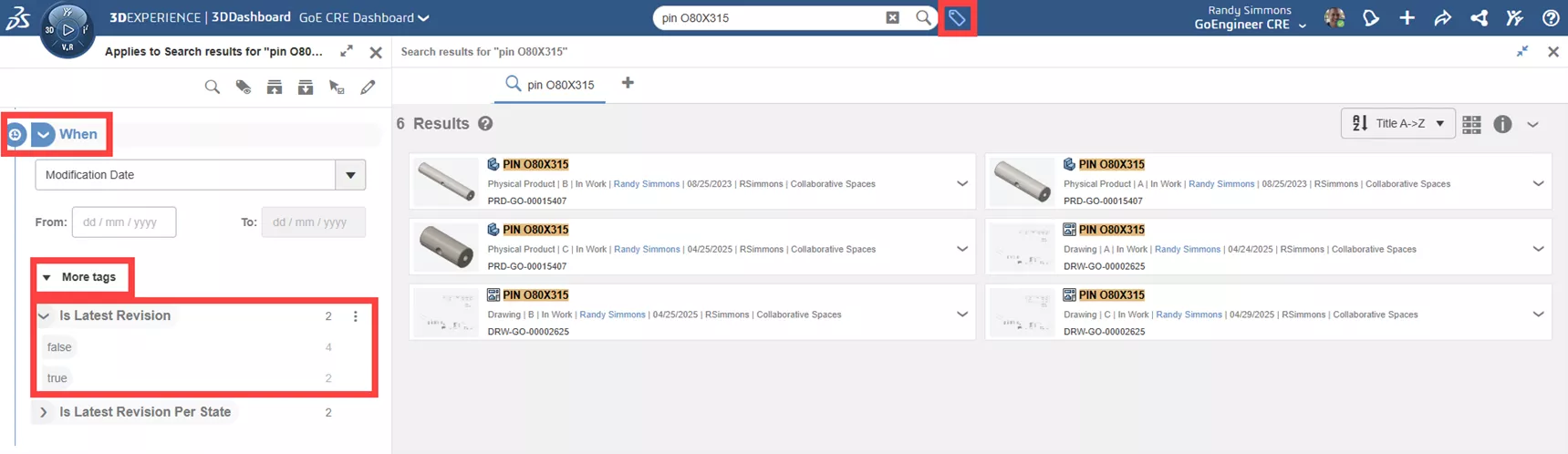
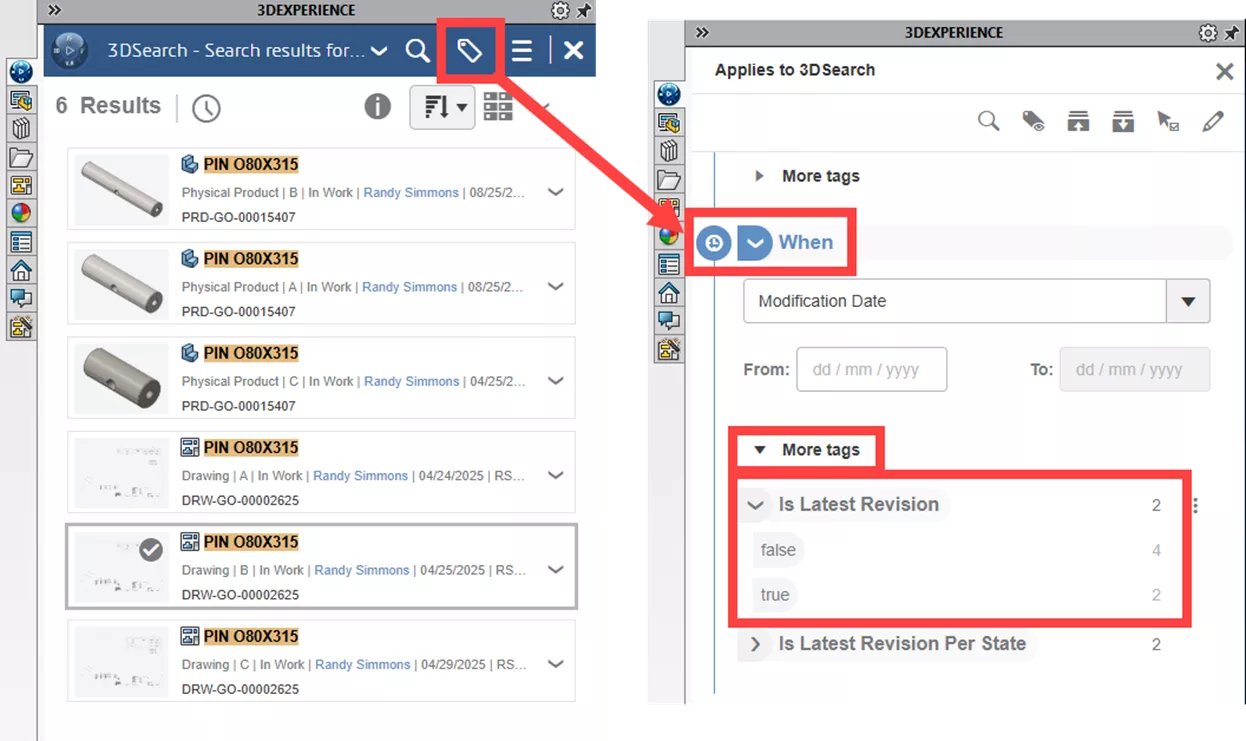
If you still want to know/see that old revisions of a file do exist when you search, but then want to clean up the results and only see the latest revision, don’t forget about the power of Tags! After performing a search that returns multiple revisions, use the following Tag: WHEN - More Tags - Is Last Revision - True/False.
Web Interface:
SOLIDWORKS Interface:
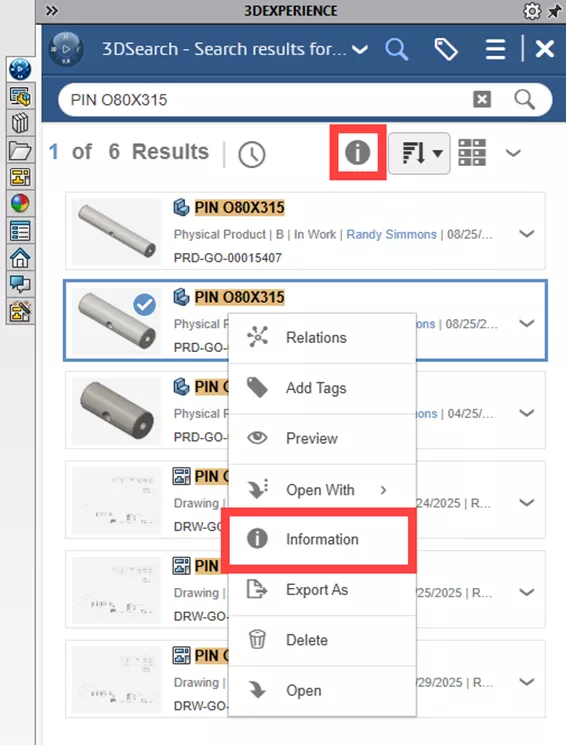
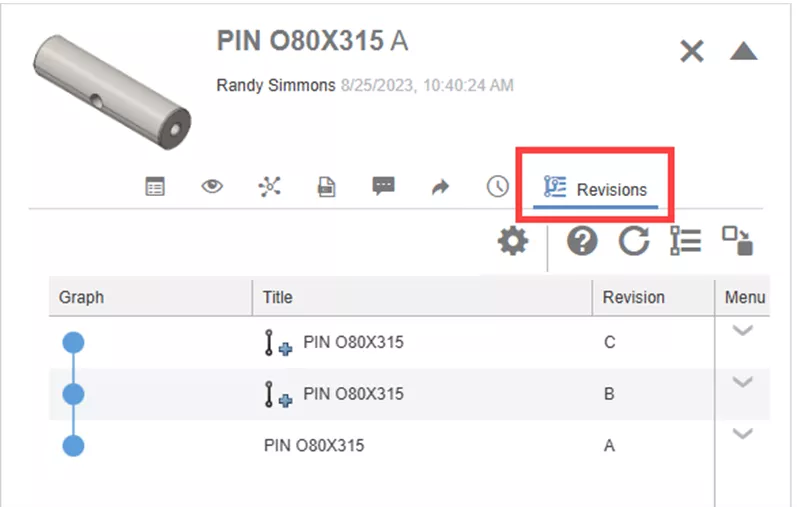
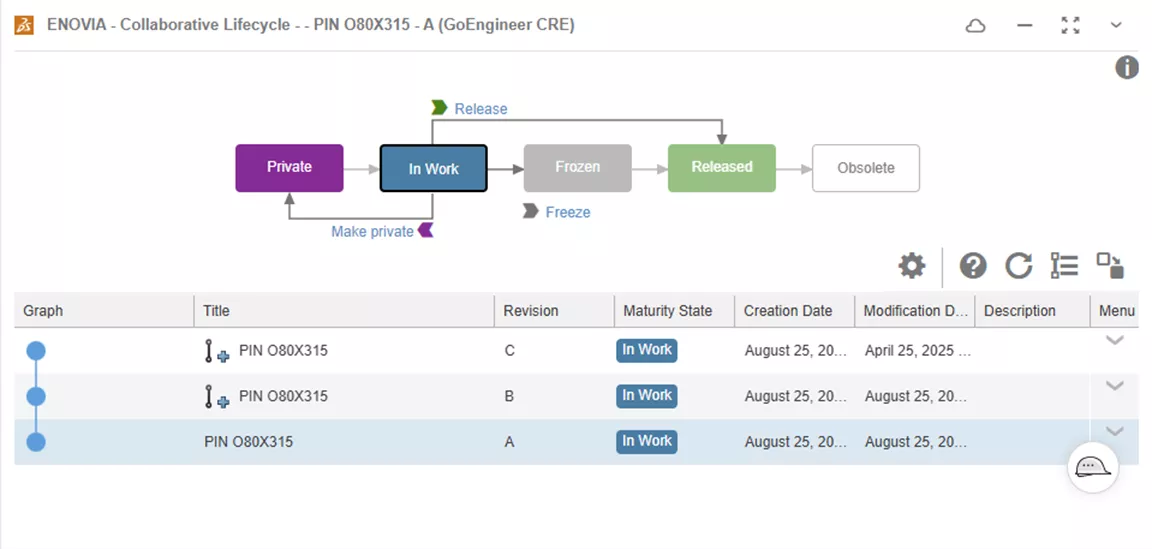
What's great about using any of these methods is that you still can view older revisions at any time from the Revisions tab in the Information window or the Collaborative Lifecycle app. Both can be easily accessed by just right-clicking on a file!
Now you know three methods to only see the latest revision in your 3DEXPERIENCE search results to focus on exactly the data you need.
Want to learn more? Check out more tips and tutorials listed below or on our 3DEXPERIENCE YouTube Channel. Additionally, join the GoEngineer Community, where you can create forum posts, design contests, and answer questions from other 3DEXPERIENCE platform users.
Related Articles
How to Easily Work with Large Assemblies in 3DEXPERIENCE
SOLIDWORKS 2026 & 3DEXPERIENCE Collaboration - What's New
Managing Non-CAD Documents on the 3DEXPERIENCE Platform
Customize Drawings to Use 3DEXPERIENCE Platform Attributes

About Randy Simmons
Randy Simmons in a Sr. 3DEXPERIENCE Specialist at GoEngineer.
Get our wide array of technical resources delivered right to your inbox.
Unsubscribe at any time.