Speed Up CAMWorks Load Time

Is CAMWorks loading slower than usual? When you launch the software, it collects information in the background to report any issues to the feedback program. This ongoing process can slow down the opening time. So, how can we stop this from happening?
Unchecking the Feedback Program Option
To help make CAMWorks launch faster, turn off the Feedback Program. To do this, open SOLIDWORKS and ensure that CAMWorks is active. Once active, go to Help in the top right corner, then click CAMWorks.
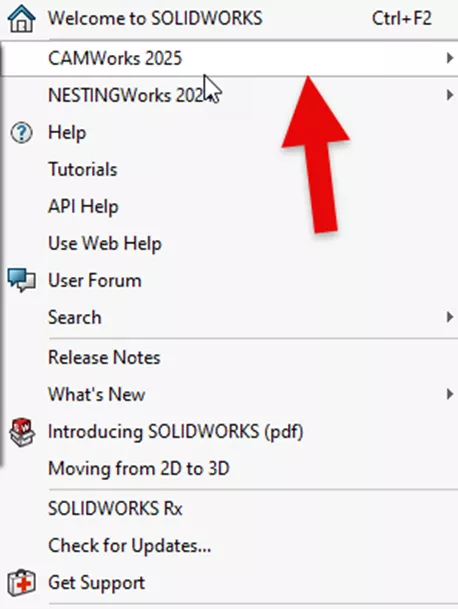
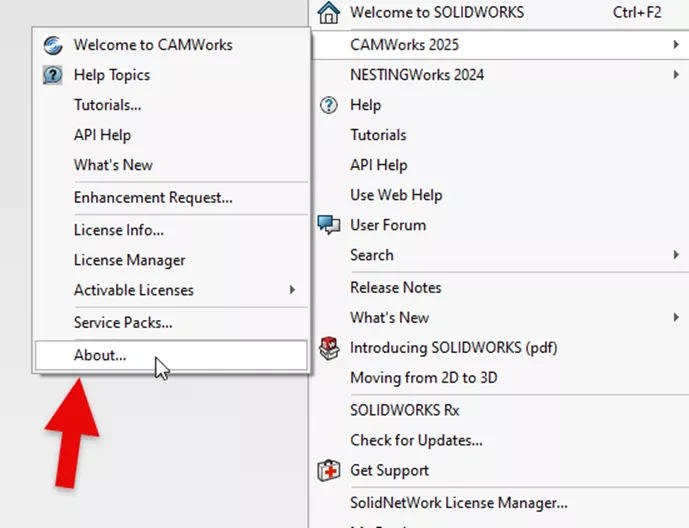
Once in the CAMWorks menu, scroll to the bottom and select the About option within the CAMWorks options menu.
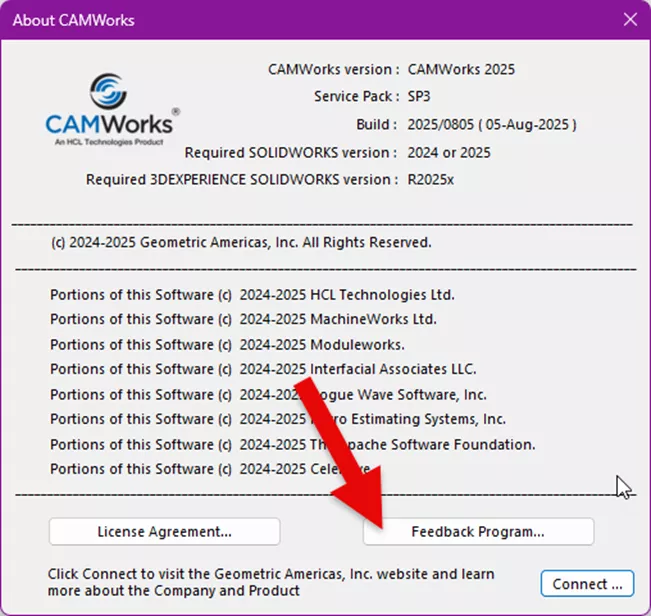
This opens the CAMWorks information. Click the Feedback Program button near the bottom.
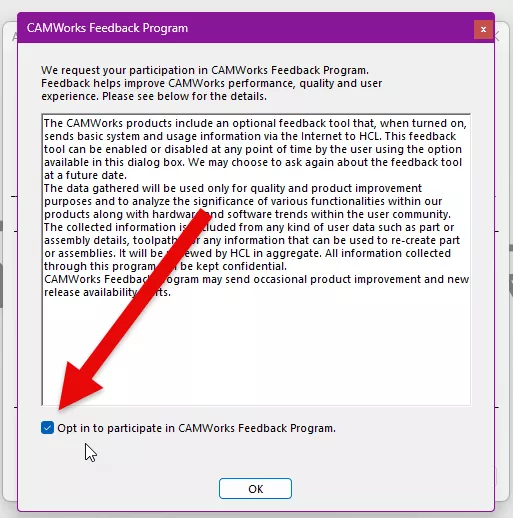
Once the Feedback Program window opens, uncheck the checkmark at the bottom for opting in to participate then restart the software. This will reduce the amount of time to pull the license.
Other factors may be causing your CAMWorks to load slowly, but this is one way to speed it up.
Want to learn more? Check out more tips and tricks listed below. Additionally, check out the GoEngineer Community, where you can create forum posts, enter design contests, and answer questions from other SOLIDWORKS and CAMWorks users.
Related Articles
Adding User Defined Turning Tools to CAMWorks
CAMWorks Broaching - Turn Setup & Mill Setup
When to Use an Open Pocket Without Sketches in CAMWorks

About Krystal Petersen
Krystal Petersen is a SOLIDWORKS Technical Support Engineer based out of Auburn Hills, Michigan. Krystal studied Product Engineering at Oakland Community College and has earned her CSWA and CSWP Certifications. She joined the VAR channel in 2015 with DASI (now GoEngineer). Krystal is a huge fan of Star Wars and likes to spend her off time fishing and camping.
Get our wide array of technical resources delivered right to your inbox.
Unsubscribe at any time.