Document Twisted Pairs Contained in a Cable in SOLIDWORKS Electrical Schematic

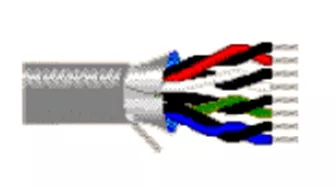
Twisted pairs of conductors within a cable are not uncommon. Twisted pair cabling, however, is a type of cable in which two conductors of a single circuit are twisted together to improve resistance to electromagnetic interference. Documenting this can be challenging. Let’s look at our options in SOLIDWORKS Electrical.
Grouping Pairs of Conductors
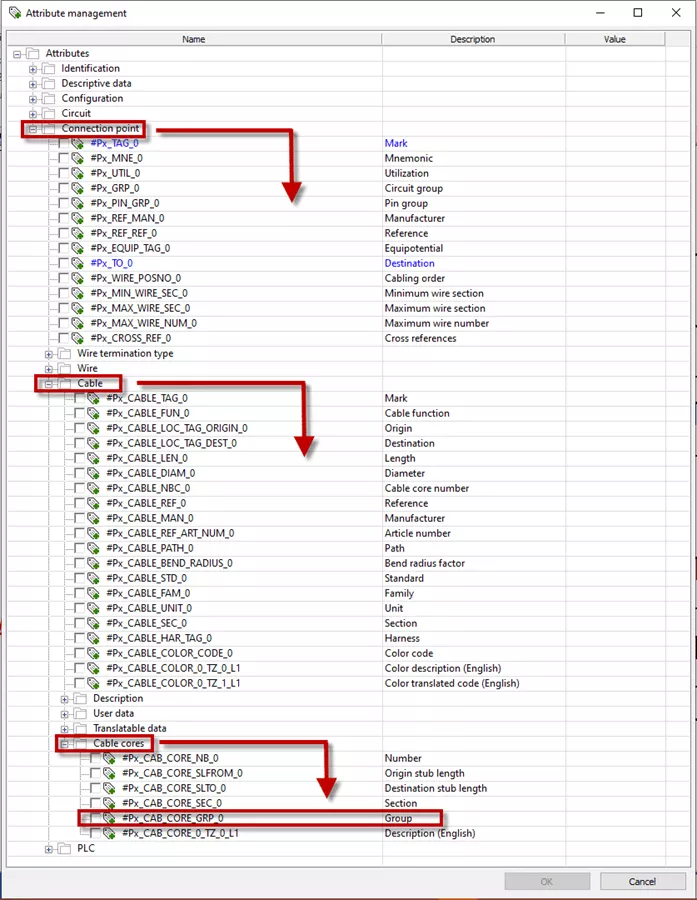
When you add a cable with twisted pairs to your cable library in SOLIDWORKS Electrical Schematic, you will notice a Group icon under the Cable cores section of the Cable reference properties.
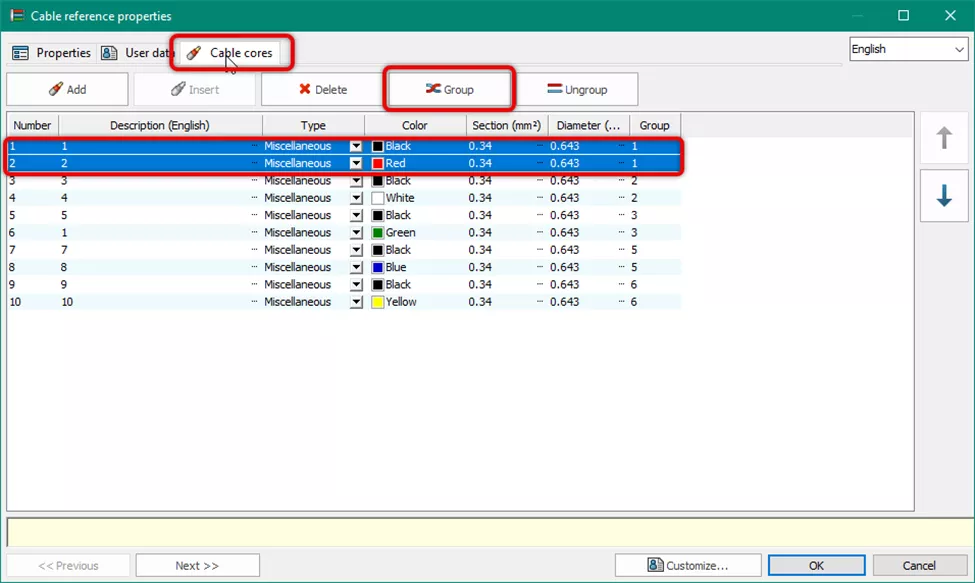
This icon will be greyed out until you hold CTRL and select a pair of wires to group. Select the wires that are part of a twisted pair, then select the Group button.

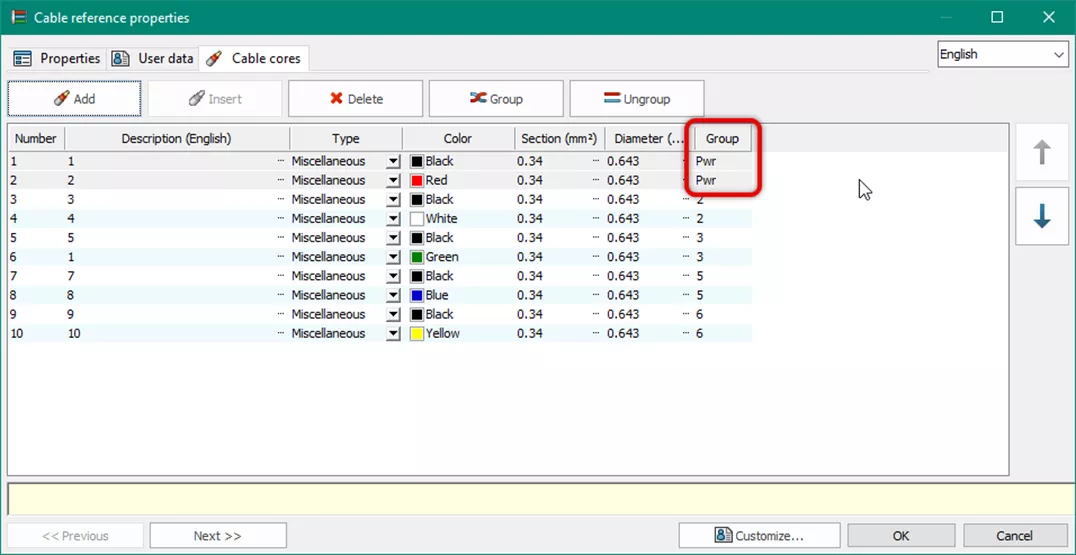
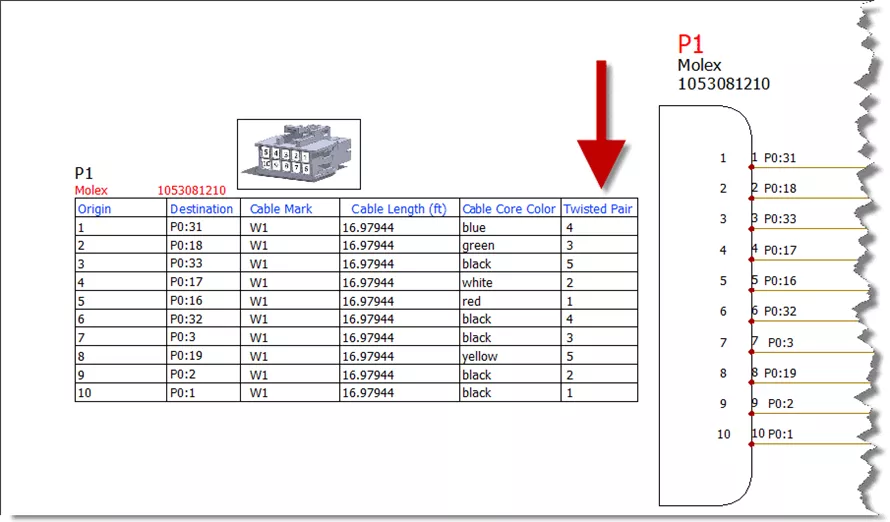
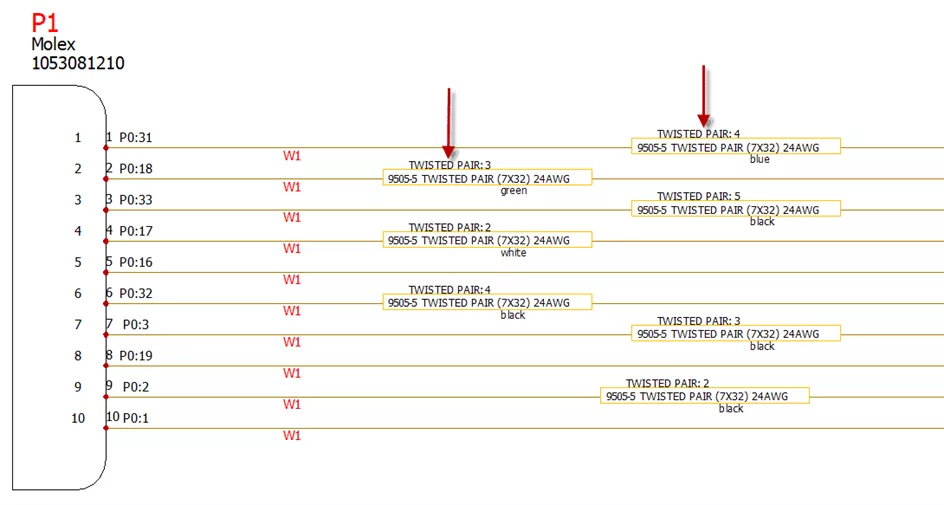
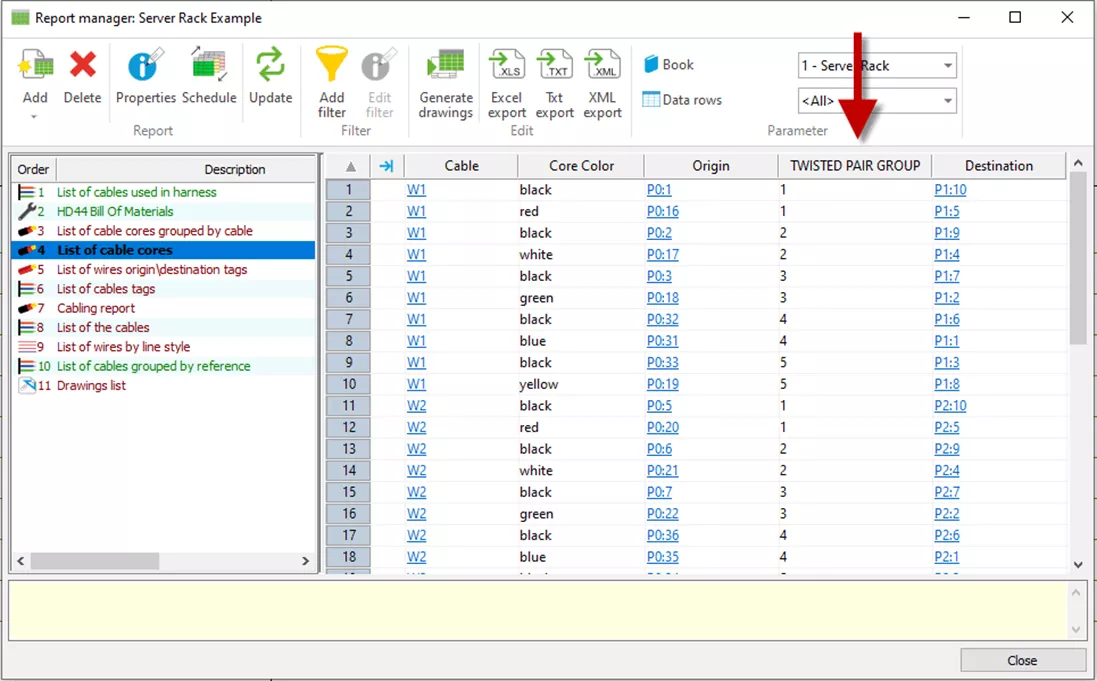
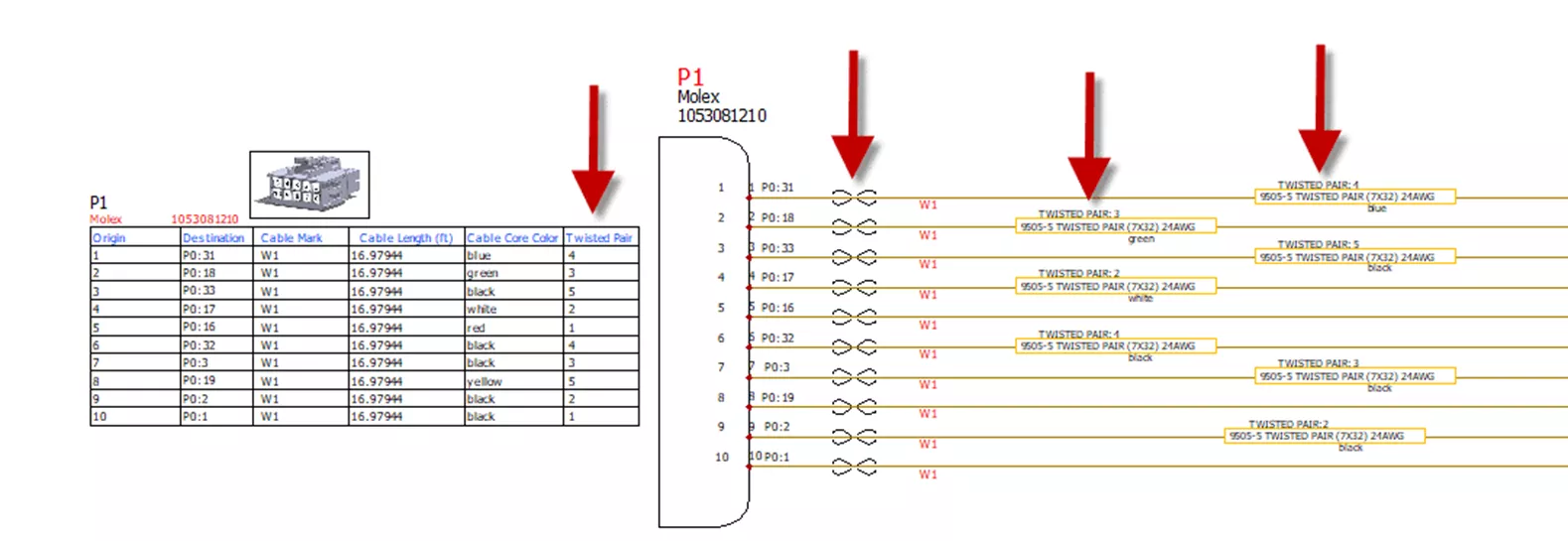
The grouped wires will now have the same group information, which will be used in tables, wire labels, symbols, and reports. The following examples are representative of those scenarios.
Note: The following examples use a group number. You can also choose to use a text identifier for better clarity. The text will be used in place of a group number.
Connector Tables
Wire Labels
Reports
Symbols
Summary
However you choose to document your twisted pairs within a cable, SOLIDWORKS Electrical Schematic has you covered.
Want to learn more about SOLIDWORKS Electrical? Check out the articles listed below. Additionally, join the GoEngineer Community to create forum posts, enter design contests, and answer questions from other SOLIDWORKS users.
Related Articles
SOLIDWORKS Electrical Schematic: Importing Data from the Electrical Content Portal
Create Custom Wire Numbers in SOLIDWORKS Electrical 2D
SOLIDWORKS Electrical 2026 - What's New
Gaining Insight Into the Little ”Tells” of SOLIDWORKS Electrical Schematic
SOLIDWORKS Electrical Schematic: Importing Manufacturer Parts from Local Source

About Martin Adams
Martin Adams is a Senior Technical Support Engineer at GoEngineer supporting SOLIDWORKS CAD and SOLIDWORKS Electrical products. In addition to a CSWE certification, he has a Bachelor's degree in Industrial Engineering and an Electrical Associate's degree. Prior to joining GoEngineer in 2019, he worked for almost twenty years on prototype automotive instrumentation. He also served as an Electrician's Mate in the US Navy. His favorite activities are fishing and spending time around a campfire with friends.
Get our wide array of technical resources delivered right to your inbox.
Unsubscribe at any time.