MySolidWorks Professional - Activation

Update: MySolidWorks Professional will retire soon. On March 1, 2027, you will no longer be able to access MySolidWorks Professional, and all entitlements will expire. If you have an existing MySolidWorks Professional account, you have until then to access the eCourses.
What is MySolidWorks? Do I have a Professional account?
MySolidWorks is the official SOLIDWORKS community website. This resource is extremely valuable to SOLIDWORKS users and is available in four levels:
| Feature | Guest | Standard | Student | Professional |
| Online Product Trial |
|
|
|
|
| MySolidWorks Search |
|
|
|
|
| CAD Models |
|
|
|
|
| Training | Hundreds of Tutorials | All Tutorial Videos | All Tutorial Videos | All Tutorial Videos AND eCourses |
| Certification Prep Courses |
|
|
|
|
MySolidWorks Guest
Free when you join or log into MySolidWorks
- SOLIDWORKS Online Product Trial − try SOLIDWORKS anytime, anywhere, on any device...no install required
- MySolidWorks Search − get the best answers to questions from across all SOLIDWORKS community resources in one location
- Connect with other designers and exchange high-quality, free 3D models
- Hundreds of free tutorials
MySolidWorks Standard
Included with SOLIDWORKS subscription and SOLIDWORKS Term license
- Everything included in MySolidWorks Guest, plus...
- 100+ hours of online training content
- Certification preperation courses help you obtain CSWA, CSWP, CSWE, and CSWPA SOLIDWORKS certifications
MySolidWorks Student
Included with an active Student Engineering Kit (SEK) and Student Edition (SWSE) licenses
- Everything included in MySolidWorks Standard
MySolidWorks Professional (no longer available to buy or renew)
This was an additional cost for SOLIDWORKS subscription customers, but MySolidWorks Professional is no longer available to buy or renew.
- Everything included in MySolidWorks Guest and Standard, plus…
- Access to comprehensive, self-paced, interactive learning eCourses
If you are a GoEngineer customer, your SOLIDWORKS serial number grants you access to MySolidWorks Standard.
Note: Your MySolidWorks Professional serial number is NOT the same as your SOLIDWORKS serial number.
I Already Upgraded to MySolidWorks Professional. Now What?
You can still access your MySolidWorks Professional account and eCourses until March 1st, 2027. At that time, the eCourses will retire, but you will still have access to other MySolidWorks benefits.
Activating your MySolidWorks Professional account
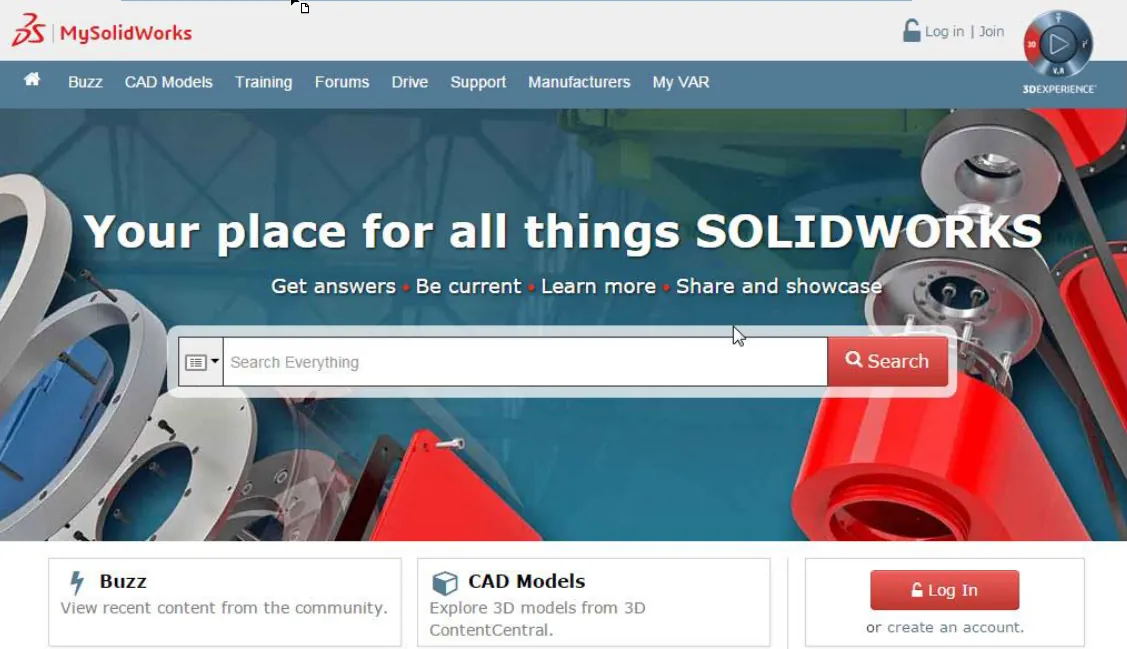
Start by logging in to my.solidworks.com.
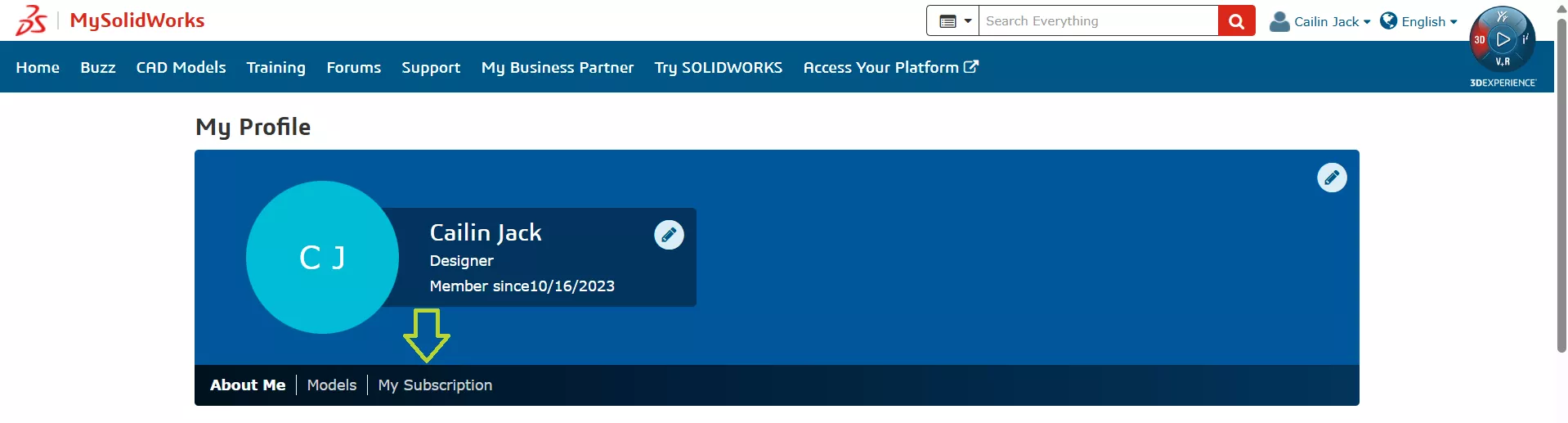
Once logged in, click your name in the upper-right corner and select My Profile.
Navigate to the My Subscription tab.
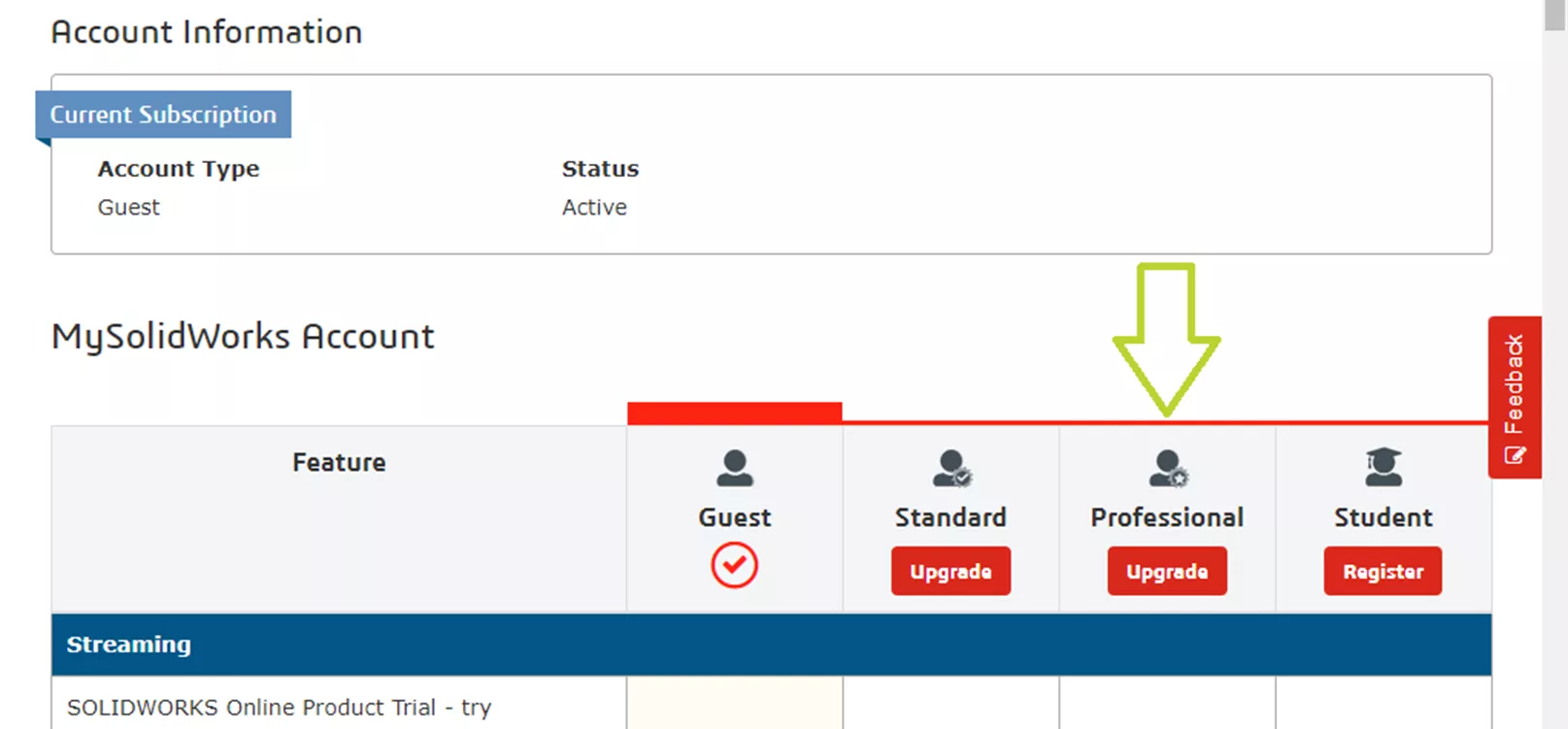
In the Professional column, click Upgrade.
Enter your MySolidWorks Professional license number (without spaces). Remember, this serial number is not the same as your SOLIDWORKS serial number or seat ID. Once entered, click Register.
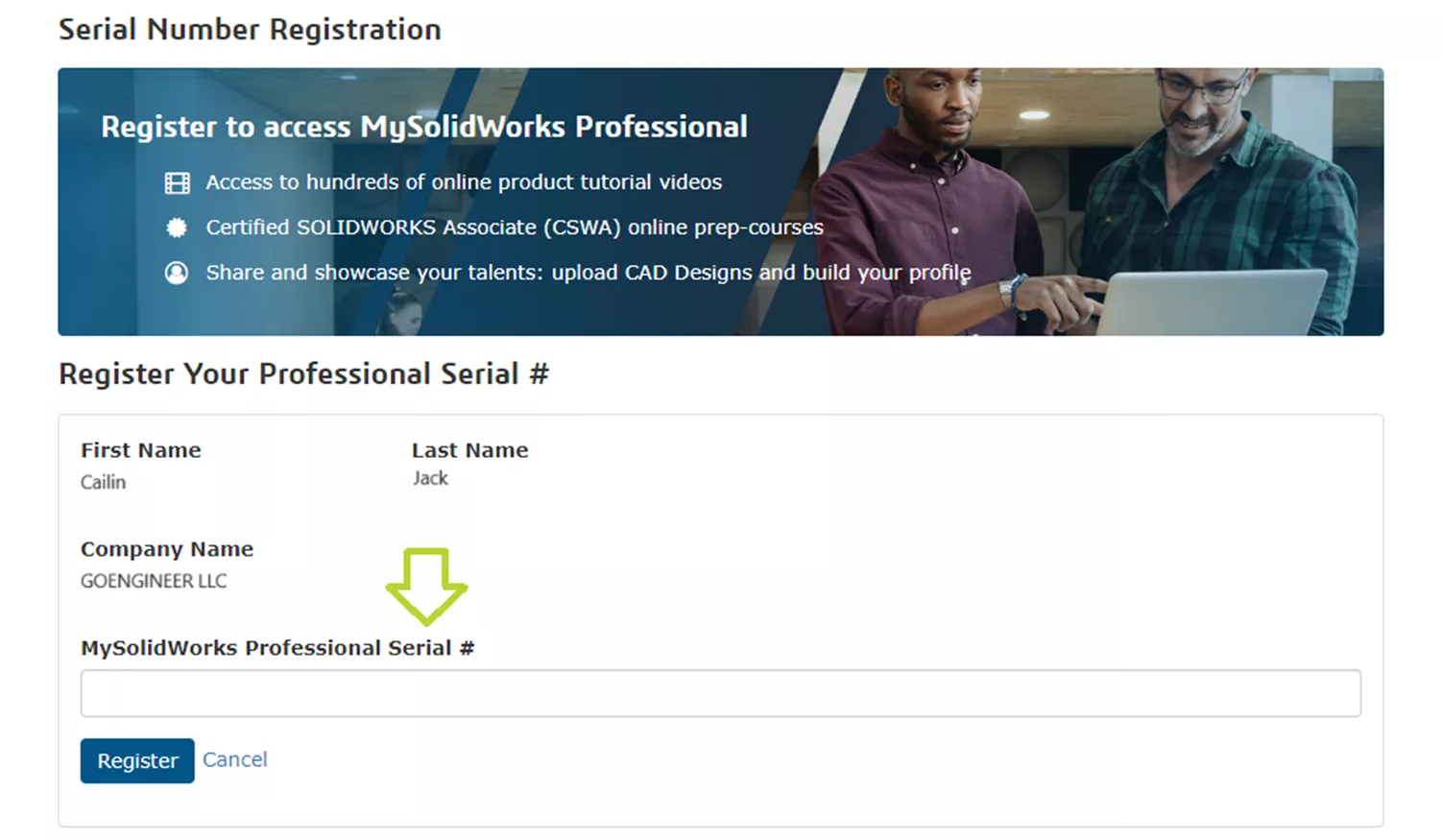
Follow the on-screen prompts to complete the registration process.
You can now log into MySolidWorks using your MySolidWorks account credentials and begin taking advanage of your MySolidWorks Professional account.
Note: It may take 15-30 minutes for your MySolidWorks credentials to update after registering your MySolidWorks Professional serial number.
If I can no longer upgrade to MySolidWorks Professional, how can I access SOLIDWORKS training?
GoEngineer offers Professional SOLIDWORKS online courses or in-person courses for every schedule and experience level. Whether you’re just getting started with SOLIDWORKS or need specific training on simulation, data management, electrical design, or anything in between, GoEngineer has a SOLIDWORKS training course that fits your needs.
Please feel free to contact us with any questions regarding SOLIDWORKS or your MySolidWorks account.
Editor's Note: This article was originally published in July 2014 and has been updated for accuracy and comprehensiveness.
Related Articles
Obtaining and Using SOLIDWORKS Certification Exam Vouchers
Welcome to Your GoEngineer Success Plan
14 States That Will Fund Your SOLIDWORKS Training
Free SOLIDWORKS Training for Veterans

About Cailin Jack
Cailin Jack is an Application Engineer at GoEngineer based out of Dallas, Texas. She is a Certified SOLIDWORKS Expert (CSWE) and Elite AE. Cailin earned her Bachelor of Science degree in Mechanical Engineering from California State Polytechnic University-Pomona. She is a 3D Printing enthusiast and has been a long-time mentor of FIRST Robotics teams helping students ranging from K-12 build robots that compete in FIRST Robotics competitions.
Get our wide array of technical resources delivered right to your inbox.
Unsubscribe at any time.