Announcing the Next Generation of Dell Workstations Powered by NVIDIA for SOLIDWORKS Users

Dell and NVIDIA recently announced the latest workstation updates for SOLIDWORKS users, including Dell’s new lineup of Pro Max Desktops & Laptops and NVIDIA’s RTX PRO™ Blackwell generation GPUs.
Dell’s Pro Max Desktops & Laptops – Built for Engineering Work
Dell is redefining professional-grade computing with its new lineup of Pro Max desktop and laptop workstations. The updated mobile systems include powerful 14-, 16-, and 18-inch models with NVIDIA RTX PRO GPUs, available across the portfolio, bringing advanced visual computing capabilities to even entry-level devices.
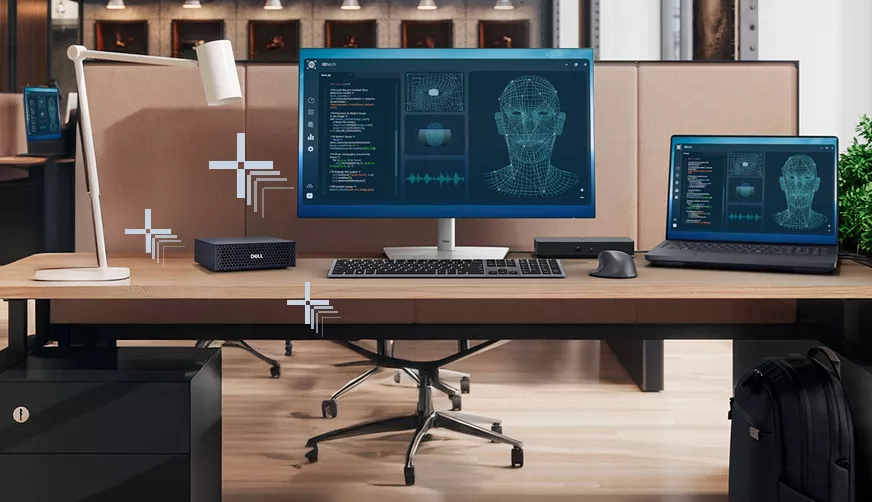
The new Pro Max line features small and mid-tower form factors, including the remarkably compact Dell Pro Max Micro. Despite its small footprint, it offers significant capabilities. All models support the latest Intel Ultra processors and NVIDIA RTX PRO GPUs. The latest workstation generation is performance-optimized for demanding SOLIDWORKS workloads—spanning CAD assemblies to high-end visualization and simulation.
 Dell Pro MAx 14/16
Designed for cost-effective performance, these are available with Intel or AMD processors and entry graphics options. Essential for power users and basic design applications.
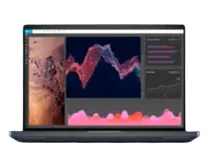
Dell Pro MAx 16/18 Plus
Designed for scaling to provide maximum laptop performance and screen real estate for high compute and graphical workloads, including VR and AI workloads.
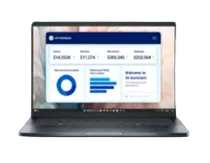
Dell Pro MAx 16/18 Premium
Designed to deliver an elevated user experience for specialty users, like creators and designers, as well as other traditional workstation workloads.
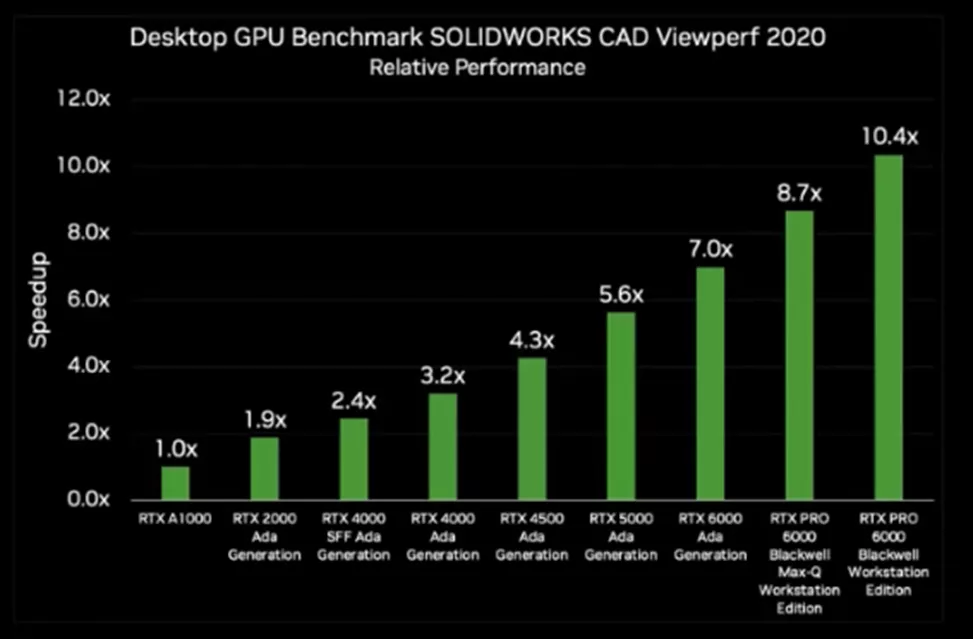
Up to 10X Faster with NVIDIA RTX PRO Blackwell Desktop GPUs
NVIDIA's latest RTX PRO GPUs, powered by the new Blackwell architecture, deliver higher throughput for rendering, simulation, and AI workloads—up to 10X faster than previous generations. With the latest generation CUDA®, Tensor, and RT Cores, these professional GPUs deliver significant performance gains in design, simulation, real-time visualization, and immersive design reviews. Furthermore, the newly introduced Personal AI Supercomputers provide dedicated power specifically for local AI development work.
The RTX PRO’s expanded RT and Tensor cores accelerate ray tracing and denoising in SOLIDWORKS Visualize, improving both speed and efficiency, and enabling smoother handling of large assemblies and complex models.
Extensive benchmark testing confirmed that pairing the new Dell platforms with NVIDIA RTX PRO GPUs yields measurable, real-world gains.
- Performance: Engineers will notice significant performance improvements, particularly when upgrading from 11th Gen to 12th Gen Intel processors.
- Productivity Boost: This power translates into faster rebuild times, smoother navigation of even the largest assemblies, and more responsive visualization. Both mobile and tower systems demonstrate consistent advantages across demanding SOLIDWORKS workflows.
Optimization and Best Practices for SOLIDWORKS
To maximize productivity with this new hardware, follow these expert recommendations:
- Balanced Selection: Carefully select your CPU and GPU to match the complexity and type of your primary assemblies (e.g., prioritize single-threaded CPU speed for simple modeling, and GPU power for visualization/simulation).
- Driver Fidelity: Always use certified NVIDIA drivers for optimal stability and performance within SOLIDWORKS.
- Memory Configuration: Align your memory configuration (size and speed) with your specific workload demands.
- Leverage Key Features: Explore Dell’s Infinite Turbo technology (described as offering the "world’s fastest single-threaded performance") and utilize NVIDIA virtualization features for greater efficiency in complex, shared, or virtualized workflows.
These new products from Dell and NVIDIA provide SOLIDWORKS professionals with the necessary performance to tackle the next frontier of engineering design, offering practical guidance on selecting the right hardware and optimizing system setup for maximum output.
Related Articles
SOLIDWORKS Convert to Sheet Metal vs Insert Bends
Reusing Tab and Slot Parts in SOLIDWORKS Assemblies
Finding the Centerline Between Two Complex Curves in SOLIDWORKS
SOLIDWORKS Custom Property for Monitoring Surface Area
About GoEngineer
GoEngineer delivers software, technology, and expertise that enable companies to unlock design innovation and deliver better products faster. With more than 40 years of experience and tens of thousands of customers in high tech, medical, machine design, energy and other industries, GoEngineer provides best-in-class design solutions from SOLIDWORKS CAD, Stratasys 3D printing, Creaform & Artec 3D scanning, CAMWorks, PLM, and more
Get our wide array of technical resources delivered right to your inbox.
Unsubscribe at any time.