How to Enable XYZ Distance Measurements in 3DPlay

By default, the measurement tool in 3DPlay on the 3DEXPERIENCE platform will display distance measurements with only the direct distance.
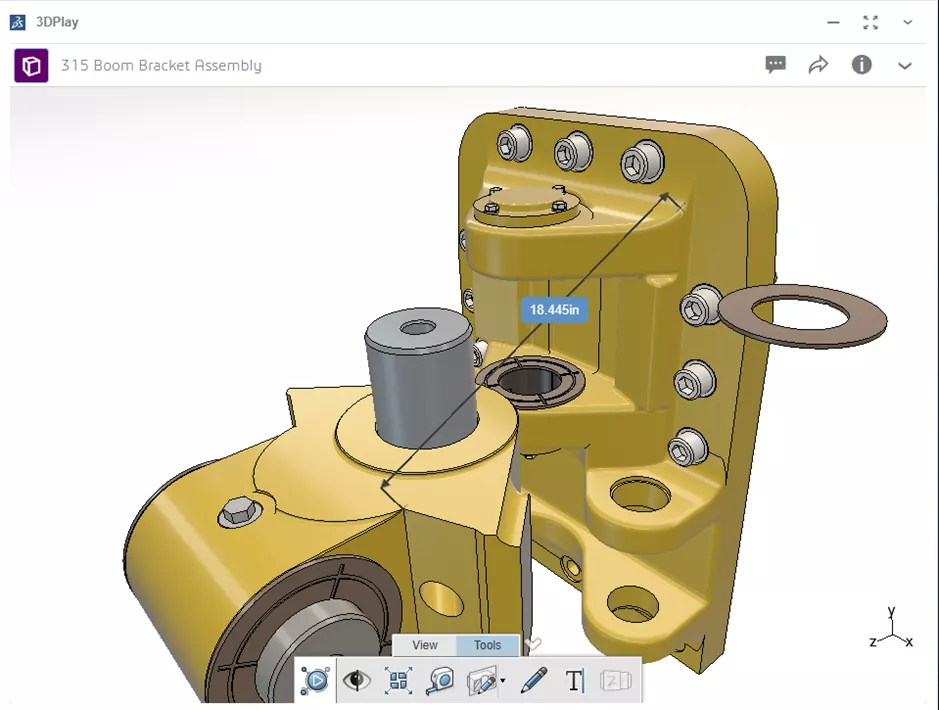
But it can be helpful to see more information, such as the dX, dY, and dZ components of the distance (i.e., the distance along the X, Y, Z directions) in addition to the direct distance.
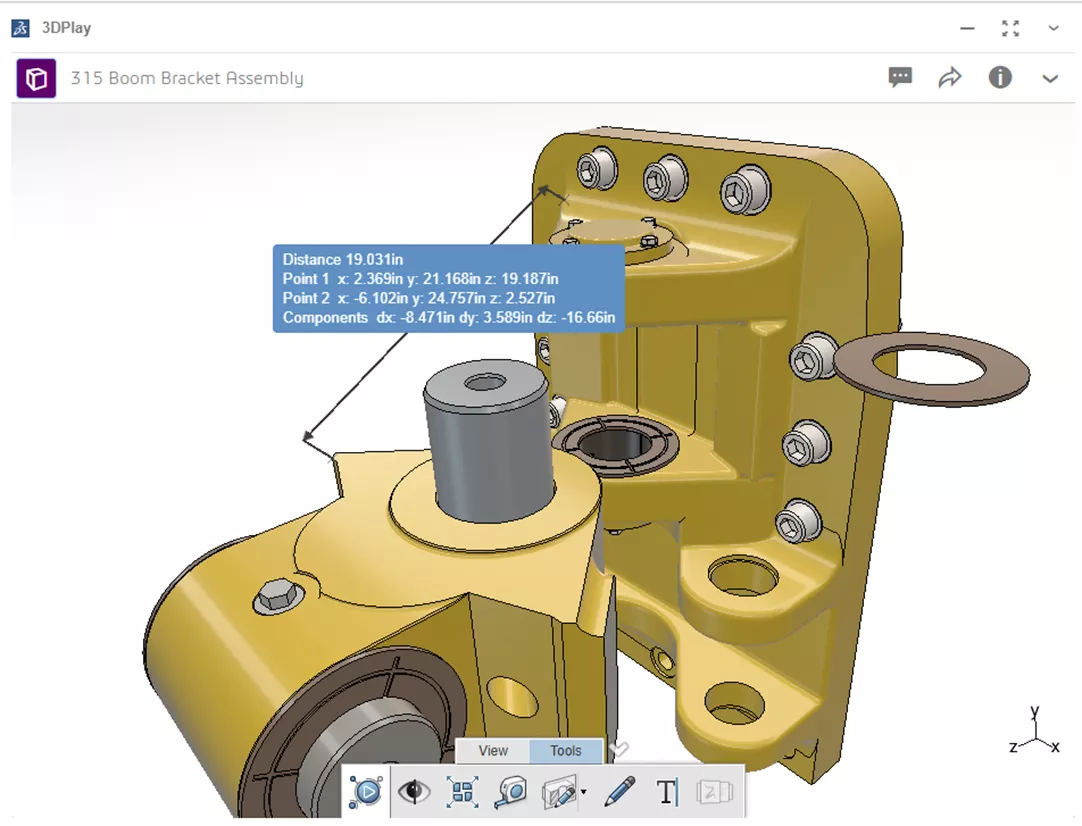
To change this setting, as well as options for all the other measurement types other than “distance”, you need to go to your personal preferences.
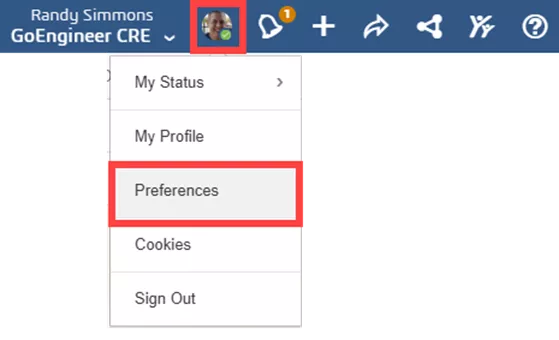
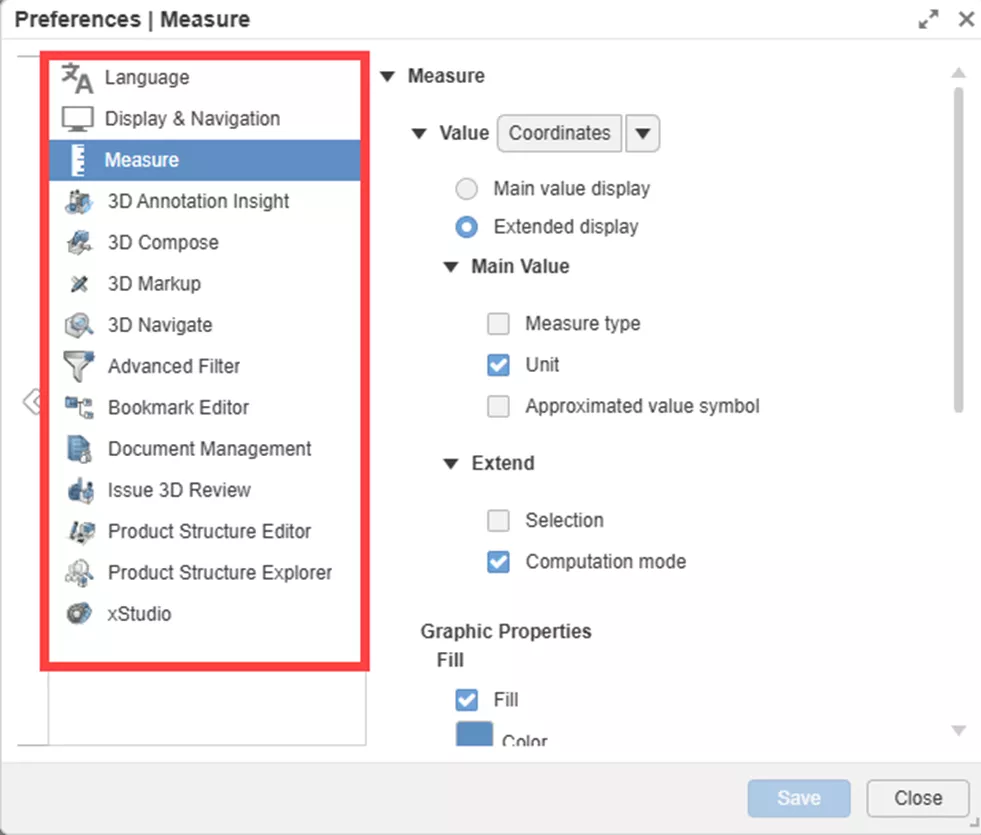
This is not an option in the 3DPlay application/widget. It is located in the global platform preferences. To access it, click on your image/avatar in the upper-right corner of your dashboard, and choose Preferences from the dropdown menu.
From the column on the left, choose Measure. Set the Value dropdown to Distance. Select the Extended Display radio button, and make sure Components is turned on in the Extend section.
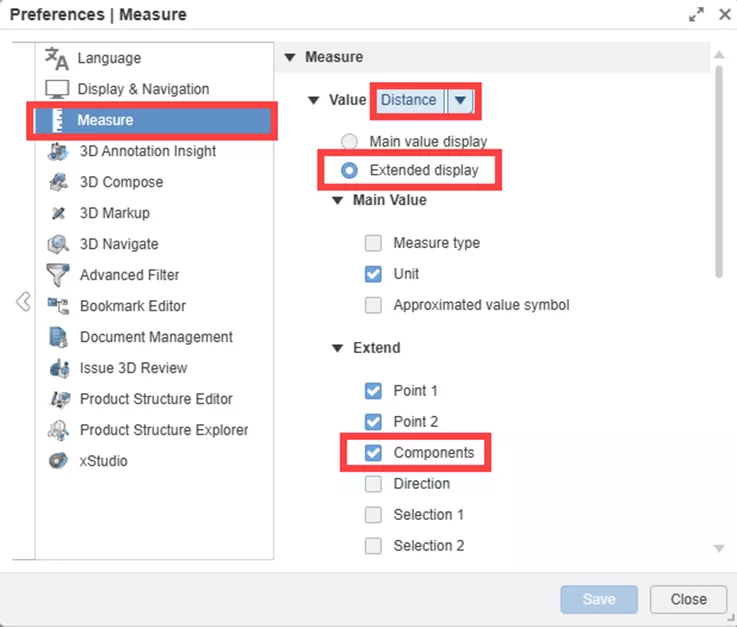
I also like to make sure the Unit option is on under the Main Value section so that it will display mm, in, etc., on the screen with the measurement.
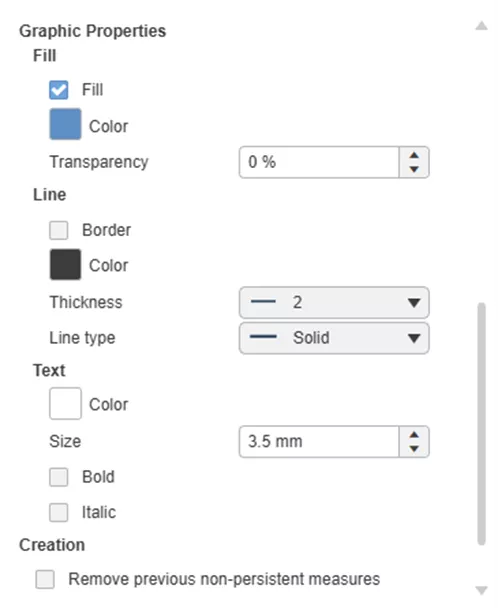
If you scroll down, there are many other Graphic Properties settings, such as colors for the box and text, line thickness for the leaders, and more.
Be sure to hit save at the bottom of the Preferences window when you are finished.
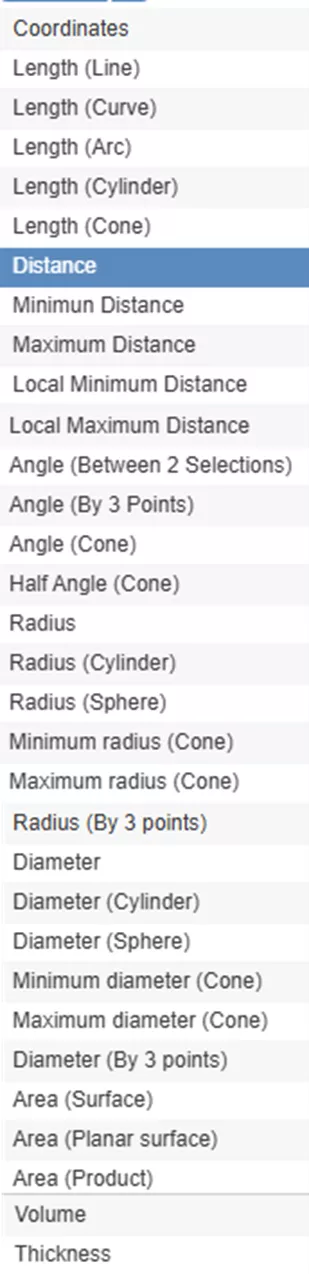
While you are in the Measurement settings, be sure to check out all of the other measurement types you can make similar changes to from the Value dropdown menu.
Many of the recent FD updates to the platform have been consolidating preferences from different individual apps/widgets to this one central Preferences menu, and surely more will be moved here in the future.
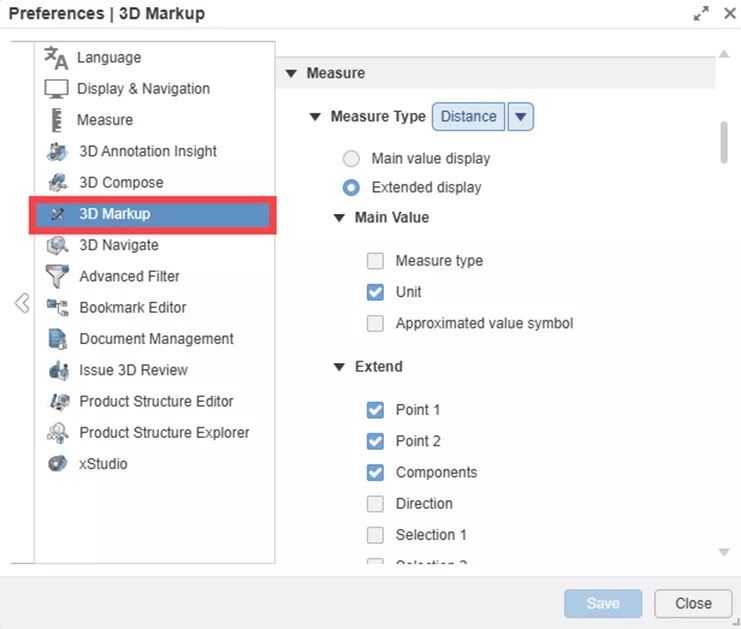
Note that 3D Markup, Issue 3D Review, and several other apps that allow measuring have their own separate settings for these options!
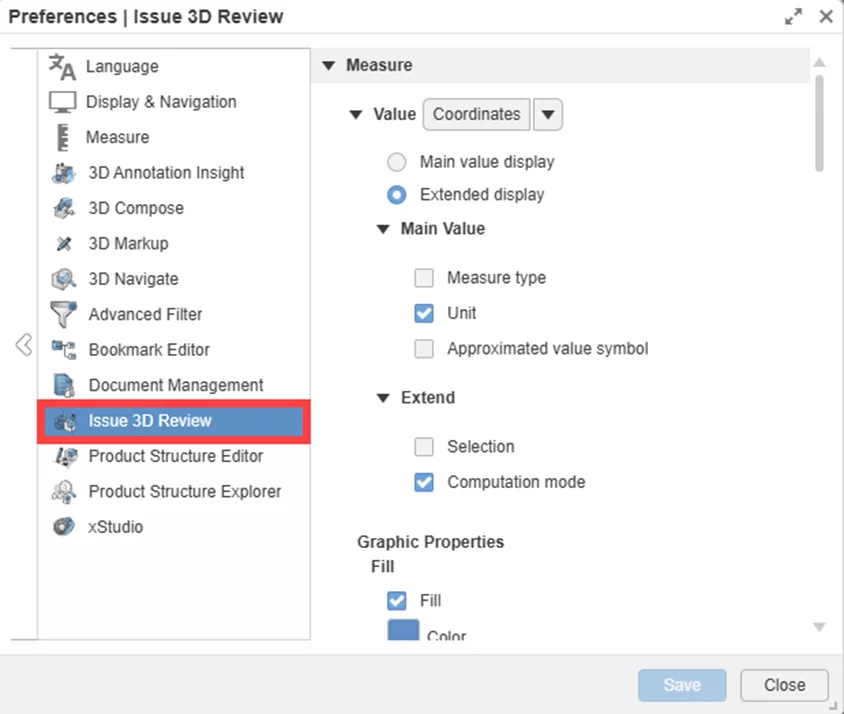
If you want to change the units that 3DPlay is using to take measurements (in, mm, etc.), see our blog on how to change units of measure in 3DPlay.
That concludes how to enable XYZ distance measurements in 3DPlay. Check out more tips and tutorials listed below or on our 3DEXPERIENCE YouTube Channel. Additionally, join the GoEngineer Community, where you can create forum posts, design contests, and answer questions from other SOLIDWORKS and 3DEXPERIENCE platform users.
Related Articles
3DEXPERIENCE SOLIDWORKS Local Cache Management
Sharing Designs Using the 3DEXPERIENCE SOLIDWORKS Export as Package
Preventing 3DEXPERIENCE Lockouts
Show Only the Latest Revision in 3DEXPERIENCE Searches

About Randy Simmons
Randy Simmons in a Sr. 3DEXPERIENCE Specialist at GoEngineer.
Get our wide array of technical resources delivered right to your inbox.
Unsubscribe at any time.