How to Obtain Your Abaqus Usage Log and Use It for Better Decision‑Making

Your Abaqus license manager continuously tracks license usage over time, but the raw data it produces is not designed for easy interpretation. While the information is there, turning it into something you can actually act on is often time‑consuming and frustrating.
That’s where we can help.
GoEngineer has created a simple, effective process to transform your Abaqus usage data into clear, decision‑ready insights. All you need to do is send your Abaqus usage log to your GoEngineer Account Manager.
Important: The Abaqus usage log contains license usage data only. It does not include any model geometry, project data, solver inputs, or proprietary information.
What Happens After You Send the Usage Log
Once your usage log is received, it's imported into a Usage Log Analyzer developed by Carl Osterwisch of GoEngineer's Simulation Team. This tool converts raw licensing data into a concise, easy‑to‑understand summary.
Some insights we can provide include:
- Active users and user trends
- Machines used
- Total interface usage counts
- Peak license usage over time
- Job duration statistics
- Average job size
- License utilization efficiency
Why This Data Matters
These insights can be used to demonstrate the ROI of Abaqus within your organization, make informed renewal and licensing decisions, identify underutilized licenses, and right‑size your license portfolio without compromising productivity.
For example, you may discover you have licenses are consistently underutilized. In this scenario, there is potential to reduce your install base.
If you have solver tokens that sit idle most of the time, with brief spikes in demand, this could be an opportunity to reduce perpetual tokens or supplement peak workloads with consumable credits, lowering overall cost while maintaining capability.
How to Obtain Your Abaqus Usage Log
The process varies depending on your license manager. Instructions for the most common configurations are outlined below.
Managed DSLS (Cloud‑Hosted by Dassault Systèmes)
Recommended and preferred by GoEngineer.
The first time you do this, it may require some additional steps to create login credentials to access the license manager administrative options. Once you complete the initial setup and credentials, the process is completed much more quickly.
First‑Time Setup
- Locate your original licensing email from:
DoNotReply.ag.license-keys@3ds.com
Subject line similar to:
Managed Licensing Service from Dassault Systèmes – Service available for YOUR COMPANY – LKOXXXXXXX
- If you have any difficulty locating this email, please reach out to your GoEngineer Abaqus Account Manager; they should be able to obtain a copy for you.
- This email includes a .LIC file—keep it for later use.
- Scroll to #3 Advanced Administration Tasks and copy the provided URL into your preferred browser.
- Open the URL and log in using your Dassault Systèmes credentials (same credentials used for order acceptance or 3DEXPERIENCE access).
- If credentials do not exist, you will be prompted to create them.
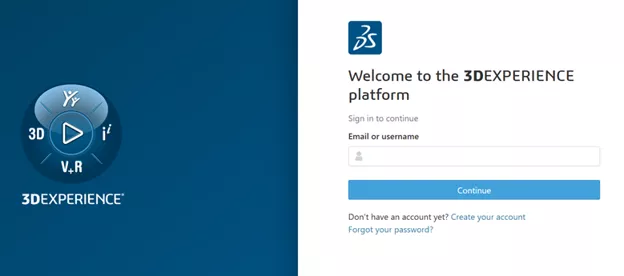
- If credentials do not exist, you will be prompted to create them.
Password Setup
- Create passwords:
- Upload the .LIC file when prompted
- If needed, you can also find it locally at: C:\SIMULIA\ProgramData\DassaultSystemes\Licenses\*.lic
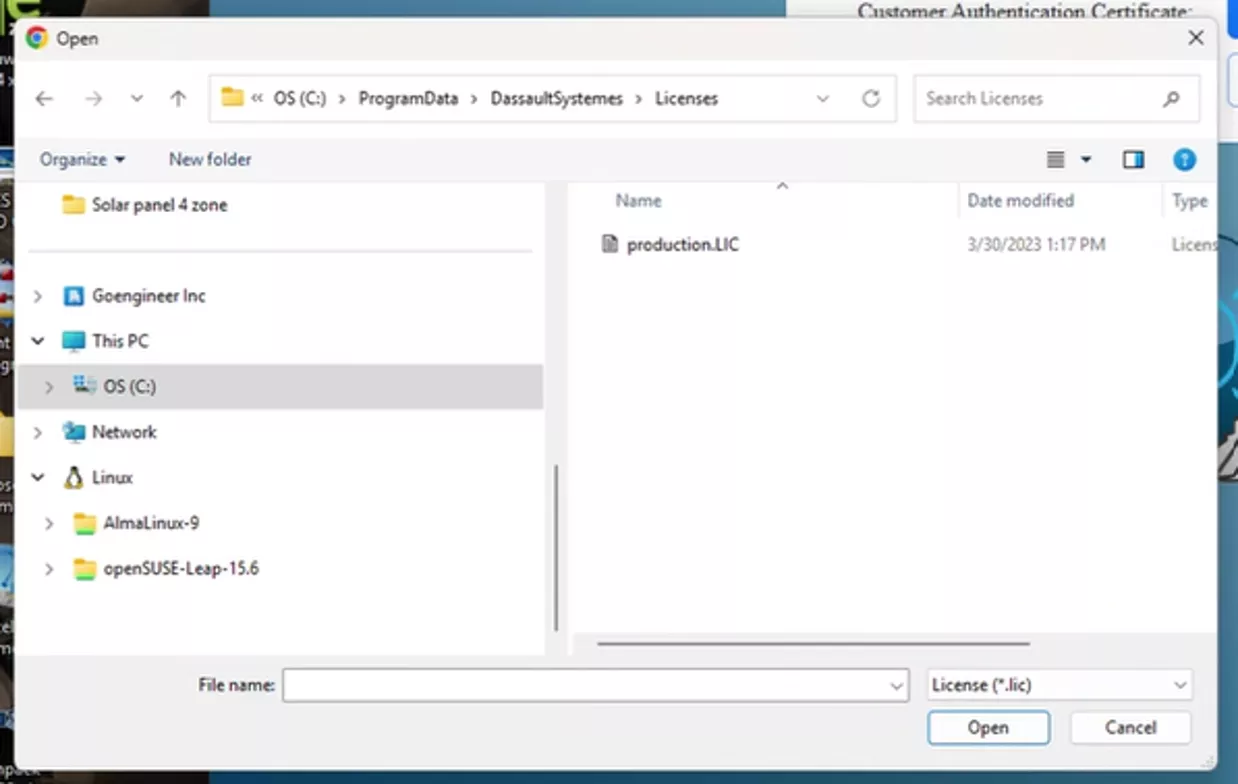
- If needed, you can also find it locally at: C:\SIMULIA\ProgramData\DassaultSystemes\Licenses\*.lic
- Upload the .LIC file when prompted
Note: Use DassaultSystemes (one word), not Dassault Systemes.
-
- Create a primary login password.
- Create a secondary admin password.
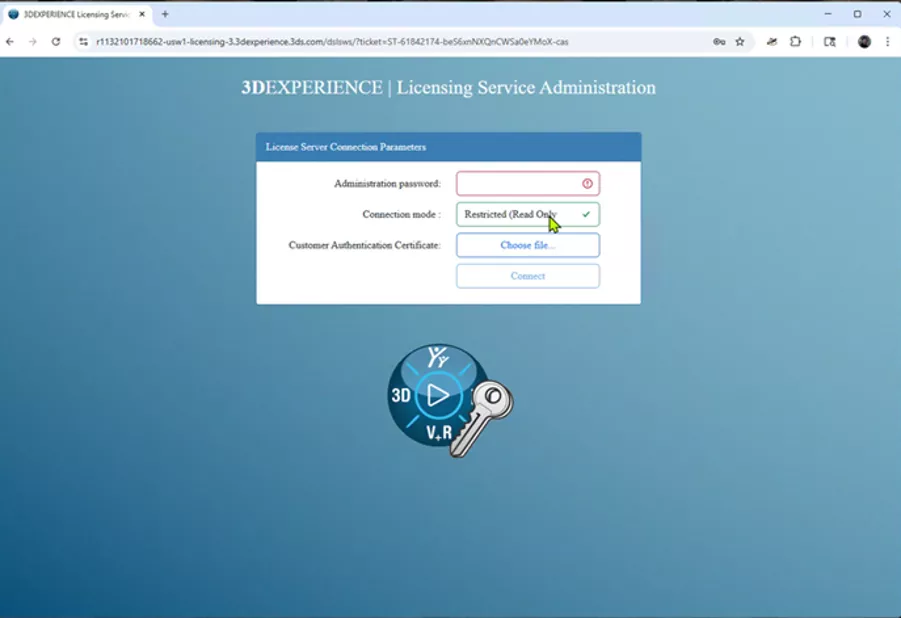
Exporting the Usage Log
- Log in to the Managed DSLS portal:
- Navigate to Server Logs.
- Select the desired date range.
- Click CSV Export.
- Email the exported file to your GoEngineer Abaqus Account Manager.
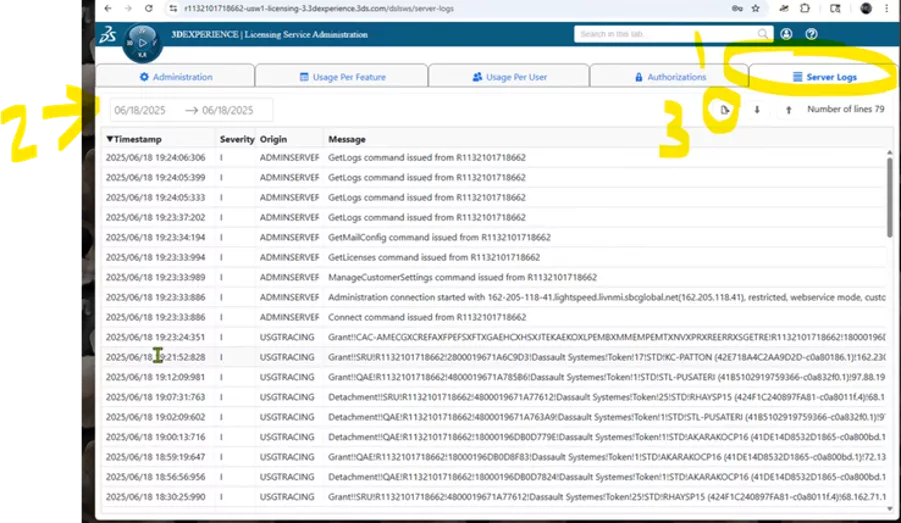
DSLS On‑Premise License Manager
Tracking must be enabled manually. Please ensure you complete these steps first.
- Open DS License Administration Tool.
- Double‑click the computer name to connect.
- Navigate to License Usage Tracking.

- Select the license(s) to track and enable tracking.
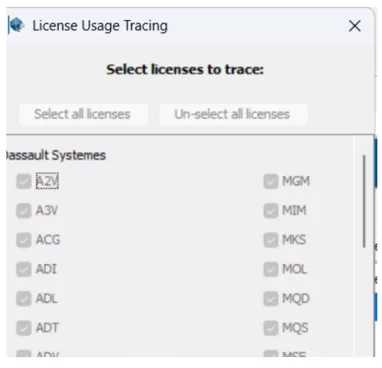
Once enabled, DSLS will begin recording usage data, which is saved in the log files.
Log files are typically located at:
Windows:
- C:\ProgramData\DassaultSystemes\LicenseServer\LogFiles
Linux:
- /var/DassaultSystemes/LicenseServer/LogFiles

Note: The built‑in visual interface is limited. Results are best analyzed after export. Email these files to your GoEngineer Abaqus Account Manager for use of the analyzer tool.
FLEXnet License Managers
If the FLEXnet debug log file (or log files) is/are located on a remote server, you must copy it to a directory that is accessible to the local computer before running the usage utility.
Obtain the log file from a Flexnet license server by navigating to the default location for this file on Windows:
C:\SIMULIA\License\2026\win_b64\code\bin\simulialm.log
Again, please email these files to your GoEngineer Abaqus Account Manager for analysis.
Turn Raw Data Into Actionable Insight
Abaqus usage logs are powerful, but only when properly interpreted. By letting GoEngineer analyze your usage data, you'll gain clarity, confidence, and cost control.
Send your usage log to your GoEngineer Account Manager, and let us help you make smarter, data‑driven licensing decisions.
Need Help?
If you need assistance contacting your account manager or have questions, please contact us.
Related Articles
Stabilization Strategies for Nonlinear Static Abaqus Models
SOLIDWORKS to Abaqus Material Plug-In
6 Tips for Accurate Elastomer Modeling in Abaqus
Abaqus Meshing Tips for Accurate Stress Results

About Carl Osterwisch
Carl works as a technical manager in the advanced simulation group headquartered in Ann Arbor, Michigan, where his responsibilities include support and mentorship of customers using the SIMULIA portfolio tools: Abaqus, Isight, fe-safe, and Tosca. He takes particular satisfaction in developing more efficient simulation workflows and also provides technical guidance for CAE consulting projects at GoEngineer.
Get our wide array of technical resources delivered right to your inbox.
Unsubscribe at any time.