Preventing 3DEXPERIENCE Lockouts

3DEXPERIENCE licenses expire yearly and will need to be renewed. However, when you do renew, the current roles become obsolete. When this happens, you’re unable to log into the “old” role and thus don’t have access to your tenant. Another scenario could be you’re locked out because you have more users than licenses. Furthermore, you could not sign an agreement to be on the tenant. This blog will discuss these scenarios and explain how to fix them.
3DEXPERIENCE Lockout Prevention
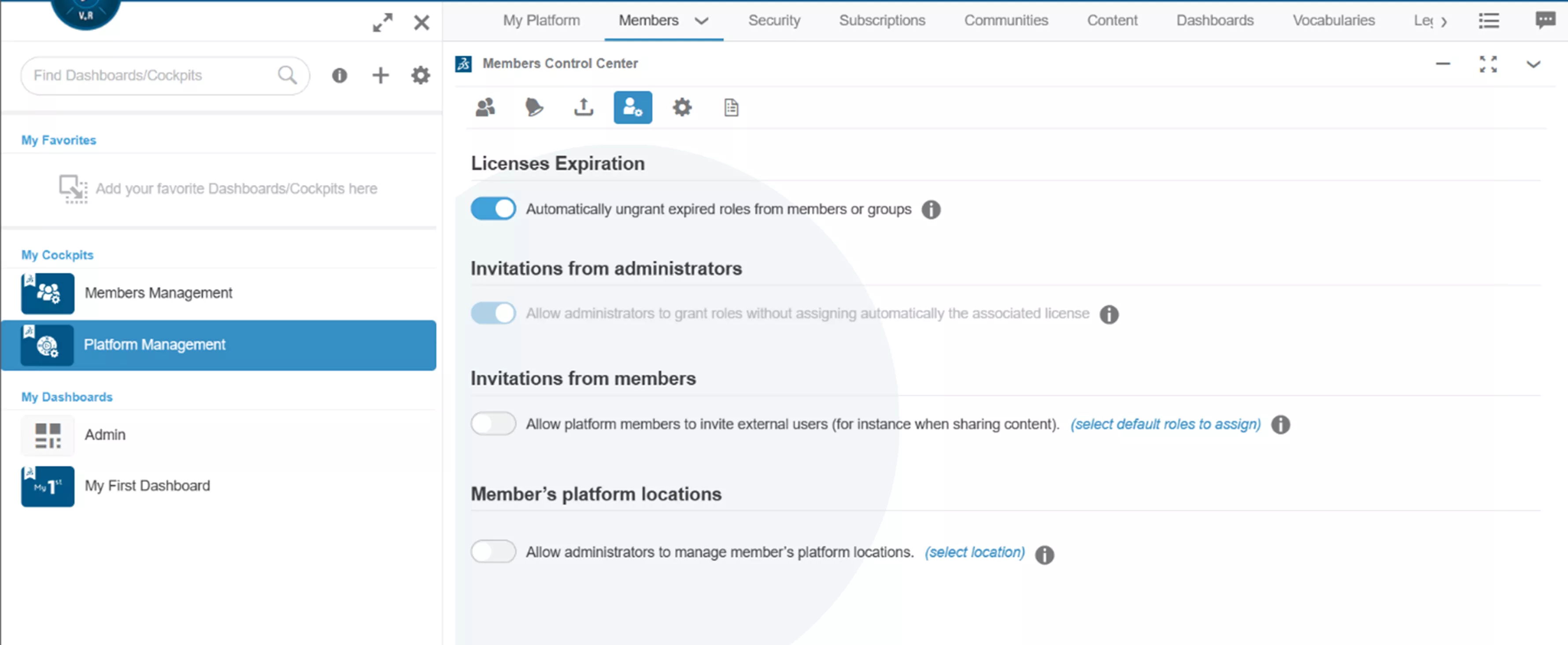
While logged in as admin, go to Platform Management > Members Control Center, and under the Members tab, you will see Automatically ungrant expired roles from members or groups. Once this toggle is turned on, the issue of not having access after a renewal will no longer occur.
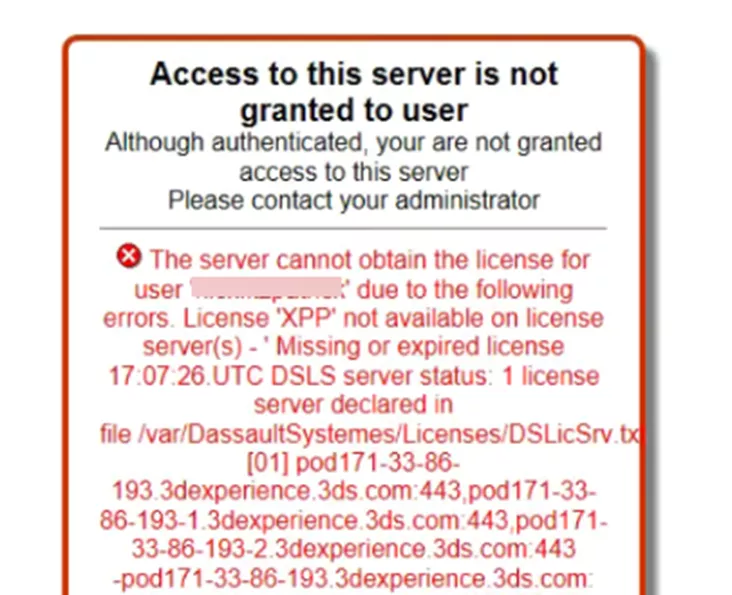
Roles are important when it comes to 3DEXPERIENCE. Your role determines what you have available within the tenant. Having too many users and not enough roles will prevent users from gaining access to the platform, resulting in the error below.
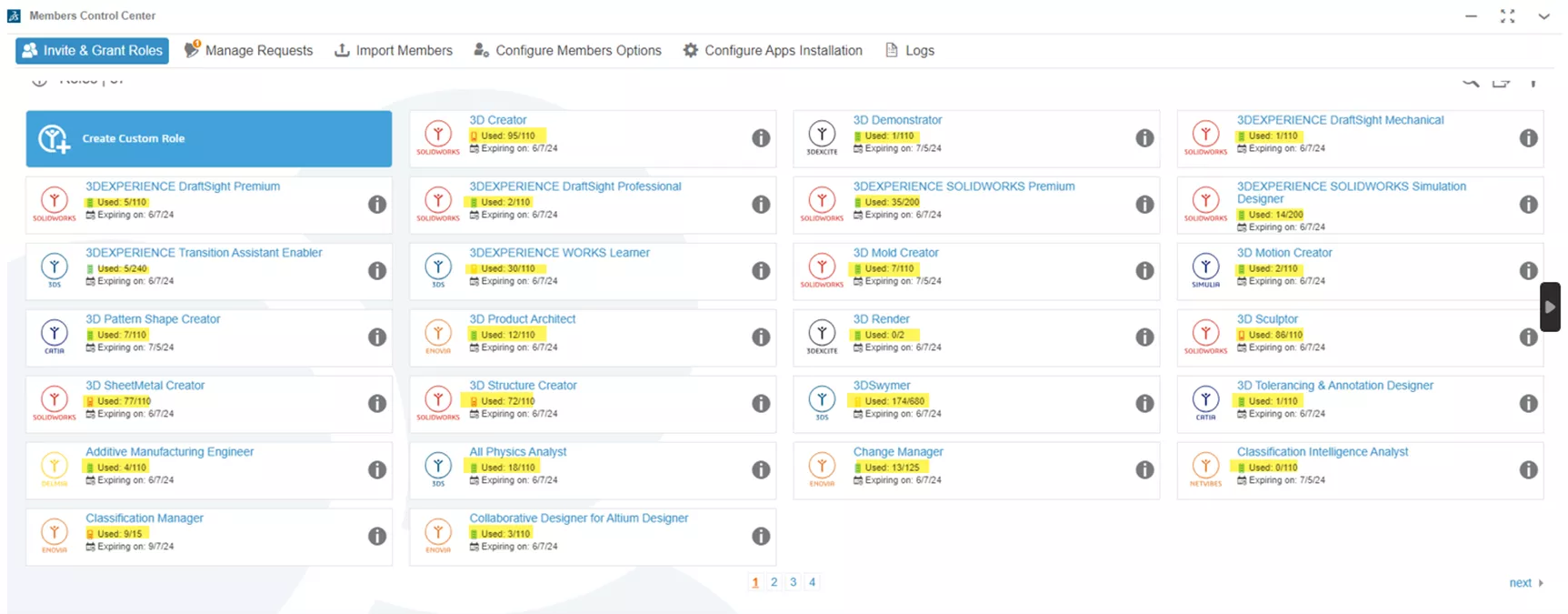
It is recommended to go through and remove any users from the list who are no longer with the company or should no longer have access to the tenant. You want to make sure your license count matches the number of users who will be using the tenant. As seen below, the Invite and Grant Roles page shows all available roles and how many of those roles can be given out.
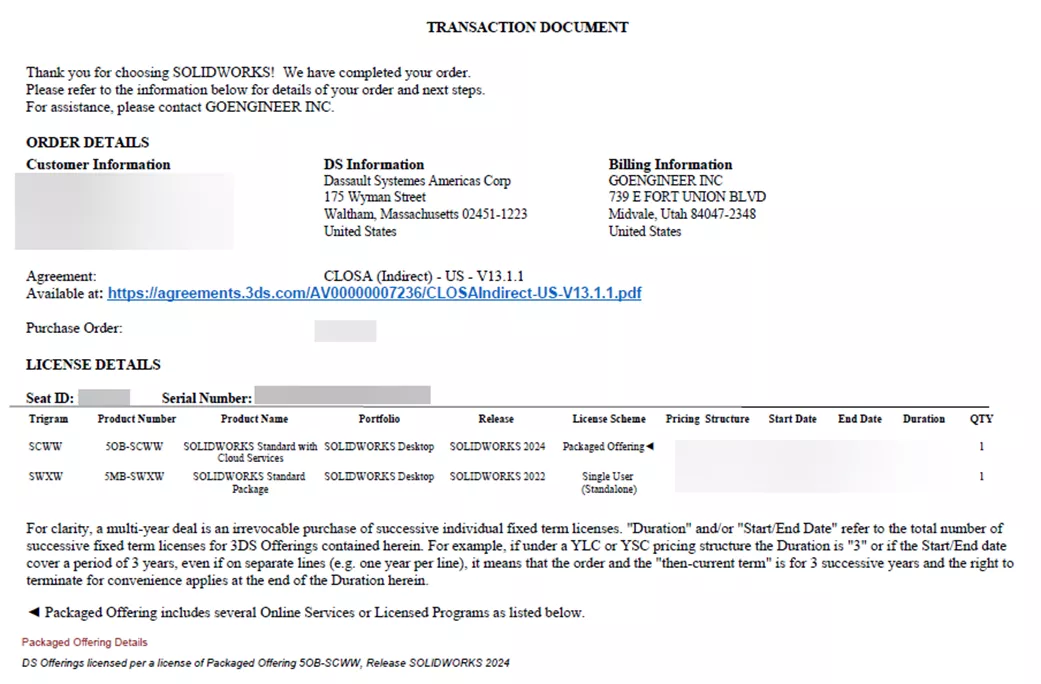
Another scenario that can prevent you from gaining access to the 3DEXPERIENCE platform is if you haven’t signed the most recent CLOSA agreement. So, where does one find this agreement? When the transaction is complete from the purchase, you’ll receive a PDF document (sometimes called the Transaction Document) from DS SolidWorks Corporate. Within it, you’ll see a link that says Agreement Available at with a link.
Once this agreement is signed, you should then have access to the tenant and can begin to hand out roles. Once you gain access to your tenant, we recommend joining the Success Hub for further information and understanding of the 3DEXPERIENCE platform.
Related Articles
Show Only the Latest Revision in 3DEXPERIENCE Searches
How to Easily Work with Large Assemblies in 3DEXPERIENCE
SOLIDWORKS 2026 & 3DEXPERIENCE Collaboration - What's New
Customize Drawings to Use 3DEXPERIENCE Platform Attributes

About Krystal Petersen
Krystal Petersen is a SOLIDWORKS Technical Support Engineer based out of Auburn Hills, Michigan. Krystal studied Product Engineering at Oakland Community College and has earned her CSWA and CSWP Certifications. She joined the VAR channel in 2015 with DASI (now GoEngineer). Krystal is a huge fan of Star Wars and likes to spend her off time fishing and camping.
Get our wide array of technical resources delivered right to your inbox.
Unsubscribe at any time.