Replace Yourself as Admin in the 3DEXPERIENCE Platform

If you need to make someone else the administrator and be removed from the 3DEXPERIENCE platform, you can use the Replace Me option. This is especially useful for single-user tenants, where you cannot invite additional users.
Note: These steps cannot be performed if you are under a 30-day or 2-hour lock.
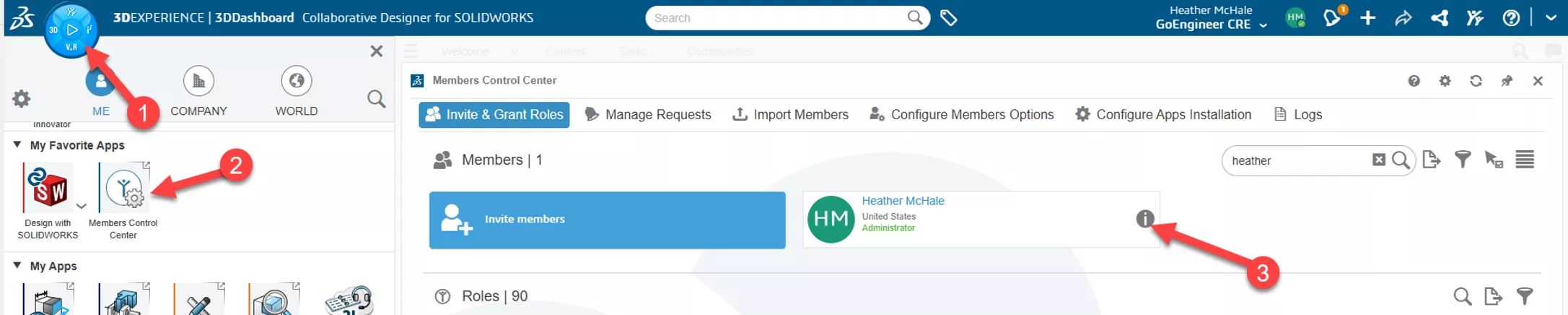
- Log in to your platform as an administrator, or use this link: https://eu1-ifwe.3dexperience.3ds.com.
- Access the Members Control Center.
- Click the “i” icon beside your name.
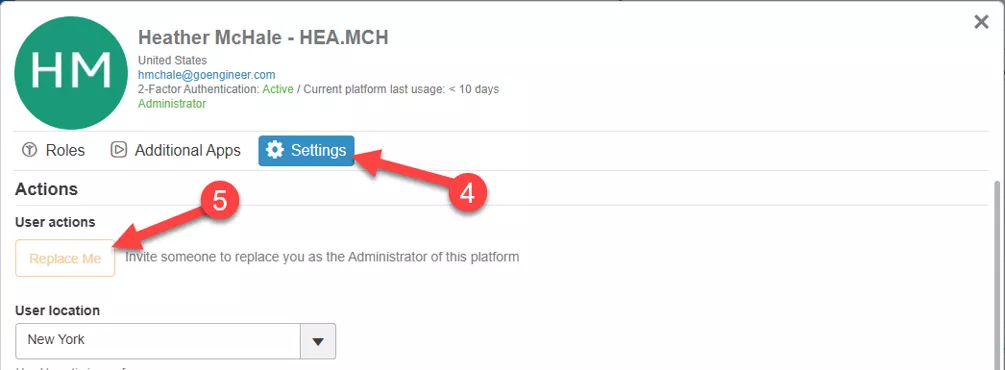
- Click Settings.
- Click Replace Me and enter the email address of the new administrator.
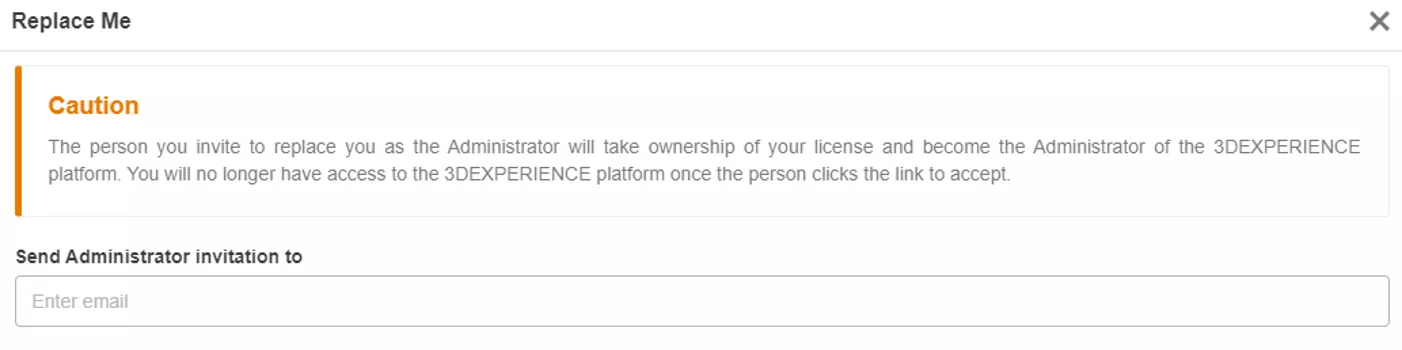
Once confirmed, the following occurs:
- The initiating user will immediately lose administrator rights.
- The new user will receive an email with instructions to assume Platform Administrator responsibilities.
- After the replacement is complete, the new administrator can log in and perform the following administrative duties:
- Manage Collaborative Spaces
- Manage Member access
- Manage role assignments
- Customize/create CAD data rules
If you are unable to use this functionality or experience errors, please reach out to your 3DEXPERIENCE reseller for support.
Want to learn more? Check out more tips and tutorials listed below or on our 3DEXPERIENCE YouTube Channel. Additionally, join the GoEngineer Community, where you can create forum posts, design contests, and answer questions from other 3DEXPERIENCE platform users.
Related Articles
Setting Enterprise Item Numbers (EINs) in 3DEXPERIENCE
Changing the 3DEXPERIENCE Maturity Graph Engineering Definition
Benefits of 3DEXPERIENCE Duplicate Function
Change Your 3DEXPERIENCE Platform Name & Organization Title
About Heather McHale
Heather McHale is a SOLIDWORKS Technical Support Engineer, Instructor, and Certified SOLIDWORKS Expert. Heather has over 13 years of design experience since earning her degree in Computer Aided Drafting from Kellogg Community College. Heather joined the VAR channel in 2017 first with DASI and now GoEngineer. Based out of western Michigan, Heather enjoys camping, hiking, and scrapbooking in her free time.
Get our wide array of technical resources delivered right to your inbox.
Unsubscribe at any time.