Change Your 3DEXPERIENCE Platform Name & Organization Title

Personalizing your 3DEXPERIENCE tenant can make the environment feel more connected to your company and help users feel “at home” in the platform. Two of the quickest ways to do this are by updating or changing the Platform Name and the Organization Title. Here is how to customize both.
Note: The steps in this guide require Administrator access to the 3DEXPERIENCE platform.
Changing the Platform Name
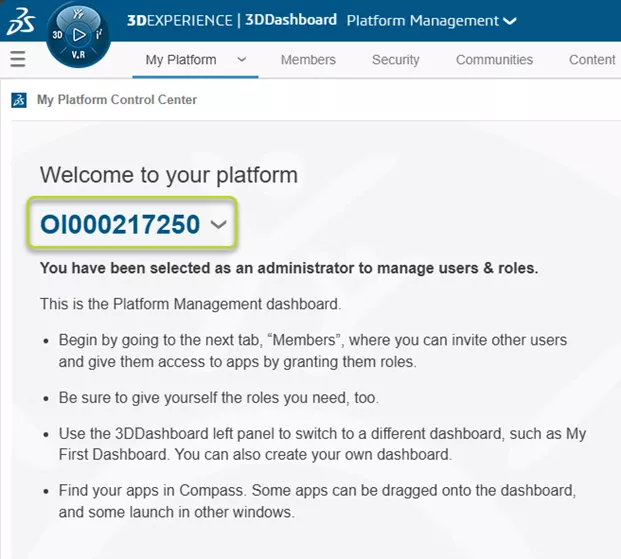
By default, your 3DEXPERIENCE platform name is typically Rxxxxxxx, which doesn’t provide much context for end users. Admins can find the platform name displayed in the Platform Management dashboards.
For SOLIDWORKS users, the platform name is present in the MySession tab of the SOLIDWORKS Task Pane.
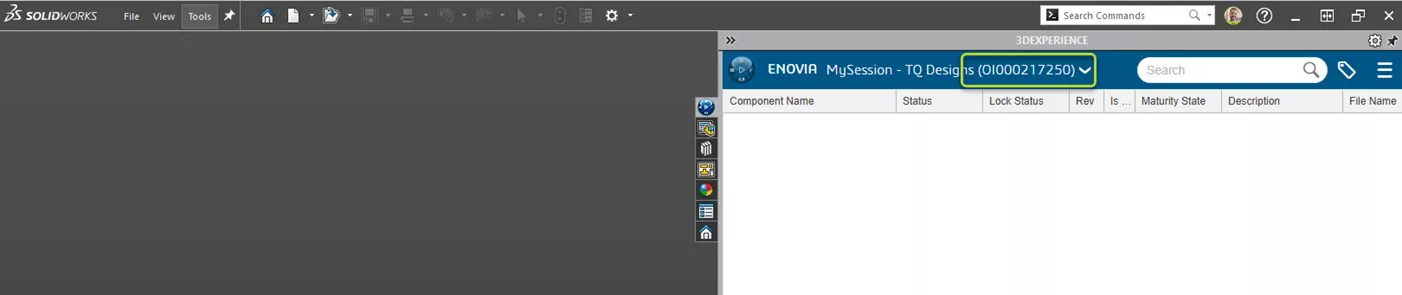
Updating this to your company name makes integration feel more professional and intentional.
How to:
- Access your dashboard list.
- Select the Platform Management dashboard from the list of dashboards.
- Select the My Platform tab.
- Expand the drop-down menu next to your platform name.
- Select Rename.
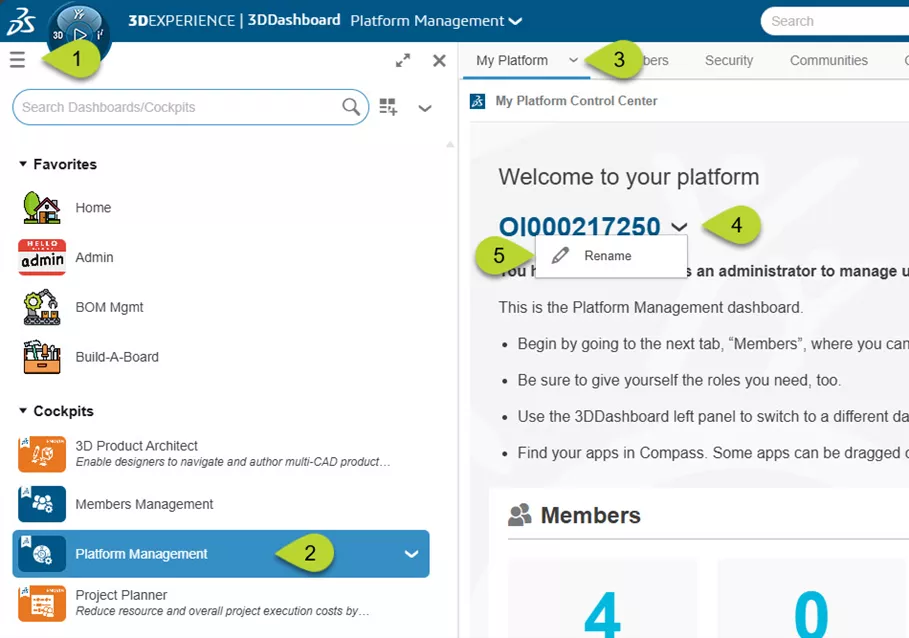
- Finally, enter your desired name and click Save.
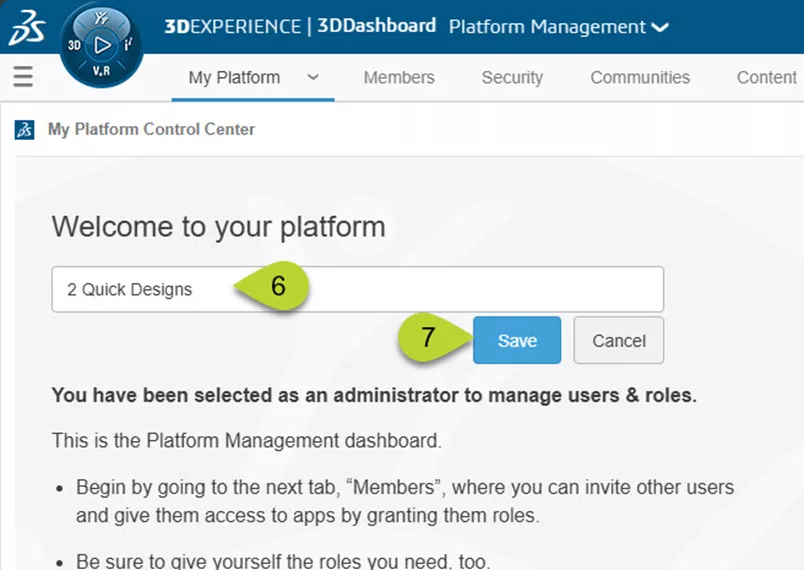
That’s it! The next time your users launch SOLIDWORKS, they will see the updated platform name in the MySession tab.
Tip: Use a company-wide name rather than a department-specific one. As your needs expand to include other teams with access to the platform, a broader naming convention helps avoid confusion and supports cross-departmental collaboration.
Updating the Organization Title
Every file stored on the 3DEXPERIENCE platform includes metadata. Some of this information is mapped from SOLIDWORKS; others are created automatically by the system. One of these attributes is the Organization Title, which defaults to Company Name. This value appears in the Bookmark Editor app, the information panel, and various other areas where the metadata can be viewed.
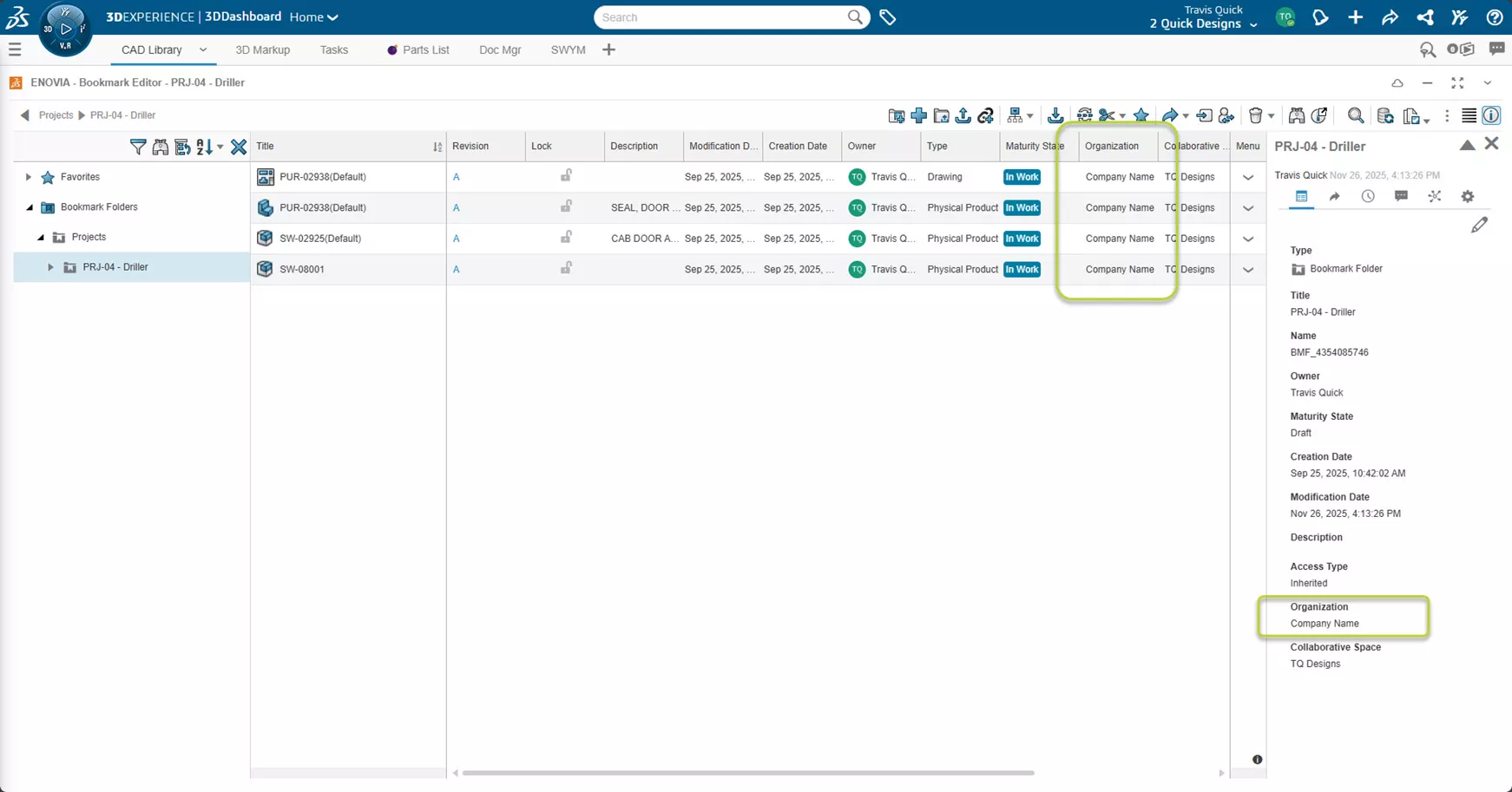
Updating the Organization Title adds another layer of clarity and branding.
How to:
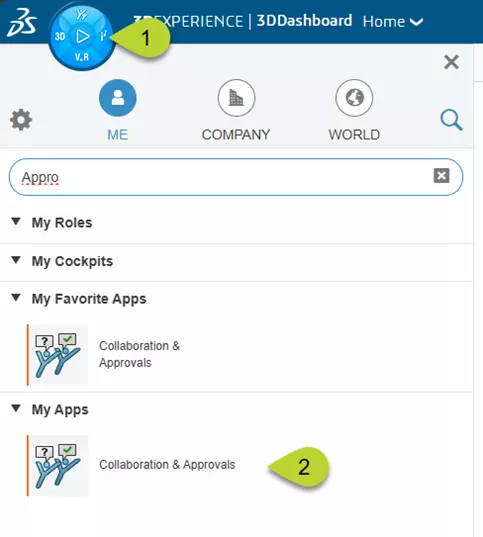
- Click the Compass in the top-left corner.
- Search for or scroll to Collaboration and Approvals. This is a classic app that will launch a new browser tab.
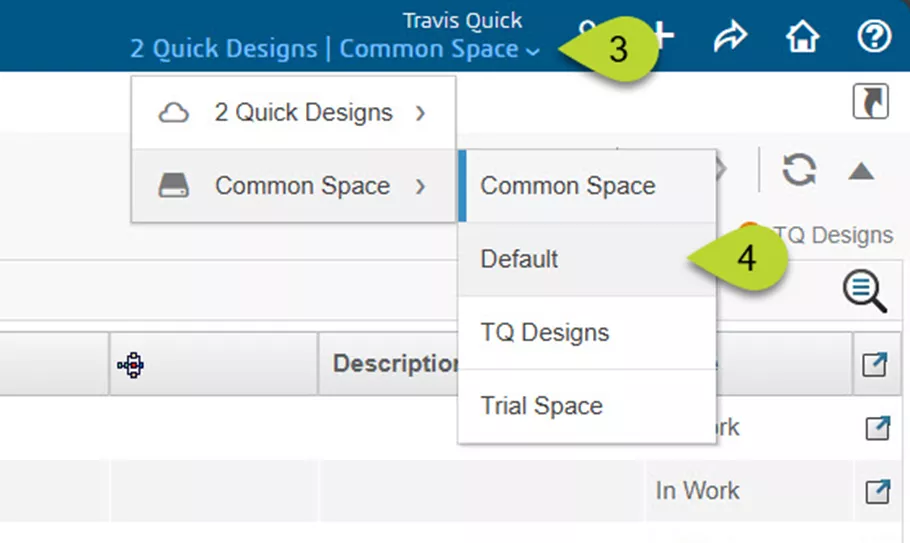
- In the top-right corner of the new browser tab, select the drop-down menu next to your profile icon.
- Change the collaborative space to Default.
Note: You may need to click the Home icon or navigate back a few times to see the main list of options.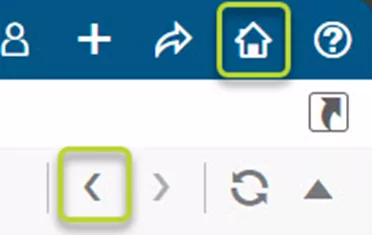
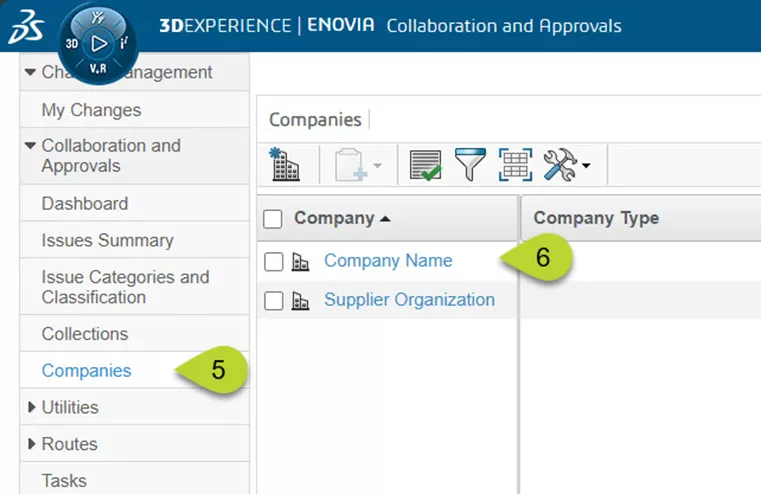
- Once the page reloads, select Companies from the left column.
- Click the hyperlink for Company Name; wait a moment for this to load.
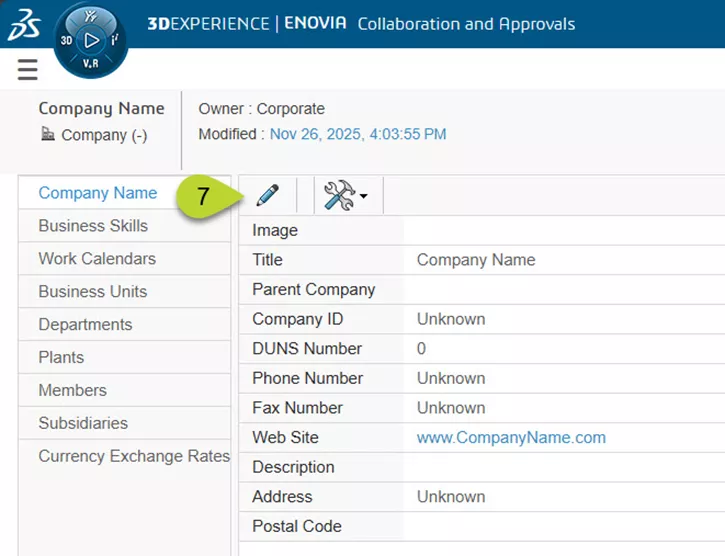
- On the next page, click the pencil icon to edit.
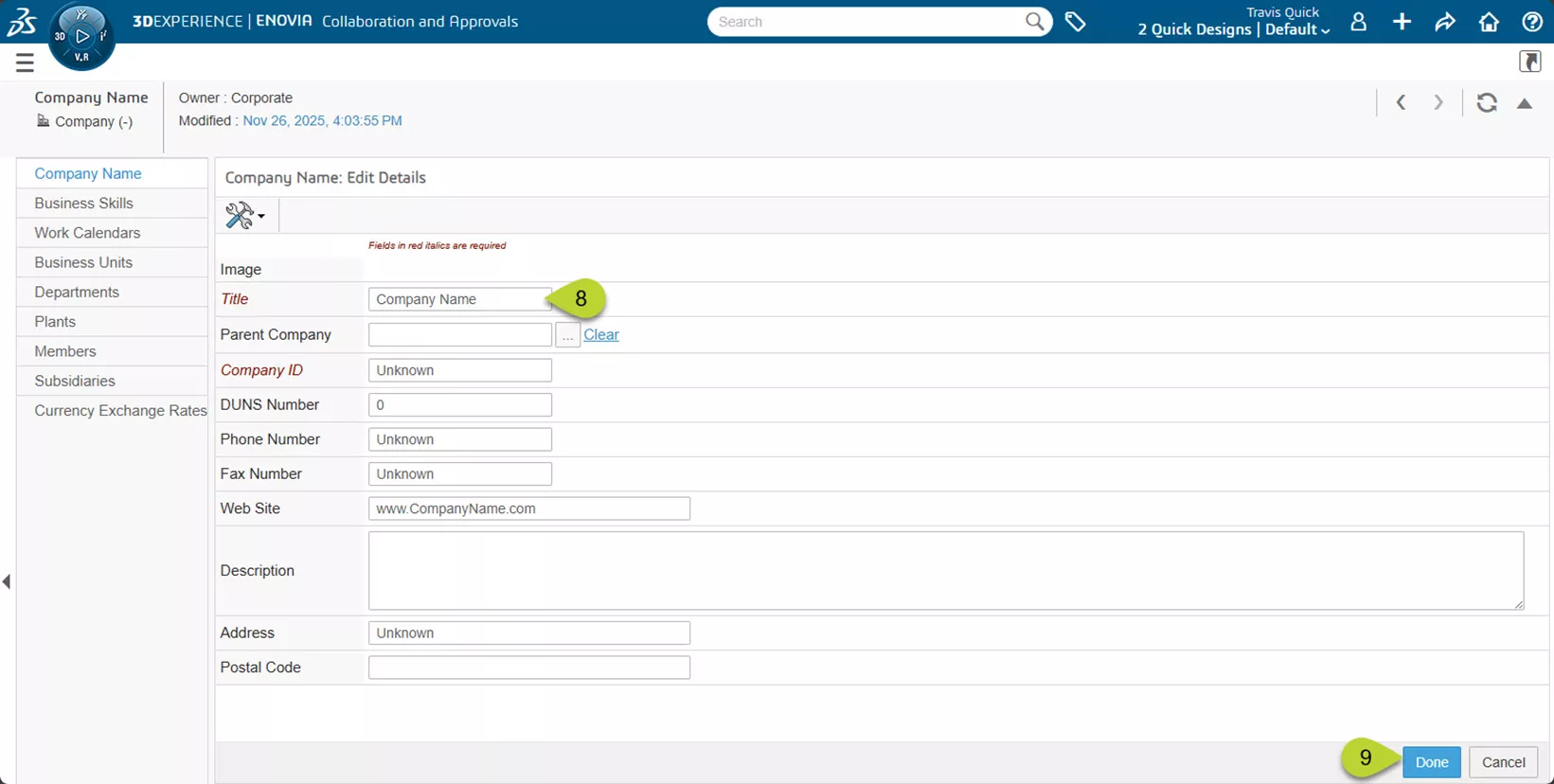
- Update the Title field to reflect your company’s name.
- Click Save.
After a quick refresh, you will see your updated organization title reflected in component properties and metadata views.
A few simple tweaks can make the 3DEXPERIENCE platform feel like a customized, company-branded environment. This goes a long way to improve user confidence and adoption.
Have questions or want more tips? Check out more tips and tutorials listed below or on our 3DEXPERIENCE YouTube Channel. Additionally, join the GoEngineer Community, where you can create forum posts, design contests, and answer questions from other SOLIDWORKS and 3DEXPERIENCE platform users.
Related Articles
How to Enable XYZ Distance Measurements in 3DPlay
3DEXPERIENCE SOLIDWORKS Local Cache Management
Sharing Designs Using the 3DEXPERIENCE SOLIDWORKS Export as Package
Preventing 3DEXPERIENCE Lockouts

About Travis Quick
Travis Quick is an Application Engineer at GoEngineer. Travis spends his days teaching SOLIDWORKS courses and helping customers. In his spare time, he likes playing video games and testing his physical strength on an outdoor obstacle course.
Get our wide array of technical resources delivered right to your inbox.
Unsubscribe at any time.