Resolve .err Files When Saving STEP Files in SOLIDWORKS

Neutral formats like STEP are great for collaborating with other designers who use different CAD software. But sometimes, opening or saving a STEP file doesn't go as planned. If you've ever had a file fail to save as STEP and generate a .err file instead, you're in the right place. This article explains a tool that can be used to track down and resolve geometry issues that prevent SOLIDWORKS from creating a STEP file.
Troubleshooting
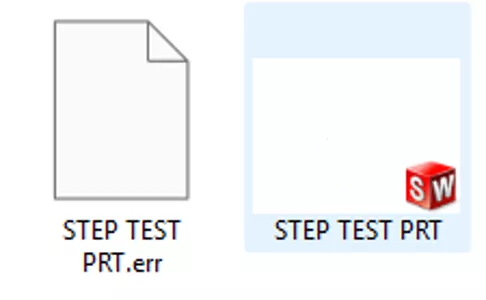
- Check if a .err file appears in the folder you are trying to save the STEP to. If a STEP file also appears, you may find that it doesn't open in SOLIDWORKS.
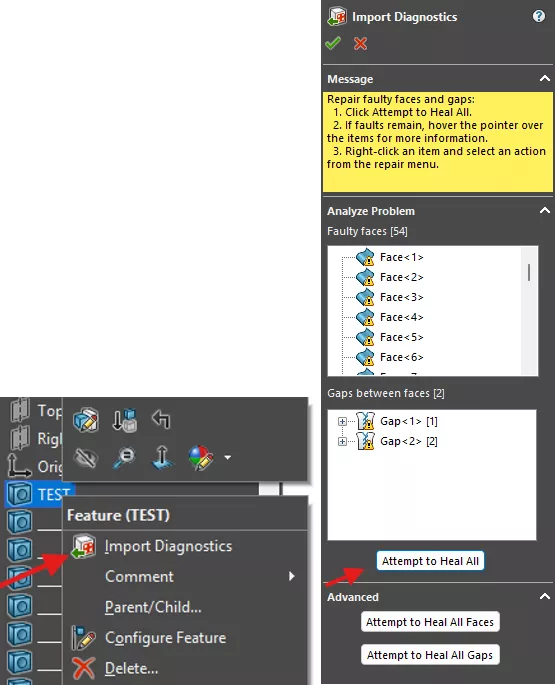
- Import Diagnostics can be run on the Imported feature in the FeatureManager Design Tree (and may open automatically whenever a bad STEP file is opened), but it can be a slow process and won't work at all if features have already been added.
- The most efficient and reliable way is to use the Check command in the Evaluate tab of the CommandManager.

- Run the check. The Result List will display any issues with the geometry. Clicking on a result will take you to that specific area of the model.
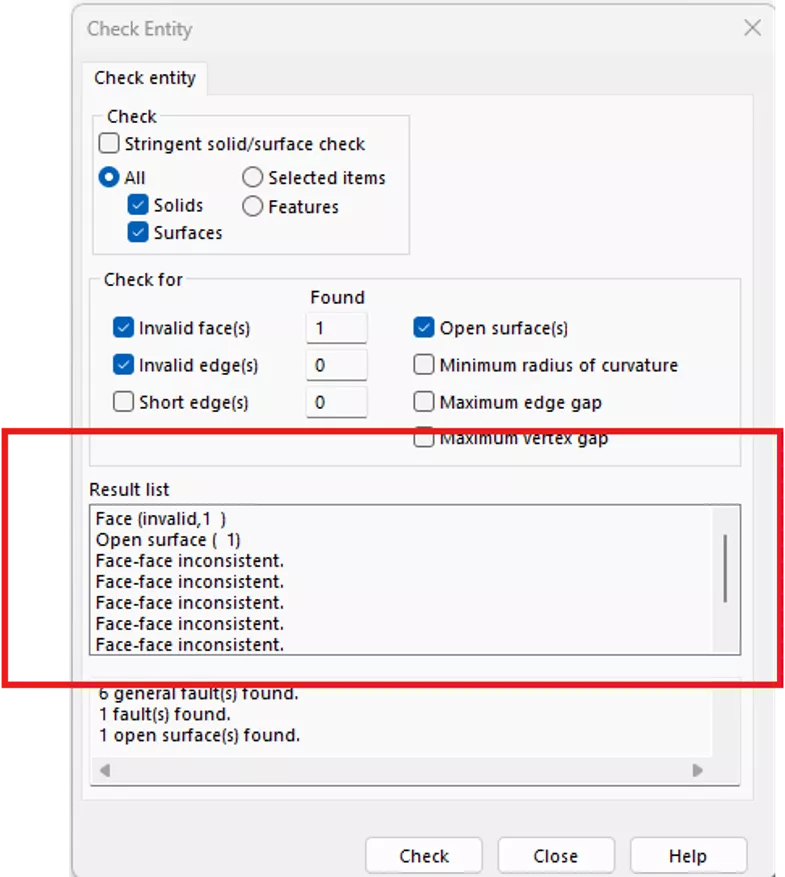
- I recommend going through each result one by one, either suppressing bodies (in the case of a multibody part or assembly) or fixing the geometry. Recheck after each attempt, and/or retry saving until saving does not produce a .err file. In my experience, it's not necessary to resolve all of the geometry errors in order to successfully save the file.
Want to learn more about SOLIDWORKS? Check out additional tutorials and tips below. Additionally, join the GoEngineer Community, where you can create forum posts, enter design contests, and answer questions from other SOLIDWORKS users.
SOLIDWORKS CAD Cheat Sheet
SHORTCUTS ⋅ MOUSE GESTURES ⋅ HOT KEYS
Our SOLIDWORKS CAD Cheat Sheet, featuring over 90 tips and tricks, will help speed up your process.

Related Articles
SOLIDWORKS STEP Export: AP203 vs AP214
Resolve SOLIDWORKS Imported STEP File Error: Encountered Invalid Record Index
How to Open Future Version Files in SOLIDWORKS
How to Create a Spring That Will Expand and Compress in a SOLIDWORKS Assembly

About Dylan Funk
Dylan Funk is a Technical Support Engineer at GoEngineer.
Get our wide array of technical resources delivered right to your inbox.
Unsubscribe at any time.