Search for Hidden Variables in SOLIDWORKS PDM

To search for a SOLIDWORKS PDM variable and have it appear on column sets, it needs to be in your data card first. But what if showing it adds no value to your data cards? This article demonstrates how to include the variable in the data card while keeping it hidden.
For this, we have to add Control Logic to the variable in the data card. Open the desired data card. In the Administration Tool, go to Cards > File Cards > [Data card].
In the Card Editor, select the variable box and in the Control menu, pick Control Logic. Ensure you select the variable box first; otherwise, the Control Logic option will be grayed out.
Add the logic below (see Figure 1) and save the data card.
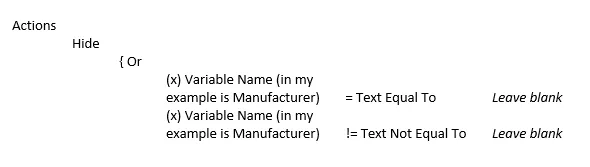
This logic means that if the variable value is equal to “blank” (empty), then perform the action Hide. Or, if the variable value is not equal to “blank” (any value), then perform the same action.
If the variable value is blank or has any value, it will be hidden in the data card.
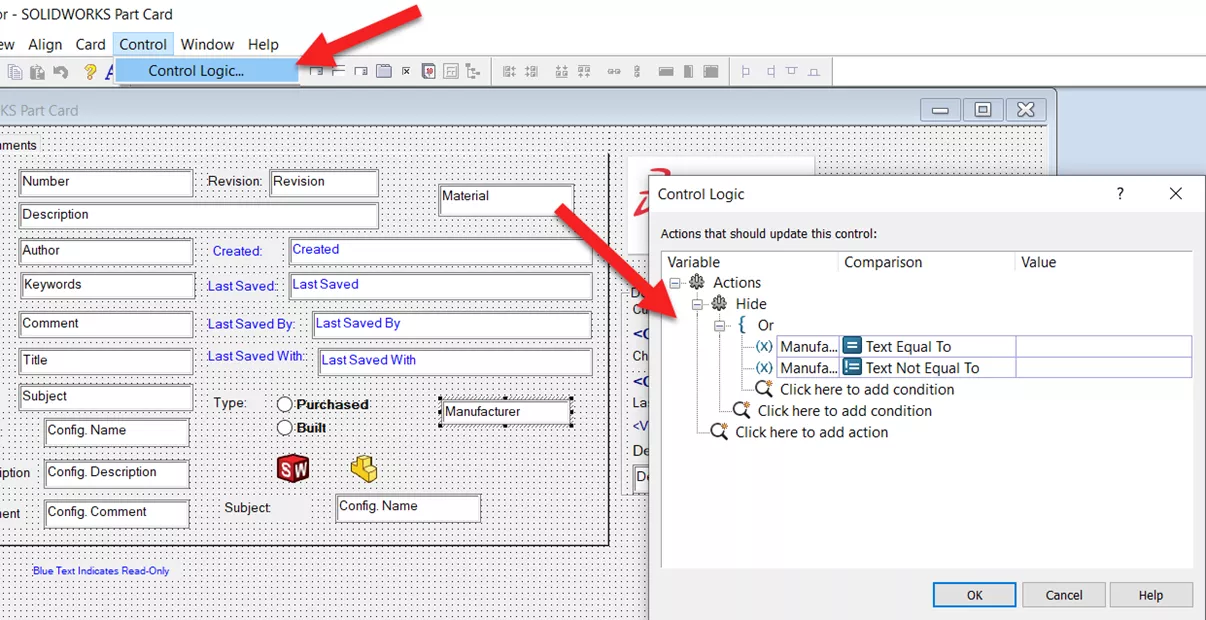
Figure 1: Adding control logic to variable box
Back in File Explorer, that variable will be hidden from the data card but can be displayed in a column set and when doing a variable search. (Figures 2 & 3)
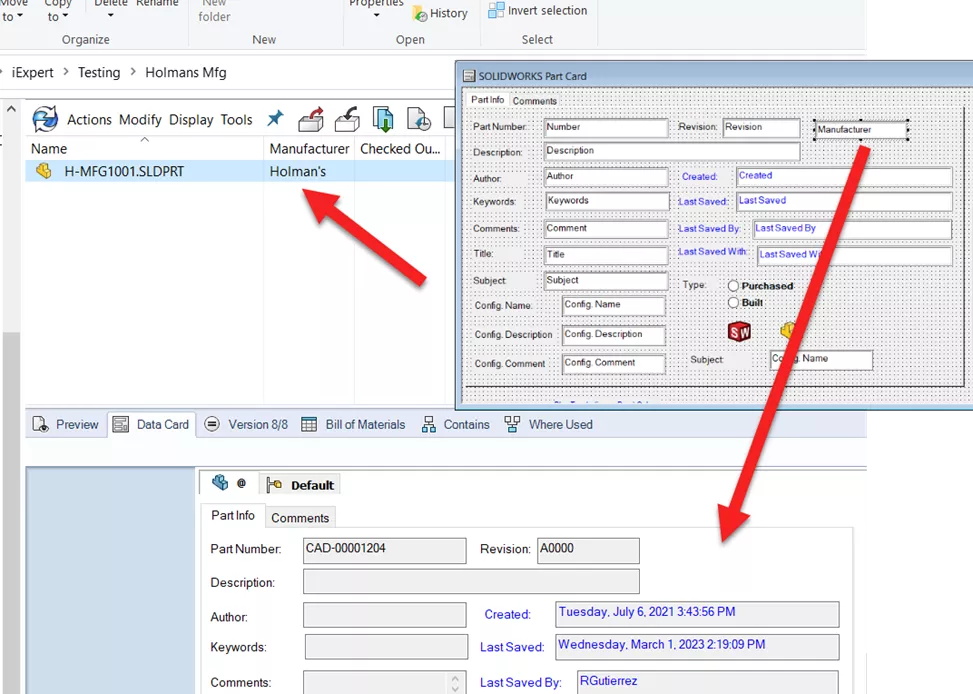
Figure 2: Hidden variable in data card but displayed in the column set
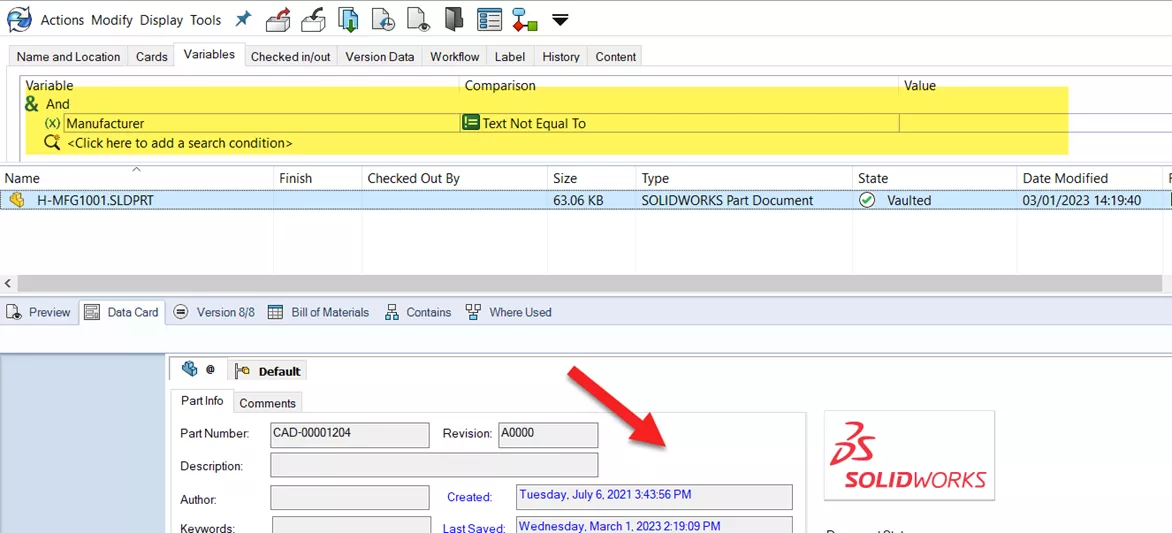
Figure 3: Searching by variable while remaining hidden in the data card
I hope you found this quick tip helpful. Learn more about SOLIDWORKS PDM below.
24 Tips to Master SOLIDWORKS PDM
SHORTCUTS ⋅ SEARCHING ⋅ PDM ADD-IN
24 of our expert tips to help you master using SOLIDWORKS PDM. Improve performance, find files faster, and work like a pro.
Related Articles
Removing or Deleting a Local Vault View in SOLIDWORKS PDM
SOLIDWORKS PDM – Create Local Host File Workaround as Temporary Solution
Troubleshooting SOLIDWORKS PDM Notifications
Add the Released Version to the Face of the Drawing in SOLIDWORKS PDM

About Rodolfo Gutierrez
Rodolfo Gutierrez is a Mechanical Engineer by profession specializing in SOLIDWORKS, Routing, PDM, Sheet Metal, and Weldments. Lucky husband and goofy dad. Loves productivity hacks.
Get our wide array of technical resources delivered right to your inbox.
Unsubscribe at any time.