How to Change Units of Measure in 3DPlay

The default unit of measurement in 3DPlay on the 3DEXPERIENCE platform is set to millimeters. However, you can easily change it to inches or something else, but the setting to do this is a bit hard to find.
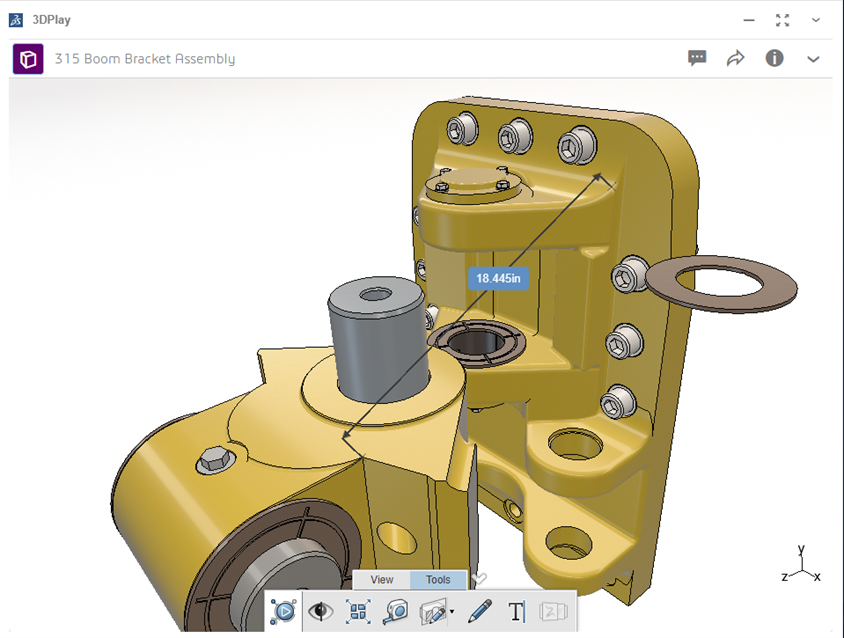
Rather than trying to find a settings/preferences menu in the 3DPlay app/widget, over the last several FD platform updates, app settings like this have been consolidated to one location.
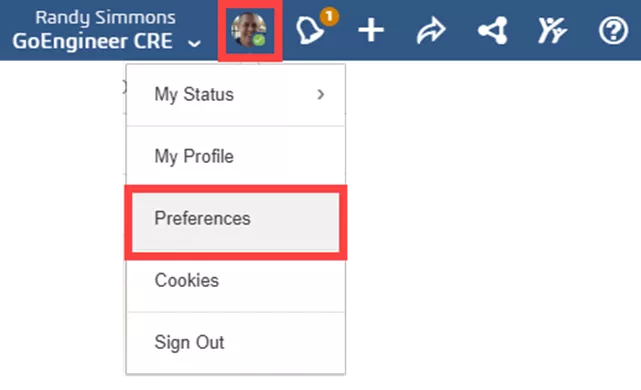
You can access this global preferences menu by selecting your picture/avatar in the upper right corner of your dashboard and choosing Preferences.
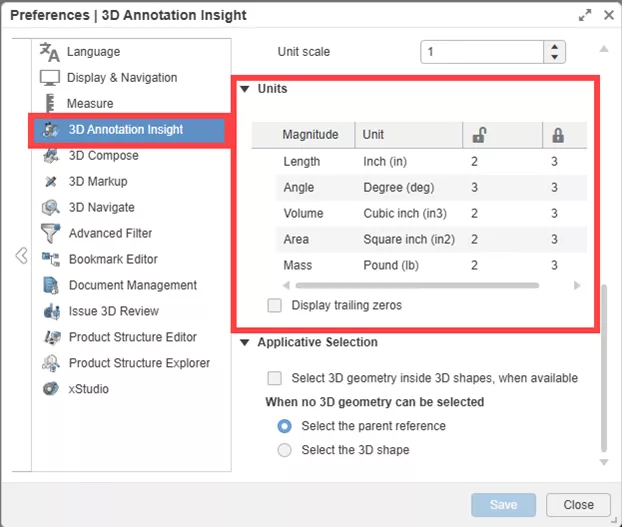
Select 3D Annotation Insight from the list on the left and scroll down to the Units section.
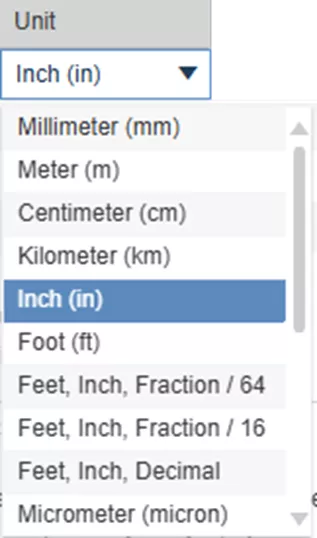
Click on the unit for the magnitude type you would like to change (length, volume, etc.) and select the new unit from the dropdown menu.
Super easy when you know where to find it! More on this menu and some of the other measurement settings coming soon!
Want to learn more? Check out more tips and tutorials listed below or on our 3DEXPERIENCE YouTube Channel. Additionally, join the GoEngineer Community, where you can create forum posts, design contests, and answer questions from other SOLIDWORKS and 3DEXPERIENCE platform users.
Related Articles
3DEXPERIENCE SOLIDWORKS Local Cache Management
Sharing Designs Using the 3DEXPERIENCE SOLIDWORKS Export as Package
Preventing 3DEXPERIENCE Lockouts
Show Only the Latest Revision in 3DEXPERIENCE Searches

About Randy Simmons
Randy Simmons in a Sr. 3DEXPERIENCE Specialist at GoEngineer.
Get our wide array of technical resources delivered right to your inbox.
Unsubscribe at any time.