When to Use SOLIDWORKS Sketch Bends and Edge Flanges

Table of Contents
With any part in SOLIDWORKS, there are often several potential strategies and starting points to create the same end product. For sheet metal parts specifically, there are two primary approaches depending on the features involved: 1) design primarily with the end result in mind; 2) design with the starting materials in mind (as though manufacturing the physical product on your computer screen). In general, Edge Flange features favor the first approach, while Sketched Bends favor the second. This article discusses both modelling approaches and when to choose each.
The Advantage of Sketched Bends
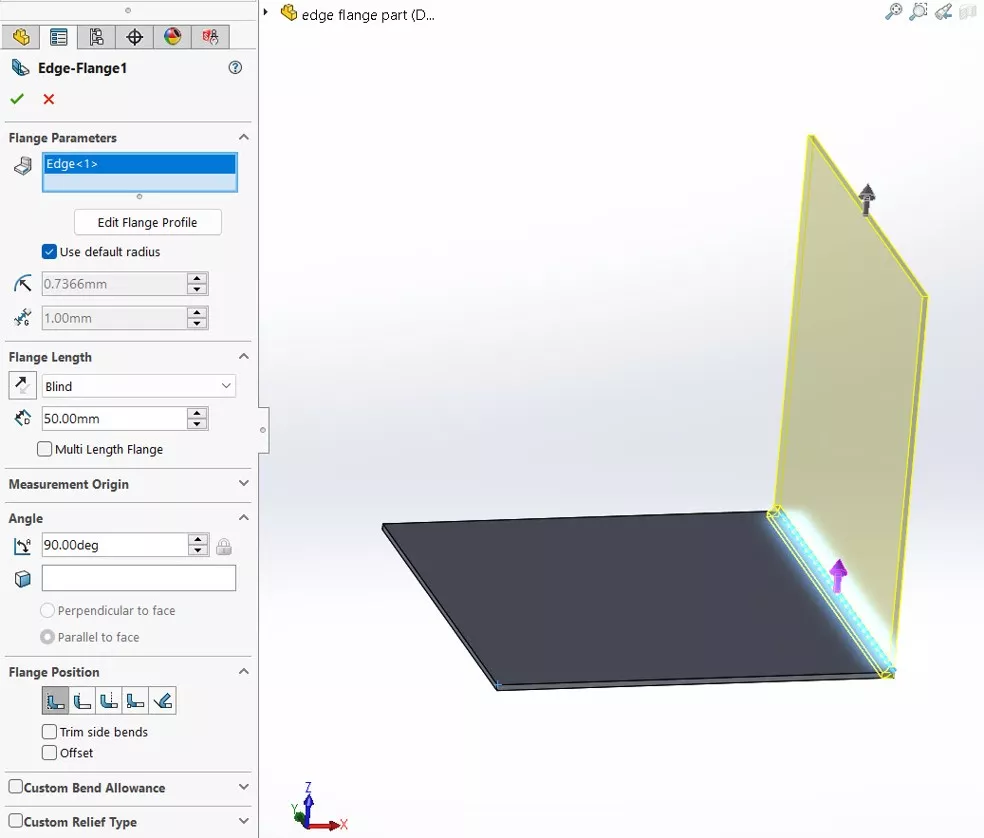
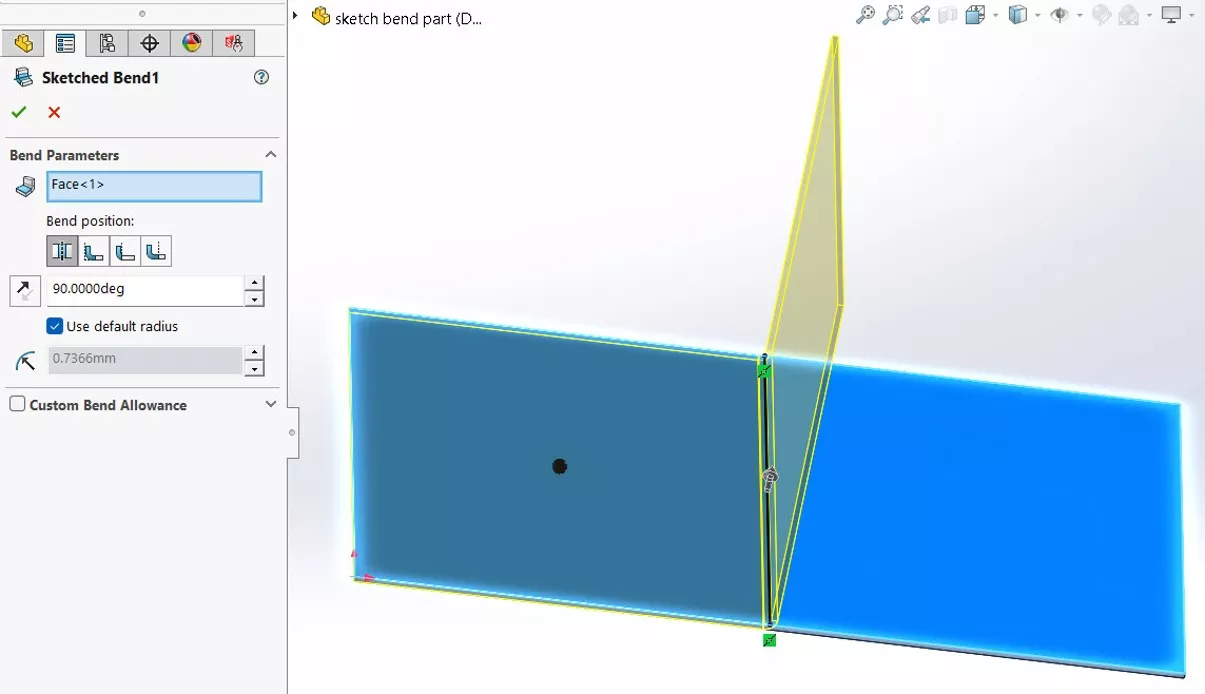
Sketched Bends and Edge Flanges can both create the same parts in SOLIDWORKS, but they require different approaches. A Sketched Bend is defined by a sketch on a sheet metal part before it gets bent. So, a Sketched Bend lets you create the part by sketching its flat pattern directly. But since sheet metal stretches when bent, this means that the dimensions applied to the pattern will differ from the finished, 'bent' dimensions.
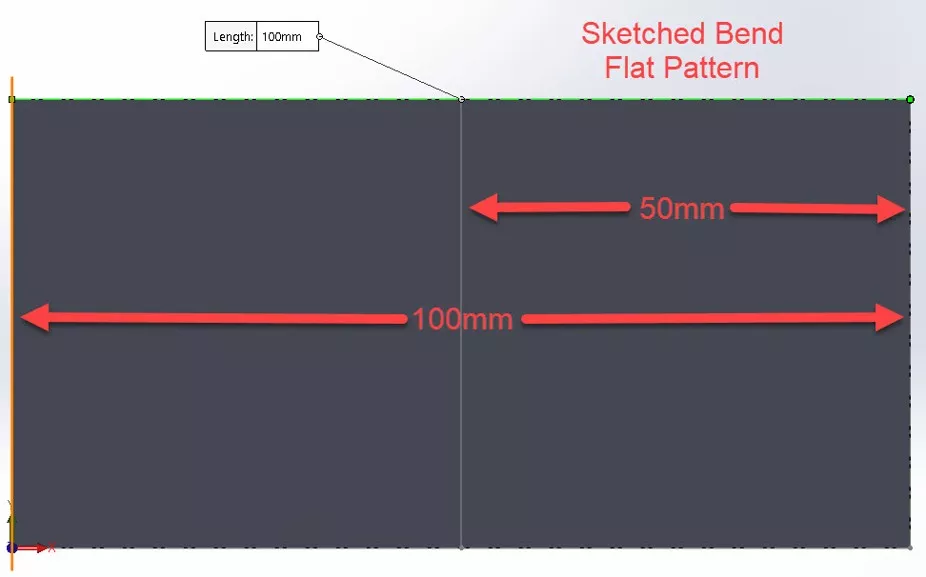
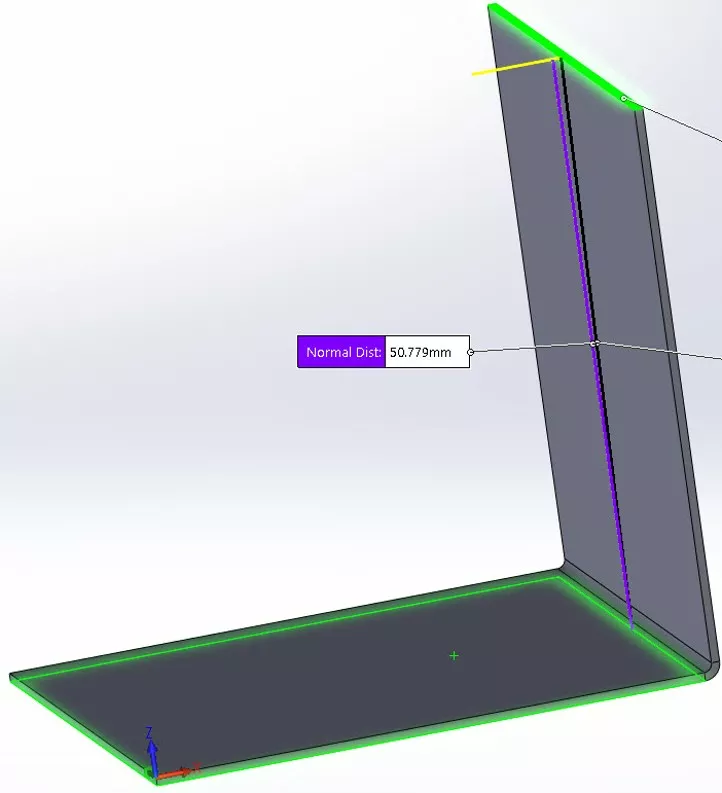
In this screenshot, the sketch line for a Sketched Bend is positioned 50mm from the edge of the 100mm piece of flattened sheet metal. Once bent, notice that the height of the flange is 0.779mm longer than the distance specified in the sketch, due to the stretch.
When to Use Edge Flanges
Edge Flanges add material to an existing base part to create the final bent part. By adding material this way, SOLIDWORKS lets you define the final dimensions of the part. This is great when the bent part needs to be precise. But this precision may come at the expense of cost, since the flat pattern dimensions aren’t likely to be standard integer values that correspond with standard stock.
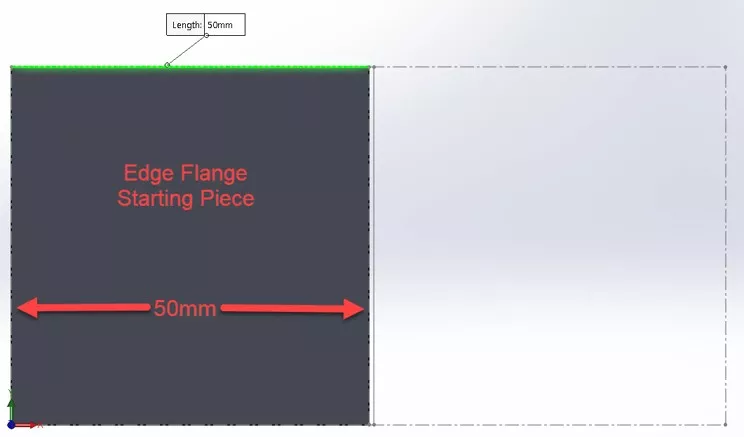
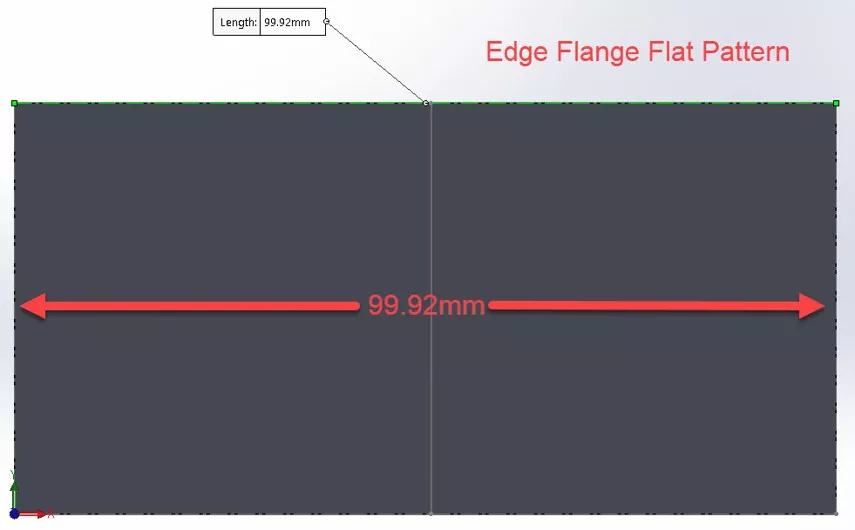
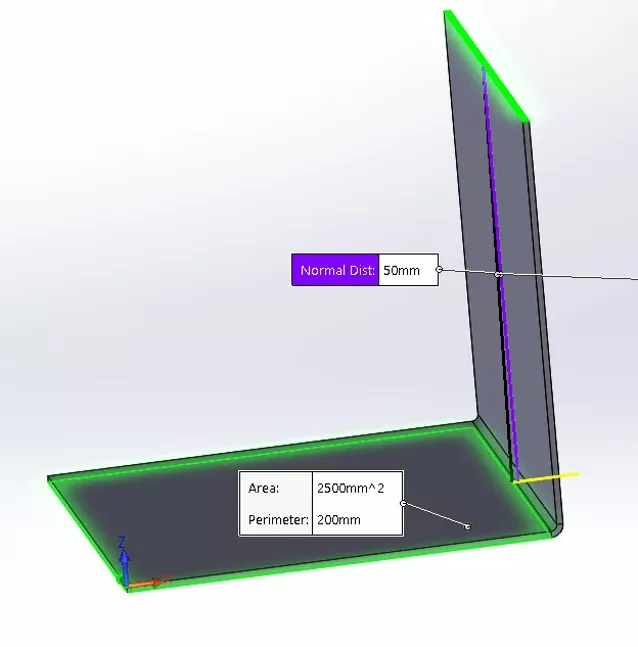
In this example, a 50mm Edge Flange is added to a 50mm x 50mm base flange. Notice how the bent flange is exactly 50mm, but the flat pattern is slightly smaller to account for stretching in the bend to create an edge flange of exactly 50mm. This might require an extra cutting operation if the material comes in 100mm widths.
Using Bend Position to Control Length
When creating a Sketched Bend, specifying the bend position is one strategy to control the length of a sheet metal feature. This option defines where the flange is relative to the 2D sketch. This does not give you the exact length of the flange after bending, but it helps significantly to control it.
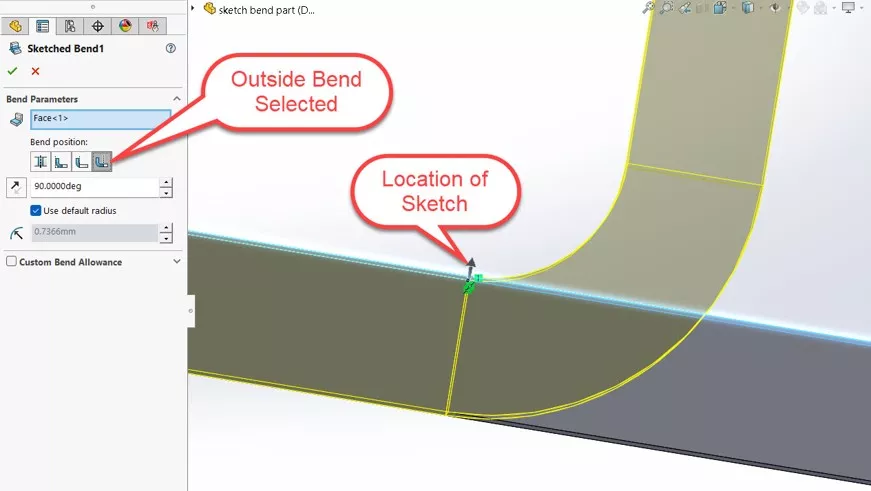
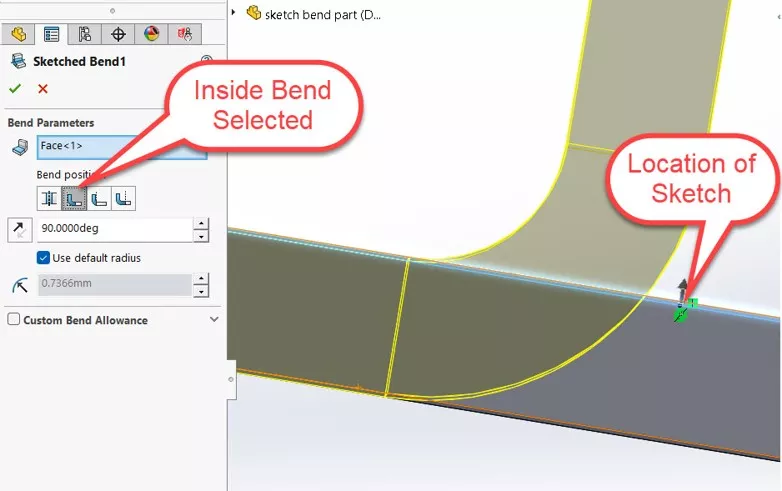
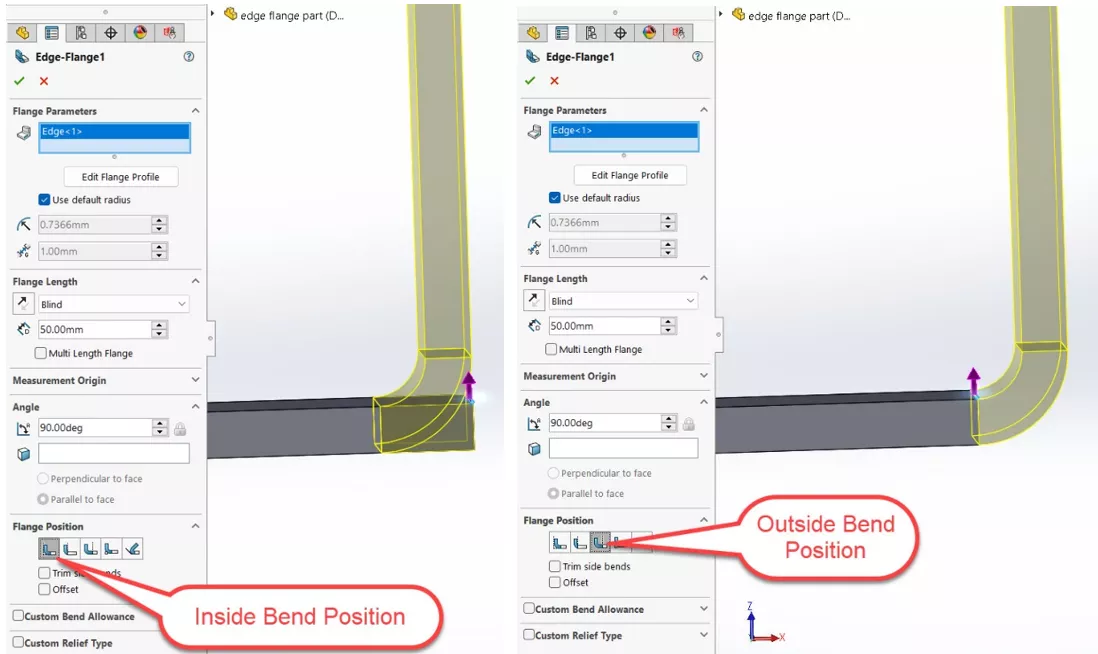
The same option exists for Edge Flanges, but the results are slightly different. Adjusting the bend position changes where the bend will be on the flat pattern, and lets you decide if the starting piece’s length will be affected. It will not affect the length of the flange you are adding.
Summary
When the finished length of a flange isn't critical, or when dimensioning the flat pattern to work with standard sheet metal stock, use Sketched Bends. When final part dimensions are the priority, use Edge Flanges.
To learn more, check out the articles listed below. Additionally, join the GoEngineer Community to participate in discussions, create forum posts, and answer questions from other SOLIDWORKS users.
SOLIDWORKS CAD Cheat Sheet
SHORTCUTS ⋅ MOUSE GESTURES ⋅ HOT KEYS
Our SOLIDWORKS CAD Cheat Sheet, featuring over 90 tips and tricks, will help speed up your process.
Related Articles
Flattened vs. Folded Mass Properties in SOLIDWORKS Sheet Metal Parts
Create a SOLIDWORKS Model From a Picture
Overriding Mass Properties Using SOLIDWORKS Design Tables
Using Section Scope to Customize Section Views in a SOLIDWORKS Drawing
About GoEngineer
GoEngineer delivers software, technology, and expertise that enable companies to unlock design innovation and deliver better products faster. With more than 40 years of experience and tens of thousands of customers in high tech, medical, machine design, energy and other industries, GoEngineer provides best-in-class design solutions from SOLIDWORKS CAD, Stratasys 3D printing, Creaform & Artec 3D scanning, CAMWorks, PLM, and more
Get our wide array of technical resources delivered right to your inbox.
Unsubscribe at any time.