How to Install eDrawings Professional

eDrawings Professional can be installed independently of SOLIDWORKS. This guide walks you through downloading the software and installing it.
How to Download eDrawings Professional
Download eDrawings Professional from the SOLIDWORKS free downloads page. These downloads are free and do not require a login.
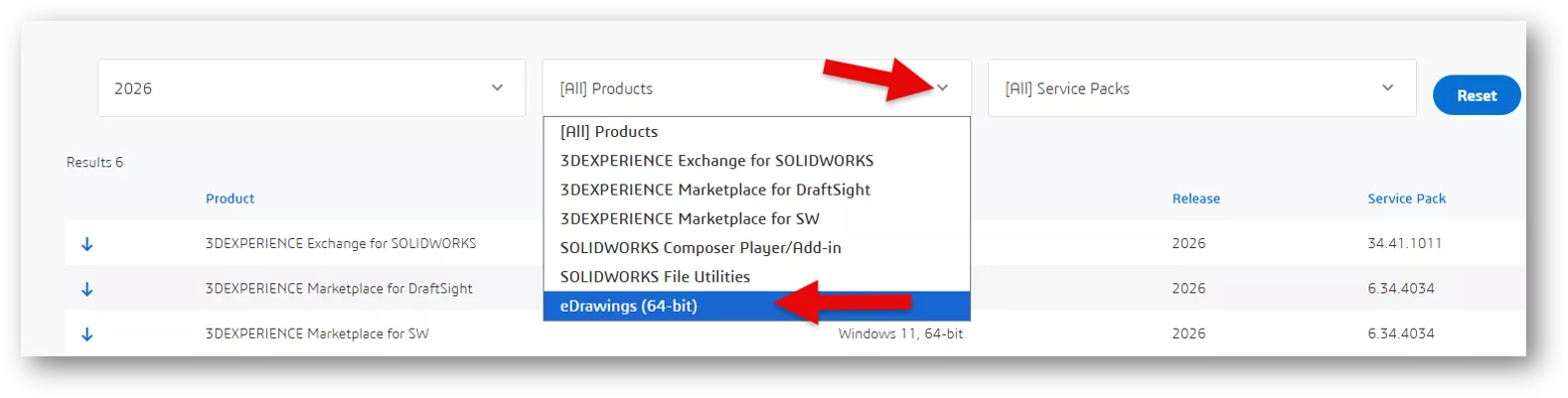
To start, click the [All] Products pull-down and choose eDrawings (64-bit).
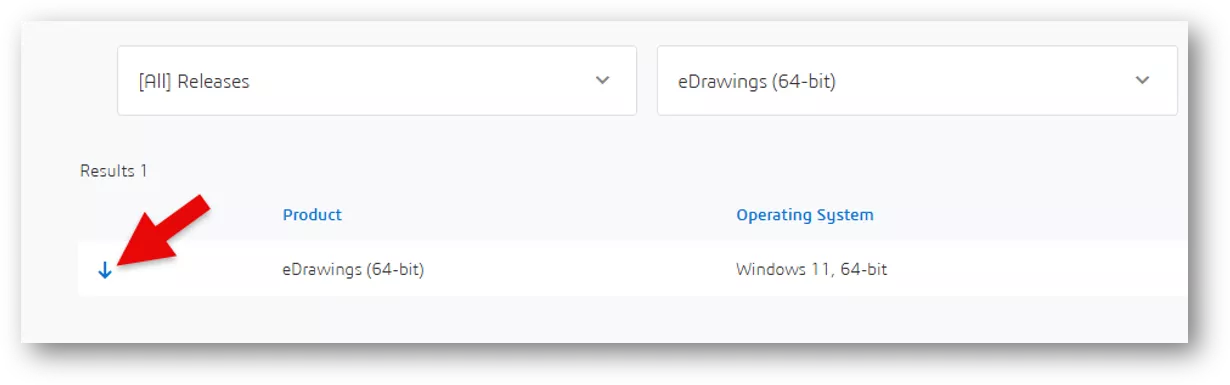
Click the download icon on the left to start the download (the End User Agreement must be accepted before the download begins).
Installing eDrawings Professional
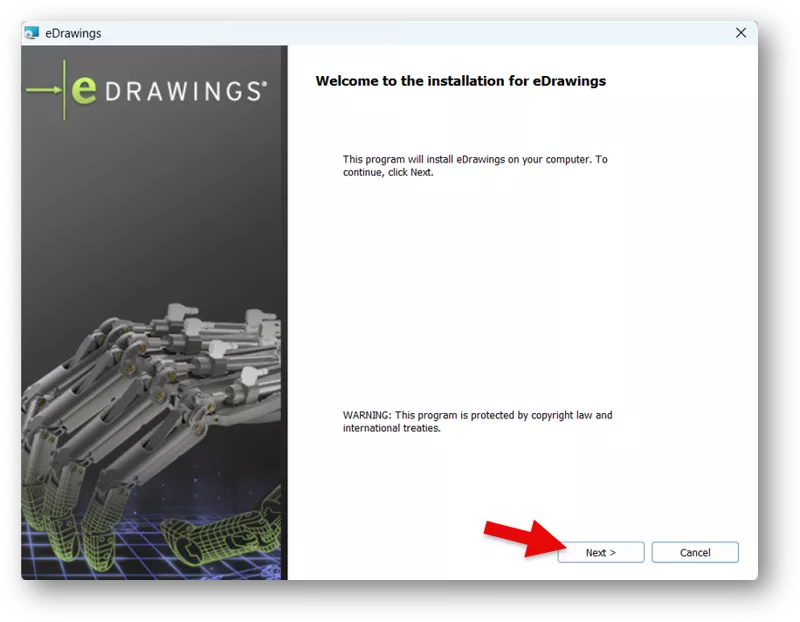
After the download is complete, launch eDrawingsFullAllX64.exe and click Next to start the installation.
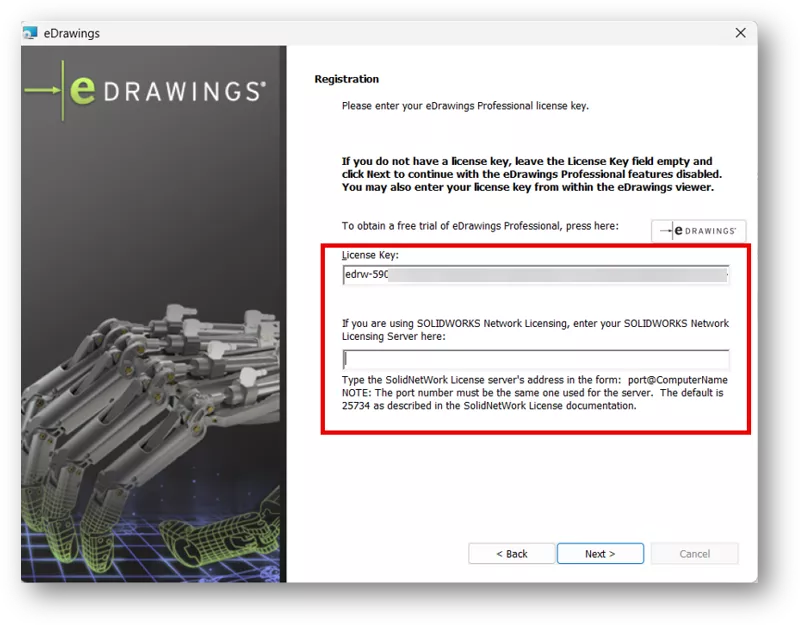
Enter the License Key (authorization code) for standalone users or the network license address for network license users. The network license address is typically 25734@YourServerName.
If you do not have an authorization code yet and would like a free trial, click here, copy the code, and paste it under License Key.
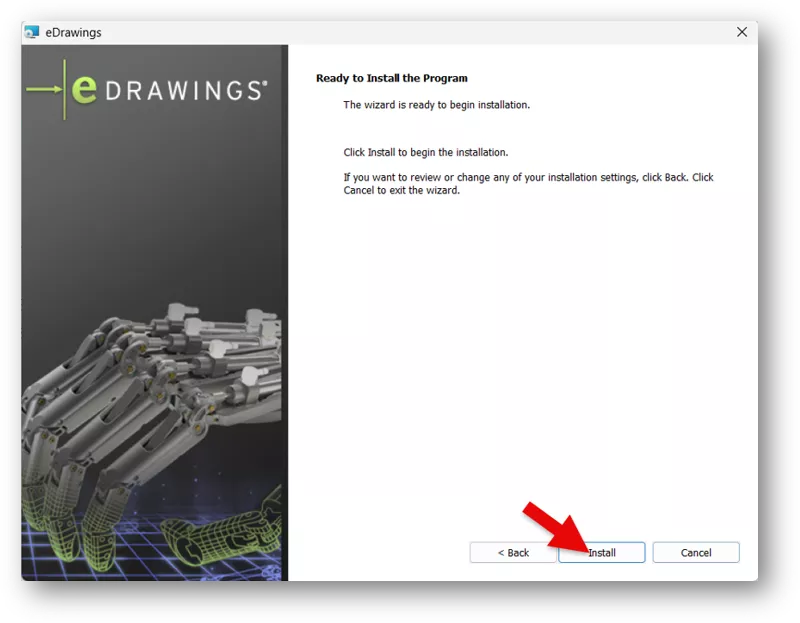
Click Next, then Install to begin the installation.
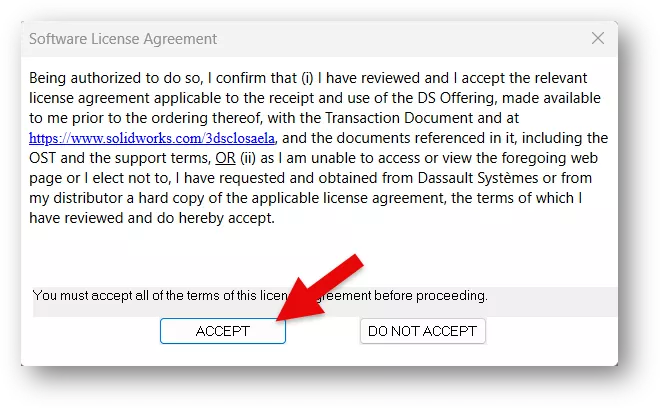
Accept the Software License Agreement, and the installation will begin.
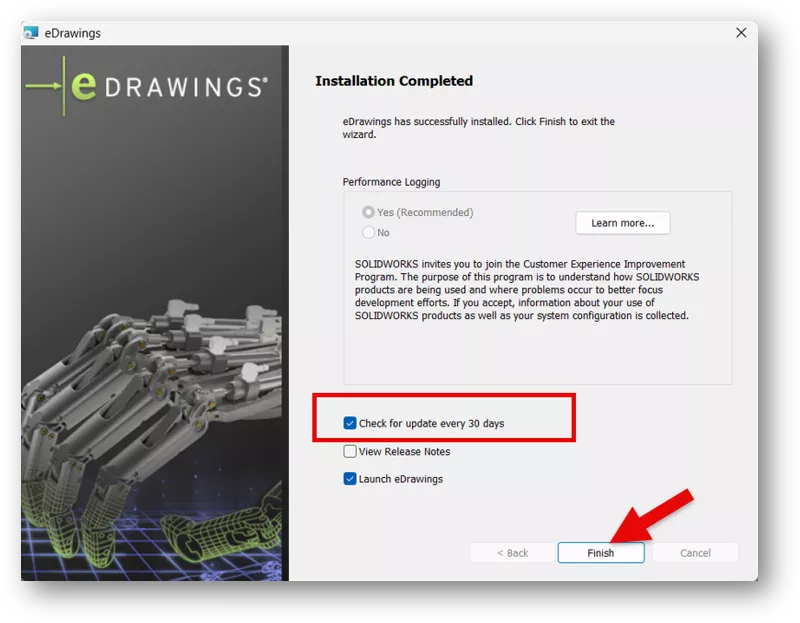
Once the installation is complete, confirm the update status and click Finish.
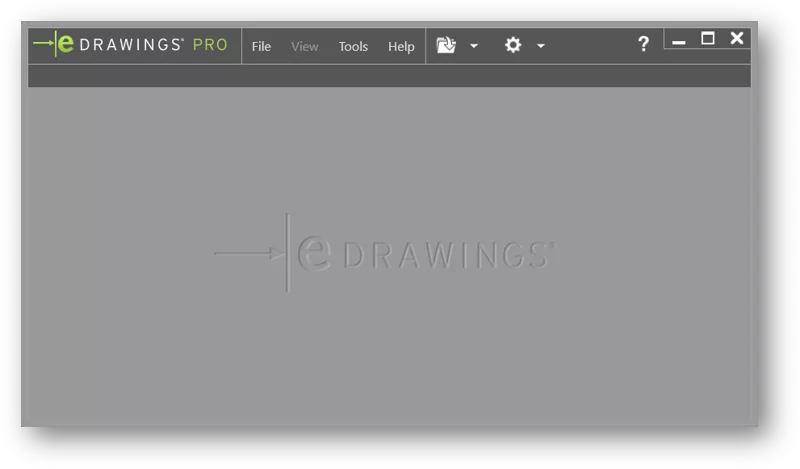
Now you can launch eDrawings. If you would like to better understand the differences between versions, view our article: eDrawings Viewer vs eDrawings Professional.
Related Articles
eDrawings Explained: Versions, Limitations, Features, & More
Restoring eDrawings Preview in SOLIDWORKS PDM Vault View
SOLIDWORKS eDrawings – Viewing Rotated Explode Steps
How to Show eDrawings Markups in SOLIDWORKS

About Zach Brown
Zach Brown is a certified SOLIDWORKS Expert and a Technical Support Engineer. Prior to working at GoEngineer, he spent 15 years as a mechanical designer, CAD support tech, and instructor using SOLIDWORKS. His hobbies include playing guitar, riding motorcycles, and skiing.
Get our wide array of technical resources delivered right to your inbox.
Unsubscribe at any time.